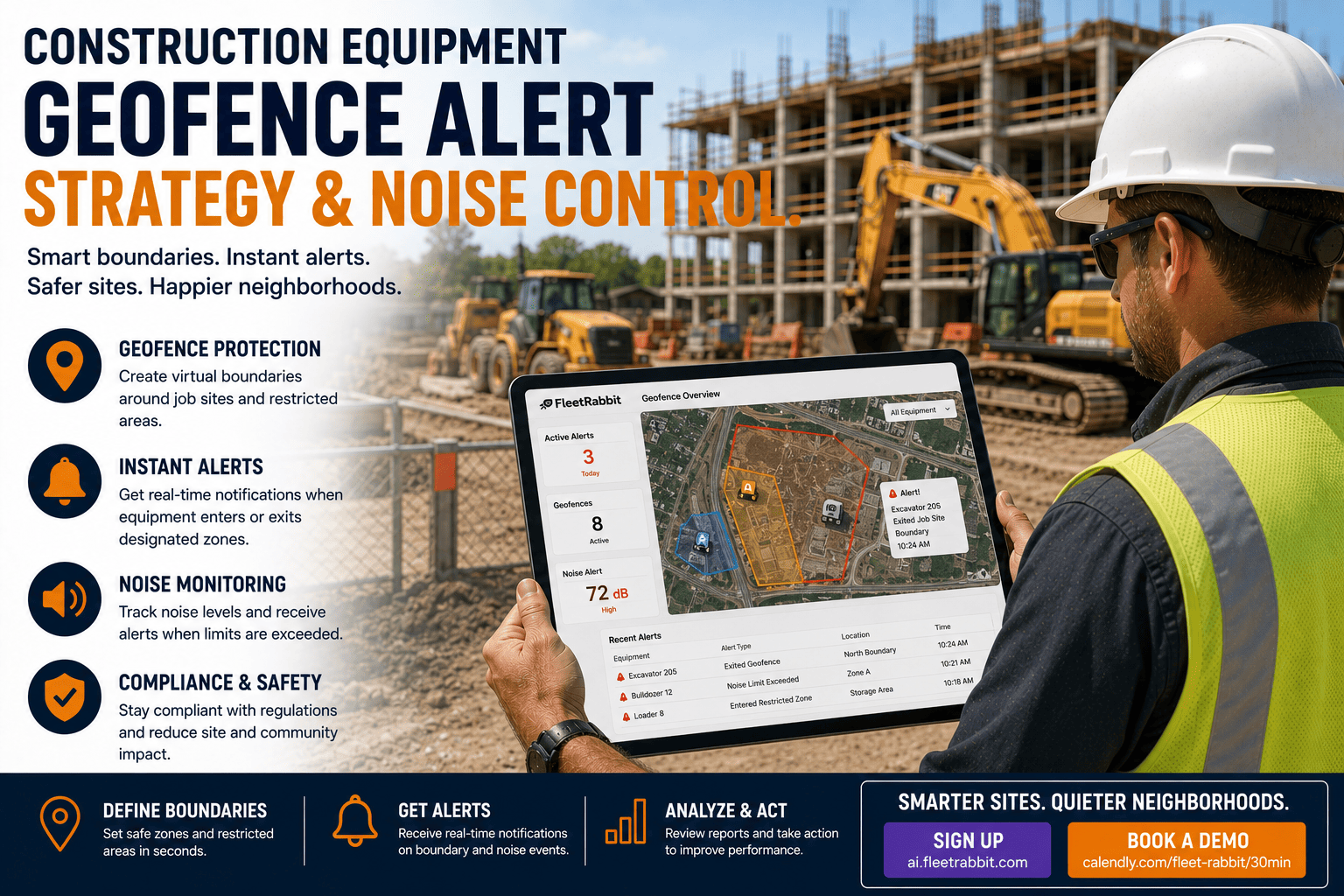
A backhoe rolls off a job site at 11 PM. Somewhere, a phone buzzes with an alert. But so does every phone in the company, every single night, for every truck that so much as drifts near the edge of a badly drawn zone. After three weeks, nobody looks at the alerts anymore. That is the real problem with construction equipment geofencing. It is rarely the technology that fails. It is the alert strategy behind it.
Most construction fleets do not have a geofencing problem. They have a geofence alert problem. Loosely drawn zones, one severity level for every event, and no clear owner for each notification combine to bury real theft and safety alerts under routine noise. A tightly scoped, severity-based geofence strategy can cut irrelevant alerts dramatically while making sure the alerts that matter, like an after-hours exit from an active job site, get seen and acted on within minutes.
Why Geofence Alerts Stop Working On Construction Sites
Construction sites are messier than depots or delivery routes. Equipment moves within the site constantly, crews arrive and leave at odd hours, and boundaries shift as a project progresses. A geofence drawn once at kickoff rarely still fits the site six months later. When the zone is wrong, the alerts are wrong, and wrong alerts train people to stop paying attention.
The Alert Fatigue Spiral
Alert fatigue does not happen overnight. It follows a predictable pattern. A new geofence goes live. Alerts start firing for every minor boundary crossing. Teams silence notifications on their phones within days. A real after-hours movement happens a few weeks later and nobody sees it until the next morning walkthrough. That gap between event and response is exactly where equipment theft and unauthorized use do the most damage, since most unauthorized construction equipment movement happens overnight when supervision is thinnest.
What Good Alert Design Looks Like Instead
A well-designed geofence alert strategy treats notifications like a triage system, not a single trip wire. Every trigger gets a severity, every severity gets a channel, and every channel routes to a specific person who is expected to respond. That is the difference between a system people trust and one they mute.
FleetRabbit lets you draw precise job site, yard, and restricted-zone boundaries, assign severity levels to each trigger, and route alerts to the right person automatically. If you want to see how it works on your own sites, you can start a free trial today.
Building A Geofence Zone That Actually Fits Your Site
Before touching alert rules, the boundary itself needs to match reality. Construction sites are rarely simple rectangles, so the shape you choose determines how many false alerts you will fight later.
Match The Shape To The Site
A circular zone is fastest to draw and works fine for a single storage yard or a fixed equipment staging point. A job site with an irregular perimeter, shared access roads, or a fenced compound needs a polygon that traces the actual boundary. A corridor zone, which follows a route rather than a single point, is useful for tracking equipment moving between two active sites on the same project.
Set Active Hours, Not Just Boundaries
Most of the noise in construction geofencing comes from alerts firing during normal working hours, when equipment is supposed to be moving in and out. Restricting alerts to after-hours and weekend windows removes the bulk of irrelevant notifications without losing any real protection, since legitimate site activity during business hours does not need a security alert attached to it.
| Severity Level | Example Trigger | Who Gets Notified | Response Expectation |
|---|---|---|---|
| Critical | Equipment exits an active job site after hours or on a weekend | Fleet manager and site security, simultaneously | Acknowledge and confirm status within minutes |
| High | Machine enters a restricted or hazard zone during operating hours | Site supervisor | Reviewed same shift |
| Medium | Dwell time inside a zone exceeds the expected window | Dispatch or project coordinator | Reviewed same day |
| Informational | Routine arrival or departure during scheduled hours | Logged only, no notification sent | Available in reporting, no action required |
Routing Rules That Keep Alerts Relevant
The same alert should never reach every person on the team. A dispatcher does not need a critical security escalation, and a fleet manager does not need to see every routine arrival timestamp. Routing rules decide who sees what, and they are what actually keeps a geofence program alive past the first month.
Route By Role
Send security-relevant triggers to whoever owns physical site security. Send maintenance zone triggers to the maintenance team. Send arrival and departure confirmations to dispatch or billing, since these often double as proof of service for client invoicing.
Route By Time Of Day
The same trigger can carry different weight depending on when it fires. A zone exit at 2 PM on a workday is routine. The identical exit at 2 AM is not. Time-aware routing lets one rule set cover both cases without doubling the number of zones you maintain.
Build In Escalation
If a critical alert goes unacknowledged within a set window, it should automatically escalate to a backup contact. This single rule closes the most common failure point in construction fleet security, where an alert was technically sent but nobody was actually watching.
FleetRabbit gives fleet managers a single dashboard showing every machine, every active geofence, and every alert history entry across all job sites. Ready to see it running on your own equipment list? Book a free demo and we will walk through your current sites together.
Reviewing And Tuning Your Alerts Over Time
A geofence strategy is not a one-time setup task. Job sites change shape as a project progresses, crews rotate, and working hours shift with the seasons. Zones drawn during groundwork rarely still match the site once framing and finishing crews are on location.
Watch The Ignore Rate
Track how many alerts are actually opened and acted on versus how many are dismissed without action. A rising ignore rate is the earliest warning sign that a zone or a severity setting has drifted out of sync with how the site actually operates.
Review On A Set Schedule
Checking alert performance weekly during the first month after setup, then monthly afterward, catches most drift before it turns into fatigue. Sites with high equipment turnover or frequent boundary changes benefit from a tighter review cycle.
Close The Loop On Every Escalation
Every alert that gets escalated should end with a resolution note stating what happened and whether the equipment returned to an authorized zone. Without that closing step, the same uncertainty that caused the original alert fatigue starts building again.
Your equipment deserves a monitoring system your team actually trusts. FleetRabbit helps you draw precise site boundaries, assign the right severity to every trigger, and route alerts to the people who can act on them. Start free and have your first job site protected in minutes, no hardware and no long setup required.







