Ask any construction safety manager what happens when an OSHA inspector asks for proof that a crane was inspected last Tuesday, and you will usually get a pause before the answer. Somewhere there is a paper form, or a text message with a blurry photo, or a supervisor's memory of "yeah, that got checked." None of that holds up well under scrutiny, and none of it protects you if that same crane fails three days later and someone asks what the pre-shift inspection actually found.
A written checklist tells an inspector a box was ticked. A photo tells them what the equipment actually looked like at that exact moment, at that exact location, before the shift began. That difference is why photo documentation is becoming the backbone of serious inspection programs, and why contractors relying on checklists alone keep losing disputes they should have won. This guide walks through what a photo-based inspection record actually needs to include and how FleetRabbit builds that record automatically, every shift, for every machine.
Why a Checkbox Alone Doesn't Hold Up
OSHA's construction equipment rules under 29 CFR 1926.20 require a competent person to inspect equipment before each shift, but the standard doesn't hand you a specific format. That gap is exactly where most contractors get exposed. A checklist with a checkmark next to "hydraulic hoses inspected" proves someone looked at a form. It does not prove what the hoses actually looked like, whether a hairline crack was visible, or whether the inspection happened at the machine at all.
Paper-based inspection programs pass audits at a noticeably lower rate than digital ones, largely because paper records are easy to backfill, easy to lose, and nearly impossible to verify after the fact. A photo attached to the inspection record removes that ambiguity entirely. It shows the tire, the hose, the bucket teeth, or the seatbelt exactly as they were, timestamped and tied to a specific location, which is the kind of evidence that survives both an audit and a courtroom.
What a Photo Adds That a Checklist Cannot
A checklist answers "was this checked." A photo answers "what did it look like." When a defect surfaces later, whether during a claim, an incident review, or a routine audit, the photo is what settles the disagreement about whether the problem was visible at inspection time or developed afterward.
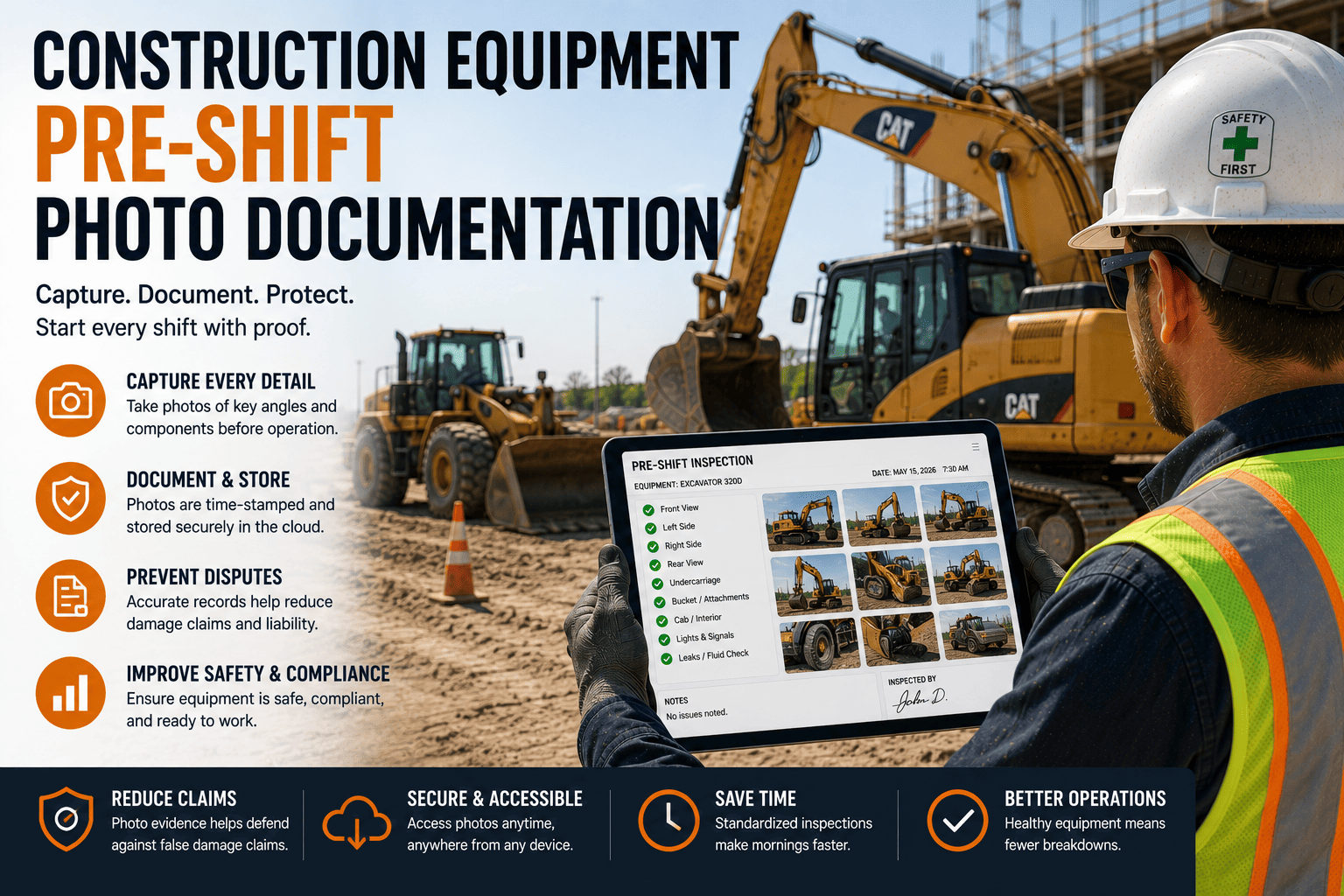
FleetRabbit captures a geotagged, timestamped photo alongside every digital checklist item, so your inspection record shows exactly what was seen, where, and when. Sign up free and see how fast a full inspection history comes together.
What Belongs in a Photo-Based Inspection Record
Timestamped Capture at the Point of Inspection
The photo needs to be taken during the walk-around itself, not uploaded later from a camera roll. A timestamp tied directly to the inspection moment removes any question about when the check actually happened.
GPS Coordinates Confirming Location
Geotagging confirms the inspection happened at the job site where the machine was actually working, not in a yard miles away days earlier. That single data point closes one of the most common gaps auditors look for.
Defect Photos Tied to Severity Level
A cracked hose or worn tread photographed and flagged as critical, alert, or monitor gives maintenance teams immediate context instead of a vague written note to interpret later.
Automatic Routing to a Work Order
A flagged photo should trigger a maintenance ticket on its own, so a defect identified at 6 a.m. reaches the shop before the machine ever leaves the yard.
Paper Logs Versus Photo-Backed Digital Records
The comparison below shows where photo documentation closes the gaps that paper checklists consistently leave open, especially in the moments that matter most.
| Situation | Paper Checklist Only | Photo-Backed Digital Record |
|---|---|---|
| Proving Inspection Occurred | Relies on a signature that can be added after the fact | Timestamped photo captured at the moment of inspection |
| Confirming Location | No way to verify where the check happened | GPS coordinates attached automatically |
| Disputing a Defect Claim | Word against word between operator and supervisor | Visual evidence of exact condition at inspection time |
| OSHA Audit Response | Hours searching binders across multiple sites | Full inspection history pulled up in minutes on a phone |
| Maintenance Follow-Through | Defect notes can be missed or forgotten | Flagged photos auto-generate a work order instantly |
How This Plays Out on a Real Job Site
Picture a multi-site operation running cranes, excavators, and aerial lifts across a dozen active projects. Every supervisor uses a slightly different paper form, some inspections get logged days late, and nobody can say with confidence which machines were actually checked this week. That is the exact scenario where an OSHA visit turns into a scramble, and it is also the exact scenario photo documentation was built to prevent.
With a photo attached to every inspection item, a safety manager can pull ninety days of history for any single machine in under five minutes, complete with visual proof of condition at every check. That kind of responsiveness changes how an audit conversation goes, and it changes how confidently your team can push back on a disputed claim.
FleetRabbit keeps every photo, checklist, and defect report organized by machine and by site, ready to hand over the moment an inspector or client asks. Book a demo to see how quickly your team could respond with FleetRabbit in place.
Getting Photo Documentation Running Across Your Fleet
Standardize the Capture Points
Define exactly which components need a photo at every pre-shift check, such as tires, hydraulic lines, bucket teeth, and safety devices, so operators are not guessing what to photograph on a given morning.
Make It Part of the Walk-Around, Not an Extra Step
Photo capture should happen inside the same digital checklist the operator is already completing, not as a separate app or a text sent to a supervisor afterward.
Connect Defects Directly to Maintenance
A flagged photo should never sit in an inbox. Routing it straight into a work order is what actually shortens the time between a defect being spotted and a defect being fixed.
A checklist alone leaves room for doubt. A photo, timestamped and geotagged at the point of inspection, does not. FleetRabbit builds that evidence into every pre-shift check automatically, across every machine and every site.







