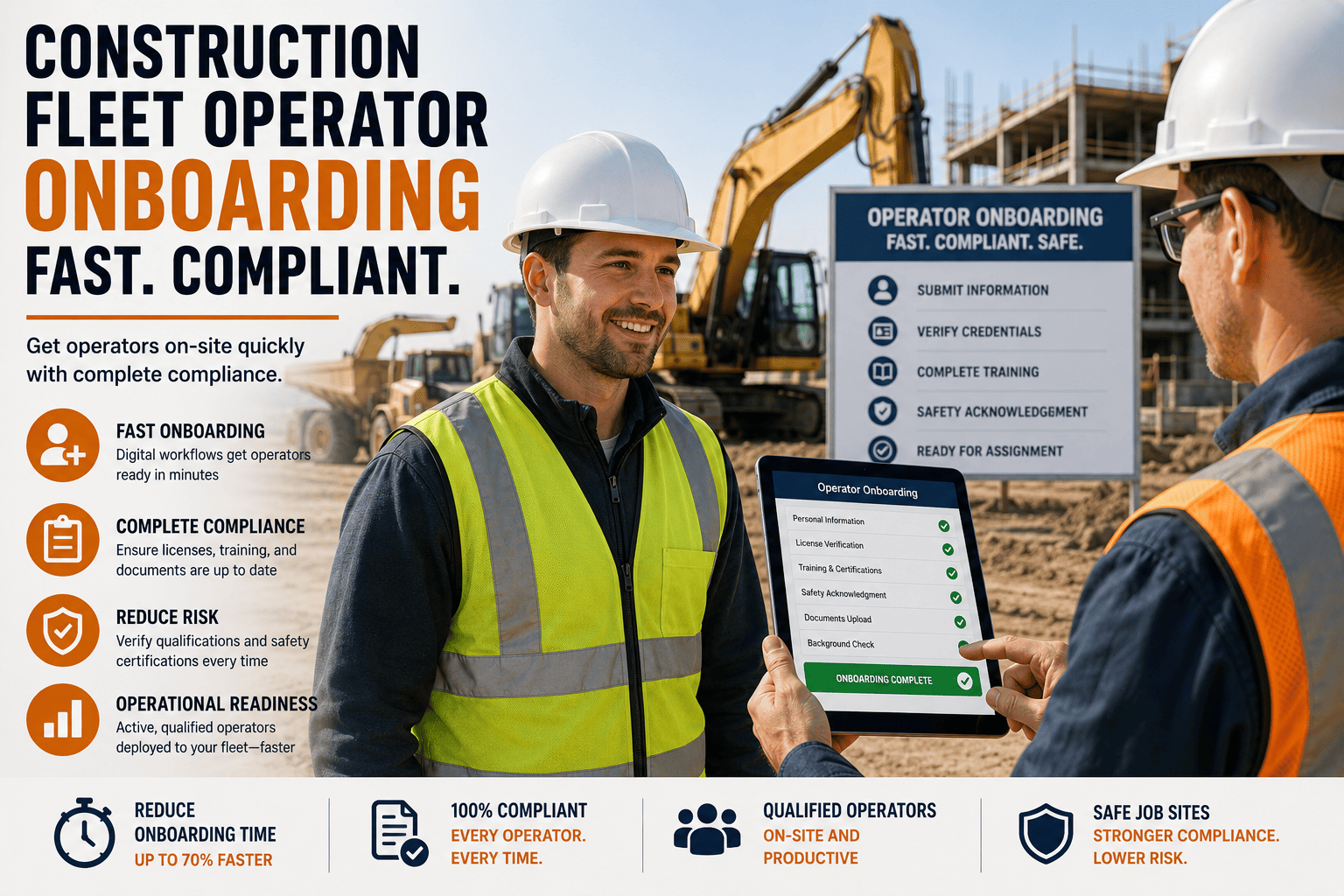
A new operator shows up on a construction site ready to work, but the excavator sits idle for two more days because nobody can confirm whether their certification is current, whether their license covers that specific machine class, or whether their safety orientation was ever actually completed. This scene repeats across construction sites every week, and it rarely gets counted as a real cost. It should be. Every day an operator waits on paperwork is a day of lost productivity, and every gap in that paperwork is a compliance exposure waiting to surface during an audit or, worse, an incident investigation.
Manual operator onboarding on construction sites typically takes 3 to 5 business days per hire once you account for certification verification, equipment assignment approval, and safety orientation paperwork. Digital onboarding workflows that verify credentials and assign equipment access automatically can compress that same process into hours, while closing the documentation gaps that most often trigger compliance findings.
Why Operator Onboarding Deserves the Same Attention as Equipment Maintenance
Construction fleets invest heavily in tracking machine health, inspection schedules, and repair history, but the operator behind the controls often gets far less structured oversight. That's a gap worth closing, because an operator's certification status, training completion, and equipment authorization are just as critical to safe, compliant operation as the machine's own service record. A perfectly maintained excavator is still a liability if the person operating it doesn't hold a current, verified qualification for that machine class.
The pressure to move fast compounds the problem. Project timelines don't pause for paperwork, so site supervisors are often tempted to get a new operator moving before every credential has been fully verified, assuming the office will catch up on documentation later. That assumption is exactly what shows up as a finding during an OSHA inspection or a bonding company audit, when "later" never quite happened.
What Slows Manual Onboarding Down
Paper certification files stored at a home office are not visible to a site supervisor two states away. Equipment authorization approvals that require a phone call or an email chain introduce delays measured in days, not minutes. Safety orientation sign-off sheets that live in a filing cabinet cannot be checked against an operator's actual certification history in real time. Each of these steps is manageable on its own, but stacked together they create the multi-day onboarding delay that construction fleets have simply learned to accept as normal.
What a Faster, Compliant Process Actually Looks Like
Digital onboarding does not remove any compliance step. It removes the friction between the steps. Certification uploads get verified automatically against expiration dates and equipment class requirements. Equipment access gets granted the moment credentials clear, without waiting on a callback. Safety orientation completion becomes a timestamped record instead of a signature that may or may not get filed correctly. FleetRabbit is built around exactly this workflow, so operators can be cleared to work in hours instead of days, with a complete audit trail behind every approval.
FleetRabbit verifies certifications, matches operators to the equipment they're actually licensed for, and logs every safety orientation automatically. Sign up free to see how fast onboarding can move, or book a demo to walk through your current process with our team.
The Compliance Documents Every Operator File Should Contain
Auditors, whether from OSHA, a project owner, or a bonding company, look for the same core set of documents when they review operator files. Knowing what belongs in that file, and keeping it current automatically, is the difference between a routine audit and a stressful scramble.
| Required Document | Why It Matters | Common Failure Point |
|---|---|---|
| Equipment-specific certification | Confirms the operator is qualified for the exact machine class they're assigned to | Operator is certified for one machine class but assigned to a different one |
| OSHA 10 or OSHA 30 card | Demonstrates baseline hazard awareness training required on most project sites | Card expired or never verified against project-specific requirements |
| CDL and endorsements, where applicable | Verifies the operator can legally operate vehicles above weight or class thresholds | License status not re-checked after initial hire, missing a suspension |
| Medical examination certificate | Confirms fitness for safety-sensitive equipment operation | Certificate lapses mid-assignment without a renewal alert |
| Site-specific safety orientation record | Proves the operator was briefed on hazards unique to that project | Sign-off exists on paper but was never filed or is unretrievable |
Building an Onboarding Program That Scales Across Projects
A single project might get by on manual tracking through sheer attention to detail, but construction fleets running multiple active sites need a system that scales without adding headcount to the compliance team. That means centralizing operator records so every project supervisor can check certification status instantly, rather than calling the main office and waiting for someone to search a filing cabinet.
Standardize the Onboarding Checklist Across Every Site
When each project manages onboarding differently, gaps are inevitable. A standardized digital checklist ensures the same verification steps happen every time, on every site, regardless of which supervisor is running the process that week.
Give General Contractors Visibility Into Subcontractor Compliance
On projects with subcontracted equipment operators, general contractors carry real exposure if a subcontractor's operator turns out to be uncertified. A shared workspace where GCs can view subcontractor operator compliance status directly closes this blind spot without adding administrative back-and-forth.
Set Automatic Expiration Alerts
Certifications, medical clearances, and licenses all expire on different schedules. Automatic alerts well ahead of each expiration date give operators and supervisors time to renew before a lapse turns into a compliance violation.
Keep a Retrievable Audit Trail for Every Approval
When every onboarding step is logged digitally, producing a complete compliance history for any operator takes minutes instead of a multi-day document hunt, which matters enormously the moment an auditor actually asks.
FleetRabbit gives every site supervisor real-time visibility into operator certification status, equipment authorization, and safety orientation completion, all from one platform. Explore it with a free sign up, or book a demo to see how it fits your current onboarding process.
Frequently Asked Questions
Faster Onboarding and Full Compliance Are Not a Tradeoff
Construction fleets sometimes treat speed and compliance as opposing goals, assuming a faster onboarding process must mean cutting a corner somewhere. In practice, the slowest onboarding processes are usually the least compliant ones too, because manual paperwork spread across emails, filing cabinets, and phone calls is exactly where certifications quietly lapse and equipment mismatches slip through unnoticed. Digital verification closes both problems at once. Operators get to work faster, and every credential behind that clearance is checked, current, and instantly retrievable.
FleetRabbit verifies certifications, matches operators to authorized equipment, and logs every safety orientation automatically, so onboarding moves fast without leaving compliance gaps behind. Create your free account to get started, or schedule time with our team to map digital onboarding onto your current sites.







