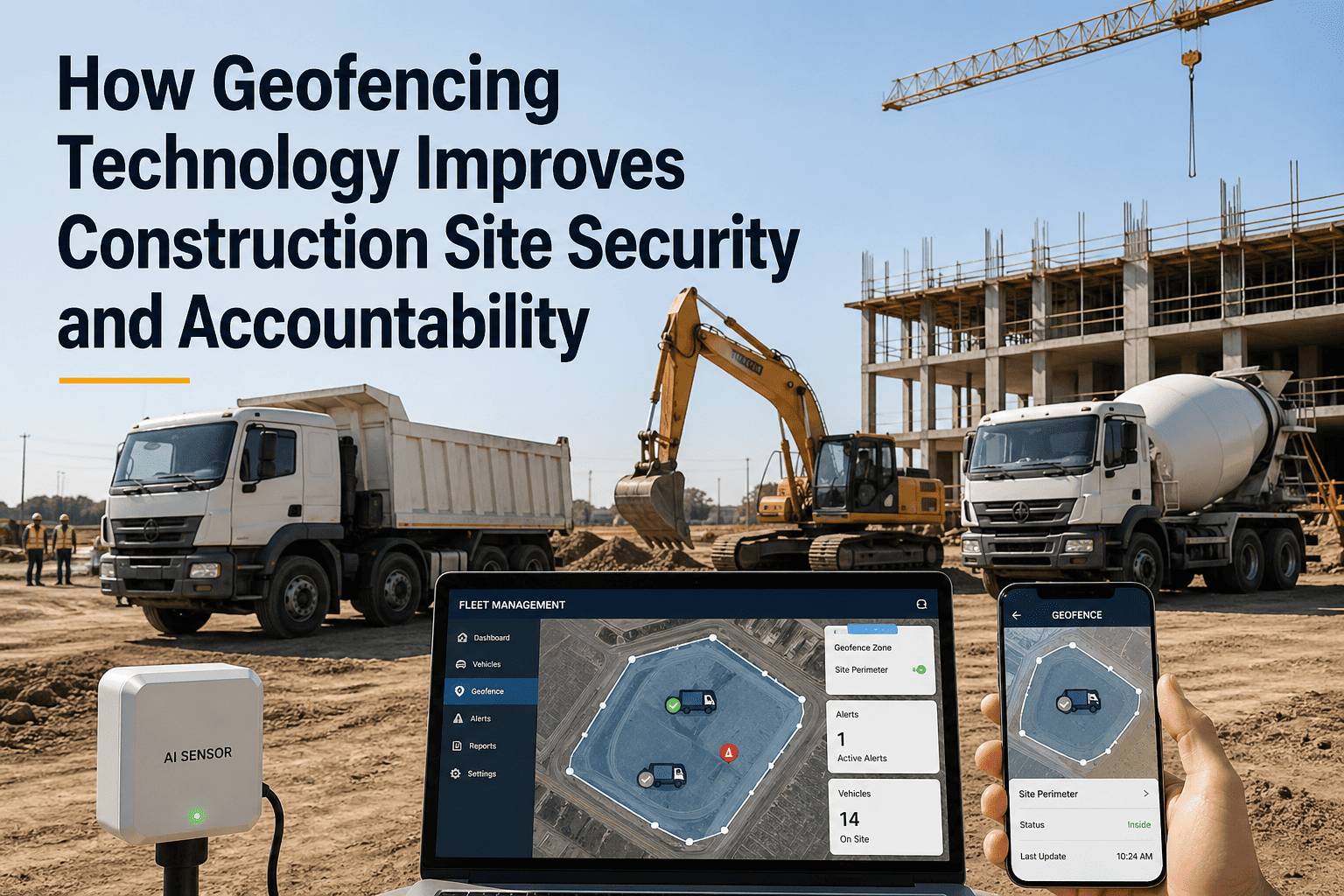
Construction equipment theft costs the industry $400 million annually in the United States alone — and most stolen equipment is never recovered. Beyond theft, unauthorised equipment movement between job sites creates accountability gaps, insurance complications, and project billing disputes that cost contractors thousands in unrecoverable charges. Geofencing technology solves both problems by creating invisible GPS boundaries around every construction site, storage yard, and restricted zone — triggering instant alerts when any tracked asset crosses a boundary without authorisation. FleetRabbit's geofencing system transforms site security from reactive (discovering theft hours or days later) to proactive (receiving alerts within seconds of unauthorised movement). Book a geofencing demo with FleetRabbit.
FleetRabbit Geofence Intelligence
How Geofencing Technology Improves Construction Site Security and Accountability
How GPS-based virtual boundaries protect construction assets from theft, prevent unauthorised movement, enforce site-level accountability, and deliver real-time alerts — turning passive GPS tracking into active site security.
$400MAnnual US Equipment Theft Loss
<60 secAlert Response Time
21%Recovery Rate Without GPS
93%Recovery Rate With Geofencing
What Is Geofencing and How Does It Work for Construction?
A geofence is a virtual perimeter drawn around a real-world geographic area using GPS coordinates. When a GPS-tracked asset enters or exits the defined boundary, the system triggers an automated alert — SMS, email, push notification, or all three simultaneously. FleetRabbit allows fleet managers to draw unlimited geofences around job sites, equipment yards, maintenance shops, restricted zones, and client properties — each with customisable alert rules, active hours, and notification recipients.
Step 1
Draw the Boundary
Fleet manager draws a polygon or circle around any location on the FleetRabbit map — job site perimeter, storage yard fence line, or restricted area. Boundaries can follow irregular shapes matching actual site boundaries, not just simple circles. Multiple geofences can overlap for layered security zones.
Step 2
Configure Alert Rules
Set alert triggers: entry only, exit only, or both. Define active hours (after-hours alerts for theft detection vs. all-hours for accountability). Assign notification recipients — fleet manager, site superintendent, security team. Configure alert priority levels and escalation paths for critical boundaries.
Step 3
Receive Real-Time Alerts
When any tracked asset crosses a geofence boundary, FleetRabbit sends instant notification with asset ID, timestamp, direction (entering or exiting), speed, and exact GPS coordinates. Alert delivered via SMS, email, and mobile push notification simultaneously — ensuring critical security events are never missed.
5 Ways Geofencing Protects Construction Operations
01
After-Hours Theft Detection
Configure geofences with after-hours activation — any equipment movement between 7 PM and 5 AM triggers immediate alert. Most construction equipment theft occurs between midnight and 4 AM when sites are unattended. Geofencing provides 24/7 automated surveillance without security guards, cameras, or physical barriers. FleetRabbit's alert includes real-time GPS location for immediate law enforcement dispatch with exact coordinates.
02
Unauthorised Site Transfer Prevention
Equipment moving between job sites without fleet manager approval creates billing disputes, insurance gaps, and maintenance tracking failures. Geofencing alerts when equipment exits its assigned project site — fleet manager immediately knows which asset moved, when, and in which direction. Prevents foremen from "borrowing" equipment from other sites without coordination.
03
Project Site Time Verification
Geofencing automatically calculates how long each asset spent within a project site boundary — entry timestamp to exit timestamp. This data feeds project cost allocation (equipment charges per project), rental billing verification (did the rented excavator actually spend 8 hours on your site?), and utilisation analysis per project. No manual logging required.
04
Restricted Zone Enforcement
Draw geofences around hazardous areas, environmentally sensitive zones, neighbouring properties, and overhead power line corridors. Any equipment entering a restricted zone triggers immediate alert to site superintendent — preventing encroachment violations, environmental damage, and utility strikes before they occur. Critical for projects near wetlands, pipelines, or residential boundaries.
05
Insurance Premium Reduction
Insurance carriers increasingly offer 10–25% premium discounts for fleets with active GPS tracking and geofencing capabilities. Documented geofencing with after-hours alerts demonstrates proactive theft prevention — reducing the carrier's risk profile for your fleet. FleetRabbit provides geofencing activity reports formatted for insurance submission during policy renewal.
FleetRabbit Geofencing
Draw a Boundary. Set the Rules. Get Instant Alerts. Protect Every Asset.
FleetRabbit geofencing takes 30 seconds to configure per site — draw the boundary, set alert rules, assign recipients. Unlimited geofences across unlimited sites. After-hours theft detection, site accountability, and project time tracking all automated from one platform.
Geofencing ROI by Fleet Size
The financial return from geofencing scales with fleet size — but even small fleets see measurable ROI from a single prevented theft or recovered unauthorised movement event. FleetRabbit customers across four fleet size tiers report the following average annual savings directly attributable to geofencing capabilities.
10–25 Assets
$18K–$45K
Small fleets typically recover geofencing investment from a single prevented theft event. Additional savings from reduced insurance premiums (10–15% discount), eliminated unauthorised site transfers, and automated time-on-site reporting that replaces manual daily logs. Average payback period: under 60 days.
25–75 Assets
$45K–$120K
Mid-size fleets operating across 3–8 active sites gain significant accountability value — geofencing reveals equipment utilisation patterns, identifies assets sitting idle at wrong locations, and automates project billing verification. Insurance savings compound across more assets. Theft deterrence value increases with fleet visibility.
75–200 Assets
$120K–$280K
Large regional fleets with 10–20 active geofences use site time data for automated project cost allocation — eliminating 15–20 hours per week of manual equipment charge tracking. Restricted zone enforcement prevents environmental and encroachment violations averaging $25K–$75K per incident. Multi-site theft detection protects $15M–$40M in fleet assets.
200+ Assets
$280K–$500K+
Enterprise fleets generate maximum geofencing ROI through automated fleet-wide accountability — every asset's location verified every 60 seconds, every site entry and exit logged permanently, every restricted zone monitored 24/7. Executive dashboards show fleet distribution across sites in real time, enabling strategic redeployment decisions that improve utilisation by 8–12%.
Common Geofencing Mistakes to Avoid
Geofencing technology is straightforward to deploy, but several common configuration mistakes reduce its effectiveness. FleetRabbit's onboarding team helps every customer avoid these pitfalls during initial setup — but understanding them ensures your geofencing delivers maximum security and accountability value from day one.
01
Drawing Boundaries Too Tight
Setting geofence boundaries exactly at the property line causes false alerts when equipment operates near the perimeter — GPS accuracy is ±3–5 metres, so equipment working close to the edge will trigger repeated entry/exit alerts. Best practice: extend boundaries 15–25 metres beyond actual site perimeter to account for GPS accuracy tolerance and equipment operating at site edges. FleetRabbit's polygon drawing tool lets you match irregular site shapes while maintaining appropriate buffer zones.
02
Not Configuring After-Hours Windows
Running geofence alerts 24/7 generates excessive notifications during normal operations — equipment legitimately entering and exiting sites throughout the workday creates alert fatigue that causes managers to ignore critical after-hours security alerts. Best practice: configure separate alert profiles for working hours (exit-only alerts for accountability) and after-hours (any movement alerts for theft detection). FleetRabbit supports time-based alert rules per geofence.
03
Single Notification Recipient
Sending all geofence alerts to one person creates a single point of failure — if that person's phone is off, on silent, or they're asleep during an after-hours theft, the alert goes unactioned. Best practice: configure minimum 2–3 recipients for critical after-hours alerts (fleet manager, operations manager, and site superintendent). FleetRabbit supports unlimited notification recipients per geofence with SMS, email, and push notification simultaneously.
04
Ignoring Storage Yard Geofencing
Many contractors geofence active job sites but neglect equipment storage yards — yet storage yards are the highest-risk locations for theft because equipment sits unattended for extended periods, often in remote or poorly lit areas. Best practice: geofence every storage location with 24/7 exit alerts. Any equipment leaving a storage yard should trigger immediate notification regardless of time of day, since stored equipment should not move without fleet manager coordination.
From the Field
"We had a $180,000 Volvo EC300 excavator stolen from a remote highway project site on a Saturday night. Without GPS, we wouldn't have known until Monday morning — by then the machine would have been on a flatbed heading across state lines. FleetRabbit's geofence alert hit my phone at 2:14 AM within 45 seconds of the excavator crossing the site boundary. I called the sheriff's department with exact GPS coordinates. They intercepted the transport truck 22 miles from the site at 3:40 AM. Machine recovered undamaged. Without geofencing, that's a $180,000 loss and a 6-month insurance claim. Since then we've geofenced every site and every storage yard — 14 sites total."
Fleet Manager
·
Highway Contractor — 86 Assets — 14 Active Sites
Frequently Asked Questions
QHow many geofences can I create in FleetRabbit?
Unlimited. Create as many geofences as you need — every job site, every storage yard, every restricted zone, every client property. No per-geofence charges and no tier limits. Most contractors set up 10–30 active geofences covering all project sites, equipment yards, and maintenance facilities simultaneously. Geofences can be activated, deactivated, and modified at any time as projects start and finish — no need to delete and recreate.
QHow fast do geofence alerts arrive after a boundary crossing?
Typically under 60 seconds from boundary crossing to notification delivery. Speed depends on GPS device update frequency — most telematics devices report every 30–60 seconds during movement. SMS and push notifications arrive nearly instantly after FleetRabbit processes the boundary crossing event. For maximum response speed, configure aftermarket GPS devices at 30-second reporting intervals during movement. OEM telematics (Cat, Komatsu, Deere) typically report every 5–15 minutes, which is adequate for accountability but slower for real-time theft response.
QCan geofencing work with the GPS devices already on my equipment?
Yes. FleetRabbit integrates with all major telematics providers — Geotab, Samsara, CalAmp, and OEM systems (Cat Product Link, Komatsu KOMTRAX, John Deere JDLink, Volvo ActiveCare, Hitachi ConSite). If your equipment already has GPS, FleetRabbit adds geofencing capability without additional hardware. For equipment without existing GPS, FleetRabbit supports aftermarket device installation from multiple vendors — devices typically cost $80–$150 per unit with monthly data plans of $15–$25.
QDoes geofencing drain my equipment batteries when the engine is off?
No. Modern GPS telematics devices switch to low-power sleep mode when the engine is off — reporting a single daily heartbeat position to confirm the asset hasn't moved. Battery drain is negligible (less than 0.1% per day on a healthy battery). When the engine starts or movement is detected, the device wakes to full reporting frequency. FleetRabbit's geofencing processes these heartbeat positions, so even a parked asset that moves overnight triggers an alert from the daily check-in.
FleetRabbit Site Security
Protect Every Asset on Every Site — Geofencing That Works 24/7 Without Security Guards
FleetRabbit geofencing delivers automated site security, theft detection, accountability enforcement, and project time tracking across your entire fleet. Draw boundaries in 30 seconds, receive alerts in under 60 seconds, and recover assets before they disappear.
Theft Detection
Site Accountability
Restricted Zones
Time Tracking
Insurance Savings
April 28, 2026
By Michael
All Posts