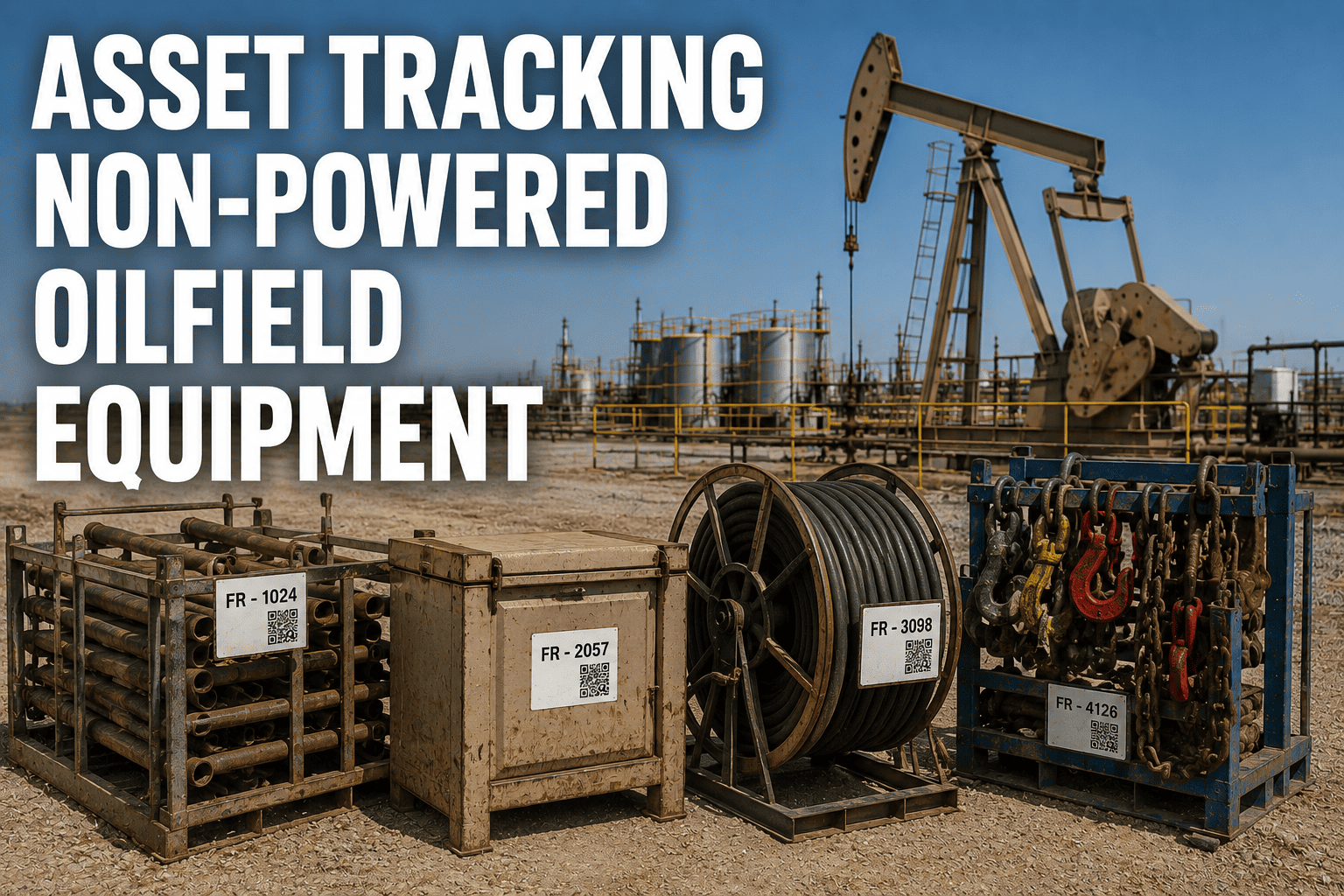
A frac tank sits at the edge of a pad for three weeks after a job wraps up. Nobody moves it, nobody logs it, and nobody notices until the next project needs one and the office has no idea where the last one went. Skids, tanks, and trailers don't have an engine, a driver, or a dashboard to report back to anyone. They sit wherever the last crew left them, and in a business that runs across dozens of remote sites, that silence is expensive.
Powered vehicles are the easy half of fleet visibility. A truck has a driver who notices if something's wrong and a GPS unit wired straight into the ignition. Non-powered equipment has none of that, which is exactly why it goes missing, sits idle, or gets double-counted in the yard inventory more often than anything else in an oilfield operation.
Why Non-Powered Equipment Slips Off the Radar
Skids, tanks, and trailers get moved by whichever truck has room that day, dropped at a location that isn't always the one on the work order, and left behind once a job finishes early. There's no engine hour meter flagging a problem and no driver responsible for reporting its condition. The result is a slow leak of visibility that most operations only notice when a rental invoice keeps running on equipment that was returned weeks ago, or when a crew shows up to a site expecting a tank that was quietly relocated to another pad.
The financial impact is rarely a single dramatic theft. It's smaller and steadier: idle capital sitting unused because nobody knew it was available, rental fees paid on equipment that already came back, and purchase orders for new units because the existing pool couldn't be located in time. Fleets that put location and check-in records behind every asset can sign up for FleetRabbit and start closing that gap without adding manual paperwork.
Three Asset Classes That Need Their Own Approach
Not every piece of non-powered equipment behaves the same way in the field, so a single tracking method rarely fits all of them. Breaking the fleet into three groups makes it easier to match the right tag and check-in process to each one.
Give Every Skid, Tank, and Trailer a Location History
FleetRabbit ties a tag and a check-in record to every non-powered asset in the fleet, so the office always knows what's on site, what's idle, and what's overdue for return.
Choosing the Right Tag for Each Asset
Not every tag needs to be a full GPS unit. Matching the tag type to the asset's value and movement pattern keeps the tracking program cost-effective instead of over-engineered.
| Tag Type | Best For | Reporting Style | Typical Battery Life |
|---|---|---|---|
| Battery GPS Tracker | Frac tanks, trailers, skids | Scheduled location pings, several times daily | 2 to 5 years |
| Solar-Assisted GPS | Trailers and containers left long-term | Frequent pings with self-recharging power | Ongoing, weather dependent |
| Bluetooth Low Energy Tag | Tools, hoses, valves, small components | Proximity check-in near a reader or gateway | 1 to 3 years |
| Passive RFID Tag | Bulk small parts and repeat-use containers | Read on scan only, no self-reporting | No battery required |
How Check-In and Check-Out Tracking Works
Tags alone only tell part of the story. Pairing a tag with a simple check-in and check-out step at every handoff creates a record that shows exactly who had the asset, where it went, and when it came back.
What Untracked Equipment Quietly Costs a Fleet
General patterns reported across operations after implementing tracking on previously untagged non-powered equipment.
Building a Tracking Program That Sticks
A tag on every asset only pays off if the process around it is simple enough that field crews actually follow it. Programs that fail usually ask too much of the crew at handoff. Programs that work keep the scan-in and scan-out step to a few seconds and let the system carry the rest.
Tag by value, not by habit. High-value tanks and trailers justify a full GPS tag. Smaller, lower-cost items can run on cheaper Bluetooth or RFID tags without losing meaningful visibility.
Set geofences around known zones. A yard, a well pad, or a customer site each gets its own boundary, so movement outside expected hours triggers an alert instead of going unnoticed for weeks.
Review idle assets monthly. Equipment that hasn't moved in a set number of days is either genuinely idle or lost. Either way, it belongs on a review list rather than sitting invisible in the yard.
Fleets that want to see how tagging, geofencing, and check-in records come together in one platform can book a free demo and walk through a setup built around their specific asset mix.
Stop Guessing Where Your Equipment Pool Actually Is
FleetRabbit combines asset tags, geofence alerts, and check-in records so every skid, tank, and trailer stays accounted for across every site.
Frequently Asked Questions
Every Skid, Tank, and Trailer Deserves a Location History
Untracked equipment is capital sitting idle and revenue quietly leaking out through rental fees and duplicate purchases. FleetRabbit gives every non-powered asset a tag, a geofence, and a check-in record that keeps it accounted for.