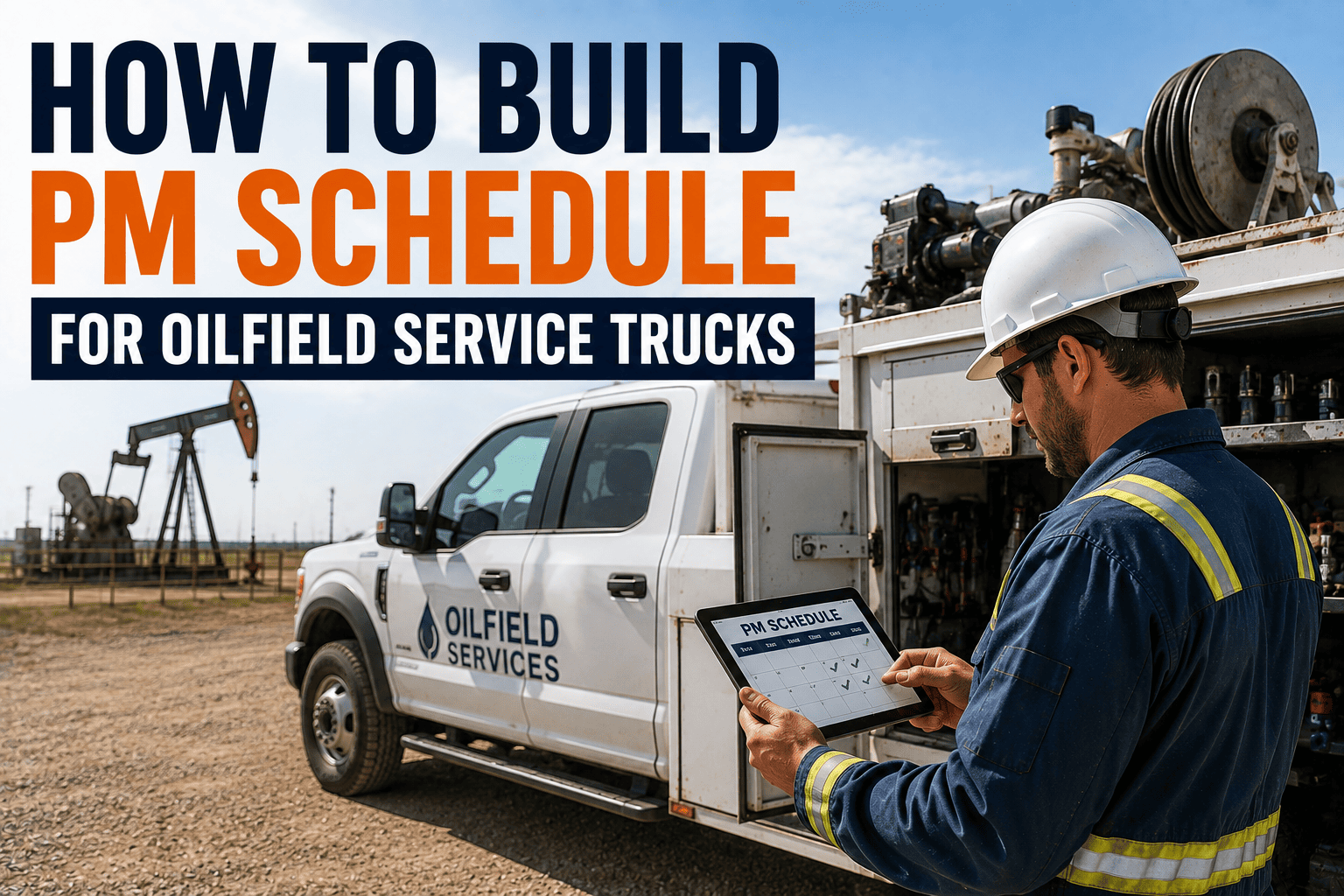
A wellhead service truck can rack up ten hours of engine runtime in a single day without moving more than a few miles between the yard and the pad. If your preventive maintenance schedule is still built purely around odometer readings, that truck could be dangerously overdue for service while the mileage log says everything is fine. Oilfield service trucks don't wear out the way highway freight does, and a PM schedule that ignores that reality is one of the fastest ways to turn a planned service into an unplanned breakdown.
A preventive maintenance schedule for oilfield service trucks should combine engine hours, mileage, and calendar time, triggering service on whichever threshold is hit first. Idle-heavy wellsite duty cycles make engine hours the most reliable single trigger, since a truck can accumulate significant wear while barely moving. Sign up free or book a demo to see how FleetRabbit automates these triggers across your fleet.
Why Mileage Alone Doesn't Work for Oilfield Trucks
Service trucks running between well pads spend a huge share of their operating life idling, powering equipment, or waiting on location, not covering highway miles. A schedule based only on odometer readings misses exactly the kind of wear that matters most for this duty cycle.
Five Steps to Build Your PM Schedule
Building a schedule that actually holds up in the field comes down to a handful of decisions made once and then automated, rather than re-decided truck by truck every month.
Classify Each Truck by Duty Cycle
Start by separating trucks that run mostly highway miles from those that spend long hours idling at wellsites. This single split determines whether mileage or engine hours should lead as the primary trigger for that unit.
Set Triggers on Whichever Comes First
Assign each truck a mileage interval, an engine-hour interval, and a calendar interval, and trigger service on whichever one hits its threshold first. This "whichever comes first" principle is the standard approach used across the industry for a reason: it catches wear regardless of how a truck is actually used.
Build an A, B, C Service Tier
Group tasks into tiers rather than scheduling every service item individually. Light tasks like fluid checks happen most often, mid-level services like filter and brake inspections happen less frequently, and major services like transmission and hydraulic system checks happen on the longest interval.
Adjust for Severe Duty Conditions
Trucks running unpaved wellsite access roads, extreme temperatures, or heavy dust exposure should have their intervals tightened, often by 20 to 30 percent shorter than standard conditions, to account for the added wear those environments cause.
Automate Reminders Instead of Tracking Manually
Once the triggers and tiers are defined, the schedule only works if reminders fire automatically based on live mileage, engine hours, and calendar dates, rather than relying on someone remembering to check a spreadsheet.
FleetRabbit schedules preventive maintenance based on engine hours, mileage, calendar intervals, or custom operating conditions, so every truck gets serviced on the trigger that actually reflects its wear. Sign up free to set up your first schedule, or book a demo to see it built around your fleet.
A Sample Service Tier Framework
This tiered structure is a starting point. Exact intervals should be adjusted based on manufacturer recommendations and your specific duty cycle, but the tier logic itself applies across most oilfield service truck fleets.
| Tier | Typical Trigger | Example Tasks |
|---|---|---|
| Tier A | Every 250 engine hours or 7,500 miles, whichever comes first | Oil and filter change, fluid level checks, visual brake and belt inspection |
| Tier B | Every 750 engine hours or 25,000 miles, whichever comes first | Filter replacement, brake system inspection, tire and suspension check |
| Tier C | Every 2,000 engine hours or annually, whichever comes first | Transmission and hydraulic service, full DOT annual inspection, major component review |
Common Mistakes That Break a PM Schedule
Even a well-designed schedule fails in practice if these gaps aren't addressed early.
Treating Every Truck the Same
A single fleet-wide interval ignores the fact that a highway-running truck and a wellsite idler wear out completely differently, leading to over-servicing one and under-servicing the other.
Relying on Manual Tracking
Spreadsheets and paper logs are easy to fall behind on, especially across a fleet spread over multiple remote locations, which is usually where PM compliance quietly starts slipping.
The Bottom Line for Fleet Maintenance Teams
A preventive maintenance schedule built purely on mileage will always misread the wear on an oilfield service truck, because so much of that truck's life happens while it's standing still and running. Classifying trucks by duty cycle, setting triggers on whichever threshold comes first, and automating the reminders turns a schedule from a guess into a system you can actually trust. The fleets that get this right spend less time reacting to breakdowns and more time planning maintenance around their own schedule instead of the truck's.
If your PM tracking still lives in a spreadsheet, it's worth seeing what automated, duty-cycle-aware scheduling looks like. Sign up free to build your first schedule today, or book a demo to walk through your fleet's specific duty cycles with our team.
FleetRabbit automates preventive maintenance triggers across engine hours, mileage, and calendar time, so every oilfield service truck gets serviced exactly when it needs to be. Start your free trial today with no credit card required.