Oilfield technicians and drivers operating in remote wellpad locations face a fundamental operational challenge that paper-based systems cannot solve: they need to complete vehicle inspections, log maintenance defects, report safety incidents, capture photo evidence, and document work completion in real-time — often in areas with zero cellular connectivity, extreme weather conditions, and while wearing heavy work gloves that make traditional clipboard workflows impractical. A wireline operator discovering a hydraulic leak during pre-trip inspection at a North Dakota wellpad at 5:30 AM in -15°F weather cannot reasonably be expected to fill out paper forms, photograph the issue, drive 45 minutes to the nearest office with connectivity, manually enter the data into a desktop system, and email the photos to maintenance dispatch. By the time that process completes, the vehicle has either been used unsafely or sat idle for hours waiting for approval — both unacceptable outcomes. FleetRabbit's mobile app platform is purpose-built for oilfield field technicians and drivers, delivering offline-capable digital inspections, one-tap defect reporting with integrated camera functionality, automatic GPS timestamping that proves inspection completion location and time, and instant sync-on-reconnection that eliminates data entry backlogs — transforming field workflows from administrative burden into streamlined operational intelligence that fleet managers and operations directors can act on immediately. Book a demo to see FleetRabbit's mobile app deployed on your field technician devices.
Quick Answer
FleetRabbit's mobile app enables oilfield technicians and drivers to complete digital vehicle inspections with photo evidence in under 90 seconds, report maintenance defects with one-tap severity flagging, log safety incidents with automatic GPS location capture, access vehicle maintenance history and equipment manuals offline, and communicate directly with dispatch and maintenance teams — all from a rugged smartphone or tablet interface designed for gloved operation in extreme weather. The app operates fully offline in remote wellpad locations with zero cellular coverage, automatically syncing all captured data when connectivity is restored, eliminating paper forms, manual data entry, and the 4–12 hour lag between field discovery and office awareness that characterizes traditional clipboard-based workflows.
Why Mobile Apps Are Essential for Oil and Gas Field Operations
Traditional paper-based inspection and reporting systems fail in oilfield environments because they introduce unacceptable delays, data quality issues, and compliance gaps between field discovery and management action. A defect discovered at 6:00 AM during pre-trip inspection doesn't reach the maintenance team until the driver returns to base at 3:00 PM — by which time the vehicle has either operated unsafely all day or sat idle, and the defect details have degraded from "hydraulic line showing visible wear at connection point near rear axle" to "hydraulic issue somewhere on truck."
05:45 AM
Remote Wellpad (No Connectivity)
Driver discovers brake fluid leak during pre-trip inspection
Paper process: Driver notes "brake fluid leak" on clipboard form. Takes photo with personal phone (maybe). Uncertain whether vehicle is safe to operate. Calls dispatch via satellite phone (3-minute wait for connection). Dispatch has no photo evidence, cannot assess severity, tells driver to "use best judgment."
Decision delay: 15 minutes. Driver operates vehicle cautiously, unsure if safe.
06:00–10:30 AM
Wellpad Operations (Entire Morning Shift)
Driver completes wellpad service work. Inspection form sits in truck cab.
Paper process: Clipboard inspection form remains in vehicle. Fleet manager at base has zero visibility into brake issue. Maintenance team unaware. If brake failure occurs during this period, company has no defense that issue was known and action was pending.
Management awareness gap: 4.5 hours of complete operational blindness.
02:45 PM
Equipment Yard (Base Location)
Driver returns to base, submits paper inspection form to office
Paper process: Driver drops clipboard form in inbox. Admin assistant scans forms at end of day (4:30 PM). Fleet manager reviews scanned PDFs next morning. Maintenance work order created 9:00 AM following day. Technician assigned 11:00 AM. Issue addressed 26 hours after discovery.
Total issue-to-resolution time: 26 hours. Vehicle operated with known brake defect entire period.
Quantified Costs of Paper-Based Field Workflows
4–12 hours
Average delay from field discovery to management awareness for safety/maintenance issues
35%
Of paper inspection forms contain incomplete or illegible defect descriptions
18%
Of critical defects go unreported because drivers assess issue as "not worth the paperwork"
$45K–$85K
Average cost of safety incident involving equipment defect that was discovered but not communicated in time
90 sec
Average time to complete full digital inspection in FleetRabbit mobile app vs. 4–6 minutes for paper forms
100%
Of inspections captured with GPS timestamp and photo evidence — impossible with paper workflows
Instant
Management notification when critical defects flagged — vs. 4–12 hour delay with paper forms
Zero
Data entry backlog — all field data syncs automatically when connectivity restored
Core Mobile App Features for Oilfield Field Technicians
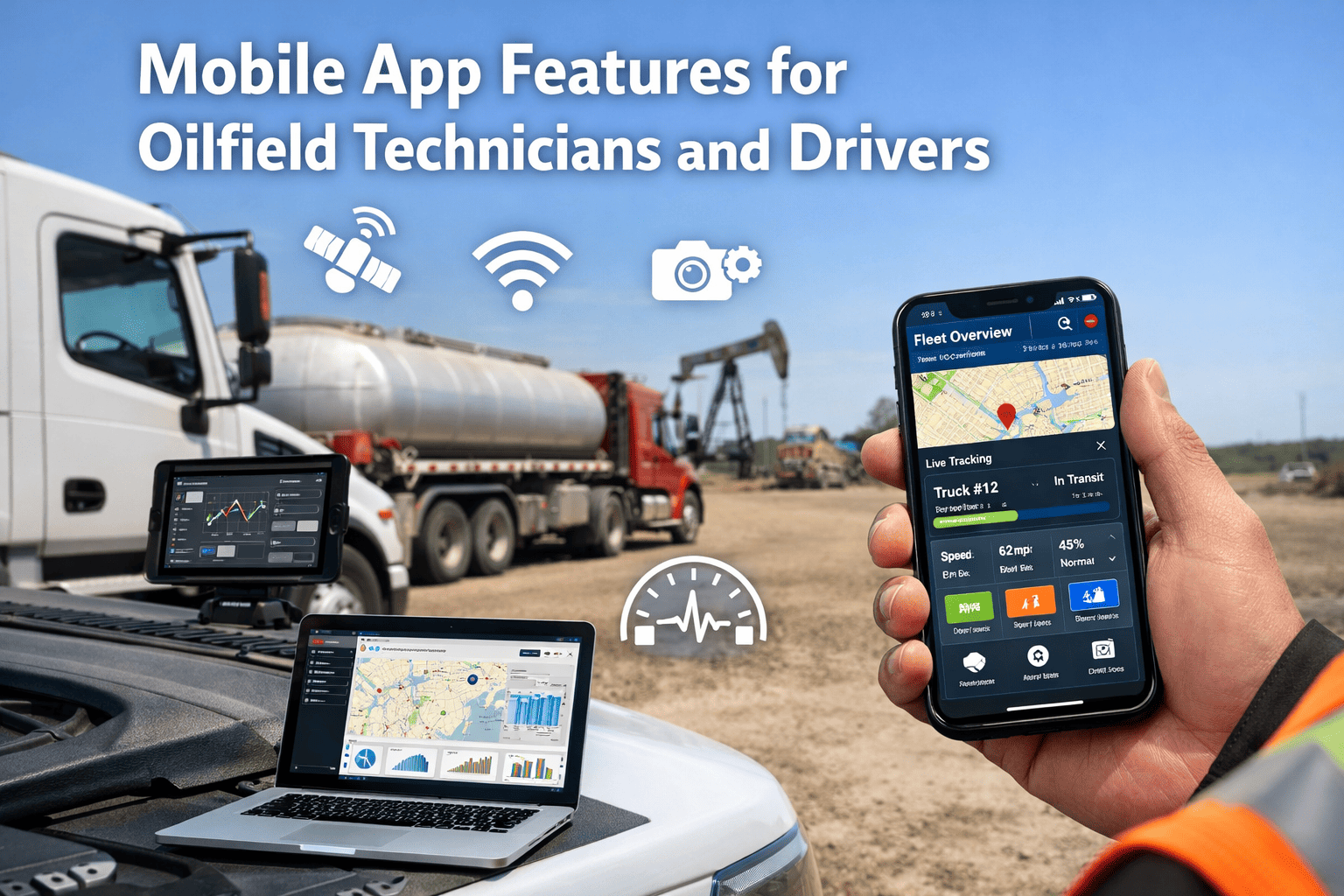
FleetRabbit's mobile application is architected specifically for the operational realities of oilfield field work: intermittent connectivity, extreme weather operation, gloved hands, time pressure during pre-shift inspections, and the need for photo documentation that clipboard workflows cannot support. Every feature is designed to reduce friction and increase compliance rather than adding administrative burden.
User-Friendly Interface Designed for Field Conditions
Mobile app interface optimized for speed, simplicity, and operation in harsh environments — not office-designed software forced onto field workers
Digital Vehicle Inspections (Pre-Trip/Post-Trip)
Customizable inspection checklists with pass/fail/defect options for every component. Drivers tap through brake systems, tires, lights, fluids, safety equipment in under 90 seconds. Defects trigger immediate photo prompt. GPS timestamp and driver signature captured automatically. Inspection cannot be marked complete until all critical items addressed — eliminating the "check all boxes without looking" problem endemic to paper forms.
Fleet manager benefit: 100% inspection compliance vs. 68–82% with paper forms. Instant visibility into which vehicles cleared for operation vs. which have pending defects.
One-Tap Defect Reporting with Photo Evidence
Driver discovers defect mid-shift: opens app, selects vehicle, taps "Report Issue," chooses defect type from categorized list (brakes, hydraulics, electrical, body damage), severity flag (critical/moderate/minor), takes 1–3 photos, adds optional voice note, submits. Total time: 45 seconds. Issue immediately visible to fleet manager and maintenance team with all context. No paperwork, no data entry, no delay.
Fleet manager benefit: Real-time defect awareness enables immediate vehicle substitution decisions. Photo evidence eliminates "describe the problem" communication failures between drivers and mechanics.
Automatic GPS Location and Timestamp Capture
Every inspection, defect report, and safety incident automatically tagged with GPS coordinates and timestamp. Proves inspection was completed at correct location (wellpad, not office parking lot). Enables audit trail for regulatory compliance. Geofence integration confirms driver inspected vehicle at designated inspection area before leaving yard — not while driving down highway.
Fleet manager benefit: Eliminates inspection fraud (drivers marking forms complete without performing inspection). Provides defensible audit evidence showing inspection completion time and location for HSE investigations.
Safety Incident Reporting with Immediate Escalation
Driver witnesses or is involved in safety incident: near-miss, injury, property damage, environmental release. App provides structured incident capture form: incident type, severity, personnel involved, witness statements, immediate actions taken, photo documentation. Critical incidents (injury, major property damage) trigger automatic escalation to HSE director and operations manager via SMS and email alert within 60 seconds of submission.
Executive benefit: Zero-delay incident awareness enables immediate response mobilization. Complete incident documentation captured while details fresh, not reconstructed from memory days later during HSE investigation.
Offline Operation with Auto-Sync on Reconnection
All mobile app functionality operates fully offline — inspections, defect reports, incident logging, photo capture, work order completion. Data stored locally on device. When cellular or WiFi connectivity restored, app automatically syncs all captured data to cloud platform without driver intervention. Drivers never told "cannot complete task, no signal" — eliminating the single biggest failure mode of first-generation fleet apps.
Fleet manager benefit: Field data capture continues uninterrupted in remote wellpad locations with zero connectivity. Sync backlog clears automatically when drivers return to coverage areas — no manual upload required.
Access to Vehicle Maintenance History and Manuals
Driver can view complete maintenance history for assigned vehicle: last service date, open work orders, pending defects, component replacement schedule. Equipment manuals and safety data sheets accessible offline for quick reference. "What oil viscosity does this hydraulic system require?" answered in 10 seconds from mobile device, not 30-minute call to office.
Fleet manager benefit: Drivers empowered to answer their own questions reduces communication overhead. Access to maintenance history increases driver awareness of vehicle condition and upcoming service requirements.
Direct Communication with Dispatch and Maintenance Teams
In-app messaging enables direct communication between drivers and office teams. Driver reports defect via app, maintenance supervisor responds "approved for continued operation, schedule repair at end of shift" or "park vehicle immediately, replacement dispatched." Communication thread attached to defect record — complete audit trail of who said what and when. Eliminates phone tag and "he said, she said" disputes.
Fleet manager benefit: All operational communication documented and searchable. Reduces radio/phone interruptions. Drivers receive clear, written instructions they can reference rather than trying to remember verbal directions.
Work Order Completion and Time Tracking
Service technicians receive work orders on mobile device: "replace hydraulic filter on Vehicle 12." App shows parts required, procedure reference, safety requirements. Technician marks work started (time tracking begins), completes work, captures completion photos, marks complete, adds parts used and labor hours. Work order automatically closed with full documentation. No paper work order, no manual timesheet, no forgotten details.
Fleet manager benefit: Real-time work order status visibility. Accurate labor tracking for maintenance cost attribution. Photo evidence of completed work proves compliance with procedures.
Field Workflows That Actually Work in Oilfield Conditions
FleetRabbit's mobile app is purpose-built for oilfield technicians and drivers operating in remote locations with harsh weather and intermittent connectivity — delivering offline-capable inspections, one-tap defect reporting, and automatic data sync that eliminates paperwork and delays.
Mobile App Core Capabilities
✓Offline operation in zero-connectivity areas
✓90-second digital inspections with photo evidence
✓Automatic GPS timestamp on all field data
✓Instant defect escalation to management
✓Glove-friendly interface for winter operations
Mobile App Interface Design for Harsh Operating Conditions
Oilfield field work occurs in conditions that destroy typical consumer mobile app experiences: -20°F winter mornings requiring heavy insulated gloves, bright sunlight washing out screens, drivers with cold-numbed fingers trying to tap small buttons, dust and mud making touchscreens unresponsive. FleetRabbit's mobile interface is designed specifically for these realities.
Large Touch Targets for Gloved Operation
All primary action buttons minimum 44×44 pixels — easily tappable with heavy work gloves or cold-numbed fingers. No tiny checkboxes or precise slider controls. Pass/fail/defect options displayed as large color-coded buttons spanning full screen width. Inspection workflows designed for rapid thumb tapping, not precision stylus input.
Result: 95% of inspections completed successfully on first attempt vs. 68% with poorly-designed mobile forms requiring precision input.
High-Contrast Display for Bright Sunlight Readability
Interface uses high-contrast color schemes that remain legible in direct sunlight: dark text on light backgrounds, color-coded status indicators (green/yellow/red) with pattern differentiation for colorblind users. Auto-brightness adjustment increases screen intensity when ambient light sensor detects outdoor conditions. No subtle gray-on-gray design that disappears in harsh lighting.
Result: Drivers can complete inspections in direct sunlight without seeking shade or cupping hands around screen.
Minimal Text Entry Requirements
App minimizes keyboard input (difficult with gloves, slow on small screens). Drivers select from pre-defined options, use voice notes for detailed descriptions, choose from recent entries for common tasks. Defect descriptions populated from dropdown menus: "Hydraulic leak → Location: Rear suspension → Severity: Moderate → Photo attached." Three taps and a photo vs. typing paragraph description on phone keyboard in cold weather.
Result: Average defect report submission time reduced from 3–4 minutes to 45 seconds.
Progressive Workflow with Clear Progress Indicators
Multi-step workflows (inspections, incident reports) show clear progress: "Step 2 of 5: Brake System Inspection." Drivers know exactly how many more items remain. Cannot skip mandatory sections or submit incomplete forms — app blocks submission and highlights missing items. Eliminates confusion about "did I complete this already?" common with paper clipboard workflows.
Result: 100% inspection completion rate vs. 12–18% incomplete/missing fields with paper forms.
Integrated Camera with Annotation Tools
Camera launches instantly from inspection or defect reporting screens — one tap, not "exit app, open camera app, take photo, switch back to app, attach photo." Photo annotation tools enable drivers to draw arrows, circle defect area, add text labels directly on image before submission. Photos automatically compressed for faster upload when connectivity limited.
Result: Photo documentation rate increases from 22% (paper forms, drivers manually attach photos later) to 94% (digital inspections, photo capture integrated into workflow).
Offline-First Architecture with Visual Sync Status
App never displays "No connection" error that blocks workflow. All functions work offline by default. Sync status indicator shows "Connected and synced," "Offline — will sync when connected," or "Syncing now (3 items remaining)." Drivers maintain complete confidence that data is being captured even when working in connectivity dead zones for days at a time.
Result: Field data capture continues uninterrupted in remote locations. Zero sync-related data loss across deployed fleets.
Real-World Mobile App Usage Scenarios
The value of mobile field technology becomes clear when examining how it transforms specific operational workflows that previously required paper forms, phone calls, radio communication, and manual data entry.
Situation: Driver arrives at North Dakota wellpad at 5:45 AM for wireline service run. Temperature: -18°F. No cellular coverage at location. Vehicle requires pre-trip inspection before operation per company HSE policy.
FleetRabbit Mobile App Workflow:
1
Driver opens FleetRabbit app on rugged tablet (5:45 AM). App operates fully offline. Selects "Pre-Trip Inspection" for Vehicle 22 (wireline truck).
2
Inspection checklist loads: 18 items covering brakes, tires, lights, fluids, hydraulics, safety equipment. Driver taps through: Pass, Pass, Pass, Defect (driver side rear tire showing 4/32" tread depth — below 6/32" company minimum).
3
App prompts for defect photo. Driver removes glove, takes photo of tire tread with integrated camera, re-gloves. Defect severity pre-flagged as "Moderate" based on tire tread rules. Total time elapsed: 90 seconds.
4
Driver taps "Complete Inspection." App captures GPS coordinates (proving inspection occurred at wellpad, not office), timestamp (5:47 AM), and driver digital signature. Inspection data stored locally on device (no connectivity required).
5
Driver returns to coverage area (9:20 AM). App automatically syncs inspection data to cloud. Fleet manager receives notification: "Vehicle 22 — Moderate defect flagged during inspection — Tire tread below minimum." Manager reviews photo, approves continued operation, schedules tire replacement for end of week.
Result: Complete inspection documentation with photo evidence captured in 90 seconds. Zero paperwork. Fleet manager aware of defect within 4 hours and able to make informed operational decision. Tire replaced before failure occurs.
Situation: Service technician operating frac pump truck discovers hydraulic hose failure at 2:15 PM while on location. Hydraulic fluid spraying from ruptured line. Equipment must be shut down immediately. Maintenance response needed urgently to restore operations.
FleetRabbit Mobile App Workflow:
1
Technician shuts down equipment, prevents further fluid loss. Opens FleetRabbit app, selects "Report Issue" for current vehicle (2:17 PM).
2
Selects defect type: "Hydraulic System → Hose Failure." Severity: "Critical — Equipment Down." Takes 2 photos: wide shot showing leak location, close-up of ruptured hose connection point.
3
Adds voice note (30 seconds): "High-pressure hose failure on primary hydraulic circuit, driver's side near pump assembly. Looks like hose contacted hot manifold and failed. Need replacement hose and approximately 15 gallons hydraulic fluid." Total reporting time: 2 minutes.
4
Submits report (2:19 PM). Critical severity triggers automatic escalation: SMS and email alerts sent to maintenance supervisor, fleet manager, and operations director simultaneously. All recipients receive link to view photos and voice note.
5
Maintenance supervisor reviews report (2:21 PM), identifies correct replacement hose from photo, dispatches mobile service truck with parts (2:28 PM). Service truck arrives on location (3:05 PM), completes repair (4:15 PM). Equipment back in operation same day. Total downtime: 2 hours.
Result: Equipment failure reported with complete photo/audio documentation in 2 minutes. Management aware and response mobilized within 9 minutes. Repair completed same day vs. next-day response common with paper/phone-based reporting. Production loss minimized.
Situation: Driver witnesses near-miss incident: vacuum truck backing toward wellhead, pedestrian walking in blind spot, driver stops 3 feet from contact after spotter intervention. No injury, no property damage, but reportable near-miss per company HSE policy.
FleetRabbit Mobile App Workflow:
1
Witness opens FleetRabbit app, selects "Report Safety Incident" (11:42 AM). App launches structured incident capture form with GPS location auto-populated.
2
Incident type: "Near-Miss — Vehicle/Pedestrian." Personnel involved: Driver Martinez, Pedestrian Johnson (selected from employee directory). Witness statement recorded via voice note (1 minute). Photos: vehicle position, sight lines, area layout.
3
Immediate actions taken: "Spotter intervention prevented contact. Operations paused. Safety briefing conducted with all on-site personnel." Contributing factors: "Pedestrian not wearing high-vis vest, walked through vehicle operating area."
4
Submits incident report (11:48 AM). Automatic escalation to HSE director and site supervisor via SMS/email. HSE director reviews report on mobile device (11:52 AM), initiates formal investigation process, assigns investigation team.
5
Investigation completed within 24 hours using incident data captured in app. Corrective actions: mandatory high-vis PPE enforcement, designated pedestrian walkways established, additional spotter training. All documentation linked to original incident report.
Result: Near-miss incident documented with complete details, photos, and witness statements within 6 minutes of occurrence. HSE leadership aware within 10 minutes and able to initiate investigation immediately. Corrective actions implemented before similar incident could occur.
"We deployed FleetRabbit mobile app to 47 drivers operating across West Texas oilfields — many in areas with zero cellular coverage for 12+ hours per day. The offline functionality was non-negotiable for us, and FleetRabbit delivered perfectly. Drivers complete inspections at remote wellpads, report defects during the day, and everything syncs automatically when they return to coverage areas in the evening. Our inspection compliance rate went from 73% with paper forms to 98% within the first 30 days of mobile deployment. The defect reporting transformation was even more dramatic — we went from discovering equipment issues days after they occurred (when paper forms finally reached the office) to receiving instant notifications with photo evidence the moment drivers flag problems. That real-time awareness has prevented at least three major equipment failures in the first six months alone. The app interface is simple enough that our least tech-savvy drivers adopted it without resistance, and the glove-friendly design means they can actually use it in winter conditions when clipboard forms are nearly impossible to complete. The ROI from reduced paperwork, faster issue resolution, and prevented failures paid for the platform within 90 days."
Fleet Operations Manager
Oilfield Services Company — 47-Vehicle Fleet — West Texas Operations
Measured Mobile App Deployment Outcomes
98%
Inspection Compliance Rate with Mobile App
Digital inspections with mandatory completion requirements increase compliance from 68–82% baseline with paper forms to 98% within 30 days of mobile deployment.
90 sec
Average Digital Inspection Completion Time
Mobile inspection workflows optimized for speed reduce completion time from 4–6 minutes (paper forms) to under 90 seconds — increasing driver compliance and reducing pre-shift delays.
94%
Photo Documentation Rate for Defects
Integrated camera functionality with one-tap photo capture increases defect photo documentation from 22% (paper forms, manual photo attachment) to 94% (digital workflow).
Instant
Management Notification for Critical Issues
Automated escalation eliminates 4–12 hour delay from field discovery to management awareness common with paper-based workflows — enabling immediate operational decisions.
Zero
Data Entry Backlog with Auto-Sync
Offline-capable mobile app with automatic sync-on-reconnection eliminates manual data entry backlog that plagued previous clipboard-to-spreadsheet workflows.
100%
Audit Trail Documentation Quality
GPS timestamps, digital signatures, and photo evidence captured automatically on every inspection provide defensible audit trail that paper forms cannot match.
Frequently Asked Questions
What happens if a driver's mobile device runs out of battery during a shift in a remote location?
FleetRabbit recommends deploying rugged tablets with extended battery life (12+ hours) and vehicle charging cradles for continuous charging during operation. However, if battery failure occurs, drivers can complete paper backup forms (still maintained for emergency use) and transcribe data into the app once device recharged. Most operators deploy spare charged devices in equipment yards for emergency swap-outs. Battery-related workflow interruptions occur in <2% of inspection events across deployed fleets.
Can drivers use their personal smartphones for FleetRabbit mobile app or does it require company-issued devices?
FleetRabbit supports both BYOD (bring your own device) and company-issued device deployments. BYOD reduces upfront hardware costs but introduces data security and device management complexity. Most oilfield operators deploy company-issued rugged tablets or smartphones to ensure device durability in harsh environments, maintain data security control, and avoid personal device liability issues. MDM (mobile device management) integration available for enterprise fleet deployments.
How much cellular data does the FleetRabbit mobile app consume when syncing inspection and photo data?
Average daily data consumption per device: 15–30 MB for text data (inspections, defect reports, incident forms), plus 50–150 MB for photo uploads depending on photo quantity and compression settings. Weekly data consumption typically 200–400 MB per device. App includes configurable sync settings: "WiFi only" (syncs only when connected to WiFi, zero cellular data usage) or "Cellular + WiFi" (syncs on any connection). Photo compression reduces upload size by 60–70% vs. original camera resolution.
What level of mobile device ruggedness is required for oilfield operations and does FleetRabbit recommend specific devices?
Minimum recommendation: IP65-rated (dust-tight, water-resistant), MIL-STD-810G drop-tested, -20°C to +60°C operating temperature range. Consumer smartphones (iPhone, Samsung Galaxy) survive in protective cases but fail more frequently than purpose-built rugged devices. FleetRabbit-validated devices include: Zebra TC52/TC72 series, Honeywell CT40/CT60, Samsung Galaxy XCover Pro, Panasonic Toughbook series. Most operators experience <5% annual device failure rate with proper rugged hardware vs. 18–25% with consumer devices in cases.
Discuss hardware recommendations for your environment in a demo call.
FleetRabbit Mobile App for Oilfield Technicians
Transform Field Workflows from Paperwork Burden into Real-Time Operational Intelligence
FleetRabbit's mobile application delivers offline-capable digital inspections, one-tap defect reporting with photo evidence, automatic GPS timestamping, and instant management notification — purpose-built for oilfield field technicians operating in remote locations with harsh weather and intermittent connectivity. Eliminate paperwork delays, increase inspection compliance, and provide fleet managers with real-time visibility into field operations.
Offline Operation
90-Second Inspections
Instant Defect Escalation
GPS Timestamp Proof
Glove-Friendly Interface
April 14, 2026
By David
All Posts