A repair happens forty-five minutes from the nearest paved road, gloves are covered in grease, and the only paperwork within reach is a crumpled work order pad in the truck door. What gets written down in that moment, if anything gets written down at all, becomes the entire record of what happened to that vehicle. Too many oilfield work orders close out as simply "fixed" with no parts logged, no labor hours recorded, and no photo proving the repair was actually done right. A template built for how field repairs actually happen, not how a desk job imagines them, is what turns that scrap of paper into a record anyone can trust. Sign up free to put a guided work order template on every technician's phone, or book a demo to see how FleetRabbit captures field repairs from first call to close-out.
A complete oilfield field repair work order captures six things every time: the asset and location, the problem as reported, the diagnosis or root cause, parts and labor used, before-and-after photos, and a technician sign-off. Mobile work order tools that require these fields before a job can be marked complete eliminate the most common documentation failure in field maintenance, a job closed out with no record of what was actually done, and typically pay back their cost within 4 to 7 months through recovered administrative time alone.
The Six Fields Every Field Repair Work Order Needs
A field repair work order does not need to be complicated to be useful. It needs to consistently capture the same six pieces of information, in the same order, no matter which technician fills it out or which wellsite the repair happened at.
Why "Fixed" Is Not a Field Repair Record
The single most common documentation failure in field maintenance is a work order closed out as complete with none of these six fields actually filled in. It happens for an understandable reason: a technician just spent forty minutes under a truck in the wind and just wants to move to the next job. Requiring each field before a work order can be marked complete removes the option to skip documentation altogether, without adding meaningful time to the job itself.
FleetRabbit's mobile work order flow requires parts, labor, and photos before a technician can mark a job complete, so every repair leaves a full paper trail automatically. Sign up free and load your first work order template today.
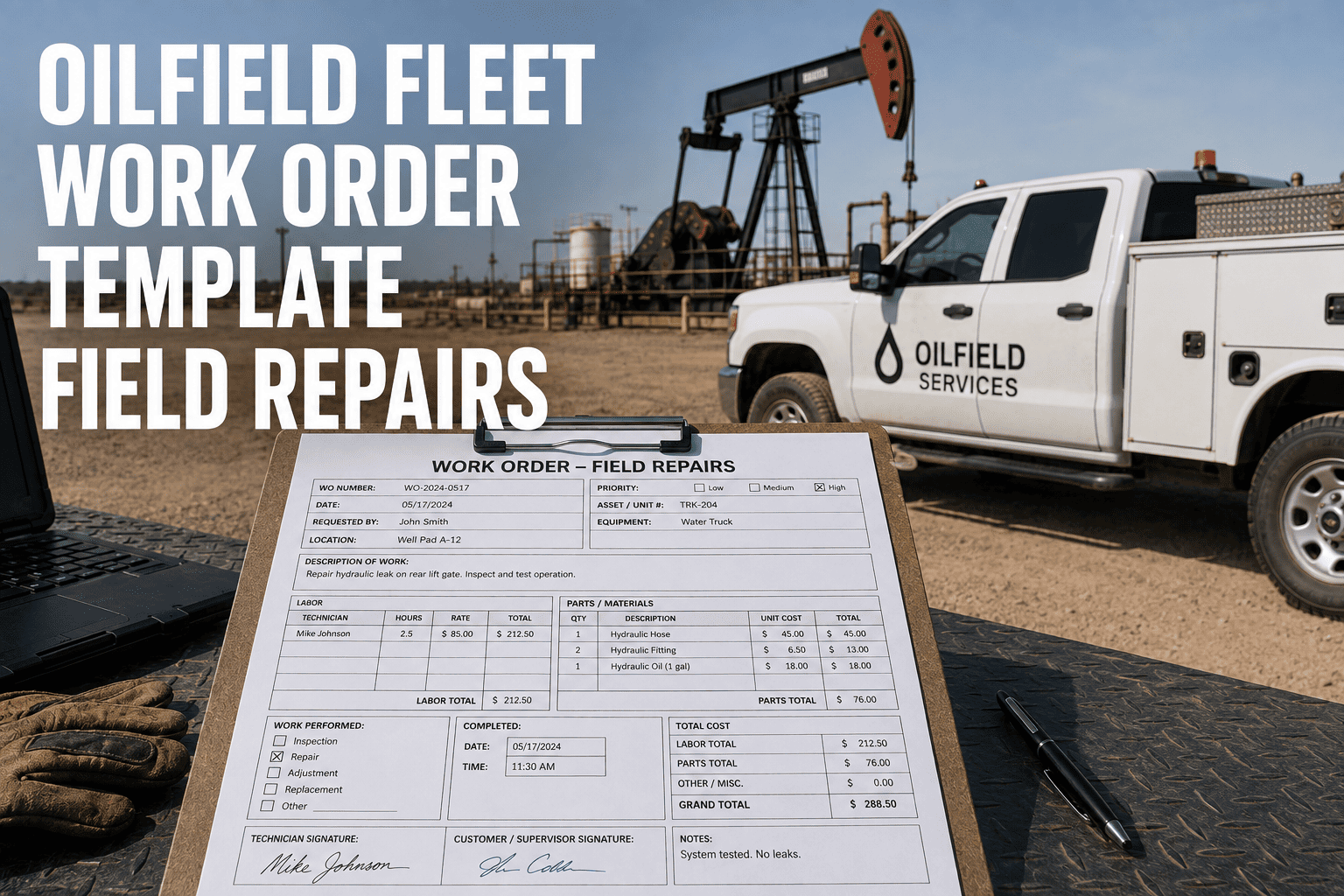
What a Field Repair Work Order Looks Like Filled Out
Here is how those six fields come together on an actual mobile repair record, laid out the way a technician would move through it from first tap to close-out.
Status That Updates Itself as the Work Happens
The best field templates do not ask a technician to manually pick a status from a dropdown menu. Checking in at the location starts the labor clock automatically, adding a photo or note moves the job to in progress, and confirming the repair triggers close-out, which means the record stays accurate without extra taps or a separate timesheet.
Working Without Signal
Most oilfield repairs happen somewhere cell coverage is thin or nonexistent, so a template that only works online is not a template that works in the field. Data, photos, and timestamps should save locally the moment they are entered and sync automatically once the technician is back in range, with the original timestamp preserved rather than replaced by the sync time.
| Factor | Paper Work Order | Mobile Work Order Template |
|---|---|---|
| Required Fields | Easy to skip under time pressure | Blocks close-out until every field is filled |
| Photo Evidence | Rarely attached, often lost | Captured directly in the work order record |
| Labor Tracking | Estimated after the fact | Timed automatically from check-in to completion |
| Office Visibility | Delayed until paper reaches the yard | Real-time status visible the moment it updates |
| Works Without Signal | Yes, but data entry happens twice | Yes, with automatic sync once connectivity returns |
FleetRabbit gives the office a live dashboard of every work order in progress, complete with photos, parts, and labor as soon as a technician's device reconnects. Book a demo to see the dashboard alongside the field app.
Frequently Asked Questions
A work order that captures the right six fields every time protects your fleet, your budget, and your technicians. FleetRabbit puts a guided, offline-capable template on every device so nothing gets skipped in the field. Sign up free with no credit card required, or book a demo to see it running on your own repair workflow.