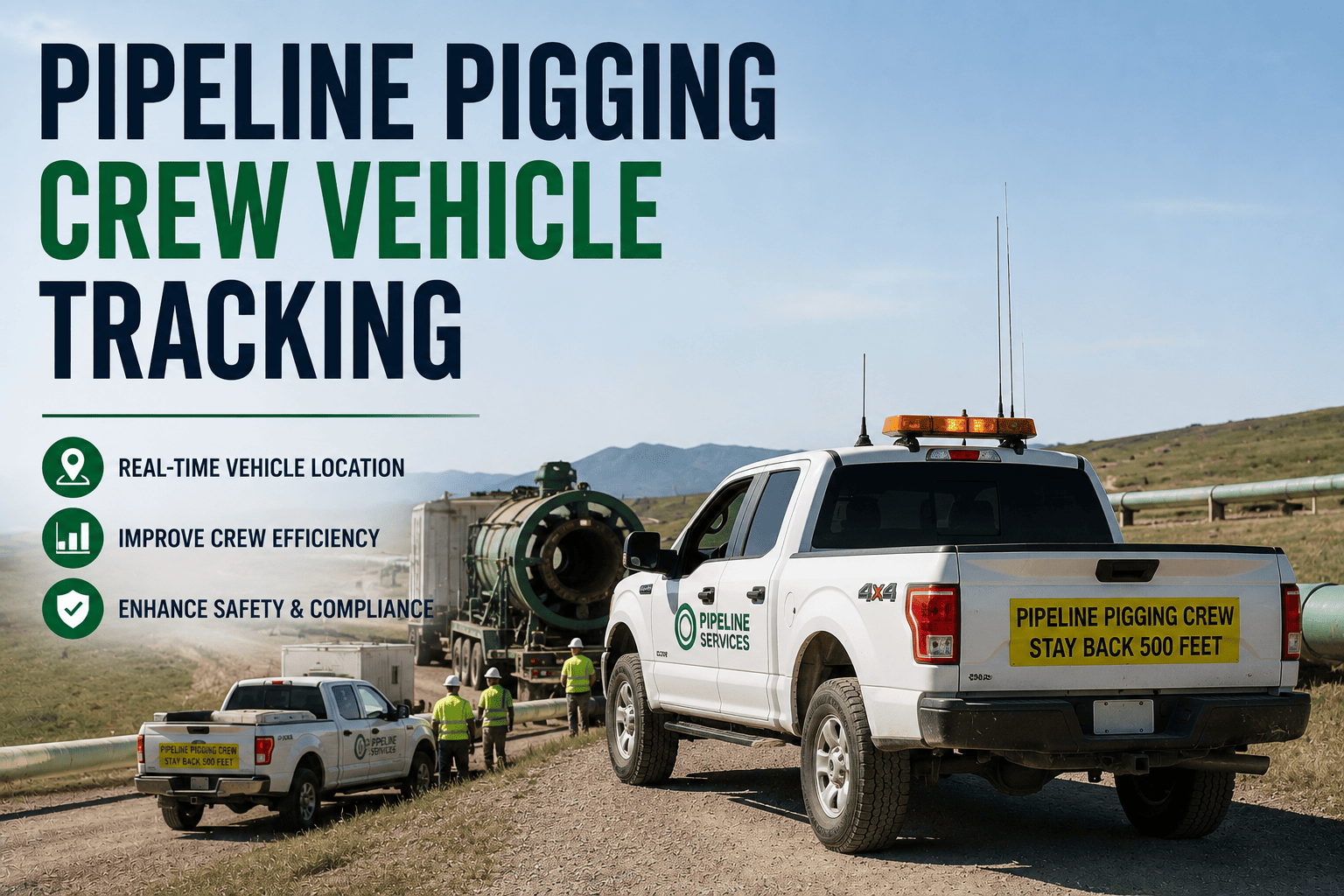
A pipeline pigging run looks simple from a distance: a tool goes in at the launcher, travels through the line, and comes out at the receiver. In practice, an in-line inspection campaign is a coordinated operation stretched across miles of remote corridor, with crew vehicles tracking the tool's progress at above-ground marker sites, launch and receive teams working against a regulatory clock, and every anomaly the tool finds triggering a repair deadline that PHMSA does not treat as optional. Losing visibility into where a crew vehicle is relative to the pig's position is not a minor scheduling inconvenience. It is a gap in the exact data trail an integrity program has to produce on demand.
Pipeline integrity management is required under 49 CFR Part 195 for hazardous liquid lines and Part 192 Subpart O for gas transmission lines. Once an in-line inspection tool finds an anomaly, its severity classification sets a regulatory repair clock of immediate, 60-day, or 180-day action, not an internal target. Crew vehicles tracking pig progress across the corridor generate the timestamped location data that ties each anomaly to its discovery window and keeps that clock defensible in an audit.
Following the Pig Across the Corridor
A pigging run moves through a sequence of physical checkpoints along the pipeline, and crew vehicles have to be in the right place at each one, often hours apart and separated by miles of rural or remote terrain.
Launch Station
The pig is loaded into the launcher barrel, the trap is sealed, and the tool enters the line under pressure.
Above-Ground Markers
Crew vehicles position at marker sites along the corridor to confirm the tool's passage and log timing.
Valve and Pump Stations
Crews coordinate with station personnel as the tool passes intermediate facilities along the route.
Receive Station
The tool is captured in the receiver barrel, the trap is depressurized, and inspection data is downloaded for analysis.
Why Vehicle Position Data Matters Here
Regulators require operators to relieve barrel pressure safely and confirm it before a trap is opened, a rule put in place after incidents where personnel were seriously injured by pressure buildup at launcher and receiver stations. Knowing exactly which crew vehicle is at which station, and when, is part of demonstrating that this sequence was followed correctly, not just that the pig eventually arrived.
FleetRabbit gives integrity teams live GPS visibility into every crew vehicle supporting a pigging run, tied to launch and receive schedules. Sign up for free and see your corridor coverage today.
When the Clock Starts: Anomaly Repair Deadlines
Once an in-line inspection tool identifies a feature such as wall loss, a dent, or a crack, its severity classification determines exactly how much time an operator has to respond. These are federal deadlines, and missing one typically means a mandated pressure reduction and a report to PHMSA rather than a rescheduled work order.
| Condition Class | Regulatory Response Window | What Crews Need in the Field |
|---|---|---|
| Immediate | Action required without delay, often including a pressure reduction | Real-time location data to dispatch a crew vehicle to the exact anomaly point without delay |
| 60-Day Condition | Repair or re-verification required within 60 days of discovery | A documented discovery timestamp that starts the clock accurately |
| 180-Day Condition | Repair or re-verification required within 180 days of discovery | Ongoing tracking to confirm the repair crew reaches the location before the deadline lapses |
Deadlines Survive a Change in Operator
If a pipeline segment changes ownership, the assessment intervals and any pending remediation deadlines transfer with it. A new operator inherits the clock exactly where the previous operator left it, which makes a continuous, timestamped vehicle and crew record even more valuable during a transition. Book a demo to see how FleetRabbit keeps that record intact regardless of who is managing the segment.
What Fleet Data Belongs in Every ILI Campaign
An integrity team assembling an audit trail after an in-line inspection run needs more than the tool's own data. The supporting fleet activity around that run is just as much a part of the record.
GPS Position History
Timestamped location data for every crew vehicle supporting the run, from launch through receive.
Launch and Receive Schedule
Planned versus actual timing at each station, confirming the run proceeded as coordinated.
Crew Certification Records
Confirmation that personnel present at launcher and receiver stations were qualified for barrel pressure procedures.
Anomaly Discovery Timestamps
The exact moment a condition was logged, since this single timestamp determines the regulatory response window.
FleetRabbit ties GPS tracking, launch and receive schedules, and crew certifications into one record for every ILI campaign. Start your free trial today, no credit card required.
Frequently Asked Questions
Stop reconstructing crew vehicle activity from scattered notes after a pigging run. FleetRabbit ties GPS tracking, launch and receive schedules, and crew certifications together for every integrity program run.