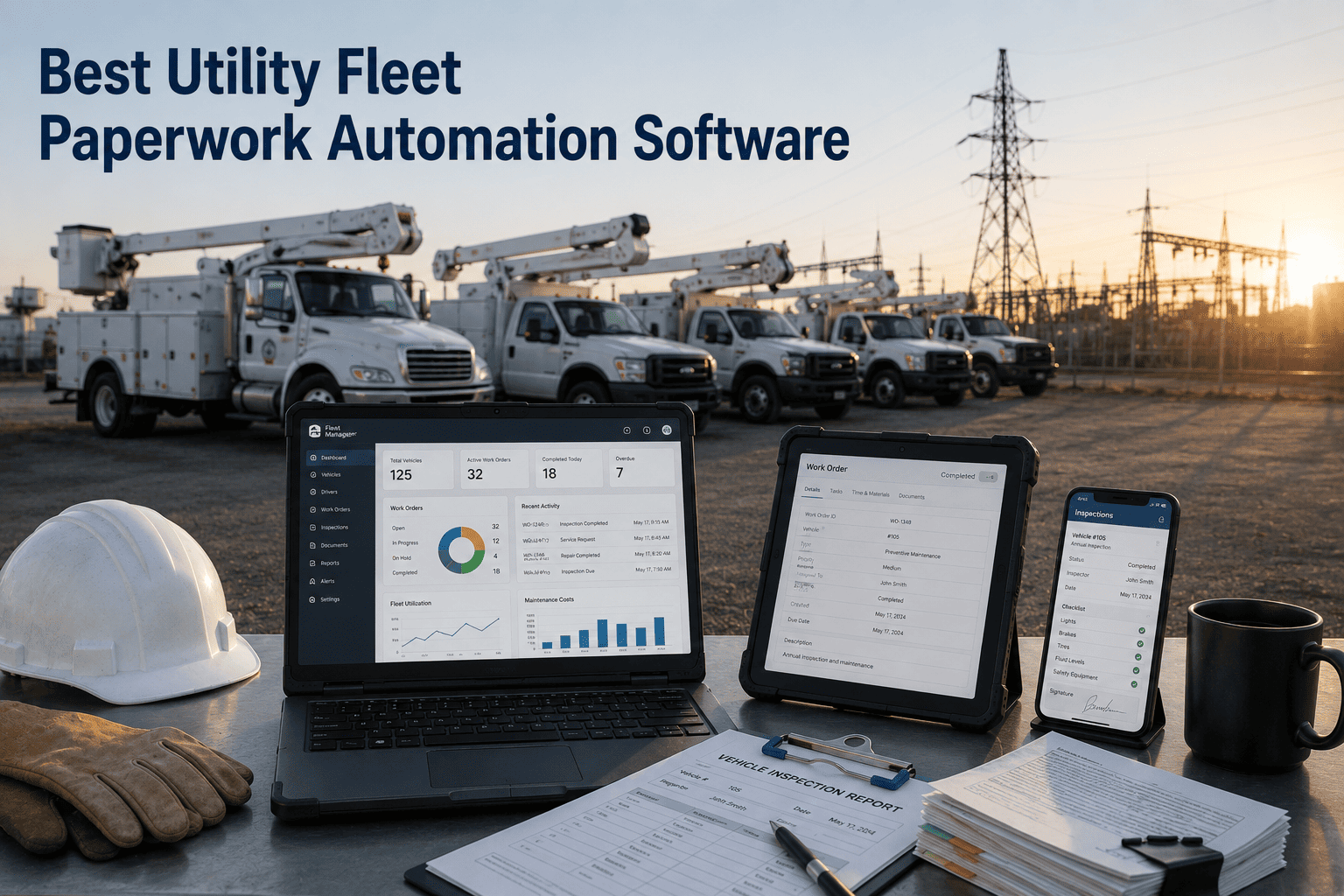
Utilities fleet managers overseeing service trucks, bucket vehicles, and line crews spend 10–20 hours weekly on manual paperwork — from pre-trip inspections and maintenance logs to compliance reports and rate-case documentation. Fleet Rabbit provides digital inspection workflows, centralized records management, and automated reporting tools that help utility teams complete documentation faster, maintain audit-ready records, and reduce administrative burden — using mobile apps that work offline in low-connectivity service territories. Book a Demo to see paperwork automation in action.
10–20 hrs
Average weekly administrative time spent on manual fleet paperwork per utility team
8–12 min
Average time to complete digital DVIR vs. paper-based inspections
95%+
Record completeness with automated digital documentation workflows
$5/vehicle/mo
Fleet Rabbit pricing with monthly billing and no long-term contracts
Paper-Based Fleet Processes Create Compliance Risk. Fleet Rabbit Digitizes Workflows Without Hardware Changes.
Fleet Rabbit connects to existing telematics and maintenance systems to capture inspection data, automate record retention, and generate audit-ready reports — enabling consistent documentation for PUC filings, safety audits, and internal reporting without disrupting field operations.
Paperwork Challenges in Utilities Fleet Operations
Before implementing digital solutions, it is important to understand where manual processes typically create friction in utilities fleets. Paper logs, disconnected systems, and variable signal coverage leave operations teams without timely documentation — gaps that structured digital workflows can help address.
Paper Logs Create Documentation Gaps
Manual DVIR forms, maintenance logs, and inspection records are prone to loss, incomplete entries, or delayed submission. Without centralized digital records, audit requests or rate-case filings require time-consuming compilation across multiple sources.
Disconnected Inspection and Maintenance Workflows
When inspection findings live separately from maintenance systems or compliance databases, record reconciliation depends on manual handoffs. Critical documentation may be delayed without automated workflows.
Limited Offline Capability in Remote Service Areas
Cellular coverage gaps in rural service territories can interrupt cloud-based documentation apps. Without offline support, crews may skip documentation or submit incomplete reports.
Inconsistent Documentation Standards Across Teams
Without standardized digital templates, record quality varies by crew or location. Required fields for regulatory reporting may be overlooked without structured guidance and validation.
How Fleet Rabbit Supports Paperwork Automation for Utilities Fleets
Fleet Rabbit provides mobile documentation tools integrated with existing maintenance, compliance, and reporting workflows. Data is captured at source and presented in actionable formats for operations, safety, and regulatory teams. See a live demo focused on digital inspections, records management, and compliance reporting.
01
Mobile DVIR with Offline Support
Crews complete pre-trip and post-trip inspections via mobile app. Data caches locally when signal is unavailable and syncs automatically when connectivity resumes.
02
Customizable Documentation Templates
Create vehicle-type-specific templates for service trucks, bucket vehicles, line crews, or specialized equipment. Required fields and photo capture ensure consistent documentation.
03
Automated Record Retention Workflows
Completed inspections, maintenance logs, and compliance records are automatically stored with version control and retention policies aligned to regulatory requirements.
04
Audit-Ready Compliance Documentation
All records are timestamped, user-attributed, and exportable in standard formats. Generate PUC-ready reports, OSHA inspection logs, or FMCSA DVIR exports on demand.
05
Scheduled Reporting Automation
Automate recurring reports for internal reviews, regulatory submissions, or rate-case documentation. Templates ensure consistent formatting and required data fields.
06
Centralized Records Dashboard
Access all fleet documentation from a single dashboard. Search by vehicle, crew, date range, or document type. Role-based access controls support team collaboration.
Regulatory and Operational Context for Utilities Documentation
Fleet Rabbit supports documentation requirements for regulations and reporting frameworks commonly faced by utilities fleet operators.
State PUC Reporting
Digital records formatted for public utility commission filings with timestamped, crew-attributed documentation and export capabilities for rate-case justification.
OSHA Equipment Inspections
Custom templates for bucket trucks, lifts, pressure equipment, and HAZMAT vehicles. Certification tracking and renewal alerts support ongoing compliance.
FMCSA DVIR Requirements
Digital pre-trip and post-trip inspections formatted for FMCSA audit requests with timestamped, driver-attributed records and defect resolution tracking.
Environmental Safety Documentation
Document fluid leaks, spill containment status, and emissions-related components. Support environmental audit requests with structured, exportable records.
Fleet Rabbit vs. Other Fleet Documentation Platforms
A feature-level comparison across capabilities relevant to utilities paperwork automation. Competitor data sourced from publicly available documentation and third-party reviews as of 2024. Talk to a specialist for a side-by-side evaluation against your current tool.
Pricing based on Fleet Rabbit standard rate at $5/vehicle/month. Competitor pricing reflects publicly listed ranges and may vary by feature tier, volume, or region.
Deployment Approach for Digital Documentation Implementation
Fleet Rabbit follows a structured onboarding process designed for dispersed utility operations — delivering initial documentation capability within the first week and full workflow activation within two weeks. No hardware installation required.
01
Documentation Workflow Audit
Map current paperwork processes and compliance requirements
02
Template Configuration
Build vehicle-type-specific digital documentation forms
03
Integration Setup
Connect maintenance and compliance systems via API
04
Crew Training
Onboard field teams on mobile documentation workflow
05
Go-Live and Review
Activate digital documentation and schedule effectiveness review
Typical Timeline and Expected Outcomes
Every Fleet Rabbit engagement follows a defined onboarding sequence with measurable milestones. Results vary by fleet size, vehicle mix, service territory, and process maturity. Request the full onboarding scope document tailored to your fleet profile.
Days 1–3
Workflow Design and Setup
Audit current documentation processes and compliance requirements
Configure digital templates per vehicle type and duty cycle
Set retention policies and report automation rules
Days 4–10
Pilot Deployment
Deploy mobile documentation app to pilot crew group
Review initial completion rates and documentation quality
Refine template items and workflow triggers based on feedback
Days 11–14
Full Activation
Expand digital documentation to full fleet
Enable automated compliance reporting and audit exports
Schedule 30-day review to assess workflow adoption and record completeness
REALISTIC EXPECTATIONS: MEASURABLE IMPROVEMENTS WITH CONSISTENT ADOPTION
Fleets that systematically adopt digital documentation workflows — such as completing inspections consistently, maintaining centralized records, and reviewing automated reports regularly — typically see documentation and administrative improvements within the first 30–60 days. Results depend on crew adoption and team follow-through.
95%+
Documentation completion rate
10–15 hrs
Admin time saved monthly
2–4 weeks
To initial visibility
Start Digitizing Paperwork. Improve Documentation Efficiency in Two Weeks.
Fleet Rabbit's fixed-scope onboarding means no open timelines, no hardware installation, and no months of customization before you gain visibility. Deploy at $5/vehicle/month and begin digital documentation within 72 hours.
Use Cases from Utilities Fleet Deployments
These examples reflect common scenarios where Fleet Rabbit has supported digital documentation efforts. Outcomes depend on fleet size, vehicle mix, service territory, and process maturity. Request additional details for the use case most relevant to your operations.
A regional electric utility supporting distribution maintenance relied on paper DVIR forms that were frequently lost or submitted late. Fleet Rabbit's mobile app enabled crews to complete inspections offline, with automatic sync when signal resumed. Completed records were automatically stored for PUC reporting.
A municipal utility managing bucket trucks, lifts, and pressure equipment needed to maintain OSHA-compliant inspection records across multiple jurisdictions. Fleet Rabbit's customizable templates ensured required items were documented consistently, with photo capture for visual verification.
8 hrs/wk
Documentation time saved
A gas utility sought to reduce administrative time compiling fuel and maintenance records for rate-case filings. Fleet Rabbit's automated reporting workflows linked inspection findings and maintenance logs directly to exportable templates, with customizable fields for regulatory submissions.
25%
Faster report generation
15%
Reduced manual compilation
What Utilities Fleet Teams Say About Fleet Rabbit
Fleet Rabbit made it simple for our crews to complete inspections even in areas with no signal. The automated record retention means our compliance team has everything they need for audits, and the exportable reports save us hours when preparing PUC filings.
Fleet Operations Manager
Regional Electric Utility Provider
Frequently Asked Questions
Does Fleet Rabbit require new hardware for digital documentation?
No. Fleet Rabbit's mobile documentation app runs on existing iOS or Android devices. Crews can use company-issued or personal devices with no additional hardware required.
Can documentation templates be customized per vehicle type?
Yes. Fleet Rabbit supports custom templates for service trucks, bucket vehicles, line crews, specialized equipment, and more. Required fields, photo capture, and conditional logic can be configured per template.
How does offline documentation data sync when connectivity resumes?
Documentation data caches locally on the device when cellular signal is unavailable. When connectivity resumes, data syncs automatically to the central platform with conflict resolution for duplicate submissions.
What compliance reports can Fleet Rabbit generate?
Automated PUC-ready reports, OSHA equipment inspection logs, FMCSA DVIR exports, state-specific documentation, and custom audit exports. All reports include timestamped, user-attributed records with version control.
How quickly can digital documentation be deployed?
Baseline template configuration and app deployment typically takes 3–5 days. Full workflow activation with maintenance integration and compliance reporting is usually complete within 10–14 days.
What is the pricing for Fleet Rabbit documentation software?
Fleet Rabbit is priced at $5 per vehicle per month, billed monthly with no long-term contract. A free tier is available for up to 3 vehicles to evaluate functionality before scaling.
Digitize Paperwork. Strengthen Compliance. Reduce Administrative Burden in Two Weeks.
Fleet Rabbit provides utilities fleet teams with mobile inspections, customizable templates, automated record retention, and audit-ready compliance documentation — deployed to existing devices in 5–7 working days, at $5/vehicle/month, with no new hardware required.
Offline-capable mobile documentation app
Custom templates per vehicle type and regulation
Automated record retention with version control
PUC, OSHA, and FMCSA-compliant report exports
May 27, 2026
By Jason
All Posts