Offline Mobile Inspections for Large Manufacturing Plant Floors
Manufacturing plant floors are among the most inspection-intensive environments in industrial operations — and among the least connected. Steel-framed buildings, reinforced concrete structures, equipment-dense production bays, and multi-storey mezzanine levels combine to create cellular dead zones that can span hundreds of thousands of square feet. Yet most digital inspection tools on the market are built with the assumption of continuous connectivity — they work when signal is available and fail silently when it is not, leaving operators falling back to paper forms that defeat the entire purpose of a digital compliance programme. The result is a gap that compliance managers discover at the worst possible moment: during an OSHA audit when inspection records are incomplete, during an ISO surveillance visit when digital logs have gaps that paper never would have shown, or during an insurance review when a sequence of missed inspections connects directly to an incident. Offline-capable mobile inspection software built specifically for disconnected manufacturing environments eliminates this gap entirely — capturing every inspection, every defect, every corrective action, and every sign-off at the point of work, regardless of whether a signal bar is visible on the operator's device. Start your FleetRabbit offline inspection journey today or book a live plant floor demo with our team.
Why Connectivity-Dependent Tools Fail on Large Plant Floors
The promise of digital inspection software is continuous, accurate, attributable records that replace the inconsistency of paper. But when inspection apps require an active internet connection to save, submit, or sync a record, they introduce a failure mode that paper never had: the inspection that completes successfully but never reaches the compliance system because the operator was in a dead zone when they hit submit. Large manufacturing plants — automotive assembly facilities, steel processing plants, food production warehouses, chemical manufacturing campuses — routinely cover 500,000 to 2,000,000 square feet across structures that actively block cellular signals. FleetRabbit's offline-first mobile inspection app captures every record locally the moment it is completed and syncs automatically the moment connectivity is restored — with zero action required from the operator and zero gap in the compliance record.
The Offline-First Inspection Advantage
100%
Inspection completion rate regardless of signal — every record captured locally, synced automatically on reconnection
Auto
Background sync the moment connectivity is restored — no operator action, no manual upload, no missed submissions
Full
Photo capture stored offline with GPS tag and timestamp — image evidence attached to every flagged defect even without signal
<60s
OSHA and ISO compliance report generation per asset, zone, or facility — audit-ready the moment records sync
Ready to eliminate plant floor inspection gaps? FleetRabbit's offline-first mobile inspection app works everywhere on your plant floor — signal or no signal — and syncs every record automatically.
How Offline Inspection Data Flows: From Plant Floor to Compliance Record
FleetRabbit's offline inspection architecture captures every data point at the moment of inspection, stores it securely on the operator's device, and syncs to the central compliance system automatically the moment connectivity is available — creating a seamless, unbroken record that compliance managers can access and auditors can rely on.
Offline Inspection Data FlowFrom plant floor capture to centralised compliance record — with or without signal
01
Checklist Download Before Shift Begins
When operators enter the app at the start of their shift — while still in a connected area — FleetRabbit downloads all assigned inspection checklists, asset profiles, and required threshold configurations to the device. The app enters offline-ready mode and operates independently of connectivity from that point forward, with no functionality reduction on the plant floor.
02
On-Device Inspection Completion
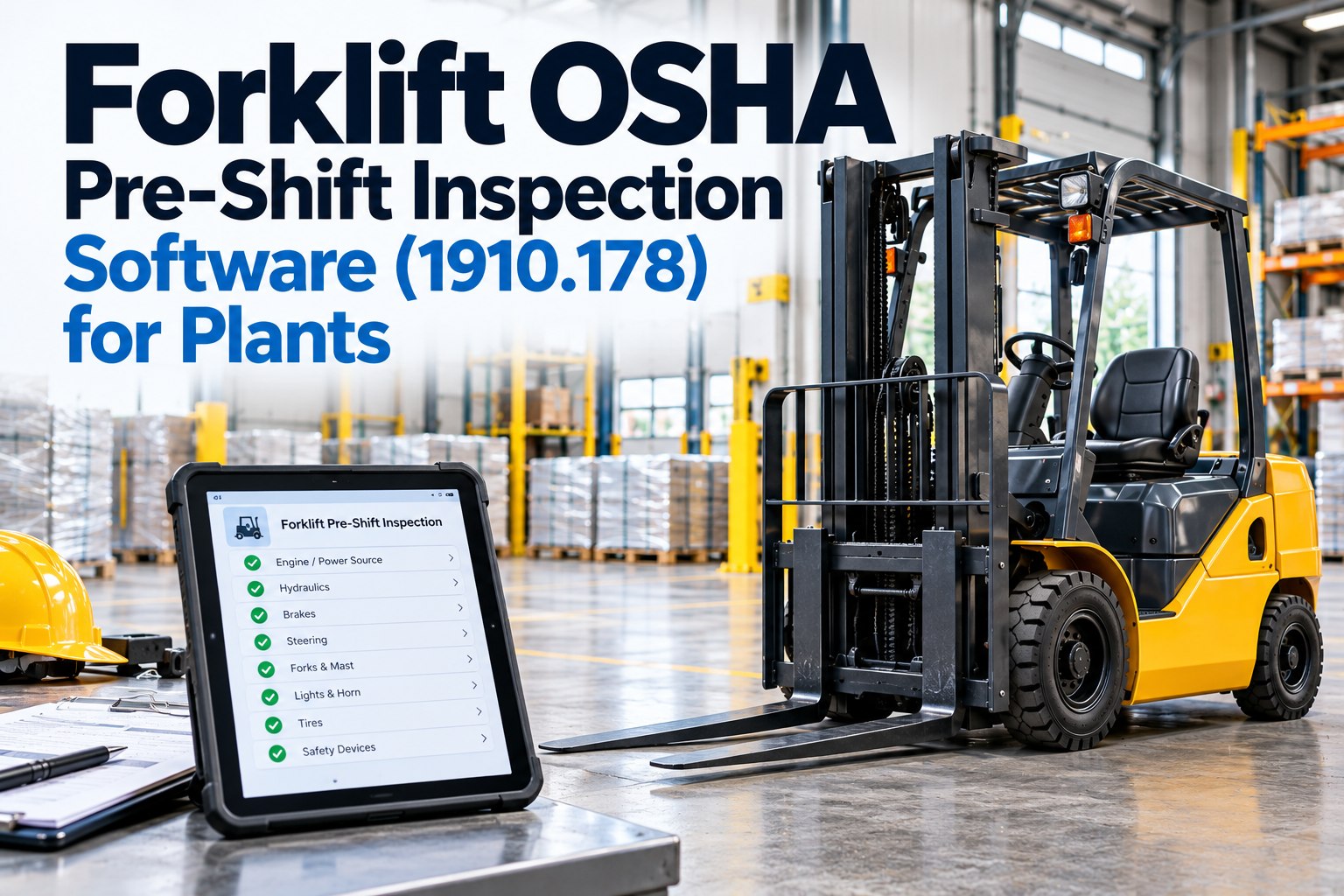
Operators complete inspections on any iOS or Android device — mandatory field enforcement, digital signature capture, photo evidence for flagged items, and barcode or QR scanning for asset identification all function without an internet connection. Every completed inspection is encrypted and stored locally with operator identity, timestamp, GPS coordinates, and asset attribution the moment the operator submits.
03
Automatic Background Sync on Reconnection
When the device reconnects to any available network — cellular, Wi-Fi, or plant LAN — FleetRabbit syncs all locally stored inspection records to the central platform automatically in the background. The operator receives no interruption and takes no action. Records appear in the compliance dashboard with the original submission timestamp, not the sync timestamp, preserving the accurate inspection timeline.
04
Defect Escalation & Work Order Generation
Once synced, any inspection items flagged as defects automatically generate maintenance work orders with the defect detail, photo evidence, asset identity, and operator attribution — assigned to the maintenance team and visible in the fleet dashboard. Assets with open safety-critical defects are flagged as unavailable until the maintenance team closes the work order and records completion.
05
One-Click Compliance Report Generation
Safety managers and compliance officers generate complete inspection compliance packages with a single click — per asset, per zone, per facility, or per date range. Sign up for FleetRabbit to export OSHA and ISO-formatted inspection records, defect logs, corrective action trails, and operator signature evidence in PDF format within 60 seconds of an auditor's request.
Best Practices by Offline Inspection Category
Effective offline inspection deployment in manufacturing plants requires more than an app that works without signal. It requires structured checklist design, clear asset identification strategies, defined escalation protocols for offline-captured defects, and integration with the maintenance workflows that act on inspection findings. The categories below reflect the operational best practices FleetRabbit's manufacturing deployment team has refined across plant environments from 50,000 to 2,000,000 square feet.
Offline Inspection Best Practices by Category
Checklist Pre-Loading Strategy
Configure FleetRabbit to download all active inspection templates to operator devices during the shift-start login window while devices are still in the connected locker room or break area. This ensures every checklist — including emergency inspection templates triggered by incident reports — is available the moment operators enter the plant floor dead zone, with no dependency on finding a signal pocket mid-inspection.
Asset QR and Barcode Identification
Attach FleetRabbit QR codes or barcodes to every asset subject to inspection — forklifts, reach trucks, order pickers, conveyor sections, dock levellers, fire suppression panels, and fixed plant equipment. Operators scan the asset code to launch the correct inspection checklist without typing asset IDs, eliminating misattribution errors that are impossible to correct retroactively in an immutable compliance record.
Mandatory Field Enforcement
Configure every inspection template with mandatory fields that cannot be bypassed — the app will not accept a submission with incomplete critical safety items. For items flagged as defects, photo capture becomes mandatory before the item can be marked complete. This eliminates the partial submission problem that plagues paper-based and connectivity-dependent systems, where operators skip fields when under time pressure and nobody notices until an auditor finds the gaps.
Offline Defect Escalation Protocol
Define a clear protocol for safety-critical defects identified during offline inspection — specifically, what operators do with a vehicle or asset when the app cannot immediately sync the defect to the maintenance team. FleetRabbit's offline mode supports local defect severity flagging that displays a visible on-screen hold status to operators, preventing continued use of a flagged asset while the maintenance notification is queued for sync.
Inspection Completion Time Monitoring
FleetRabbit captures the exact time an inspection starts and the time it is submitted, creating a completion duration record for every inspection event. Inspections completed significantly faster than the expected duration for a given checklist type are flagged for supervisor review — providing an objective, data-driven mechanism for identifying inspection compliance quality issues without relying on direct observation of operator behaviour on the plant floor.
Zone-Level Compliance Analytics
Large plant floors require compliance visibility at the zone level — not just at the facility level. FleetRabbit's analytics surface inspection completion rates, defect frequency, and corrective action closure times broken down by plant zone, production bay, and shift — enabling safety managers to identify exactly which zones are generating the most compliance risk and target resource allocation where the evidence says it is needed most.
See offline inspections running live on a plant floor. Book a demo to see how FleetRabbit captures, stores, and syncs inspection records across a large manufacturing facility — signal or no signal.
FleetRabbit's offline inspection system covers every asset class and plant zone in a manufacturing facility — not just mobile equipment. The table below maps common manufacturing plant asset types to their OSHA and ISO inspection requirements and the FleetRabbit offline inspection configuration that satisfies each.
Manufacturing Plant Asset Inspection Coverage
Asset / Zone Type
Regulatory Requirement
Inspection Frequency
FleetRabbit Offline Configuration
Forklifts & Powered Industrial Trucks
OSHA 29 CFR 1910.178(q)(7)
Pre-shift, each operator
Operator-attributed digital DVIR, mandatory photo on defect, auto work order
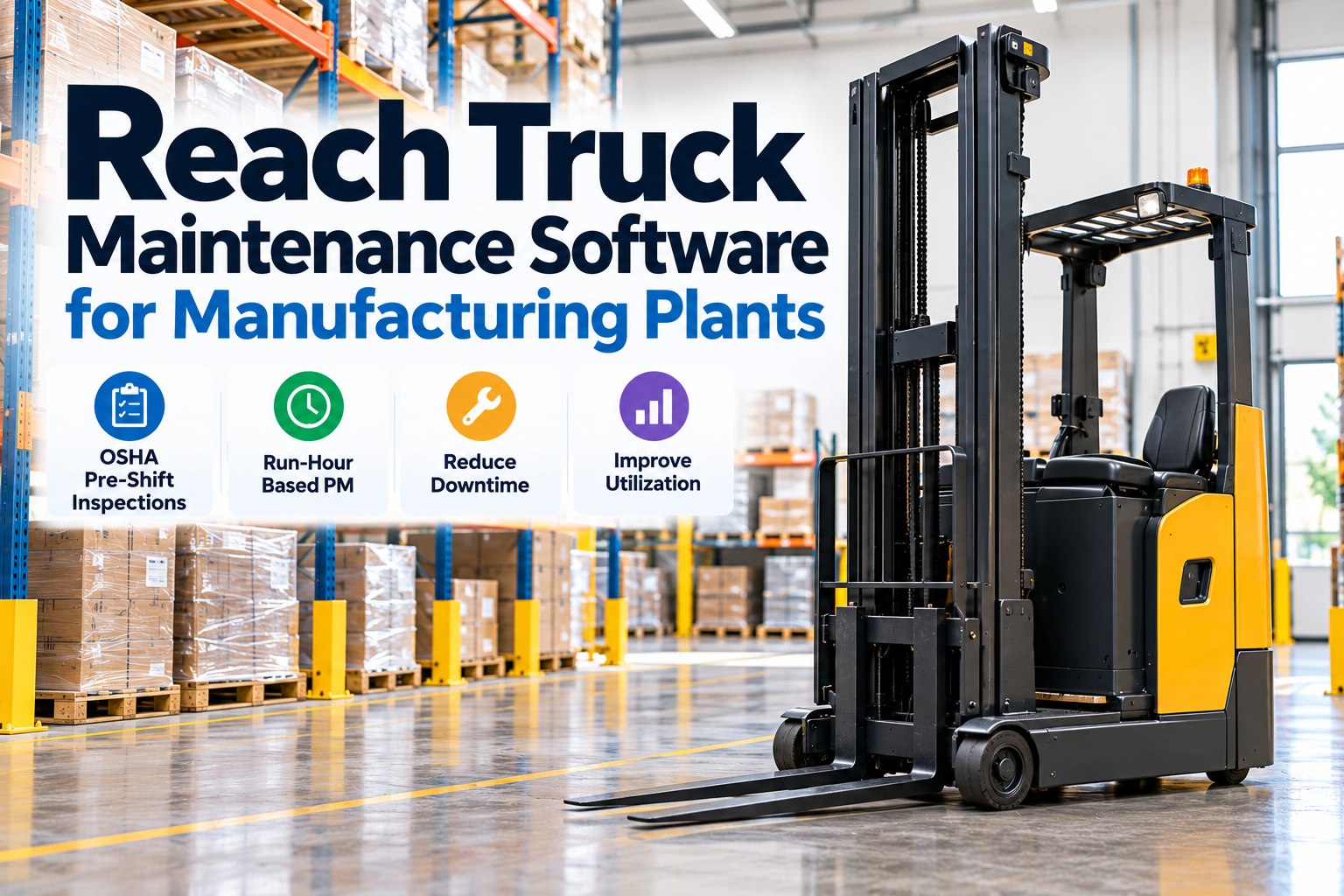
Reach Trucks & Order Pickers
OSHA 29 CFR 1910.178
Pre-shift, each operator
Class-specific checklist by vehicle type, QR asset identification
Overhead Cranes & Hoists
OSHA 29 CFR 1910.179 / ASME B30.2
Daily operational, annual thorough
Dual-level inspection templates — daily operator and periodic maintenance
Dock Levellers & Loading Bays
OSHA 1910.178(e) dock safety
Pre-shift and post-shift
Zone-specific checklists per dock, GPS-tagged submission, shift attribution
Fixed Plant & Production Equipment
ISO 45001 Clause 8.1 operational control
Scheduled interval per asset
Maintenance-interval triggered inspections, technician-attributed records
Fire Safety & Emergency Equipment
NFPA 10, OSHA 1910.157
Monthly visual, annual service
Zone-mapped inspection routes, expiry date tracking, auto-escalation on fail
All inspection templates are fully configurable per facility, asset class, and regulatory framework — FleetRabbit does not impose generic templates that require workarounds for facility-specific inspection requirements.
Not sure which asset classes need offline inspection coverage? Our manufacturing compliance team will map your specific asset types, plant zones, and regulatory requirements to the right FleetRabbit configuration.
Paper DVIRs vs. FleetRabbit Offline Digital Inspections
The operational and compliance gap between paper-based plant floor inspection programmes and FleetRabbit's offline digital system is measurable in inspection completion rates, defect escalation speed, and audit outcome quality. This comparison reflects what manufacturing safety teams gain — and what they risk — based on their inspection approach.
Plant Floor Inspection Approach Comparison
Paper / Disconnected App
❌
Inspections skipped or signed without physical completion
Defects logged on paper — never reach maintenance team
No photo evidence — word-of-mouth defect descriptions
Records filed in binders — impossible to retrieve by asset or date
Compliance gaps discovered by auditors, not safety managers
Highrisk of OSHA citations & ISO audit non-conformances
FleetRabbit Offline Digital
✔️
Mandatory fields prevent incomplete submissions anywhere on plant
Defects auto-generate work orders the moment the device syncs
Photo evidence captured offline, attached to every defect record
Every record searchable by asset, operator, zone, or date in seconds
Compliance gaps surfaced in real time — before the auditor arrives
Audit Readyevery shift, every zone, every asset on the plant floor
Stop Losing Inspection Records on the Plant Floor. Capture Every One — With or Without Signal.
FleetRabbit's offline-first mobile inspection app works everywhere on your manufacturing floor — dead zones, reinforced concrete bays, sub-level production areas — storing every record locally and syncing automatically the moment connectivity returns.
Deployment Roadmap: From Paper Plant Floor to Fully Offline-Digital
Most manufacturing plants complete the transition from paper-based to FleetRabbit offline digital inspections within three to four weeks — with the highest-priority asset classes live within the first week. The phased deployment model below is the sequence FleetRabbit's manufacturing onboarding team follows across plant deployments regardless of facility size.
FleetRabbit Offline Inspection Deployment Roadmap
Phase 1
Asset Inventory & Zone Mapping
Catalogue all assets requiring digital inspectionMap plant zones and dead zone boundariesDefine sync point locations per zone
Phase 2
Checklist Build & QR Deployment
Configure asset-specific inspection templatesPrint and attach QR codes to all assetsSet mandatory fields and photo requirements
Phase 3
Operator Training & Device Setup
Install FleetRabbit app on operator devicesTrain operators on offline inspection workflowDefine and communicate escalation protocols
Phase 4
Live Inspections & Compliance Active
All inspections captured digitally — plant-wideCompliance dashboard active for safety managersOSHA and ISO reports generating per shift
Our facility covers 640,000 square feet across three interconnected buildings and a mezzanine level. We had tested two digital inspection apps before FleetRabbit — both worked in the offices and the break room, and both failed the moment our operators walked into the production bays. We went back to paper both times. FleetRabbit's offline mode was the first system that actually worked everywhere. Our forklift DVIR completion rate went from 71% on paper to 99.3% in the first month — and for the first time, every defect our operators were finding was actually reaching our maintenance team the same day. Our last OSHA inspection resulted in zero citations related to powered industrial truck inspection records. That had never happened before FleetRabbit.
— EHS Director, Tier 1 Automotive Stamping Plant — 48 Forklifts — 640,000 sq ft — FleetRabbit Offline Inspections Active
Frequently Asked Questions
How does FleetRabbit's offline inspection app handle areas with zero connectivity — not just weak signal?
FleetRabbit's offline mode is designed for complete connectivity absence, not just reduced signal strength. When the device has no network connection of any kind — no cellular, no Wi-Fi, no plant LAN — the app operates identically to its online mode. Inspections are captured, photos are stored, signatures are recorded, and timestamps are logged using the device's onboard clock and GPS hardware. None of these functions require a network connection. Records are queued locally in an encrypted on-device store and sync in the background when any network connection becomes available. The sync is invisible to the operator and requires no action. There is no maximum offline period — devices can remain in zero-connectivity zones for an entire shift without data loss.
What happens if an operator's device battery dies or the device is damaged before an offline inspection syncs?
FleetRabbit's offline data store writes each inspection record as a completed, encrypted file on the device the moment the operator submits — not at the point of sync. If the device loses power before syncing, the completed inspection records remain in the device's local storage and sync the next time the device is powered on and connects to a network. For devices that are damaged beyond recovery, FleetRabbit's device management configuration allows administrators to set a companion backup policy that pushes completed offline records to a secondary local store at configurable intervals — providing an additional recovery layer for high-risk deployment environments. Schedule a demo to review the offline data protection options for your specific device and facility environment.
Can FleetRabbit offline inspections support multiple operators sharing the same device across shifts?
Yes. FleetRabbit supports shared-device deployment with individual operator login — each operator authenticates with their own credentials at the start of their inspection session, ensuring that every inspection record is attributed to the correct operator identity regardless of which device was used. Shift handover is managed through a device check-out and check-in process that FleetRabbit logs, creating a complete device attribution record alongside the inspection record. For facilities where operators carry dedicated devices, individual device assignment is also supported with the same offline functionality and automatic sync behaviour.
How does FleetRabbit generate OSHA-compliant forklift DVIR records from offline inspection data?
FleetRabbit's forklift pre-shift inspection template is structured to satisfy OSHA 29 CFR 1910.178(q)(7) requirements — covering all the inspection items the standard requires, capturing operator identity, asset identity, inspection date and time, defect status, and the operator's certification that the vehicle was found to be in safe operating condition or that defects were identified and reported. When an operator completes the inspection in offline mode, the record includes all of these elements with the submission timestamp from the device's onboard clock — which FleetRabbit cross-validates against the sync timestamp to detect any discrepancy. The completed record exports as a DVIR in PDF format that OSHA compliance officers recognise as meeting the documented inspection requirement. Sign up for a free account to access the DVIR template library and configure it for your specific forklift classes.
Every Inspection. Every Asset. Every Zone. — Signal or No Signal.
FleetRabbit's offline-first mobile inspection app ensures complete, attributable, photo-evidenced inspection records across your entire manufacturing plant floor — captured where work happens, synced when connectivity allows, and audit-ready the moment a compliance officer asks.