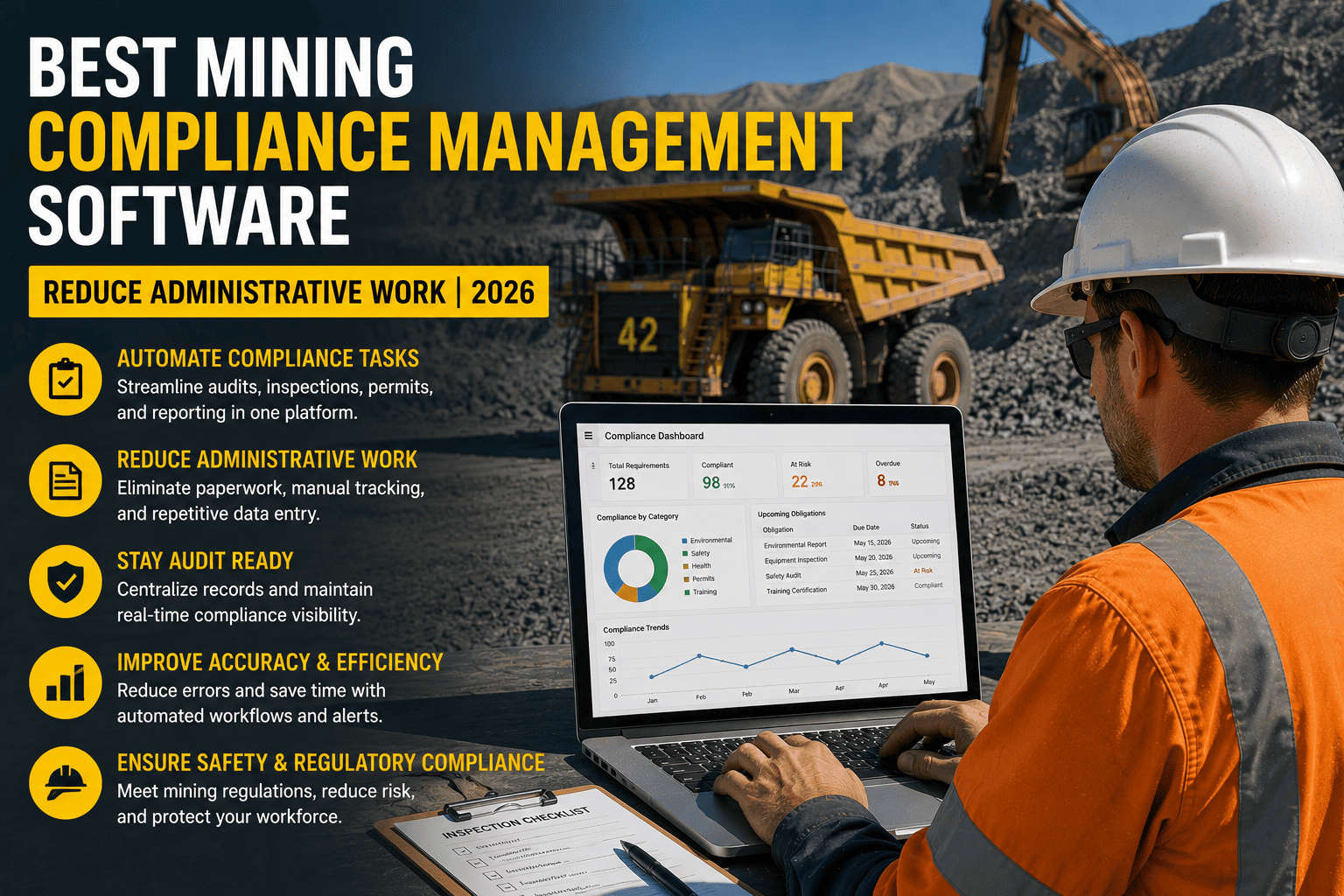
Compliance officers at mining operations report spending more than 40 hours scrambling before a single MSHA inspection, chasing training records across spreadsheets, reconciling contractor credentials by hand, and hunting for inspection forms that might be in a file cabinet, an email thread, or a shared drive nobody fully trusts. That's not a safety problem, it's an administrative one, and it's exactly what mining compliance management software exists to eliminate. This guide breaks down what the administrative burden actually costs, what separates purpose-built mining compliance software from a generic safety app, and what to look for before you buy.
The best mining compliance management software automates MSHA Part 46 and Part 48 training records, captures pre-shift inspections with mandatory photo evidence, works fully offline underground and in remote pits, routes defects to maintenance automatically, and produces audit-ready records in minutes instead of days. Operations running purpose-built platforms report audit preparation time dropping by roughly 90 percent because documentation builds continuously instead of being assembled under deadline pressure.
Why Mining Compliance Administration Eats So Much Time
Mining compliance isn't one requirement, it's dozens running simultaneously across every shift, every piece of equipment, and every worker on site. Understanding where the hours actually go is the first step to knowing what your software needs to automate.
Training Records Under Part 46 And Part 48
Surface mines operate under Part 46 and underground mines under Part 48, and both require documented new-miner training, annual refresher training, task training, and hazard training records that stay current for every single worker and contractor on site. Manually reconciling who is trained on what, and when their certification expires, across hundreds of people is where safety coordinators lose entire days every month.
Pre-Shift Inspection Documentation
Every piece of surface and underground equipment requires a documented pre-shift inspection before operation, covering items MSHA inspectors check first, including brakes, tires, ROPS and FOPS structural integrity, and fire suppression status. A checkbox without photo evidence isn't proof of compliance, it's a liability, and paper forms that live in a truck cab rarely survive intact until an auditor asks for them.
Audit And Incident Reporting
Form 7000-1 incident reporting, inspection retrieval on request, and audit documentation all need to be produced quickly when MSHA arrives. Operations relying on file cabinets and disconnected spreadsheets consistently struggle to produce what inspectors need within the window given, which turns a documentation gap into a citation of its own.
FleetRabbit captures pre-shift inspections, training records, and incident documentation continuously, so audit preparation stops being a 40-hour fire drill and becomes a few clicks whenever MSHA asks.
What To Look For In Mining Compliance Software
Not every compliance platform on the market is actually built for a working mine site. Here's what separates a tool that reduces administrative work from one that just moves the paperwork onto a screen.
| Capability | Why It Matters | What To Check Before Buying |
|---|---|---|
| Full offline function | Underground and remote pit locations often have no signal at all | Confirm inspections complete and sync automatically with zero data loss |
| MSHA-aligned templates | Generic safety apps miss mining-specific items like ROPS integrity and fire suppression status | Ask if templates are pre-built for Part 46, Part 48, and equipment-specific checks |
| Mandatory photo verification | A checkbox alone isn't accepted as compliance evidence during an audit | Confirm critical items require a photo before the inspection can be submitted |
| Automatic defect routing | A failed item needs to reach maintenance instantly, not at end of shift | Confirm failed inspections generate a work order and can block dispatch |
| Training expiry tracking | Expired certifications are a common and preventable citation source | Confirm automatic alerts before certifications lapse, not after |
| One-click audit export | Inspectors expect records within hours, not days | Confirm you can export 90 days of records by equipment, shift, or operator instantly |
Why Generic Safety Software Falls Short
A safety checklist app built for construction or general industry can be configured to approximate mining requirements, but configuration isn't the same as coverage. Mining-specific items like backup alarm decibel compliance, strobe and lighting requirements, and equipment-hour-based maintenance scheduling get missed because they were never part of the platform's original design. Those gaps are exactly what inspectors identify first.
Why Equipment-Hour Tracking Matters More Than Calendar Dates
Mining equipment is maintained in engine hours, not calendar days, and manual tracking of PM compliance across a fleet typically holds around 60 to 70 percent completion. Software that pulls live telematics data and calculates next-due dates automatically pushes that number above 95 percent, closing the gap between what should happen and what actually gets documented.
| Factor | Generic Safety Software | Purpose-Built Mining Compliance Software |
|---|---|---|
| Checklist templates | Manually configured, common gaps in mining-specific items | Pre-built and MSHA-aligned by equipment type from day one |
| Offline capability | Often requires connectivity to load or submit forms | Fully functional underground and in remote pits, auto-syncs later |
| Maintenance scheduling | Typically calendar-based only | Engine-hour based, pulled from live telematics data |
| Audit readiness | Records scattered across exports and manual reports | One-click, 90-day exportable record by equipment, shift, or operator |
Most mining operations that switch to a purpose-built platform report making their first data-driven maintenance decision within 48 hours of going live, because the software surfaces patterns, like which asset has the most recurring defects, immediately instead of after a manual spreadsheet review. If you want to see how that looks against your own equipment list, you can book a demo with FleetRabbit and walk through the MSHA-aligned templates directly.
FleetRabbit comes pre-configured with MSHA-aligned inspection templates, automated training expiry alerts, and equipment-hour maintenance scheduling, so your compliance program is audit-ready from the first shift, not the first quarter.
Key Takeaways
Mining compliance was never supposed to consume 40 hours before every inspection. That burden exists because paper forms, disconnected spreadsheets, and generic safety apps were never designed for the specific, prescriptive demands of Part 46, Part 48, and MSHA's inspection expectations. Purpose-built software doesn't just digitize the paperwork, it eliminates the scramble entirely by building the record continuously, shift after shift.
If your compliance program still depends on file cabinets and last-minute spreadsheet reconciliation, it's worth seeing what a platform built specifically for mining changes. Sign up for FleetRabbit to put MSHA-aligned inspections and training tracking on every operator's phone, or book a demo to see exactly how audit-ready records get produced in minutes on your own fleet.
FleetRabbit automates MSHA-aligned inspections, training records, and audit documentation for surface and underground mining operations, so compliance stops being a scramble and becomes a byproduct of every shift.