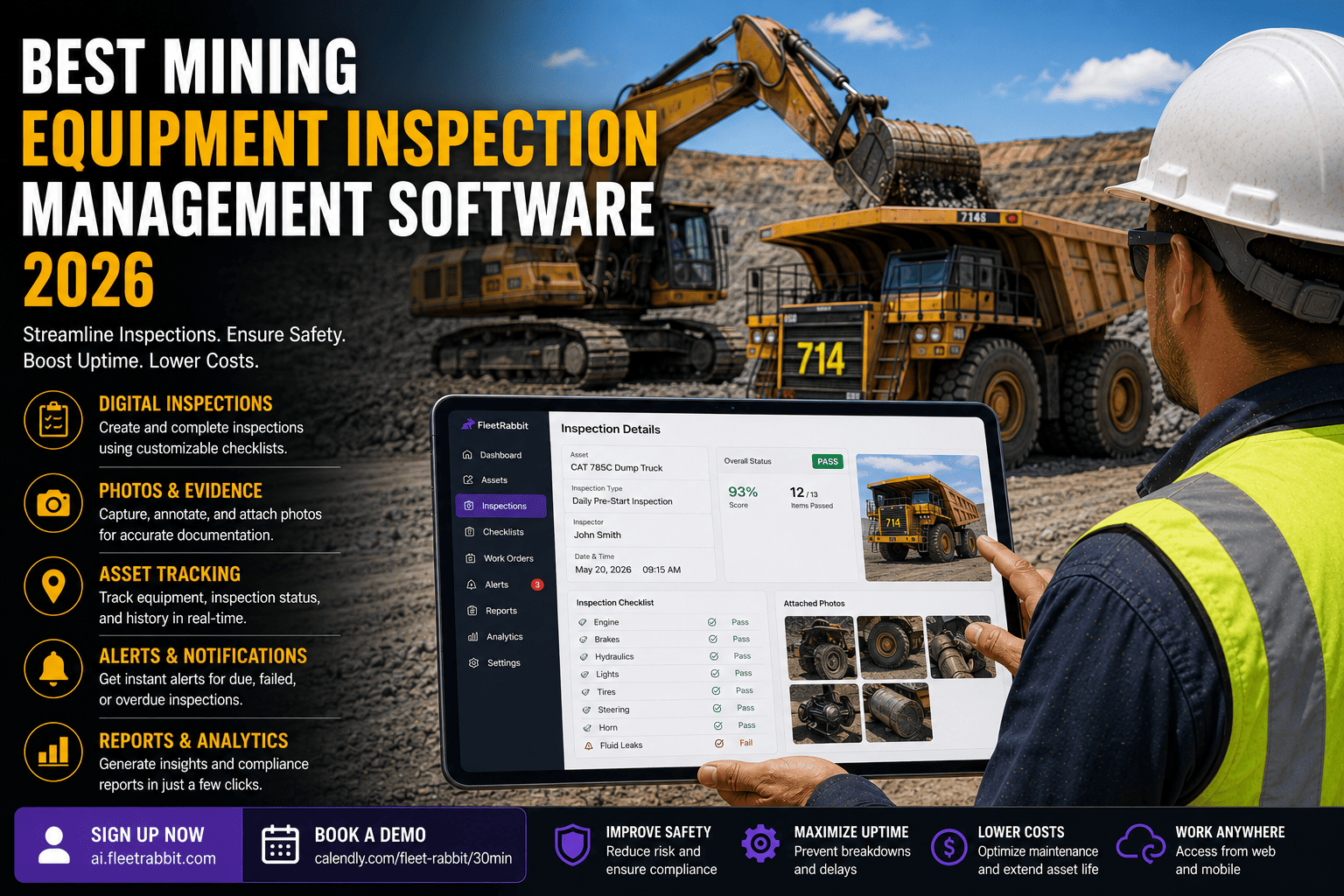
Ask any mine manager how equipment inspections actually get done and you will hear some version of the same story: a laminated checklist clipped to the dash, a radio call to the shop if something looks wrong, and a filing cabinet nobody wants to search when an MSHA inspector asks for ninety days of records. It works, mostly, until the day it doesn't. A cracked hydraulic line that never made it onto paper. A brake defect an operator mentioned verbally and everyone forgot by shift change. That is the gap mining equipment inspection management software is built to close, and choosing the right one is quickly becoming a competitive necessity rather than a nice-to-have.
The best mining equipment inspection management software works fully offline in remote pits, follows MSHA's 30 CFR §56.14100 and §57.14100 pre-shift inspection rules out of the box, routes flagged defects straight to the maintenance team, and turns ninety days of inspection history into an audit-ready report in a few clicks instead of a few hours. Mines that switch from paper to digital inspections typically cut completion time by 40 to 60 percent and reduce equipment-related safety incidents by close to 40 percent.
Why a Generic Checklist App Falls Short on a Mine Site
Plenty of inspection tools exist for warehouses, construction crews, and delivery fleets, and it is tempting to grab one of them because it is cheap and already familiar. The problem shows up fast: a generic template has no idea what ROPS and FOPS structural checks are, has never heard of a fire suppression system status field, and was never built to survive a shift with zero cell signal four hundred feet underground. Mining is a regulated, safety-critical environment first and an operations business second, and the software has to be built around that reality rather than adapted to it after the fact.
Generic Inspection Apps
- Break or lose data with no signal underground
- Generic checklists miss mining-specific defect points
- No built-in link to 30 CFR pre-shift requirements
- Defect reports sit in a form, not routed anywhere
Mining-Built Inspection Software
- Full functionality offline, auto-syncs when signal returns
- Templates built around MSHA-cited equipment categories
- Pre-shift workflow mapped directly to §56.14100 / §57.14100
- Defects auto-route to maintenance with priority set by severity
The Regulatory Backdrop You're Really Buying Software To Manage
Federal law requires an operator to personally inspect self-propelled mobile equipment before every single shift, and the results have to be documented and kept on file, not just remembered. MSHA visits every underground mine four times a year and every surface mine twice a year at minimum, on top of inspections triggered by complaints, and a missed or incomplete pre-shift record is treated as a violation in its own right. Penalties for non-compliance run anywhere from roughly $7,000 to $70,000 per citation depending on severity, and that number climbs fast once an inspector finds a pattern rather than a one-off. Software that produces a clean, timestamped inspection history on demand is not a luxury feature here; it is the difference between a five-minute records request and a very bad afternoon.
FleetRabbit gives every haul truck, loader, drill, and support vehicle a digital pre-shift checklist that works underground with zero signal, flags defects the moment they're logged, and keeps an audit-ready record for every shift. Sign up for a free trial and load your first site in under a day, or book a demo to walk through your specific fleet mix first.
What the Best Mining Inspection Software Actually Needs to Do
Strip away the marketing language and every serious buyer is really evaluating the same six things. Miss any one of them and the software becomes a partial fix that leaves a gap exactly where the next incident or citation is likely to happen.
| Capability | Why It Matters | What Good Looks Like |
|---|---|---|
| Offline-First Design | Pits and underground workings routinely have no cell or Wi-Fi signal | Inspections save locally and sync automatically the moment a device reconnects |
| Equipment-Specific Templates | A haul truck, a drill rig, and a loader fail in different ways | Pre-built checklists by asset type, editable without starting from a blank form |
| Automatic Defect Routing | A flagged defect that sits in a form helps nobody | Failed items create a maintenance work order instantly, with severity-based priority |
| Out-of-Service Tagging | Safety-critical defects legally require equipment to be pulled from dispatch | One tap locks the asset out of the dispatch queue until it's cleared by maintenance |
| Audit-Ready Reporting | MSHA can request records with almost no notice | Ninety days of history exports in one click, organized by asset and shift |
| Multi-Site Rollup | Compliance rates that look fine at one site can hide problems across a portfolio | One dashboard compares completion rate and open defects across every location |
Questions Worth Asking Before You Commit to a Platform
A demo will always look smooth in ideal conditions, so it helps to push past the sales script. Ask the vendor to show a device going fully offline mid-inspection and then reconnecting. Ask how a flagged brake defect actually reaches a mechanic, and how many clicks that takes. Ask what a ninety-day compliance export looks like when it's built for one truck versus a hundred-vehicle fleet. If any answer sounds vague, that's usually the part of the product that was built last and tested least.
What This Costs You If You Get It Wrong
The financial case for switching from paper is rarely about the software price tag; it's about what keeps happening without it. A defect an operator notices in a two-minute pre-shift check might cost a few hundred dollars to fix during planned maintenance. The same defect discovered mid-shift, after it causes a failure, can run into tens of thousands of dollars once emergency repairs, lost production, and investigation time are added up. Layer in a possible MSHA citation on top of that, and one missed inspection can end up costing more than a full year of software.
How Switching to Digital Inspections Plays Out in the First 90 Days
Most operations don't need a long, disruptive rollout to see results. The pattern tends to look the same regardless of fleet size.
Week 1 — Load the Fleet
Every haul truck, loader, drill, and support vehicle gets entered, either imported from a spreadsheet or added manually, with equipment-specific checklists assigned automatically.
Weeks 2-4 — Operators Adjust
Pre-shift checks move from paper to a device. Completion time drops as operators get used to a guided checklist instead of a blank form, and the first automatically routed defects start reaching maintenance same-shift.
Weeks 4-8 — Patterns Emerge
Maintenance teams start noticing which assets fail the same checklist item repeatedly, catching developing problems before they become breakdowns.
Week 12 — Compliance Becomes a Non-Event
A records request that used to take an afternoon takes a few minutes, and completion rates across every site sit in one dashboard instead of five disconnected spreadsheets.
If you want to see this mapped against your own fleet mix rather than a generic example, the fastest way is to book a demo and walk through it with a real conversation, or sign up and load your first site directly.
FAQ
Every shift run on paper is a shift where a defect can slip through and a records request can turn into an afternoon of searching. FleetRabbit gives your fleet mining-specific digital pre-shift checklists, automatic defect routing to maintenance, and audit-ready records whenever MSHA asks for them.