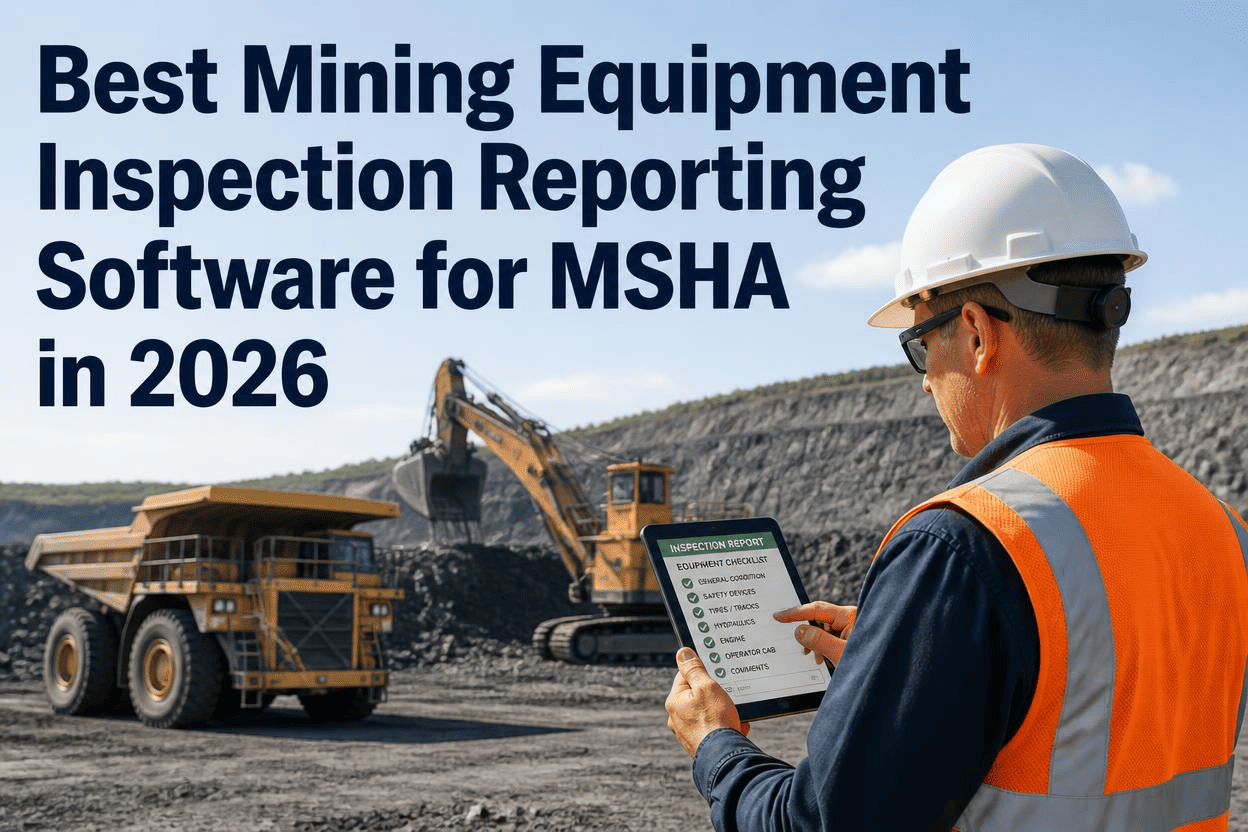
MSHA does not wait for you to be ready. Surface mines are walked twice a year and underground mines four times, and every one of those visits comes down to one question: can you produce the paperwork that proves your equipment was safe to run? For most mines still relying on clipboards and binders, the honest answer is "eventually, if we can find it." Mining equipment inspection reporting software replaces that scramble with a system that captures defects, photos, and signatures the moment an inspection happens, then turns all of it into an audit-ready record before the inspector even walks up to your gate.
The best mining equipment inspection reporting software captures pre-shift and periodic inspections on a phone or tablet, forces photo evidence on safety-critical items, collects a digital signature, and routes any failed item straight to a work order. Records are timestamped, GPS-tagged, and exportable in one click for MSHA review. Mines using digital inspection reporting cut documentation time by 40 to 60 percent and remove the single most common citation cause: inspections that happened but were never properly recorded. You can sign up for a free trial or book a demo to see a live inspection report generated in real time.
Why Inspection Reporting Is Where Mines Actually Get Cited
Ask any MSHA inspector what they find most often and it is rarely a mine running unsafe equipment on purpose. It is a mine that cannot prove, on paper, that its equipment was checked. The regulation is specific about who inspects (the equipment operator, not a supervisor), what happens to a defect (it gets reported and the machine is tagged out of service until fixed), and what gets kept (a documented record retained for review). A missing signature, an illegible note, or a folder that a supervisor "meant to file" is treated the same as a missed inspection during an audit — regardless of whether the walk-around actually took place.
Mining equipment inspection reporting software closes that gap by making the record inseparable from the inspection itself. There is no second step where someone transcribes a paper form into a spreadsheet, and no drawer where a report can get lost between shift change and the maintenance office. The inspection and the report are the same digital event, generated the moment the operator taps through the checklist.
The Real Cost of a Weak Reporting Trail
Citations for inadequate recordkeeping and missed inspections routinely fall in the $7,000 to $70,000 range per violation, and a serious safety defect that was never documented can trigger a withdrawal order that idles a haul truck or an entire section of the mine. Beyond the fine, that is production sitting still. A 100-ton haul truck pulled from service over a documentation gap costs far more in lost tonnage than the citation itself. Purpose-built reporting software exists to make sure that gap never opens in the first place.
FleetRabbit turns every pre-shift and periodic inspection into a timestamped, photo-verified, audit-ready record automatically. No transcription, no missing signatures, no lost paperwork before an MSHA visit.
What Belongs in a Mining-Specific Inspection Report
A generic vehicle inspection template built for a delivery van or a forklift will not hold up against what an MSHA inspector actually checks. Mining equipment reporting software needs to reflect the equipment, the environment, and the exact regulatory language operators are held to.
| Report Component | What It Must Capture | Why It Matters to MSHA |
|---|---|---|
| Operator Identity | Name, ID, and shift of the person performing the inspection, captured automatically at login | The regulation requires the equipment operator, not a supervisor, to conduct the check |
| Equipment-Specific Checklist | Haul truck, excavator, loader, dozer, and drill templates with ROPS, fire suppression, and brake items | Generic checklists miss mining-specific items inspectors check first |
| Timestamp and GPS | Exact time and location of the inspection, recorded automatically, not entered by hand | Proves the inspection happened before the shift, in the field, not after the fact in an office |
| Photo Evidence | Mandatory photos on safety-critical items like tires, brakes, and structural components | Removes ambiguity around whether a defect was noticed and how severe it was |
| Digital Signature | Operator sign-off captured on-screen at the end of the checklist | Establishes accountability and satisfies the documentation requirement in one step |
| Corrective Action Trail | Work order status, repair completion, and re-verification before the machine returns to service | Shows a defect was not just noted but resolved before the equipment ran again |
Surface vs. Underground Reporting Needs
Surface operations under Parts 56 and 57 face roughly twice-yearly MSHA visits, while underground mines are inspected up to four times a year, which means documentation quality is scrutinized more frequently underground. Reporting software has to work fully offline in both settings and sync automatically once a signal returns, because a report that requires connectivity to file is not built for a working mine.
Coal and Gassy Underground Considerations
Coal operations under Parts 75 and 77 carry extra specificity around methane monitoring, self-rescuers, and conveyor belts, so a reporting template built for a metal or nonmetal surface pit will not cover what a coal inspector expects to see. The software should let you configure separate templates by mine type rather than forcing every operation into one generic form.
How to Evaluate Inspection Reporting Software Before You Buy
Not every inspection app on the market was built with mining in mind, and the difference shows up fast once you're standing in front of an inspector. Before committing, run any platform through these questions.
FleetRabbit deploys mining-specific inspection templates in under a day, works fully offline, and produces MSHA-ready reports the moment a checklist is signed off. Try it free with up to 3 vehicles or walk through it live with your own asset list.
Frequently Asked Questions
Every pre-shift inspection should produce its own audit-ready record automatically, with photos, signatures, and timestamps built in from the first tap. FleetRabbit gets mining-specific inspection reporting running on your fleet in under a day, with no credit card required to start.