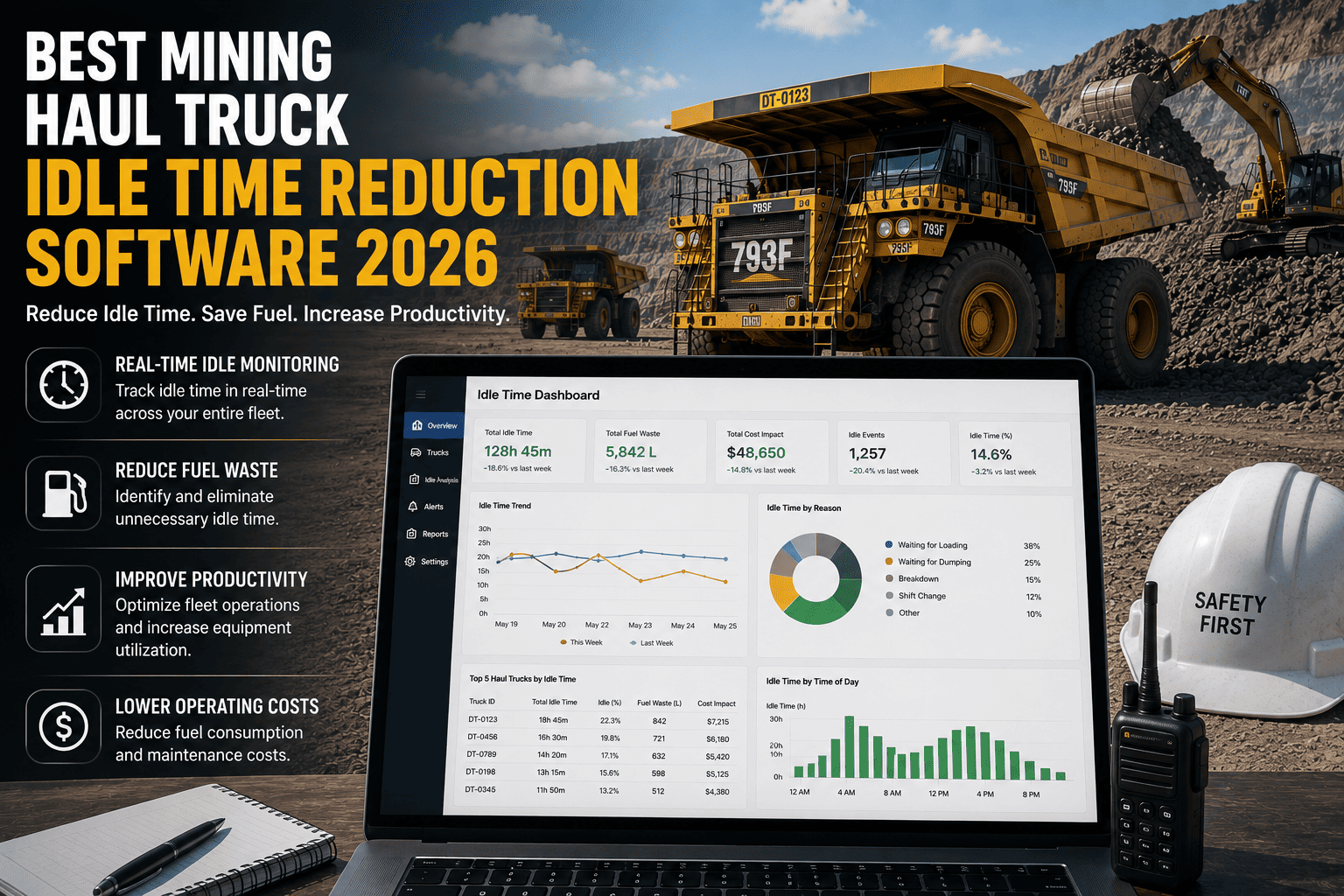
If a haul truck's engine is running, most mine managers assume it is working. That assumption is costing the average mine site hundreds of thousands of dollars a year. Industry data shows that mining haul trucks sit idle for 35 to 40 percent of their total engine-on hours — waiting on loaders, queuing at crushers, holding through blast clearances, or sitting through shift changes that nobody logged. Every one of those idle minutes burns diesel, accrues engine wear, and produces zero tons. Haul truck idle time reduction software changes this by measuring what is actually happening on site, alerting dispatch in real time, and giving mine managers the data to close the gap between scheduled hours and productive hours.
What Haul Truck Idle Time Is Really Costing Your Mine
The cost of idle time goes well beyond the fuel gauge. Every idle hour is an hour your most expensive assets are not completing haul cycles. On a fleet of 20 trucks operating at 35 percent idle rate, you are essentially operating with seven trucks parked full-time while paying to run all twenty. Understanding where each dollar goes is the starting point for any serious idle reduction program.
A large haul truck burns 30 to 50 liters of diesel per hour at idle. Multiply by a full shift schedule across a fleet and the fuel bill alone justifies any investment in idle monitoring software.
Excessive idling degrades engine life significantly. A Komatsu 930E rebuild costs $450,000 to $500,000. Chronic idling can pull the overhaul interval from 18,000 hours down to 13,000, creating millions in early rebuild costs across a fleet.
Every idle hour is a haul cycle not completed. On a high-volume operation, that directly translates to tons not moved, production targets not met, and revenue that simply disappears from the shift report.
Why Traditional Dispatch Cannot Solve the Idle Problem
Most mine sites already have dispatchers watching the fleet. The problem is that dispatch visibility is typically GPS-based — it shows where a truck is, not what state it is in. A truck sitting engine-on at the crusher queue looks identical to a truck actively tipping a load on a GPS map. Without a system that reads engine status, idle duration, and location simultaneously, dispatchers are flying partially blind.
The Four Hidden Sources of Haul Truck Idle Time
Loader-Truck Mismatch
When truck cycle times and loader cycle times are out of sync, trucks queue engine-on at the loading face. A single loader serving too many trucks means every truck after the first is idling, not loading.
Crusher and Dump Point Queues
Trucks arrive at the crusher or waste dump faster than the facility can process them. The queue builds, engines run, tons accumulate on the idle ledger. Without live queue visibility, dispatch cannot redirect trucks until the queue has already formed.
Blast Clearance and Shift Change Gaps
Planned operational pauses — blasting windows, shift changeovers, refueling rotations — generate large blocks of idle time that operators often leave running rather than shutting down. Each of these gaps is predictable and schedulable with the right data.
Shadow Downtime Logged as Idle
Equipment that is actually awaiting a parts delivery or a maintenance technician frequently appears as idle in GPS systems. Real idle time monitoring distinguishes genuine operational idle from hidden downtime, giving maintenance a more accurate picture of what is happening.
If you recognize any of these patterns in your operation, sign up for a free trial and connect your haul truck fleet. FleetRabbit AI surfaces every idle event with its location, duration, and operator in a live dashboard — so dispatch and management see the same data at the same time.
How Idle Time Reduction Software Works
The mechanics of haul truck idle monitoring are straightforward, but the implementation quality varies significantly across platforms. Here is what a properly built system does from the moment a truck's engine turns on to the moment the shift report is generated.
Engine Status Detection
Telematics reads engine-on and engine-off signals directly from the truck's OBD or J1939 port, timestamped to the second. GPS position is captured simultaneously.
Idle Classification
The platform compares engine status against speed and GPS movement. Engine-on with no movement beyond a threshold for a defined period triggers an idle classification — separate from operational pauses, haul cycles, and dump events.
Real-Time Alert to Dispatch
When any truck exceeds the configured idle threshold, dispatch receives an instant alert with the truck ID, location, operator name, and idle duration. Action can be taken within minutes instead of being reviewed at end-of-shift.
Shift and Trend Reporting
Every idle event is logged and aggregated into shift-level and weekly trend reports, showing idle percentage by truck, by operator, and by location zone so patterns are visible across time, not just within one shift.
FleetRabbit AI connects to your haul truck fleet and begins surfacing idle events, duration, and location on a live dispatch dashboard. Setup takes less than a day. The first alert typically fires within hours of going live.
Key Features to Look for in 2026
Not every idle time platform delivers the same level of insight. When evaluating software for your haul truck fleet, these are the capabilities that separate a tool that generates reports from one that actually reduces idle time and fuel spend.
Live Dispatch Dashboard
A real-time map showing every truck's status — moving, loading, dumping, or idling — so dispatch can redirect an idling truck in minutes, not hours.
Configurable Idle Thresholds
Set different idle alert thresholds for different truck classes and operational zones. A truck waiting at a refueling bay needs a different threshold than one sitting at the loading face.
Operator-Level Reporting
Idle data broken down by operator reveals whether idle patterns are equipment-driven or behavior-driven — the two require completely different corrective actions.
Fuel Cost Mapping
Translating idle hours into dollar amounts — based on your fuel price and truck consumption rate — makes idle reduction conversations with site management immediately tangible.
Offline Mobile Access
Mine sites have patchy connectivity. Software that requires continuous cellular coverage fails in the places where you need it most. Look for offline-capable mobile apps that sync when connection is available.
OEM Telematics Integration
Connecting directly to Cat MineStar, Komatsu KOMTRAX, and Volvo CareTrack feeds eliminates manual data entry and gives the idle monitoring system the richest possible data from your existing hardware.
Idle Reduction Results by the Numbers
The results from idle time management programs are well documented. Operations that implement structured idle monitoring and act consistently on the data see measurable improvements within the first quarter. Book a demo to see how these benchmarks map to your own fleet size and operating profile.
FleetRabbit AI vs Other Idle Monitoring Approaches
Choosing the right platform depends on your fleet size, budget, and how quickly you need results. Here is an honest look at how the main approaches compare for a typical small to mid-size mine operation.
| Approach | Idle Detection Accuracy | Setup Time | Real-Time Alerts | Cost |
|---|---|---|---|---|
| Spreadsheets and Manual Logs | Low — operator-reported, easily missed or estimated | Ongoing daily effort | None | Hidden cost in staff time |
| Basic GPS Trackers Only | Medium — location visible but engine state not always captured | 1 to 2 weeks | Limited | Low hardware, no analytics |
| Enterprise Mining Suites | High — full telematics integration | 3 to 6 months | Yes | Six-figure annual license |
| FleetRabbit AI | High — J1939 and OEM telematics integration | Under one day | Yes, with operator and location detail | $5 per asset per month |
Getting Started with Idle Time Reduction
Step One: Establish Your Baseline
Before you can reduce idle time, you need to know what your current idle percentage actually is. Most mines that measure it for the first time discover it is significantly higher than internal estimates. Connect your fleet to FleetRabbit's free trial and let the dashboard run for one week before making any operational changes. The baseline will tell you where to focus first.
Step Two: Identify the Top Three Idle Locations
Idle time is rarely evenly distributed across a mine site. In most operations, two or three specific locations — the crusher queue, a particular loading face, or the refueling bay — account for the majority of idle hours. Fixing these locations gives you a disproportionate share of the total reduction without requiring changes across the entire operation.
Step Three: Set Thresholds and Brief Dispatch
Configure idle alert thresholds appropriate to each zone and make sure dispatch knows what action to take when an alert fires. An alert that nobody acts on is just noise. The difference between mines that achieve 22 percent idle reduction and mines that achieve 5 percent is almost entirely in how consistently dispatch responds to the alerts the software generates.
Step Four: Track Progress Weekly, Not Monthly
Weekly idle percentage by truck and by zone keeps the improvement visible and maintains momentum with operators and supervisors. Monthly reporting lets gains go unnoticed and problems drift unaddressed for too long. Weekly data keeps idle reduction on the agenda in every shift briefing and every team meeting.
Frequently Asked Questions
FleetRabbit AI puts live idle alerts, operator-level reporting, and fuel cost mapping in front of your dispatch team within 24 hours. No long rollout, no enterprise contract, no data team. Start free with three machines and see exactly where your idle hours are hiding.