A haul truck doesn't go from "broken" to "back on the road" in one step. It goes through a chain of small handoffs, an operator flags something, a technician gets dispatched, a part gets pulled or ordered, the repair gets logged, and the truck gets cleared to return to the haul cycle. On paper, any one of those handoffs can stall for hours without anyone noticing until dispatch asks where the truck is. Mining haul truck repair management software exists to make that chain visible from the first flagged defect to the final sign-off, and the operations that get it right measurably shorten how long a truck sits idle.
The best mining haul truck repair management software turns every breakdown into a digital work order the moment it's flagged, shows technicians the full repair and parts history for that exact truck, and tracks the job through to sign-off without anything getting lost between the pit and the shop. Mines running this kind of system cut repair turnaround time by around 40 percent and push PM compliance from the 60 to 70 percent typical of manual scheduling up past 95 percent.
The Repair Chain: Where Time Actually Gets Lost
Ask a maintenance manager where repair delays come from and most point to the wrench time, the actual hours a technician spends under the hood. That's rarely the biggest chunk. The time between a defect being noticed and a technician actually starting work, and between a repair finishing and the truck being cleared for dispatch, is usually where the real hours disappear.
Defect Flagged
Operator or sensor identifies an issue during a shift or pre-shift check
Work Order Created
Digital ticket generates automatically with asset ID and defect details attached
Technician Dispatched
Job routes to the right technician with full repair history already loaded
Parts Confirmed
Stock is checked automatically before the technician even walks to the truck
Repair Logged
Work performed, parts used, and time spent recorded against the asset's history
Cleared for Dispatch
Truck is signed off digitally and returns to the haul cycle with a full record
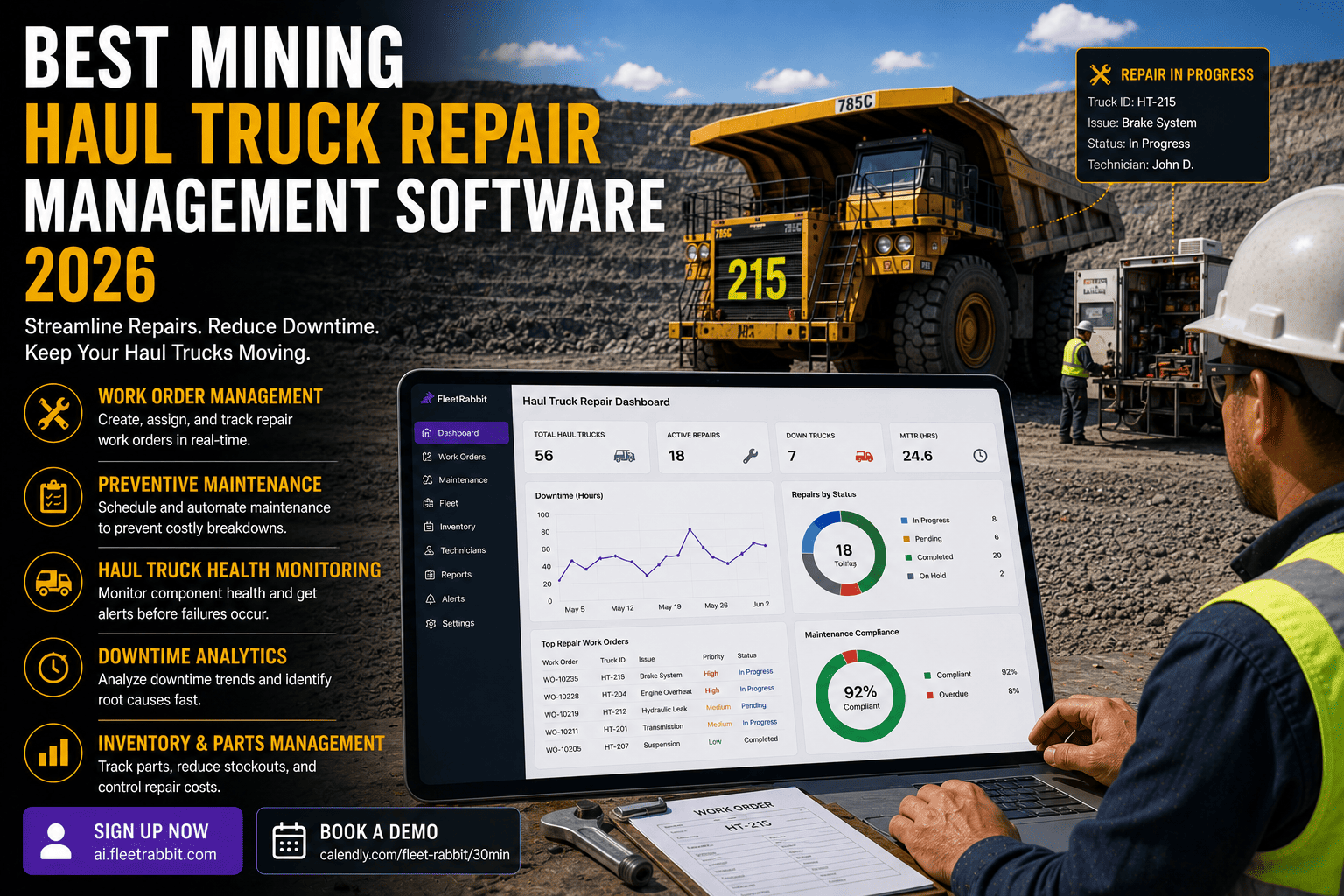
FleetRabbit turns every flagged defect into a digital work order instantly, shows technicians the full repair and parts history for that specific truck, and tracks the job through to sign-off. Sign up for a free trial to see your current work order backlog in one view, or book a demo to walk through your repair workflow first.
What Slows a Repair Down, and What Fixes It
Every mine has its own version of the same three bottlenecks. None of them are about technician skill, they're about information not reaching the right person at the right moment.
| Bottleneck | Why It Happens | What Digital Work Orders Fix |
|---|---|---|
| Delayed Dispatch | A flagged defect sits on a paper form or gets relayed verbally before anyone acts on it | Work order and technician notification fire the instant a defect is logged |
| Blind Diagnosis | Technician reaches the truck with no record of what's failed on it before | Full repair and parts history for that exact asset loads automatically |
| Parts Uncertainty | Nobody knows if the part is on the shelf until the technician is already there | Stock is checked and reserved before the technician is dispatched |
Why Asset-Specific History Matters More Than a General Manual
Two identical haul trucks running the same route can fail in completely different ways depending on load patterns and prior repairs. A technician working off a manufacturer's general manual is troubleshooting blind. A technician who can see that this specific truck had a similar hydraulic fault four months ago starts the job already knowing where to look, and that alone accounts for a meaningful share of the turnaround improvement mines report after switching to a digital system.
The Capabilities That Actually Matter
Automatic Work Order Generation
Failed inspection items and flagged defects create a work order without anyone manually filing paperwork.
Full Maintenance History Per Asset
Every past repair, part, and technician note tied to the specific truck, not the fleet in general.
Real-Time Parts Visibility
Stock levels checked and reserved automatically the moment a work order is created.
Offline-Capable Technician Access
Work orders open and update fully without signal, syncing the moment connectivity returns.
Turnaround Time Analytics
Reporting on which repair stages take longest, by asset, by technician, by defect type.
Digital Sign-Off
Truck is cleared for dispatch with a timestamped, auditable record instead of a verbal all-clear.
What This Looks Like Once It's Running
Manual, calendar-based scheduling on most active mine sites achieves only 60 to 70 percent preventive maintenance compliance, meaning close to a third of scheduled services get missed, delayed, or completed late. Once work orders generate automatically from engine hours and flagged defects, that compliance figure typically climbs past 95 percent within the first month, because nothing depends on someone remembering to check a calendar. Repair turnaround improves alongside it, largely because technicians stop losing time hunting for history and confirming parts by phone.
If you want to see how this maps onto your current repair backlog rather than a general example, the quickest way is to book a demo and walk through a real work order with your team, or sign up and load your fleet directly to see the workflow in action.
FAQ
Every hour a truck waits on a work order that's stuck in someone's inbox or a part that's still being confirmed is an hour off the haul cycle. FleetRabbit connects every flagged defect, technician, and part into one digital workflow from breakdown to dispatch clearance.