A haul truck sits ready for a wheel bearing replacement. The technician knows exactly what's wrong and exactly how to fix it. What he doesn't know is whether the part is on the shelf three buildings away, still in transit from a supplier, or quietly sitting in someone else's crib room mislabeled under a different part number. That gap between knowing the fix and having the part is where equipment availability actually gets decided.
Nearly a quarter of unplanned mining downtime traces back to a part that simply wasn't there when it was needed. Not a diagnostic failure, not a skills gap, just inventory that wasn't visible, wasn't stocked, or wasn't where the work order said it should be. Mining parts inventory management software exists to close that exact gap, and choosing the right one is one of the highest-leverage decisions a maintenance team makes all year.
The best mining parts inventory management software links every spare part to the specific asset and work order it supports, tracks stock levels and reorder points in real time, and flags critical spares before they run out. Operations using this approach cut stockout-driven downtime significantly and bring inventory carrying costs down toward the 1.5 to 2.5 percent of replacement asset value that best-in-class sites target. Sign up free to see your parts inventory connected to your fleet.
Why Parts Availability Quietly Drains Equipment Uptime
Most mines don't lose availability to one dramatic failure. They lose it in small increments, a filter that was supposed to be in stock, a seal kit ordered late, a hydraulic pump sitting in the wrong crib room under the wrong label. Each incident feels minor until you add up the hours across a year.
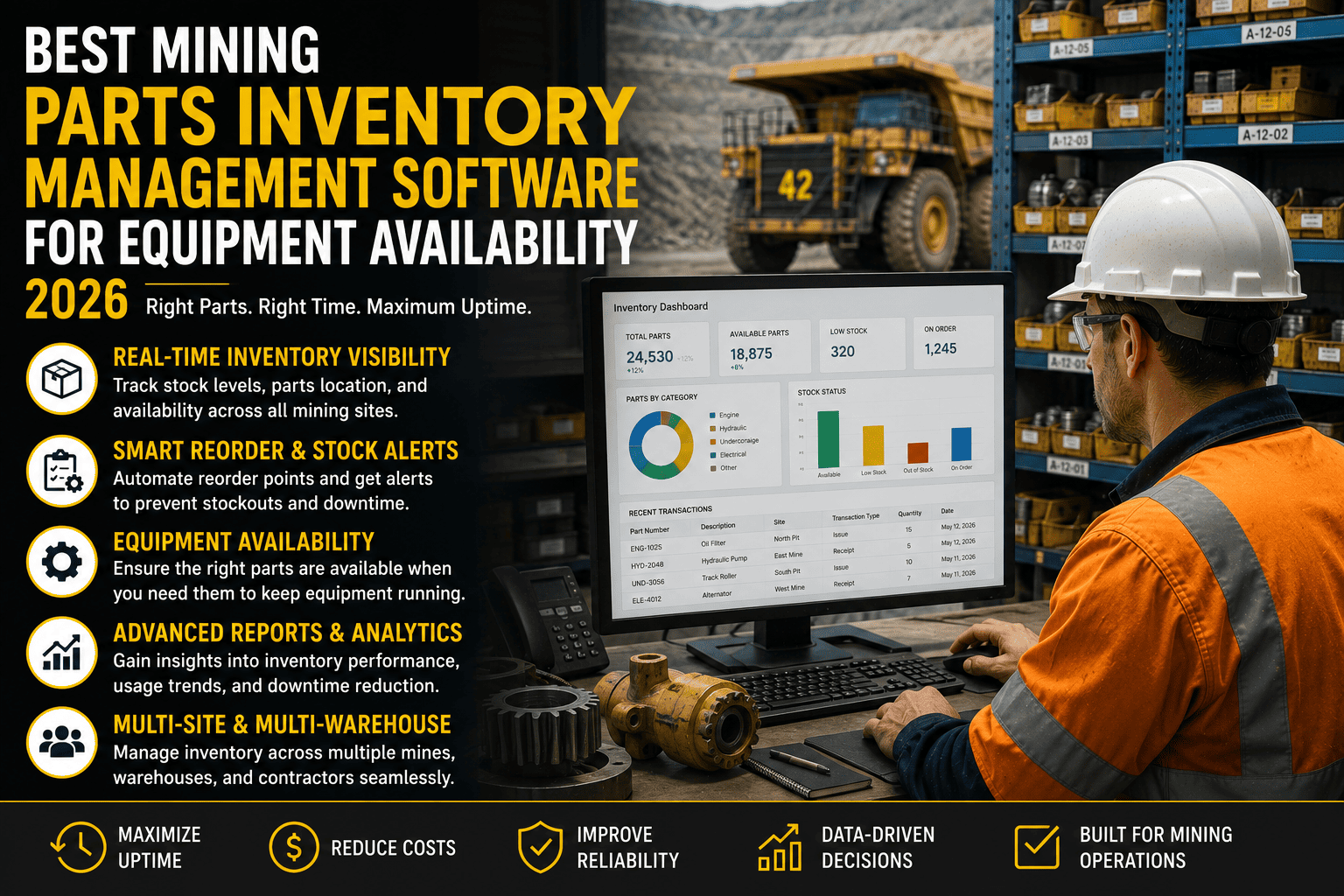
FleetRabbit links every spare part to the specific machine and work order it belongs to, so reorder points trigger automatically and technicians see live stock levels before they even start the job.
Not Every Part Deserves the Same Attention
Treating every SKU in the storeroom the same way is exactly how mines end up with both stockouts and excess stock at once. The fix starts with separating parts by how much a shortage would actually cost you, not by how convenient they are to order.
Classify by Criticality, Not Convenience
A part that halts a haul truck mid-shift needs a different stocking rule than a part that can wait two weeks for the next scheduled delivery. Sorting inventory by consequence of stockout, rather than treating every item identically, is the starting point every mature parts program shares.
Set a Reorder Point Before You Run Out, Not After
A reorder point isn't a guess, it's a calculation. It should reflect how fast a part gets used, how long it takes to arrive, and how much buffer you need against demand swings.
Why Manual Tracking Breaks This Formula
Spreadsheets can hold a reorder point number, but they can't watch usage in real time across every crib room and update it as consumption patterns shift. By the time someone notices the number is wrong, the part has already run out.
Critical Spares vs. Everything Else
Best-in-class inventory programs treat critical spares and general stock as two entirely different problems. The table below shows how the approach, and the software behind it, needs to differ.
| Category | Stocking Logic | Target Metric |
|---|---|---|
| Critical Spares | Stocked based on failure consequence, not usage frequency | Stockout rate below 2 percent |
| Fast-Moving Parts | Reorder point driven by usage rate and lead time | Automatic reorder before stock hits zero |
| Slow-Moving Parts | Reviewed periodically for excess or obsolescence risk | Excess inventory under 20 percent of total value |
| Shared Multi-Site Spares | Pooled across nearby sites instead of duplicated at each | One shared spare instead of three isolated ones |
| Overall Inventory Value | Tracked against total fleet replacement value | 1.5 to 2.5 percent of replacement asset value |
What to Look for in the Software Itself
The classification and formulas above only work if the software behind them updates in real time and connects to what's actually happening on the shop floor. Here's what separates a real mining parts platform from a repurposed warehouse tool.
Asset-Linked Parts Records
Every part should be tied to the specific machine and component it fits, not floating as a generic SKU. This is what lets a technician pull up a work order and see instantly whether the exact part they need is on the shelf.
Live Stock Visibility Across Every Crib Room
A part sitting unused in one crib room does no good if the shortage is happening in another. Real-time visibility across every storeroom and site lets planners transfer stock before placing a duplicate order.
Automated Reorder Triggers
Once a reorder point is set, the system should generate a purchase request on its own, not wait for someone to notice a low count during a manual audit days or weeks later.
FleetRabbit tracks stock levels, reorder points, and part-to-asset links across every site from a single dashboard, so critical spares stay available without tying up capital in parts you'll never use.
Rolling Out Parts Inventory Software
Fixing years of spreadsheet-driven inventory doesn't happen in one sweep, and trying to digitize everything on day one usually stalls the project. A phased rollout gets your highest-risk parts under control first.
Step One: Start With Critical Spares
Identify the parts that would stop production if they ran out, major haul truck and crusher components are the usual starting point, and bring those into a clean, accurate register before touching anything else.
Step Two: Standardize Locations and Labels
Define every crib room, warehouse, and mobile store as a named location in the system, and label parts the way technicians actually refer to them on site, not just by a manufacturer's part number.
A Realistic First 90 Days
Most sites get critical spares fully digitized within a month, reorder points calibrated within two, and start seeing fewer stockout-driven delays by day 90. If you'd like a walkthrough against your own parts list, you can book a demo before committing to a full rollout.
Frequently Asked Questions
Every stockout is a repair that was ready to happen and a machine that sat idle anyway. FleetRabbit connects your parts inventory directly to your fleet, your work orders, and your reorder points, so equipment availability stops depending on someone remembering to check the crib room.