An operator underground finishes a pre-shift inspection, taps submit, and the app just spins. No signal, no save, no record. That single moment is why so many mining fleets still have a paper clipboard riding shotgun next to a tablet that was supposed to replace it. Offline-first mining fleet management software is built around the assumption that connectivity will disappear, not around the hope that it won't.
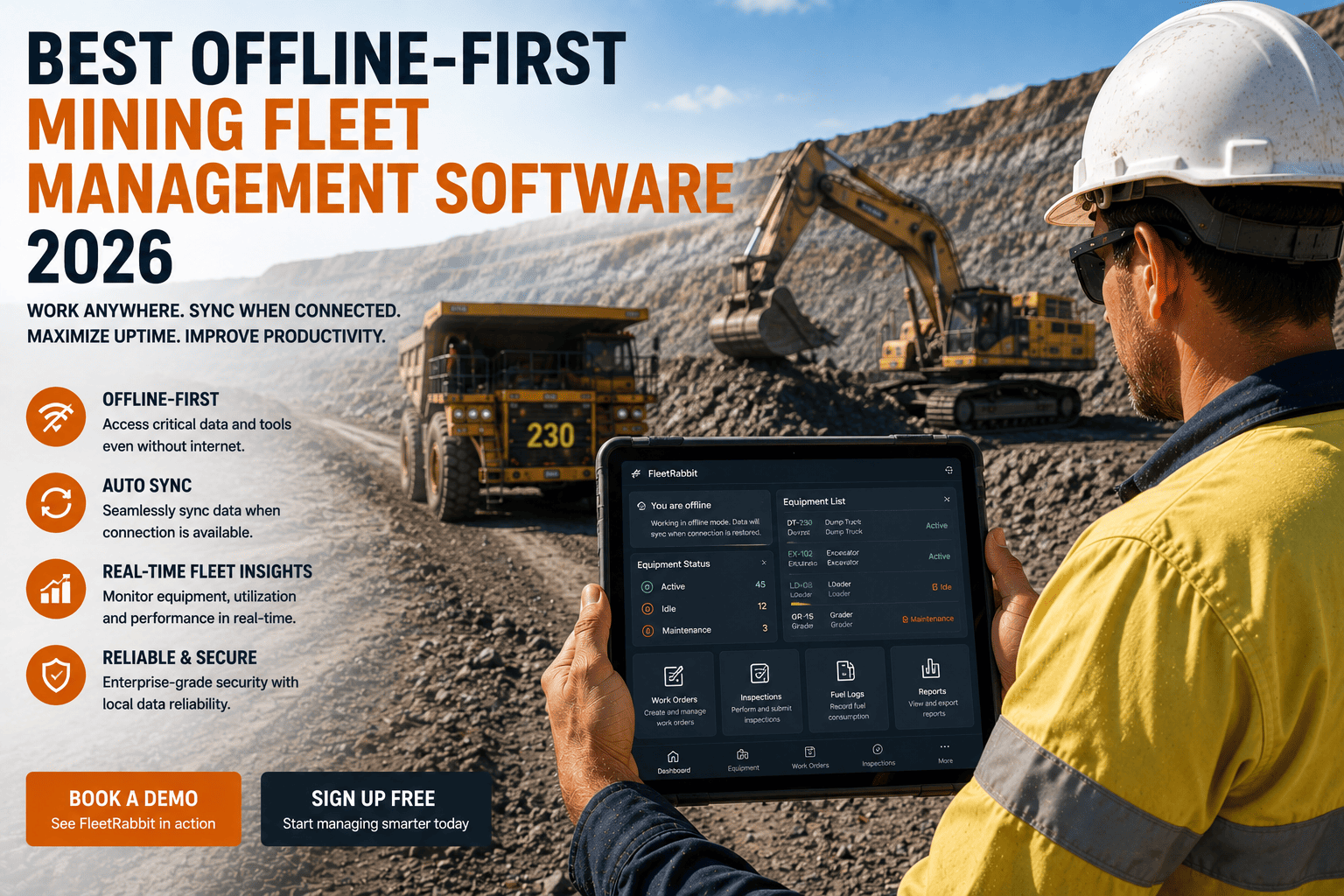
The best offline-first mining fleet management software stores inspections, work orders, parts lookups, and GPS data locally on the device and syncs automatically the moment signal returns, whether that's cellular, satellite, or Wi-Fi. This isn't a limited backup mode, every feature functions identically with or without a connection. Mobile-first platforms built this way see 90 percent plus operator adoption within 90 days, compared to tools retrofitted from desktop software that consistently struggle to get used at all. Sign up for FleetRabbit to see offline mode running on your own devices.
What "Offline-First" Actually Means
Offline-first isn't a marketing label for "also works without internet sometimes." It's an architectural decision made before a single screen gets designed. The app is built to treat a lost connection as the normal operating condition, not an edge case handled with an error message and a retry button.
The Difference Between Offline-First and a Limited Offline Mode
Plenty of fleet software advertises offline capability that turns out to be viewing cached data only, with no ability to log new inspections, defects, or work orders until signal returns. Genuine offline-first platforms let every core function, inspections, work orders, parts lookups, GPS tracking, incident reports, run at full capability with zero connection, capturing photos and timestamps locally the moment they happen.
Sync Should Be Automatic, Not a Manual Step
Once a device reconnects, whether at the surface, at a break room, or back in cellular range, everything captured offline should sync automatically in the background. Operators shouldn't need to remember a manual upload step or worry about which records made it through.
FleetRabbit stores every inspection, work order, and defect locally on the device and syncs automatically the moment signal returns, whether that's satellite, cellular, or Wi-Fi. Start your free trial and put it through its paces at your most remote site.
What Should Actually Work Offline
Not every feature needs to be flawless without a connection, but the ones your crews touch every shift absolutely do. Here's what a genuinely offline-first platform should deliver with zero signal, and what typically fails first in tools that only claim offline support.
| Function | Why It Matters Offline | What Genuine Offline-First Delivers | Common Failure Point |
|---|---|---|---|
| Pre-Shift Inspections | Happen in pits and tunnels where signal is unreliable or absent | Full checklist completion with photos and timestamps saved locally | App requires connection to submit, forcing a return to paper |
| Work Orders | Technicians need to open, update, and close jobs mid-shift underground | Create, update, and close work orders entirely offline | Read-only cached data with no ability to log new work |
| Parts Lookups | Remote parts often take two to three weeks to arrive versus days in a city | Full parts catalog and inventory available on-device | Parts data only loads when connected, delaying repair decisions |
| Incident and Near-Miss Reports | Safety events need to be captured the moment they happen, not hours later | Immediate local capture with automatic sync when signal returns | Reports get delayed or forgotten waiting for a connection |
| GPS and Utilization Tracking | Location and engine status need continuous logging across dead zones | Position, speed, and engine data recorded locally, synced later | Tracking gaps appear every time equipment enters a dead zone |
Why This Matters More in Mining Than Any Other Fleet
Delivery fleets and regional trucking operations lose signal occasionally. Mining sites are often built around the absence of it. Underground zones and remote pits routinely run for hours or entire shifts without cellular coverage, and some sites depend on satellite-only communications as their only link to the outside world.
Parts and Repair Decisions Move on a Different Clock
A part that takes three days to arrive at a city shop can take two to three weeks at a remote mine. When a repair decision hinges on knowing what's in inventory, that information has to be available on the device in the moment, not the next time someone finds signal.
Mining Runs Around the Clock, Connectivity Doesn't
There's no overnight maintenance window in mining the way there is in trucking or construction. Every hour a machine sits down is measured in lost tonnes, which means the software supporting maintenance and inspections can't afford to wait for a signal bar to appear.
FleetRabbit handles inspections, work orders, parts lookups, and PM schedules identically whether your crew is on the surface or three levels underground. Book a demo and see exactly how it performs in a true dead zone.
Rolling Out Offline-First Software Across Multiple Sites
Adding a second or third site shouldn't mean starting the evaluation over. A genuinely offline-first platform standardizes the same inspection templates, work order rules, and sync behavior across every pit, quarry, and region, so a corporate dashboard can roll every location's data into one comparable view without reconciling different formats by hand.
Start With One Site Before Expanding
The most reliable rollout pattern proves the templates and workflow at a single location first, then expands site by site once operators are comfortable and the data is flowing cleanly.
Keep Leadership and Site Managers on the Same Data
Site managers need a clear view of their own location, while regional and corporate roles need the full portfolio without extra setup work. Offline-first architecture doesn't change this, it just means every site's data arrives complete regardless of how spotty that site's signal is.
FAQ: Offline-First Mining Fleet Management Software
Every inspection lost to a dead zone is a compliance gap and a hidden equipment problem. FleetRabbit runs every core function fully offline and syncs the moment connectivity returns, no exceptions, no limited mode. Start your free trial today, no credit card required.