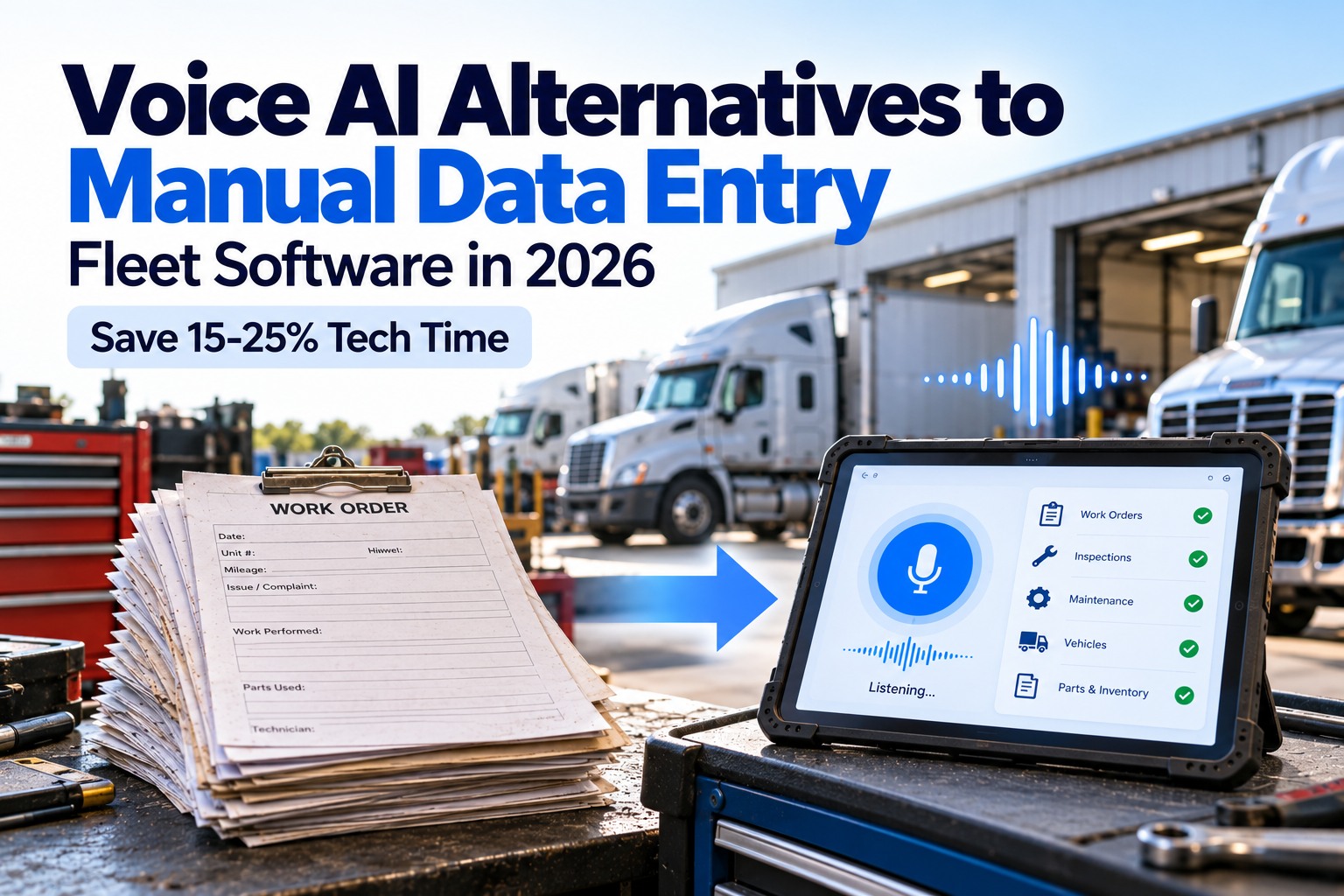
A fleet of 50 trucks generates over 800 documents every single week. Fuel invoices. Bills of Lading. Maintenance receipts. Weight tickets. DVIR reports. Toll statements. Every one of those documents currently lands on someone's desk and gets typed — field by field — into a spreadsheet or system. At $12 to $19 per document, in manual processing costs, that is between $9,600 and $15,200 a week spent on data entry alone. In 2026, that entire workflow can be eliminated.
Your Fleet Generates 800+ Documents a Week. Stop Typing Them. Let AI Read Them.
FleetRabbit AI extracts data from invoices, Bills of Lading, maintenance receipts, weight tickets, and inspection reports in 1–2 seconds — with 99% accuracy — and feeds it directly into your fleet system. Zero manual entry.
The Hidden Cost Your Fleet Is Paying Every Week
Fleet managers rarely calculate their total document processing cost because it is spread across drivers, dispatchers, accountants, and admin staff. Here is what manual document handling actually costs for a 20-truck operation — and why most fleets are shocked when they see the real number.
How AI Document Processing Works — From Paper to Data in 3 Steps
Most fleet managers expect a complicated setup with scanners, servers, and IT involvement. The reality is the opposite. FleetRabbit works with whatever your team already does — photos on a phone, email attachments, PDF uploads.
A driver photographs a fuel receipt with their phone. An email arrives with a vendor invoice attached. A scanned BOL gets uploaded. FleetRabbit accepts every format without special equipment — phone photos, PDFs, scanned images, email attachments, even faxed documents converted to image. No new hardware. No scanner investment. No changes to how your team already works.
The moment a document is received, FleetRabbit's AI engine identifies the document type — fuel invoice, BOL, maintenance receipt, weight ticket — and extracts every relevant field. Vendor name. Amount. Date. Vehicle ID. Driver. Location. PO number. Line items. This is not simple OCR that reads text and dumps it. The AI understands context — it knows that a number on a fuel receipt in a specific position is a price per gallon, not an invoice number, even if the scan is blurry, crumpled, or taken at an angle.
Extracted data is cross-checked before it enters your records. Fuel amounts validated against purchase orders. Vehicle IDs matched to your fleet database. Duplicate invoices flagged automatically. Then clean, validated data flows into FleetRabbit — updating maintenance history, cost records, driver files, and compliance documents. Every processed document is timestamped, archived, and searchable by vehicle, driver, date, or vendor. A DOT auditor asking for 12 months of Unit 07 maintenance records gets them in 60 seconds.
Every Fleet Document Type — What AI Extracts and Where It Goes
Different documents feed different parts of your fleet operation. FleetRabbit has pre-built extraction models for every standard fleet document type — no template building required. Sign up free to configure your document types today.
Maintenance receipts processed by AI feed directly into FleetRabbit's predictive maintenance engine. See how FleetRabbit AI Predictive Maintenance uses service history data to predict failures 14–30 days before they cause a breakdown — turning document processing into fleet reliability intelligence.
Manual Entry vs Basic OCR vs AI — Why the Difference Matters
Not all document automation is equal. Many fleets tried basic OCR tools in the past, found them unreliable, and went back to manual entry. Here is exactly why AI-powered processing delivers results that template-based OCR cannot.
(FleetRabbit)
See AI Extraction on Your Own Documents — Live in 30 Minutes
Bring a sample invoice, BOL, or maintenance receipt to the demo. We'll run it through FleetRabbit's AI pipeline live, show you exactly what data is extracted, and configure your document types before the session ends.
What Actually Changes When Your Fleet Stops Entering Data Manually
The benefits of AI document processing extend far beyond saving money on data entry. Here is what changes operationally across your entire fleet when documents go from manual to automated.
When invoices take days to enter manually, your cost-per-mile numbers are always stale. You make routing and load decisions based on last month's fuel costs. With AI processing completing in 1–2 seconds, every invoice updates your cost analytics the moment it is submitted. Fuel spend per vehicle, maintenance cost per mile, and route profitability are all live — enabling decisions based on today's numbers, not last week's.
At 10–30 minutes per document, a team processing 500 documents per week is spending between 83 and 250 hours doing nothing but typing. That is equivalent to 2–6 full-time employees spending their entire working week on data entry. AI processing eliminates that entirely. Your admin team works on exceptions, vendor relationships, cost analysis, and compliance — not transcription. Most fleets find they can reduce back-office headcount or redeploy staff to higher-value roles within 60 days of implementation.
Every processed document is timestamped, indexed, and retrievable by vehicle, date, driver, or document type. When a DOT auditor asks for 12 months of maintenance records for a specific vehicle, you pull them in under 60 seconds — not 3 hours of filing cabinet searching. When an auditor asks for all weight tickets for a specific route corridor, they are there instantly. This does not just reduce audit stress. It actively demonstrates the kind of systematic compliance that regulators reward with fewer follow-up inspections.
When a fuel vendor charges a wrong price, a maintenance shop bills for parts not used, or a customer disputes a delivery, you need evidence — not memory. AI-processed documents give you an instant, searchable paper trail with original document images, extracted data, timestamps, and links to vehicle and driver records. Most fleet managers report that billing disputes that previously took days of back-and-forth now close in a single email with an attached document record.
When maintenance receipts are processed manually, service records are only as good as whoever remembered to enter them. With AI processing, every service receipt automatically updates the vehicle's maintenance history — triggering next-service alerts based on the actual work done, the actual odometer reading, and the actual parts replaced. Drivers and dispatchers receive automated reminders when upcoming service is due, calculated from real data — not guesswork. See how FleetRabbit predictive maintenance uses this data to prevent breakdowns.
Real-time cost data from AI document processing feeds directly into fleet analytics. See how FleetRabbit Fleet Analytics turns invoice data, fuel spend, and maintenance costs into cost-per-mile dashboards that help fleet managers find the 15–20% of routes quietly bleeding margin.
From Zero to Automated — How Fast Can You Get Started?
The single biggest misconception about AI document processing is that it requires months of setup and IT involvement. Here is the actual timeline for a fleet going from manual processing to fully automated document handling.
FleetRabbit is configured for your specific document types during the onboarding session. Fuel invoice templates, BOL extraction models, maintenance receipt fields — all pre-built, reviewed against your sample documents, and adjusted for any document-specific fields your operation uses. No IT team required. No development work. The onboarding session takes 30–60 minutes.
Drivers download the FleetRabbit mobile app and begin photographing documents from their phones. First AI-processed documents appear in the system the same day. The AI validates its own extractions and flags any low-confidence results for a quick human review. Most fleets find that by end of day 3, 85–90% of documents are processing without any manual review at all.
FleetRabbit connects to your accounting software, ERP, or existing fleet management system via API — so extracted data flows directly into your records without any manual export. If you use a separate TMS or accounting platform, the integration is configured during this period. By end of week one, all drivers are submitting documents via mobile, all processing is automated, and your accounting team has stopped doing manual data entry entirely.
The AI learns from every document processed. Vendor formats it has seen before are handled with higher and higher confidence. New vendor formats that initially required a quick review are handled automatically after a few examples. Most fleets see their manual review exception rate drop below 5% within 2–3 weeks — meaning 95%+ of all documents process with zero human involvement from submission to system record.
AI document processing captures driver-submitted receipts and links them to driver records automatically. See how FleetRabbit Driver Performance Dashboards combine document data, route compliance, and safety events into weekly driver scorecards that help fleet managers coach performance rather than chase paperwork.
Stop Paying $64,000 a Year to Type Your Own Data
FleetRabbit AI reads every invoice, BOL, maintenance receipt, weight ticket, and inspection report in 1–2 seconds — feeding clean, validated data into your fleet system automatically. Your back office stops being a data entry department. Your compliance records build themselves. Your cost data is real-time.
Frequently Asked Questions
FleetRabbit accepts all standard document formats — phone photos (JPEG, PNG), PDF files, scanned images (TIFF, BMP), and email attachments. Documents can be submitted via the driver mobile app, email, cloud upload, or API. No special scanners or hardware are required. The AI is trained to handle real-world document quality — blurry photos, crumpled receipts, skewed scans, and even handwritten notes on printed forms. Book a demo to test your specific document formats live.
FleetRabbit's AI assigns a confidence score to every extracted field. Fields below the confidence threshold are flagged for human review rather than silently entering incorrect data. The review interface shows the original document alongside the extracted fields so a reviewer can correct any errors quickly. Every correction is used to improve the model for future similar documents. Over time, the exception rate drops below 5% for most fleets within 2–3 weeks.
Yes — FleetRabbit connects to accounting platforms, ERP systems, and TMS software via API. Extracted, validated data flows directly into your existing records without any manual export or CSV step. If your system has an open API, integration is typically configured during the onboarding session. For systems without direct API access, structured data exports in multiple formats are available. Sign up free to check compatibility with your systems.
All documents are transmitted and stored with encryption. Role-based access controls ensure that only authorised users can view, edit, or export document records. FleetRabbit maintains a full audit trail showing who accessed each document and when — a requirement for DOT compliance and increasingly for insurance audits. The average cost of a data breach involving document data exceeded $4.5 million in 2025 — secure document handling is not optional for fleets of any size.
Most fleets are at 85–90% automated processing within 3–5 days of signup. The onboarding session configures document types and tests sample documents. Drivers download the mobile app and begin submitting the same day. Full fleet rollout, including system integrations, typically completes within 7 days. No IT project. No implementation consultant. No hardware purchase. The 30-minute demo session is where configuration happens — you leave with a working system, not a follow-up email. Book your setup session today.