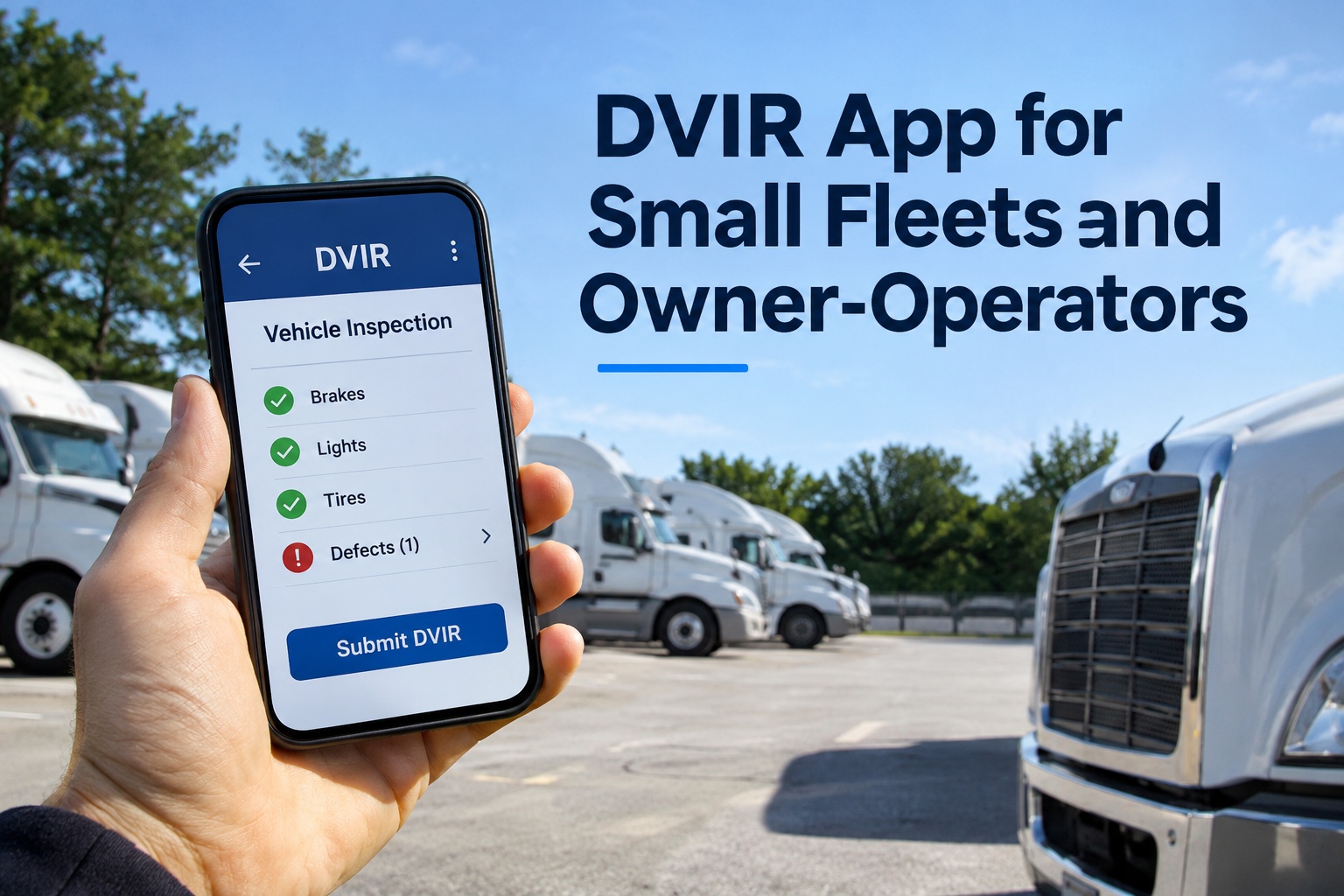
A DVIR app for small fleets replaces the clipboard with a fast pre-trip form, photos of defects, signed records and a place to keep them. This guide explains what the 2026 FMCSA electronic DVIR rule changed, what an app must do for owner-operators and small fleets, what to ask before you pick one and how to roll it out. Schedule a call to set up DVIRs for your drivers.
DVIR App for Small Fleets Explained: What the 2026 FMCSA Electronic DVIR Rule Changed and What It Did Not
The rule made electronic reports explicit and kept paper legal
FMCSA published its final rule on February 19, 2026 under docket FMCSA-2025-0115. It adds language to 49 CFR 396.11 and 396.13 stating that driver vehicle inspection reports may be created and maintained electronically. FMCSA said electronic DVIRs were already possible, and the rule makes that explicit. It imposes no new information collection requirements.
Some vendor articles describe stricter signature, geolocation or 12 month retention rules and attribute them to this rule. We could not find those in the Federal Register notice, so treat them as vendor opinion and check the rule text yourself.
| Rule question | What we found | Source type |
|---|---|---|
| Is an electronic DVIR allowed | Yes, the 2026 rule adds language to 396.11 and 396.13 that reports may be created and kept electronically | Federal Register notice |
| Is paper still allowed | Yes, FMCSA said it will continue to allow paper DVIRs | Federal Register notice |
| Does the rule add new signature rules | Not in its own text; it cites federal e-signature law in the background | Federal Register notice |
| How long to keep reports | At least 3 months | FleetRabbit and Clue summaries |
| Some vendors cite 12 months | We could not match this to the rule, so confirm with FMCSA before using it | Vendor blog |
What a DVIR App for Small Fleets and Owner-Operators Needs: Fast Pre-Trip Forms, Photo Defects, Offline Mode and Signed Records
Judge any app on seven features, and ask each vendor the question beside it
| Feature | Why a small fleet needs it | Ask the vendor |
|---|---|---|
| Fast pre-trip form | Drivers will skip a form that takes ten minutes | Can a no-defect inspection be done in a couple of minutes |
| Photo on defects | A photo shows what the driver saw and when | Is the photo timestamped and attached to the report |
| Offline mode | Yards, rural routes and shops often have no signal | Can a report be filled out without signal and sent later |
| Signature and sign-off | The driver, next driver and mechanic each confirm their part | How is each signature tied to a named user |
| Record retention | You must keep reports for at least 3 months | How long are reports kept and can you export them |
| Defect to repair | A defect should reach a mechanic, not sit in a PDF | Does a flagged defect create a work order or task |
| Roadside access | An inspector may ask to see recent reports | Can you pull a truck history from a phone |
The Daily DVIR Flow in a Small Fleet: From Driver Pre-Trip Check to Mechanic Sign-Off and the Next Driver
Five steps cover a report from the first walk-around to the next trip
A pre-trip form should follow the parts a DVIR covers. The rule lists items such as service brakes, parking brake, steering, lighting devices, tires, horn, windshield wipers, mirrors, coupling devices, wheels and rims and emergency equipment. Add your own checks for trailers or equipment you run.
Owner-Operator DVIR and Small Fleet DVIR Needs Differ: Choose by the Size of the Team Behind the Truck
One truck needs speed and retrieval; a fleet also needs routing and visibility
The sources we reviewed do not address owner-operators separately, so confirm with FMCSA or your safety advisor how the rules apply to your authority and your leased trucks.
Three problems a DVIR app solves
How to Choose a DVIR App for Small Fleets: Questions to Ask Before You Commit, Including Free Apps
If an app costs nothing, check what you give up before you rely on it
Some DVIR apps are offered at no cost, and some come bundled with other products. A no-cost app can work, but check limits that matter to compliance and daily use.
How FleetRabbit Handles the DVIR App for Small Fleets: Fast Inspections, Photo Defects, Signed Records and Repair Handoff
What FleetRabbit says its DVIR app does, matched to the checklist above
| What a small fleet needs | What FleetRabbit pages describe |
|---|---|
| Quick inspections | FleetRabbit says drivers finish inspections in under two minutes, a vendor figure we could not verify |
| Photos on defects | The app attaches geo-tagged and timestamped photos to a defect |
| Digital sign-off | The next driver reviews and signs digitally before the truck leaves, and mechanic certification is part of the workflow |
| Defect to repair | Flagged defects go straight into a repair workflow, and safety-critical flags alert dispatch and maintenance and hold the vehicle out of service |
| Record keeping | Reports are stored past the 3-month federal minimum, and FleetRabbit cites 3-year digital retention |
| Mobile access | The app is described as mobile-first and is listed on the App Store and Google Play |
FleetRabbit pages do not describe offline use of the DVIR app, so ask about signal-free inspections in a demo, especially if your trucks work in yards or rural areas.
DVIR App for Small Fleets FAQs: FMCSA Rules, Owner-Operators, Photos, Offline Use and Records
Short answers for owners and drivers
Is an electronic DVIR legal?
Yes. FMCSA published a final rule on February 19, 2026 that adds language to 49 CFR 396.11 and 396.13 saying reports may be created and kept electronically. FMCSA also said it will keep allowing paper DVIRs, so you can choose the format that suits your drivers.
How long do I keep DVIR records?
Summaries of 49 CFR 396.11 give at least 3 months. Some vendors say 12 months, but we could not tie that figure to the rule. Keep reports longer if you want a history for each truck, and confirm the requirement with FMCSA.
Do owner-operators need a DVIR app?
The sources we reviewed do not address owner-operators separately, so check how the rules apply to your authority and leased trucks. An app still helps by making the inspection quick and keeping a record you can show at roadside without paper.
What should a DVIR app do beyond the form?
It should attach photos to defects, record who inspected and who repaired, send defects to a mechanic, keep reports by truck and date and let you export them. Offline use also matters if your trucks work where signal is weak.
Does a DVIR app need to work offline?
It helps if your trucks start in yards, shops or rural areas with weak signal. Ask each vendor whether a report can be completed with no connection and sent later, and test it in the places where your drivers actually inspect.
Where do I start with FleetRabbit?
Start with one truck and one driver, run a pre-trip report with a photo on a defect, then follow it to the repair sign-off. Ask about offline use and record export during the demo before you roll it out to the whole fleet. Try the DVIR app in FleetRabbit.