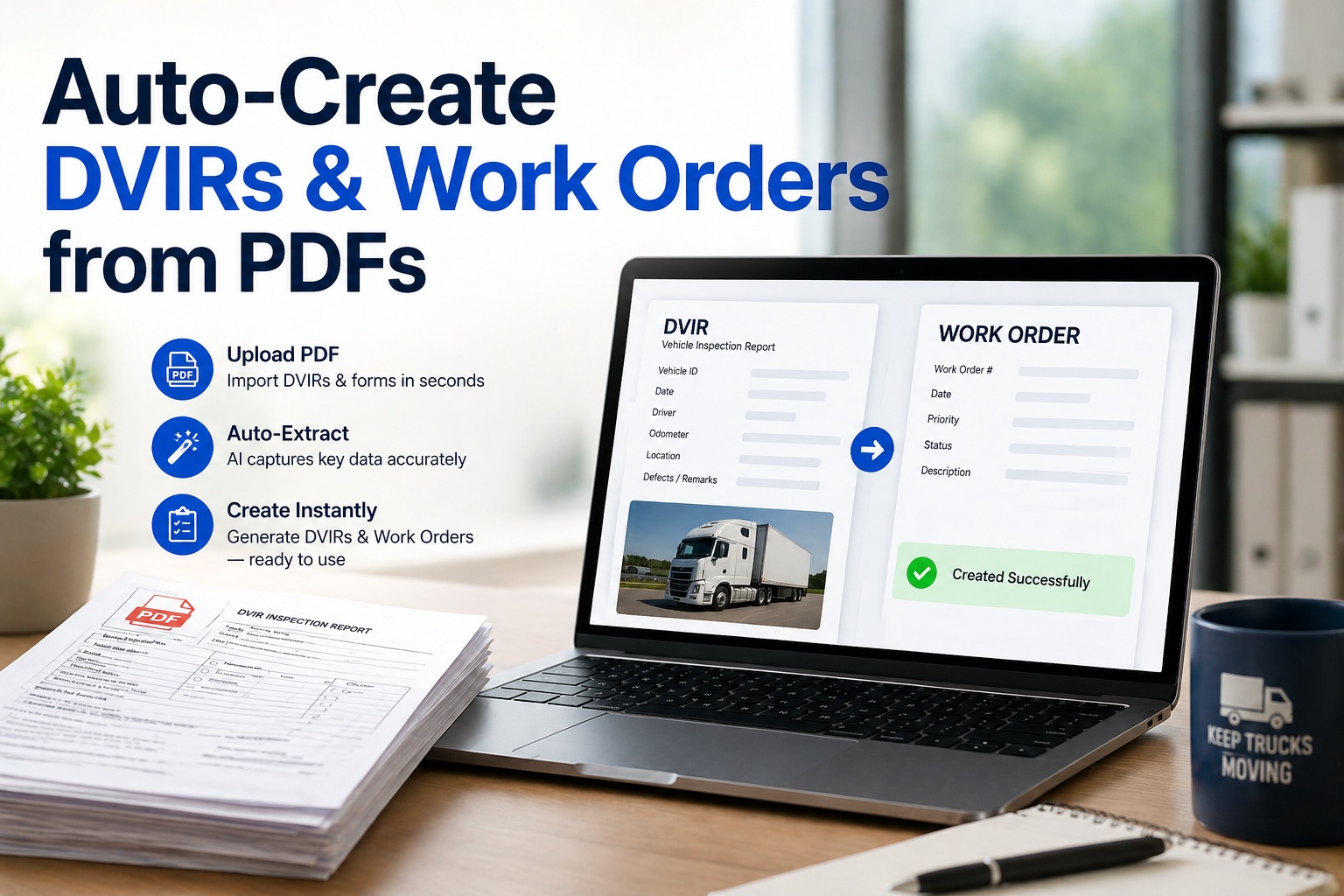
Most fleets sit on a mountain of paper. Old DVIR carbons stuffed in a filing cabinet. Vendor invoices emailed as PDFs. Repair orders printed and signed by hand. Annual inspection reports scanned but never indexed. Across a 50-truck fleet, that backlog runs into thousands of documents every one of them a record that legally needs to be retained for FMCSA audits, every one of them invisible to your maintenance dashboard until somebody types the data in. Manual data entry on those documents costs about 8 hours per employee per week and consumes $3.5 trillion globally in productivity losses. That entire workflow just changed. Fleet Rabbit's new Digitized Document Upload feature reads any DVIR or invoice PDF — typed or handwritten, scanned or native, structured or messy — and creates a verified, searchable, audit-ready digital record in 8 seconds flat. No data entry. No template setup. No clean-up pass. Drop the PDF in, get the digital DVIR or work order out, complete with every field extracted, every defect mapped, and every photo attached. This guide breaks down how it works, why it matters, and what it does to your back-office workload starting on day one.
Drop a PDF. Get a Verified DVIR or Work Order. In 8 Seconds.
Fleet Rabbit's AI reads paper DVIRs, vendor invoices, and repair orders — extracts every field, maps every defect, and creates the digital record in seconds. No templates. No manual entry. No cleanup pass.
Why Every Fleet Is Drowning in Paper — and What It Costs
The 2026 paperwork problem is not theoretical. Organizations process 1.2 trillion documents per year, with the average employee spending 8+ hours per week on manual data entry. For fleets, the volume is even worse — every truck generates 2 DVIRs per day, plus vendor invoices, repair orders, fuel receipts, and inspection certificates. Multiplied across a 50-truck operation, that is roughly 36,500 documents per year that need to live somewhere searchable.
The 4-Step AI Extraction Workflow
Behind that 8-second result is a multi-pass AI pipeline that handles every type of document fleets actually upload — typed forms, handwritten notes, scanned carbons, native PDFs, mixed layouts. Here is what happens between the moment you drop the file and the moment the verified record appears.
Layout-aware models scan the document visually — identifying regions, tables, signatures, and photo embeds. OCR extracts every character, including handwriting. Multi-language support across 100+ scripts handles bilingual carriers without setup.
Vision-language models interpret each region in context — linking labels to values, understanding tables, classifying fields. The system knows that "47821" is a vehicle ID not a product reference, that "12/25/26" is a date not a fraction, and that a defect description belongs to its severity tag.
Extracted fields auto-match to the Fleet Rabbit DVIR schema (or work order schema if it's an invoice/repair order). VMRS codes assigned to defects automatically. Severity inferred from defect category. Driver signature captured as image.
Each extracted field gets a confidence score. High-confidence fields auto-save to the digital record. Anything below threshold is flagged for one-tap human verification — so reviewers see only ambiguous cases, not all documents. Verified record lands in your dashboard, searchable and audit-ready.
What Document Types Are Supported
The feature ships with pre-trained models for every paper artifact a typical fleet handles. No template configuration, no per-vendor setup, no learning curve.
Pre-trip / post-trip inspection forms. Defects, severity, vehicle ID, driver signature, photos — all mapped automatically.
Repair shop invoices auto-converted to work orders with line items, parts, labor hours, and cost — VMRS-coded for analytics.
Internal shop repair orders mapped to vehicle history. Technician, parts used, labor hours, repair certification — all captured.
DOT periodic inspection certificates linked to vehicle records. Inspector ID, date, findings, and certification stored.
Parts purchase receipts auto-decrement inventory and link to the work order they were used on. No manual reconciliation.
Years of archived paperwork — drop the whole stack. Bulk processing handles thousands of pages, building a searchable digital archive without manual transcription.
Stop Hiring Data Entry Clerks. Start Dropping Files.
The average 20-truck fleet recovers 15-25 hours per week of admin time on day one. Same shop. Same staff. More time on actual maintenance instead of paperwork.
Manual Data Entry vs Auto-Extraction — The Real Comparison
The math on this is brutal once you actually count what manual entry costs. Here is the side-by-side for a single document — multiply across your fleet's daily volume to find your own savings.
| Activity | Manual Entry | PDF Upload + AI Extract |
|---|---|---|
| Time per document | 15-25 minutes | ~ 8 seconds |
| Accuracy rate | 92-95% (human error) | 99%+ (AI + verification) |
| Fields extracted | Whatever the typist captures | Every field, every time |
| Photo handling | Re-photograph or skip | Auto-attached from PDF |
| VMRS coding | Manual lookup, often skipped | Auto-assigned from defect |
| Severity classification | Inconsistent by typist | Pre-mapped, consistent |
| Volume scalability | Linear (hire more clerks) | Unlimited (drop the batch) |
| Audit trail | Re-typed data + paper original | Original + extracted record + confidence scores |
That last column is the one that surprises most fleet managers — when the AI flags a low-confidence field for review, the verification step takes 5 seconds, not 5 minutes. The only documents that need eyes are the ambiguous ones. See the One-Tap Verification Workflow Live →
What This Unlocks for Your Fleet
Saving data entry hours is the obvious win. The bigger wins are downstream — every workflow that depended on having clean, structured records suddenly works at full speed for the first time.
Years of filed paper DVIRs, invoices, and inspection certs become searchable history in the time it takes to feed them through a scanner. CSA score defenses, audit prep, warranty claims — every backward-looking workflow gets unblocked.
Outside repair shop invoices auto-convert to work orders matched to the right vehicle. Cost-per-mile analytics finally include vendor labor. Disputed line items surface immediately instead of three weeks later.
49 CFR § 396.3 requires retention of inspection and maintenance records — but FMCSA does not say they have to live in a filing cabinet. Upload the legacy stack, and DOT audit prep drops from weeks of digging to a single PDF export.
Three years of paper DVIR defects become a queryable dataset. Recurring brake issues on a specific truck. Tire wear patterns by route. Vendor-specific repair quality. Patterns that were invisible become actionable.
How It Works in Fleet Rabbit — The 4 Capabilities
The Digitized Document Upload feature is fully native to Fleet Rabbit — no separate AI service to subscribe to, no third-party OCR provider to integrate. Drop a file in any view that supports it, get a verified record back.
Drop a PDF directly onto any vehicle profile, work order queue, or DVIR archive. The system identifies the document type, routes it to the right schema, and creates the record without any menu navigation.
Drop hundreds of files at once. Bulk processing handles legacy archive digitization in hours, not months. Progress dashboard shows extraction status, confidence scores, and items needing review at a glance.
For low-confidence extractions, the verification screen shows the original PDF region next to the extracted value. Tap to confirm or correct in one motion. No re-typing, no jumping between windows.
Extracted records link automatically to the right vehicle by VIN, fleet number, or license plate. The vehicle's maintenance history, defect timeline, and cost-per-mile analytics update the moment the upload completes.
Most fleets see immediate ROI from the feature — a 50-truck operation saves roughly 60-80 hours per week of admin time, plus surfaces months of legacy record-keeping that was never going to get keyed in by hand. Schedule a 30-Minute Walkthrough →
Frequently Asked Questions
Documented accuracy on typed PDFs is 99%+; on scanned and handwritten documents, accuracy ranges 94-98% depending on legibility. The confidence scoring system flags every field below threshold for human review — so the only fields you ever review are the ambiguous ones, not all of them.
Yes. The AI handles handwritten fields, mixed type/handwriting layouts, and even legacy carbon-copy forms with light or smeared print. Handwriting accuracy depends on legibility — clean printed handwriting hits 95%+, while cursive or rushed writing flags more fields for verification. See Handwriting Extraction in a Live Demo →
Photos are extracted as images and auto-attached to the relevant defect or work order field. So a DVIR photo of a cracked brake hose stays linked to that specific defect line in the digital record — exactly where a technician would expect to see it.
Yes. Bulk upload handles thousands of pages per batch. A typical 50-truck fleet can digitize 3 years of historical DVIRs and work orders in 24-48 hours, depending on document quality and total volume. The system queues, processes, and surfaces extraction status without blocking the rest of your work.
Yes. Extracted DVIRs and work orders include all 49 CFR § 396.3 required fields — vehicle identification, defect description, repair certification, technician sign-off, date, and odometer reading. Original PDF is archived alongside the extracted record for audit reference. Both formats export as a single audit-ready PDF in under 60 seconds.
Document upload is included in the standard Fleet Rabbit subscription — no per-document fee, no add-on module pricing. Upload as many DVIRs, invoices, or repair orders as you need. Free tier supports up to 3 assets with full document upload included. Book a Demo to See Pricing for Your Fleet Size →
The Last Time You'll Ever Type a DVIR Field by Hand.
AI-extracted DVIRs in 8 seconds. Vendor invoices auto-converted to work orders. Years of paper backlog digitized in hours. Every record verified, audit-ready, and searchable from day one. Used by 500+ fleets to recover 15-25 hours per week of admin time and finally turn legacy paperwork into actionable data.







