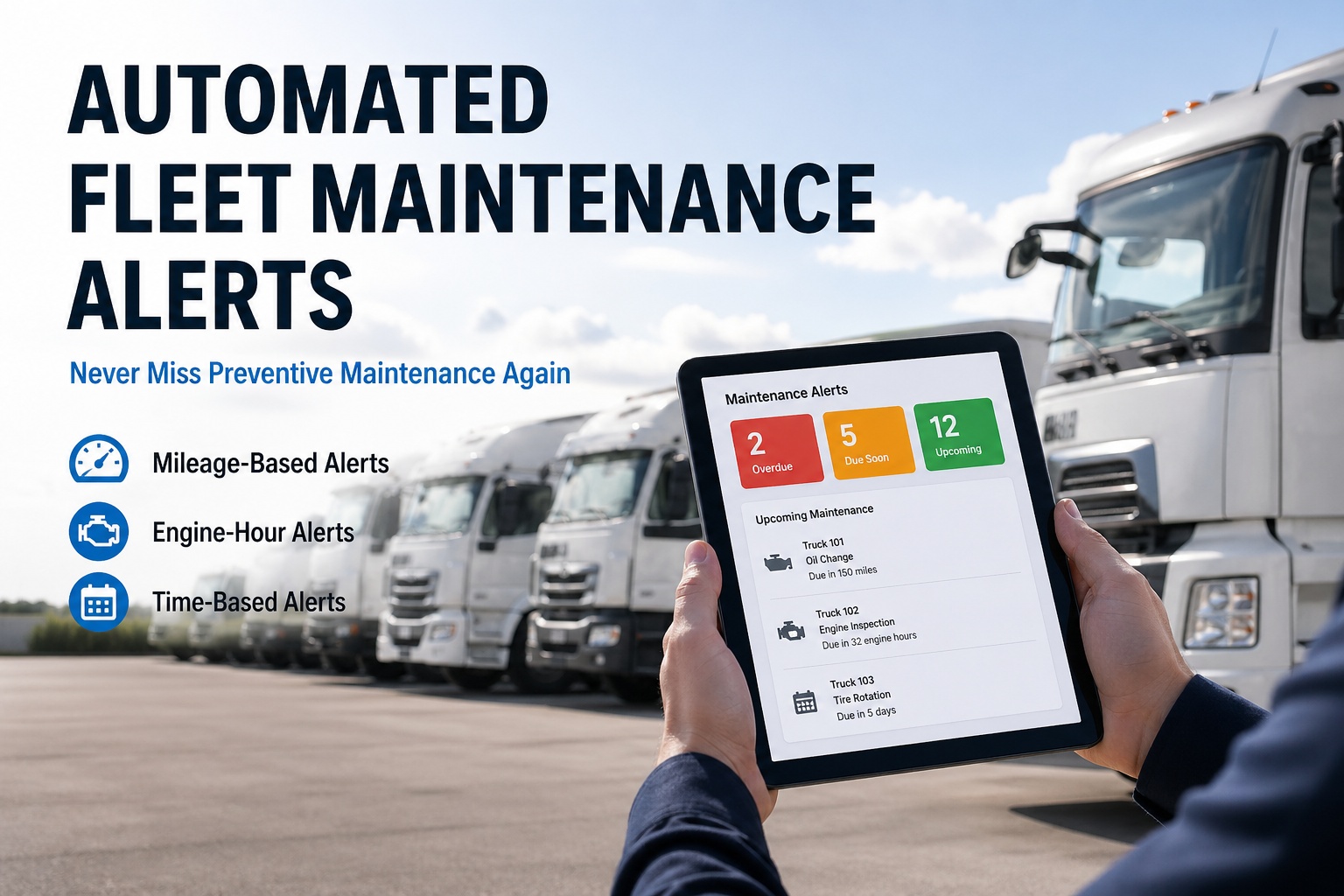
Industry data tells the same story year after year. The average fleet runs at 61% PM compliance — meaning 39% of scheduled services slip past their due date, every single quarter. Trucks miss oil changes by 3,000 miles. Brake inspections get pushed past safe intervals. Transmission services that should have happened at 50,000 miles happen at 75,000 — and the rebuild that should have cost $2,800 turns into a $14,000 unscheduled replacement on the side of an interstate. The fix is not "more discipline" or "better paper checklists" — it is automated maintenance alerts that monitor every vehicle continuously against mileage, engine hours, and calendar triggers, then fire tiered notifications before anything goes overdue. Fleets running automated alert systems push PM compliance from 61% to 95%+ within six months, and most see their first prevented breakdown — typically a $2,000-$20,000 avoided repair within 30-45 days. This guide walks through exactly how to set up automated maintenance alerts in Fleet Rabbit, the three trigger types every fleet needs, the tiered escalation pattern that actually gets services done, and the templates you can copy directly into your own setup.
Never Miss a PM Again. Set It Once. Run It Forever.
Mileage-based, engine-hour-based, calendar-based — Fleet Rabbit watches every vehicle continuously and fires tiered alerts before anything goes overdue. Stop reacting to breakdowns. Start preventing them.
Why Manual Tracking Is the Most Expensive Way to Run a Fleet
The math is brutal. Every vehicle has 5-8 service intervals to track, on different schedules, often using different metrics (miles for engine, hours for PTO, calendar for inspections). On a 15-truck fleet, that's 60-120 critical service points to track simultaneously. No spreadsheet, no whiteboard, and no human memory keeps that straight. Industry benchmarks confirm what any honest fleet manager already knows.
The 3 Alert Trigger Types — Match the Right One to the Right Service
Different services wear out on different schedules. Oil wears with miles driven. Hydraulic systems wear with engine hours under load. DOT inspections come due on the calendar regardless of usage. Setting up alerts means knowing which trigger fits which service — and that one mistake here causes 80% of bad PM outcomes.
Engine oil changes (every 15,000 mi), brake inspections (every 25,000 mi), transmission service (every 50,000 mi), tire rotations (every 5,000-7,500 mi). Anything that wears with road miles.
High-idle vehicles, PTO equipment, refrigeration units, garbage trucks, construction equipment, generators. Anything that wears while the engine runs but the wheels aren't moving.
DOT annual inspections, registration renewals, insurance policies, license expirations, quarterly inspections, certification deadlines. Anything that comes due on the calendar regardless of usage.
The most powerful setup combines all three. Brake inspections might trigger at 25,000 mi OR 12 months OR 1,500 engine hours — whichever comes first. Fleet Rabbit lets you stack multiple triggers per service and fires the alert when any one of them is met. See Multi-Trigger Setup Walkthrough →
The 5-Step Setup Workflow — From Zero to Automated in 30 Minutes
The first time setup is the only setup. Once your services and intervals are configured, the system runs continuously without manual intervention. Here's the exact workflow that takes a 25-vehicle fleet from spreadsheet chaos to fully automated PM compliance in under half an hour.
CSV upload, manual entry, or telematics sync (Samsara, Geotab, Motive, KeepTruckin — 200+ supported). Each vehicle gets its current odometer, engine hours, and last-service dates loaded in one pass.
Class 8 tractor template gets one set of intervals. Refrigerated trailer gets another. Pickup truck gets a third. Build once, apply to all matching vehicles. Pre-built templates available for common fleet types.
For each service in the template, choose mileage / hours / calendar (or stacked). Set the interval. Define the "due soon" warning window — typically 500 mi / 50 hrs / 14 days before due.
Who gets the alert at 500 mi out? At 100 mi out? At due? Different people for different escalation tiers — driver, fleet manager, dispatcher. Email, push notification, or SMS per tier.
System validates configuration, runs a dry-run alert preview against current vehicle data, and shows what alerts would fire today. Activate. Real alerts begin firing on schedule from that moment forward.
The Tiered Alert Escalation Pattern That Actually Works
Single-shot alerts get ignored. The fleets running 95%+ PM compliance use tiered escalation — multiple alerts at increasing urgency, going to different people, in different formats. Here's the pattern that works for mileage-based services. Adapt for hours and calendar with the same logic.
This four-tier pattern is what separates the fleets that achieve 95%+ compliance from those stuck at 61%. The escalation makes it impossible for a service to silently slip past — somebody, somewhere, is being notified at every stage. See Tiered Escalation Setup Live →
From 61% to 95% PM Compliance in 6 Months. With Templates Already Built.
Fleet Rabbit ships with pre-built PM templates for Class 8 tractors, refrigerated trailers, refuse trucks, dump trucks, vans, and more. Import once, activate alerts, watch compliance climb.
Copy-Paste Alert Templates for the 6 Most Common Service Categories
Skip the configuration guesswork. These templates are battle-tested across thousands of fleets, aligned with OEM service intervals, and adjustable per vehicle. Copy directly into your Fleet Rabbit setup.
How Fleet Rabbit Powers Automated Alerts
Native Fleet Rabbit functionality — no add-on module, no per-alert pricing, no separate CMMS integration. Same login, same dashboard, same audit trail as the rest of your fleet management workflows.
Combine mileage + hours + calendar on a single service. System fires when any threshold is met. Brake inspection at 25K mi OR 12 months OR 1,500 hrs — whichever comes first.
200+ telematics integrations — Samsara, Geotab, Motive, KeepTruckin — push odometer and engine hours continuously. No manual entry, no driver self-reporting errors.
4 escalation tiers per alert. Different recipients, different channels (email/push/SMS/dashboard) at each tier. Configurable per service category.
Every alert generates a pre-filled work order draft. Click Accept and it routes to the shop queue with all service items, parts list, and estimated labor pre-populated.
Live PM compliance percentage by vehicle, by service category, by department. Drill from fleet-wide to individual asset. Export FMCSA-formatted audit packages.
Drivers see upcoming PM in the app. Push notifications when their truck is due. Confirm shop appointment with one tap. Works offline, syncs when reconnected.
Fleets activating Fleet Rabbit's automated maintenance alerts typically push PM compliance from 61% baseline to 85%+ within 60 days, and 95%+ within 6 months — with full ROI inside 90 days from prevented breakdowns alone. Schedule Your PM Alerts Setup Walkthrough →
Frequently Asked Questions
For a 25-vehicle fleet using pre-built templates, full setup runs about 30 minutes following the 5-step workflow above. Larger fleets with custom service intervals or specialty equipment may take 1-2 hours. After initial setup, alerts run continuously without further manual configuration.
No. Mileage-based alerts work either with telematics auto-sync (200+ integrations) or manual driver-reported odometer entry through the mobile app. GPS auto-sync eliminates manual entry errors but is not required to activate the system. See Telematics + Manual Entry Both Live →
Yes. The tiered escalation engine routes different alert tiers to different recipients. Drivers see their own truck's upcoming PM. Fleet managers see all upcoming PM. Compliance leads see DOT calendar items. Operations directors see overdue escalations. Configurable per service template.
OOS trucks pause their alert clocks automatically. When the truck returns to service, alerts resume from the appropriate threshold based on actual mileage and time elapsed. No false-positive alerts during shop time, no missed alerts when the truck rolls back out.
Yes. Templates apply to vehicle classes by default, but every threshold is editable on individual vehicles. Heavy-duty city routes can have shorter oil intervals than highway routes for the same truck model. Fleet Rabbit handles the override logic transparently.
Automated maintenance alerts are included in the standard Fleet Rabbit subscription — no per-alert fees, no separate alerting module, no SMS surcharges within reasonable usage. Free tier supports up to 3 assets with full alert functionality. Book a Demo to See Pricing for Your Fleet Size →
The Last Time You'll Ever Manually Check a PM Spreadsheet.
Multi-trigger monitoring across mileage, hours, and calendar. Tiered escalation that gets services scheduled. Pre-built templates for every common fleet type. One-click work order generation. 200+ telematics integrations. Used by fleets to push PM compliance from industry-average 61% to 95%+ within 6 months — and pay for the full subscription with their first prevented breakdown.


