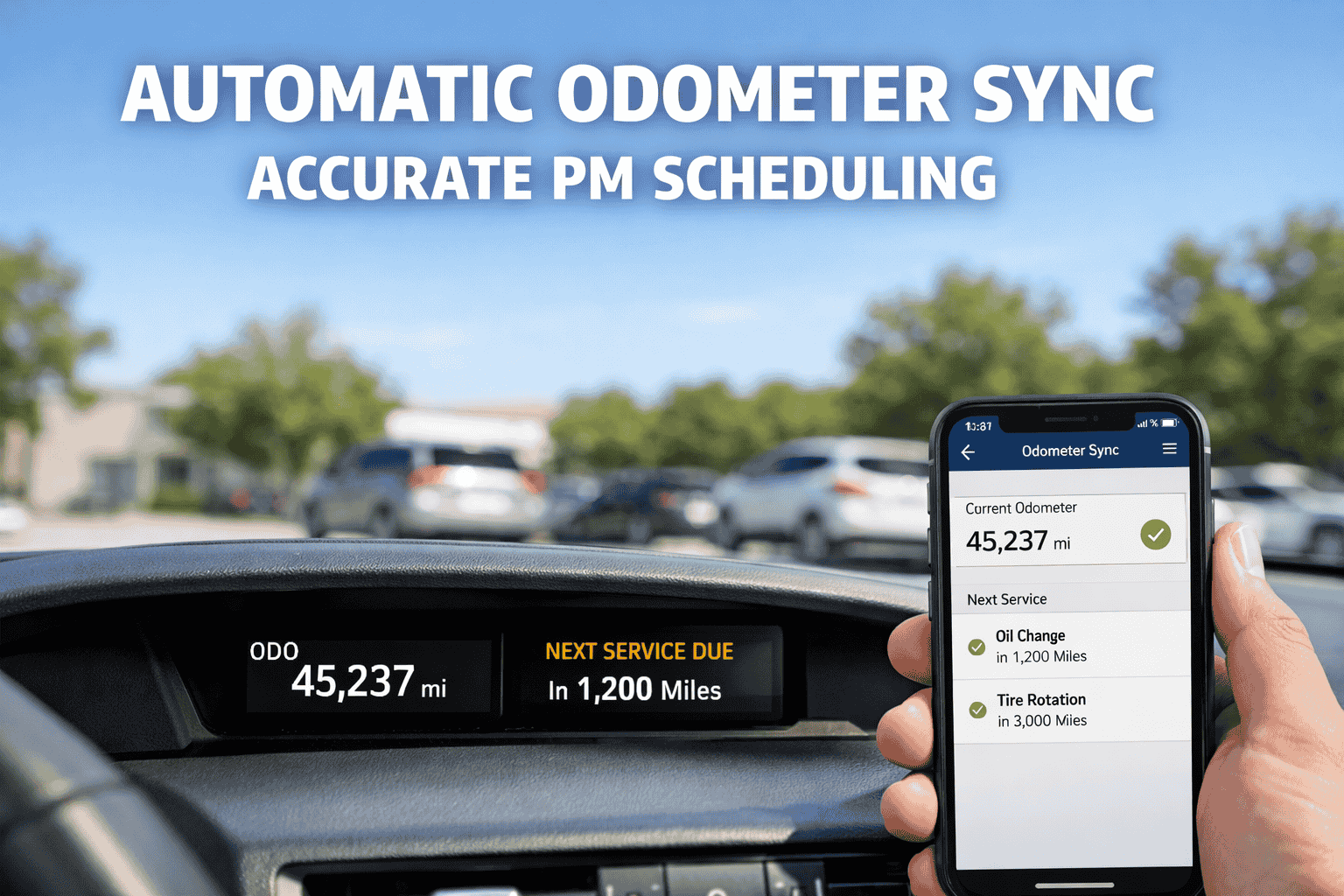
Preventive maintenance schedules are only as good as the data feeding them. A 2024 Carfax analysis found 2.14 million vehicles on US roads have odometer discrepancies an 18% increase since 2021. For fleet operations relying on manual mileage reporting, this translates to missed oil changes, delayed brake inspections, and PM compliance rates that crumble under audit scrutiny. The root cause isn't negligence — it's the inherent lag between when miles are driven and when that data reaches your maintenance system.
FleetRabbit's Automatic Odometer Sync eliminates this gap entirely. By connecting directly to your telematics provider, every mile driven flows into your PM schedules in real-time — no driver input, no data entry, no guesswork. Service intervals trigger exactly when they should, work orders generate automatically and your compliance documentation stays audit-ready without manual intervention.
This guide breaks down exactly how automatic odometer sync works, the real cost of manual tracking errors, and how to implement mileage-based maintenance automation in your fleet. Book a demo to see it working with live fleet data.
Automatic Odometer Sync for Accurate PM Scheduling
Real-time mileage from your telematics triggers preventive maintenance exactly when needed. Zero driver input. Zero data entry delays. 100% accurate service intervals that hold up under DOT audit.
The Hidden Cost of Manual Odometer Tracking
Every fleet manager knows the frustration: chasing drivers for odometer readings, manually keying numbers into spreadsheets, and hoping the data is accurate enough to schedule maintenance properly. According to industry research, using a whiteboard to track services and odometer readings often results in important services falling through the cracks. Here's exactly where manual tracking breaks down — and what it costs your operation.
Miles vs. kilometers confusion creates silent errors. A truck showing 80,000 km gets serviced as if it has 80,000 miles — that's 30,000 miles too late. International fleets and mixed manufacturer vehicles amplify this problem.
When a vehicle's engine is replaced, the onboard computer may continue based on original engine data — or reset entirely. Without proper offset tracking, your maintenance history becomes meaningless.
Rental fleets and equipment sharing operations move telematics devices between vehicles. Engine data from different trucks gets aggregated, creating odometer readings that don't match any single vehicle.
How Many Miles Are You Missing?
Most fleets discover 15-20% of their PM schedules are running on outdated mileage data. We'll analyze your current tracking gaps — free, in 15 minutes.
How Automatic Odometer Sync Works
FleetRabbit connects directly to your existing telematics system and pulls odometer readings automatically. No driver involvement. No manual data entry. Just accurate, real-time mileage flowing into your maintenance schedules exactly when you need it.
Manual vs. Automatic: Complete Comparison
The difference between manual odometer tracking and automatic sync isn't just convenience — it determines whether your PM program actually prevents breakdowns or just creates paperwork that looks good until an audit or roadside failure exposes the gaps.
| Capability | Manual Tracking | FleetRabbit Auto-Sync | Business Impact |
|---|---|---|---|
| Data Freshness | 3-7 days old | Real-time (daily sync) | PM triggers fire on time vs. days late |
| Error Rate | 8-12% typical | <0.1% (direct ECU) | Eliminates scheduling chaos from typos |
| Driver Involvement | Required daily | Zero — fully automated | Drivers focus on driving, not paperwork |
| PM Trigger Accuracy | ~77% on-time | 99%+ threshold precision | Services happen when actually needed |
| Audit Trail | Gaps, inconsistencies | Complete digital history | DOT/FMCSA compliance documentation |
| Manager Time | 3-5 hrs/week chasing | Set once, forget | Reclaim 150+ hours annually |
| Unit Handling | Manual conversion | Auto mi/km detection | No international fleet confusion |
| Engine Replacement | Lost history common | Offset tracking built-in | Continuous PM despite ECU changes |
What Odometer History Unlocks
Automatic sync doesn't just update current mileage — it builds a complete historical record for every vehicle. This data powers smarter decisions across maintenance, compliance, lifecycle management, and cost analysis. Here's exactly what you can track and optimize.
Set service intervals for every maintenance type — oil changes at 5,000 miles, brake inspections at 30,000, transmission service at 60,000. The system continuously compares current odometer against thresholds and triggers alerts before deadlines hit. Integrates directly with maintenance cost tracking for complete lifecycle visibility.
For PTO operations, refrigeration units, and equipment that runs stationary, engine hours matter more than miles. We sync both metrics from telematics and let you set PM triggers on either — or combine with time-based backstops for comprehensive coverage.
See which trucks are overworked (high miles, more wear) and which are underutilized (aging without use). Balance workloads across your fleet to extend vehicle life and optimize replacement timing based on actual usage patterns.
DOT and FMCSA regulations require maintenance records tied to actual vehicle usage. Automatic sync creates the audit trail showing exactly when each service occurred relative to mileage — documentation that holds up under inspection without scrambling.
Know exactly when warranty coverage expires based on actual mileage, not estimates. Never miss a covered repair claim because you thought you had 5,000 miles left when you actually had 500. Real-time tracking protects your coverage rights.
Accurate, verified odometer history protects asset value at disposition. Buyers pay premiums for trucks with documented maintenance tied to real mileage. Clean records command 8-15% higher resale prices versus undocumented vehicles.
Odometer data pairs with diagnostic trouble code alerts to correlate issues with mileage intervals. Identify patterns — does this engine code appear consistently at 80,000 miles? Predict and prevent recurring failures.
Supported Telematics Integrations
FleetRabbit connects to 50+ telematics providers through secure API integrations. If you're already tracking vehicles with GPS, we can pull odometer data directly — no additional hardware required, no duplicate devices, no installation costs.
Implementation: 15 Minutes to Live Data
No complex IT project. No weeks of configuration. Connect your telematics account, map your vehicles, set your PM thresholds, and start receiving automatic odometer updates the same day. Here's exactly what the setup process looks like.
Select your provider from the dropdown. Enter API credentials (usually found in your telematics dashboard under Settings → Integrations). FleetRabbit establishes secure connection.
System automatically matches telematics devices to your FleetRabbit assets by VIN, unit number, or device ID. Review matches, correct any misalignments, confirm.
Define service intervals for each maintenance type. Use manufacturer recommendations, your own standards, or import from factory schedules. Set "due soon" alert windows.
Initial odometer data flows in immediately. All vehicles now show current mileage, PM status, and upcoming service needs. Automatic daily syncs begin at midnight.
Ready to Eliminate Manual Odometer Tracking?
See exactly how your telematics data flows into automated PM schedules. Live demo with your actual fleet configuration — 15 minutes, no commitment.
Real Fleet Results
Fleets using automatic odometer sync report consistent improvements in PM compliance, reduced emergency repairs, and significant time savings. Here's what the data shows after 90 days of implementation.
Frequently Asked Questions
Automatic sync runs daily at midnight, pulling the most recent odometer reading from your telematics provider. You can also trigger an instant sync for any individual vehicle with one click — useful when you need real-time data for scheduling decisions or compliance verification. The combination ensures you're never more than 24 hours behind, with on-demand accuracy when needed.
Minor discrepancies (typically 1-3%) can occur due to tire size variations, calibration differences, or GPS calculation methods. FleetRabbit allows you to set an offset value for any vehicle to align telematics data with your actual odometer. Once set, all future readings adjust automatically. For significant discrepancies (>5%), we recommend checking telematics device firmware and sensor connections.
Yes. For vehicles with significant idle time, PTO operations, or refrigeration units, engine hours often matter more than miles. FleetRabbit syncs both metrics from supported telematics providers and lets you set PM triggers based on either — or use a combination with time-based backstops for comprehensive coverage. Each service type can have its own trigger logic.
You can still use FleetRabbit with manual odometer entry — drivers submit readings via mobile app during daily inspections. But for full automation benefits, pairing with telematics is recommended. Many providers offer basic GPS/odometer devices starting around $15-25/month per vehicle. See our GPS integration guide for options.
Absolutely. Most fleets run multiple OEMs — Freightliner, Peterbilt, Kenworth, International, Volvo, etc. As long as your telematics device supports the vehicle (which all major providers do), FleetRabbit receives the odometer data identically regardless of truck manufacturer. You can even mix telematics providers across your fleet if needed.
Your Telematics Already Has the Data — Let FleetRabbit Use It
Connect your existing GPS system and start receiving automatic odometer updates today. PM schedules that trigger on time. Work orders that create themselves. Compliance you can prove under audit.


