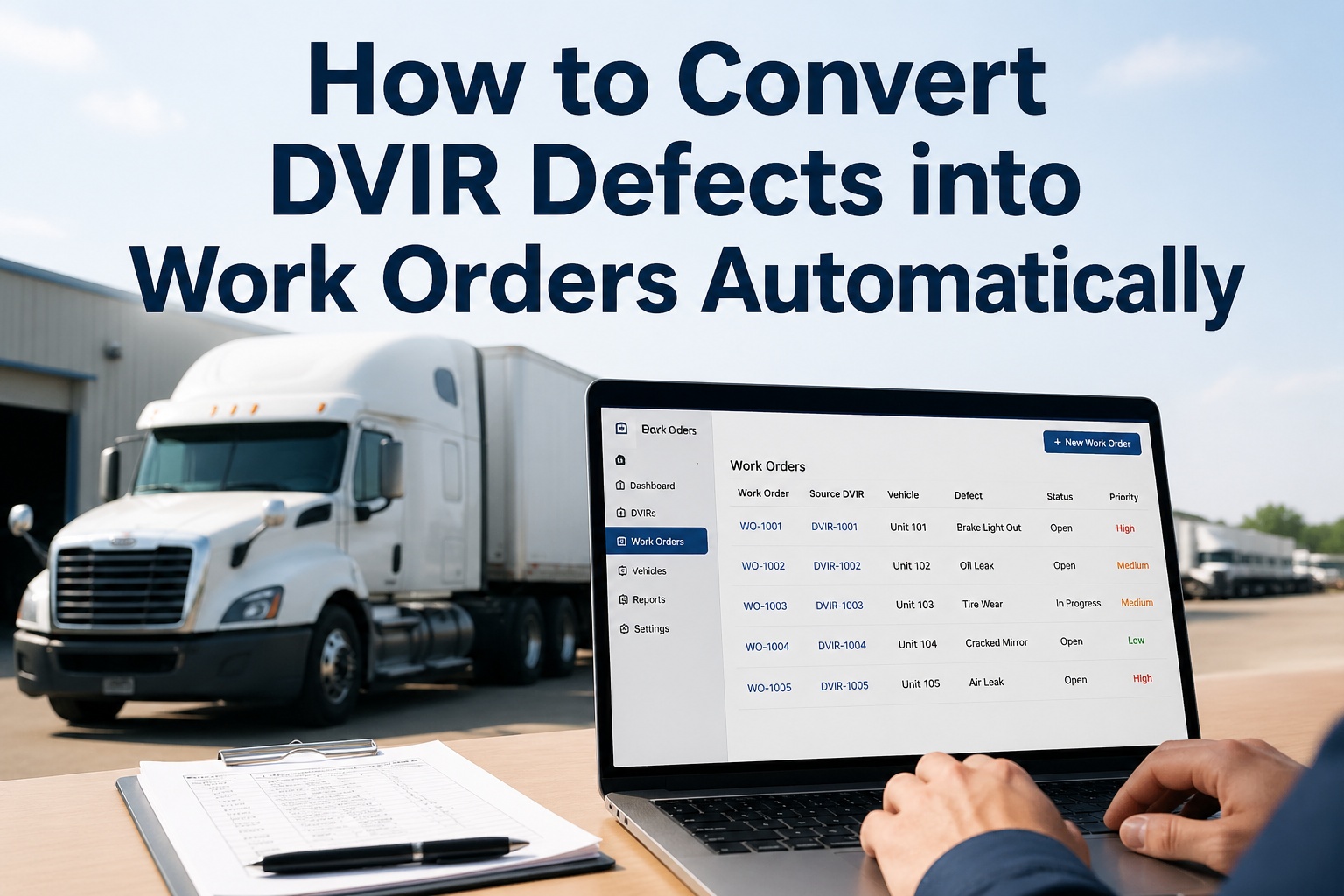
The most expensive moment in any fleet maintenance operation is the gap between the driver flagging a defect on a DVIR and a technician picking up the wrench to fix it. On paper-based fleets, that gap averages 2.5 to 3.2 days. The defect lives on a carbon-copy form in a clipboard, gets dropped on a dispatcher's desk, gets transcribed into a manual work order ticket, gets emailed (or not) to the shop, gets prioritized (or not) against everyone else's tickets, and finally — sometime later — turns into actual repair labor. During those 60+ hours of paper-shuffling, the truck is either rolling with an unreported defect, parked and not earning, or both. Modern DVIR-to-work-order automation collapses that 3-day cycle into under 4 hours. The defect, the photo, the GPS, the severity, the VMRS code, the technician assignment all flow from the driver's phone into the shop queue in under 10 seconds. This guide breaks down exactly how that automation works, the 6-step workflow that makes it happen, the time savings at each stage, and how Fleet Rabbit turns DVIR defects into closed work orders without a single manual handoff.
From "Brake Light Out" to "Work Order Created" in 10 Seconds
Every DVIR defect should generate a prioritized, assigned, photo-attached work order automatically — not 3 days later from a paper form. This is the workflow that fleets running modern inspection software take for granted.
The Real Cost of the Paper-DVIR Lag
Most fleet managers running paper DVIRs assume their defect-to-repair cycle is "a day or two." Track it for a month with a stopwatch and the truth is closer to 60 hours. That delay is where fleet maintenance budgets quietly hemorrhage and where small defects compound into expensive ones.
The moment a fleet switches to automated DVIR-to-work-order routing, the entire workflow accelerates. Not just the data entry — the prioritization, the technician assignment, the parts pull, the close-out, the audit-trail. Every stage compresses, because every stage stops waiting on a piece of paper to physically move.
The 6-Step DVIR-to-Work-Order Automation Workflow
This is the full automated workflow — what happens between the moment a driver taps a defect button and the moment a technician closes the work order. Understanding each step is how fleet managers know what to demand from their inspection software.
During pre-trip or post-trip, the driver taps a Fail status on any inspection item. The mobile app immediately requires a photo (mandatory field), allows free-text notes, captures GPS coordinates and a timestamp automatically, and prompts for severity. Average driver action time: 30 seconds for a clear defect with a photo.
Severity is set at the checklist template level — not by the driver in the moment — so a brake-light defect can never be flagged "minor" and a comfort issue can never trigger an out-of-service hold. Critical, Major, Minor are pre-mapped to each inspection item, ensuring consistent prioritization across every driver in every yard.
The system maps the inspection item to a Vehicle Maintenance Reporting Standards (VMRS) code automatically. "Air Brakes — Front Service Brake" becomes VMRS System 013 - Front Air Brakes, Component 013-001. This standardized coding is what makes downstream parts ordering, labor tracking, and analytics actually work — and it removes a step that paper systems never had at all.
A work order is created in the shop queue with: vehicle ID, VIN, defect description, photo, GPS, driver name, timestamp, severity, VMRS code, and a unique WO number. The work order appears on the shop dashboard and pushes a notification to the assigned technician's phone — all without any dispatcher, scheduler, or manager involvement.
If severity is Critical (brakes, steering, lights, leaks), the system automatically places the truck on out-of-service hold. The vehicle disappears from the dispatch board until the work order closes with a technician sign-off. No manual override; no driver pushback; no "we'll fix it after this run." Hard lock by default.
The assigned technician opens the work order on a tablet, completes the repair, logs labor hours and parts used (auto-decrementing inventory), uploads a "fixed" photo, and digitally signs off. The next driver to use the vehicle sees the repair certification and acknowledges — completing the FMCSA 396.11-compliant documentation chain.
This Is What Modern Fleet Maintenance Looks Like
Driver flags it. System routes it. Tech fixes it. Audit trail captures it. Zero paper, zero data entry, zero handoff lag.
What Every Auto-Generated Work Order Should Contain
A work order is only useful if it has every piece of information a technician needs to start the repair without phoning the driver, walking to the truck, or hunting through the inspection log. Here is exactly what auto-generated work orders should include — and what cheap inspection apps tend to miss.
When all eight fields populate automatically, the technician has zero ambiguity at the start of the job. Average first-time fix rate jumps from 72-80% to 90%+ — measured in fleets across the industry. See a Live Auto-Generated Work Order →
Severity-Based Priority Routing — How It Works
Not every defect needs immediate technician attention, and not every defect can wait until end-of-shift. Severity-based routing is the engine that makes auto-generated work orders actually useful — directing the right ticket to the right technician at the right urgency.
Service brakes, steering, headlight failure, fuel/oil leak, exhaust leak in cab, kingpin damage. Truck immediately blocked from dispatch. Technician push notification with audible alert.
Marker light out, mudflap damaged, cracked windshield in driver sightline, brake adjustment marginal. Truck can finish current shift; must be repaired before next dispatch.
Cosmetic damage, loose seat belt holder, faded reflective tape, minor cab interior wear. Adds to next scheduled PM work order; no operational disruption.
Paper Workflow vs Automated Workflow — The Real Comparison
Side-by-side, the differences are not subtle. Every stage of the paper process introduces lag, error potential, or lost information. The automated process eliminates them — and the cumulative effect on fleet uptime is where the real ROI hides.
| Stage | Paper DVIR | Automated |
|---|---|---|
| Defect Capture | Pen, paper, illegible writing | Touch screen, photo, GPS auto |
| Time to Submit | Filed at end of shift | Instant — submitted on tap |
| Photo Evidence | None — descriptions only | Mandatory photo on every defect |
| Severity Assignment | Driver opinion, inconsistent | Pre-mapped at template level |
| Work Order Creation | 23 minutes manual entry | < 10 seconds, automated |
| Tech Notification | Verbal handoff or email | Push notification on phone |
| Dispatch Lock on Critical | Manager has to remember | Hard lock, system-enforced |
| Defect-to-Repair Cycle | 2.5–3.2 days average | < 4 hours average |
| Audit Trail | Filing cabinet, often lost | Cloud archive, exportable |
On a 50-vehicle fleet running 2 inspections per vehicle per day, the cumulative time savings from this single automation reach 80+ hours per week — recovered from drivers, dispatchers, shop foremen, and back-office data entry combined. Book a Demo to See the Time Savings on Your Fleet →
How Fleet Rabbit's DVIR-to-Work-Order Automation Works
Fleet Rabbit is built around the principle that no defect should require a human handoff to become a repair. Every piece of the workflow above runs natively in the platform, with no integrations, no plugins, and no second tools required.
Drivers cannot submit a Fail status without uploading a photo. The photo is GPS-tagged, timestamp-locked, and attached to the work order automatically. Eliminates 90% of "what did the driver mean?" calls back to the cab.
Severity is configured per inspection item at the template level — not by the driver. A brake-light fail is always Major, a brake-system fail is always Critical, and the rules are consistent across every driver, every yard, every truck.
Every inspection item is pre-mapped to its VMRS System and Component code. Work orders carry the standardized codes from creation, making downstream parts ordering, technician labor tracking, and fleet-wide analytics work without manual coding.
Critical-severity flag automatically removes the vehicle from the dispatch board. No driver override, no manager bypass — the truck cannot return to service until a technician closes the work order with a digital sign-off and the next driver acknowledges the repair.
Technicians receive work orders on a phone or tablet, complete repairs, log parts and labor, and sign off — all from a mobile interface. Offline mode means dead-zone shop bays don't break the workflow.
Every DVIR, every photo, every work order, every technician sign-off — archived for the FMCSA-mandated retention period and exportable as a single audit-ready PDF in under 30 seconds.
Fleets using Fleet Rabbit's automation report 40% faster repair cycles, 65% reduction in administrative overhead, and 90%+ first-time fix rates within the first 90 days of rollout. Schedule a 30-Minute Demo to See It Live →
Frequently Asked Questions
Under 10 seconds from driver tap to shop dashboard. Severity tagging, VMRS code mapping, work order generation, and technician push notification all happen in parallel as soon as the driver hits Submit on the inspection. The 10 seconds includes the photo upload over a typical mobile data connection.
The system rejects the submission. Photo is mandatory on every Fail status — there is no workaround, no skip-button. This is by design: defensible documentation requires visual evidence, and removing the photo requirement returns the workflow to the same accountability gap that paper systems have.
Yes. Severity mappings are configured at the inspection template level by the fleet's safety manager or shop lead. Default templates ship with industry-standard severity assignments (CVSA-aligned for OOS items), but every item can be re-mapped per fleet's risk profile and regulatory environment.
Yes. The DVIR-to-work-order flow runs entirely inside Fleet Rabbit and does not require any external ELD or telematics platform. If you do have ELD or fuel-card integration, additional automations become available (PM scheduling on engine hours, fault-code-driven work orders), but the core DVIR-to-WO workflow stands alone.
The lockout is enforced at the asset level, not the dispatcher level. A truck flagged Critical disappears from every dispatch view — primary dispatcher, backup, terminal manager, after-hours coordinator. Only a technician's repair sign-off + next driver acknowledgment unlocks dispatch.
The work order workflow allows technicians to log "no defect found" status with required photo evidence and detailed notes. The system flags the disagreement for the safety manager's review and triggers driver-coaching workflow if the pattern repeats. Disputed defects are still logged, archived, and audit-defensible. See How Defect Disputes Are Handled →
Stop Losing 60 Hours to Every Paper Defect.
Mandatory photos. Auto-generated work orders. VMRS-coded out the gate. Critical dispatch locks. Mobile tech app. FMCSA-ready exports. Every piece of the workflow above, native to Fleet Rabbit, deployable on a 30-minute demo. Used by 500+ fleets to compress defect-to-repair cycles from days to hours.







