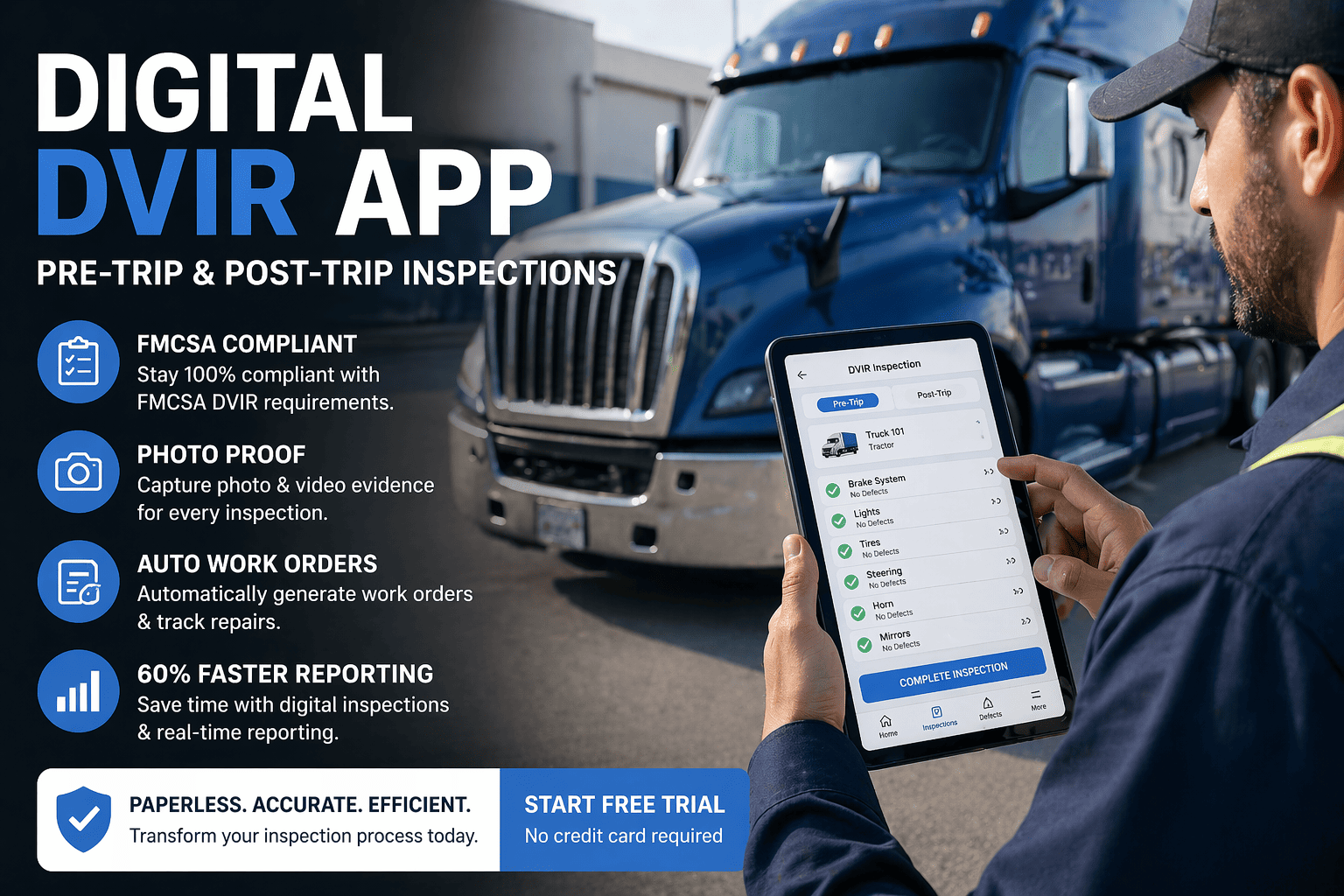
73% of paper DVIRs never make it from the truck cab to the office. Under the March 2026 FMCSA eDVIR rule, that's not just inefficient — it's a compliance risk that shows up in your CSA scores.
A digital DVIR app replaces clipboards and carbon copies with guided mobile inspections, timestamped photo evidence, and automatic work order creation. The result: 60% faster reporting, zero missing records, and audit-ready documentation from day one.
Guided checklists. Photo-verified defects. GPS timestamps. Automatic work orders. Everything DOT auditors want to see — without the filing cabinets.
What Is a Digital DVIR App?
A Driver Vehicle Inspection Report (DVIR) is a federally mandated inspection record required under FMCSA regulations 49 CFR 396.11 and 396.13. Every commercial motor vehicle driver must complete a DVIR documenting vehicle condition before and after each trip — creating a chain of accountability that DOT auditors and plaintiff attorneys examine closely.
A digital DVIR app replaces the paper Driver Vehicle Inspection Report with a structured, mobile-guided workflow. Drivers complete FMCSA-required checklists on a smartphone or tablet, photograph defects with GPS-verified timestamps, and submit reports that are instantly routed to maintenance — all without paper. The real value isn't just "going paperless." It's enforcement. The signature chain is automated. Defect alerts go out in real-time. Dispatch is blocked until repairs are certified.
Mobile-First Design
Complete inspections on any iOS or Android device. Large tap targets for gloved hands, minimal typing required.
Guided Checklists
Sequential walk-around order covering all 11 FMCSA-required components. Drivers cannot skip inspection items.
Photo Evidence
Timestamped, GPS-tagged photos attached to every defect. Visual proof that holds up in audits and litigation.
Instant Alerts
Defect reported = maintenance notified immediately. No phone calls, no delays, no lost repair requests.
Paper vs. Digital: The Compliance Gap
Paper DVIRs create a chain of operational failures: incomplete inspections that miss critical defects, forms that sit in truck cabs for days before reaching maintenance, illegible handwriting that delays repairs and missing records that surface during DOT audits at the worst possible time. For carriers running 10 to 50 vehicles, these failures compound into CSA score damage, higher insurance premiums, and preventable safety incidents.
Ready to eliminate paper DVIRs? Book a demo to see how FleetRabbit's digital DVIR app guides drivers through compliant inspections in under 10 minutes — with automatic defect routing to maintenance.
The FMCSA 11-Item Inspection Checklist
49 CFR 396.11 specifies the minimum components that must be covered in every DVIR. These are the same 11 items listed for both the pre-trip inspection (§392.7) and the post-trip DVIR, harmonized by FMCSA in the 2014 rulemaking. Your DVIR form — whether paper or digital — must at minimum address each of these areas, and any defects affecting safe operation must be documented.
Service Brakes
Including trailer brake connections, air brake pressure, brake adjustment, and parking brake operation
Parking Brake
Testing parking brake hold on grade, release operation, and warning indicators
Steering Mechanism
Free play in steering wheel, power steering fluid, and steering linkage condition
Lighting & Reflectors
Headlights, tail lights, brake lights, turn signals, clearance lights, and reflective tape
Tires
Tread depth (4/32" steer, 2/32" drive), inflation, sidewall damage, and proper matching
Horn
Audible warning device operation — must be functional and accessible to driver
Windshield Wipers
Wiper blade condition, wiper motor operation, and washer fluid level
Rear Vision Mirrors
Mirror condition, mounting security, adjustment capability, and visibility coverage
Coupling Devices
Fifth wheel, kingpin, pintle hook, safety chains, and glad hands condition
Wheels & Rims
Wheel condition, lug nuts torque, rim cracks, and proper wheel seal
Emergency Equipment
Fire extinguisher (charged, proper rating), warning triangles (3 required), and spare fuses (if vehicle uses fuses)
Coupling device inspections are critical for safety. Learn about the specific requirements in our guide to DOT Kingpin Inspection Requirements — including wear limits and measurement procedures.
The FMCSA 3-Signature Chain — Automated
FMCSA requires three signatures on every DVIR cycle. Miss one link and the violation follows. The DVIR creates a chain of accountability between the driver who finds a defect, the carrier who repairs it, and the next driver who confirms the repair — a documentation chain that FMCSA auditors and plaintiff attorneys examine closely in 89% of compliance reviews.
Driver Signs Pre/Post-Trip
Driver completes the inspection, documents any defects with photos, and signs digitally with a GPS-verified timestamp. This signature certifies the inspection was performed.
Mechanic Certifies Repair
If defects are noted, the carrier official or mechanic must certify that defects were repaired or deemed unnecessary. This signature must occur before the next dispatch.
Next Driver Acknowledges
The next driver reviews the DVIR, confirms repair status, and signs before operating the vehicle. This completes the chain of custody and compliance cycle.
FleetRabbit Enforces the Complete Chain
Unlike paper systems where signatures get skipped, FleetRabbit blocks dispatch until all three signatures are captured. Defects auto-route to maintenance with photos. Mechanics sign off digitally. The next driver sees pending DVIRs before they can start their trip. No broken links. No compliance gaps.
Key Features That Prevent Violations
Not every digital DVIR app is built the same. Some are glorified PDFs. Here are the features that separate compliance tools from operational platforms that actually reduce violations and downtime.
GPS Verification
Every inspection tagged with location coordinates. Proves driver was physically at the vehicle — critical defense in DOT audits and litigation. Timestamps are tamper-proof.
Photo Documentation
Required photos for every defect — report won't submit without them. Timestamped, GPS-tagged visual evidence that holds up in court and speeds insurance claims.
Offline Mode
Complete inspections in dead zones, remote yards, and areas without cell signal. Data syncs automatically when connectivity returns. Zero gaps in your inspection records.
Auto Work Orders
Defect reported = work order created instantly. Routed to the right technician with photo evidence attached. No re-entry, no delay, no lost repair requests.
Custom Checklists
Templates per vehicle type — Class 8 trucks, trailers, vans, equipment. All 11 FMCSA-required items mapped to walk-around order, plus your custom additions.
Under 10 Minutes
Guided walk-around order, large tap targets for gloved hands, minimal typing. Thorough inspections without slowing drivers down. If it takes longer, compliance rates drop.
Driver Accountability
Digital signatures with biometric or PIN verification. Every inspection tied to a specific driver. No more "who did this inspection?" questions.
Instant Search
Find any inspection by vehicle, driver, date range, or defect type in seconds. When an auditor asks for records, you're ready — not digging through filing cabinets.
See All 8 Features in Action
Watch how FleetRabbit automates the complete FMCSA compliance workflow — from driver inspection to mechanic sign-off to dispatch clearance. Under 10 minutes per inspection.
The March 2026 FMCSA eDVIR Rule
On February 19, 2026, FMCSA published a final rule (Docket FMCSA-2025-0115) explicitly authorizing electronic DVIRs, effective March 23, 2026. While electronic DVIRs were already permissible under 49 CFR 390.32 since 2018, this rule removes all remaining ambiguity. The American Trucking Associations, Owner-Operator Independent Drivers Association, and National Tank Truck Carriers all supported the rulemaking. Paper remains legal — but digitally disadvantaged in audits.
Benefits: What Changes With Digital DVIRs
Audit-Ready Documentation
When a DOT auditor requests 90 days of DVIRs, you produce them in minutes — not hours. Searchable, timestamped, GPS-verified records that prove compliance.
Audit prep: 4 hours → 10 minutes60% Faster Inspections
Guided checklists, tap-to-select defects, and photo capture eliminate handwriting and form completion. Drivers finish thorough inspections faster than paper.
Average inspection: 8 minutesFaster Defect Resolution
Defects route to maintenance instantly with photos. No phone calls, no lost forms. Repairs start faster, vehicles return to service sooner.
Defect-to-repair: hours → minutesReduced Admin Costs
Manual DVIR processing consumes 5–8 hours per week across admin staff. Digital systems auto-log everything at submission — entirely eliminated.
Admin time saved: 5-8 hrs/weekDVIR defects should trigger maintenance automatically. See how FleetRabbit Service History creates complete repair records from every inspection defect — building audit-ready documentation without manual entry.
How Digital DVIRs Improve Safety
FMCSA estimates that proper DVIRs prevent approximately 14,000 accidents every year through early defect identification. But paper systems fail in ways that undermine this safety purpose — drivers rush through checkboxes, forms get lost, and defects go unreported until they cause breakdowns or worse.
Systematic walk-around checklists ensure every component gets inspected. Guided prompts prevent drivers from rushing through or skipping items. Photo requirements force actual inspection of defect areas.
Paper DVIRs are easily faked — drivers check all boxes without performing inspections. Digital systems with GPS verification, photo requirements, and time-stamped entries make falsification detectable.
When a brake defect is reported at 6:00 AM, maintenance sees it at 6:01 AM — not when the driver returns. Photo evidence lets technicians prepare parts before the vehicle arrives. Faster turnaround = safer fleet.
Post-trip reports over time reveal defect patterns by vehicle, route, and driver. This data enables predictive maintenance — fixing components before they fail on the road where costs multiply 5-10×.
Litigation Protection: Why Photos Matter
Average truck accident jury verdicts continue climbing, with several exceeding $100 million in 2024-2025. Plaintiff attorneys specifically target inspection records. They look for: missing DVIRs, incomplete inspections, unrepaired defects, and gaps in the 3-signature chain. Digital DVIRs with photo evidence prove safety diligence in ways paper cannot.
DVIR is one part of fleet compliance. See the complete picture with FleetRabbit Cost Tracking — connecting inspection defects to repair costs so you see exactly what vehicle issues are costing your operation.
Implementation: Paper to Digital in 2-4 Weeks
Most fleets complete the transition from paper to digital DVIRs in 2-4 weeks. Setup involves configuring templates per vehicle type, mapping checklist items to walk-around order, setting defect routing rules, and training drivers. Driver adoption is typically high because digital DVIRs are actually faster than paper while producing better documentation.
Setup & Configuration
Configure inspection templates for each vehicle type in your fleet. Map checklist items to walk-around order. Set defect routing rules (which defects go to which technicians). Import vehicle and driver lists.
Driver Training
Single 25-minute training session covers app installation, login, inspection completion, defect reporting, and photo capture. Most drivers find digital faster than paper after 2-3 inspections.
Pilot & Refinement
Run both paper and digital for one week with a subset of drivers. Identify any workflow issues. Refine templates based on driver feedback. Ensure maintenance is receiving and responding to defects.
Full Deployment
Roll out to all drivers. Retire paper forms. Monitor completion rates and defect resolution times. Most fleets see 100% digital adoption within 30 days.
Who Uses Digital DVIR Apps?
Digital DVIR apps work for any fleet operating commercial motor vehicles under FMCSA regulations. The benefits scale from small fleets managing 5 vehicles to enterprise operations with 500+ assets across multiple terminals.
Over-the-road fleets, LTL carriers, final-mile delivery. Pre-trip inspections at 4 AM when the terminal is empty. Post-trip reports from the road. Offline mode for rural routes.
Dump trucks, concrete mixers, equipment trailers. Equipment-specific templates for excavators, cranes, loaders. OSHA compliance alongside FMCSA. Offline at jobsites.
Service vans, bucket trucks, utility vehicles. Multiple inspections per day at customer sites. Photo documentation of vehicle condition before and after each job.
Refrigerated trucks, beverage delivery, food service. Temperature monitoring integration. FSMA compliance documentation alongside DOT requirements.
Frequently Asked Questions
DVIRs feed into your fleet's service records. Learn how FleetRabbit Vendor Management tracks repairs from external shops — connecting inspection defects to vendor invoices and repair documentation.
Digital DVIR App — FMCSA Compliant from Day One
Guided inspections, GPS verification, photo documentation, and automatic work orders. Everything DOT auditors want to see — accessible in seconds, not hours. Free for up to 3 vehicles.


