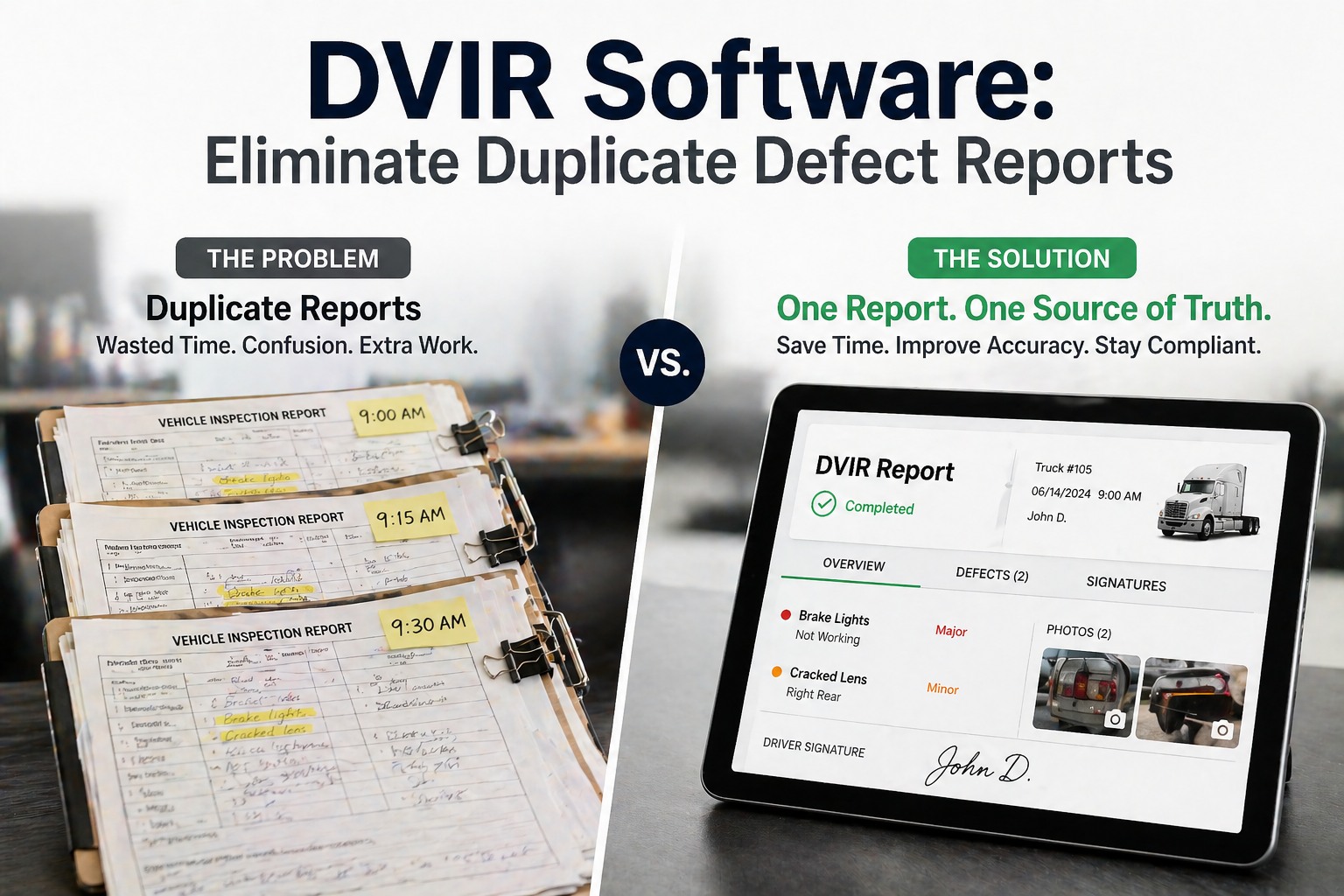
When three drivers pre-trip the same truck across a 24-hour period and all three report the same cracked mudflap, your maintenance team gets three separate defect reports, three notification pings, and potentially three duplicate work orders — for one defect that needs one repair. Multiply that across a 50-truck fleet running two or three shifts and you end up with a shop queue clogged with phantom work orders, technicians chasing the same defect across multiple tickets, and compliance records that show the same unclosed defect repeated across days of inspection history. DVIR Smart Merge solves this at the source. When FleetRabbit detects that multiple drivers have reported the same defect on the same vehicle within a configurable time window, it automatically consolidates them into a single, unified defect record one work order, one repair ticket, one compliance trail. The result is a cleaner shop queue, faster defect resolution, and DVIR records that accurately reflect vehicle status without the noise of duplicates inflating your open defect count. This guide covers how Smart Merge works, what triggers it, how it interacts with your existing work order and compliance workflows, and how fleet managers are using it to cut shop queue noise by up to 60%.
Three drivers. Same truck. Same cracked mudflap. Without Smart Merge: three work orders, three notification pings, one confused shop queue. With Smart Merge: one defect record, one work order, one clear repair trail — automatically consolidated the moment the second report comes in.
The Duplicate DVIR Problem — Why It Happens and What It Costs
Duplicate DVIR defect reports are not a driver error — they are a structural problem built into how traditional DVIR systems work. Every driver who inspects a vehicle is required to report every defect they observe. If a defect from the previous shift was reported but not yet repaired, the next driver correctly reports it again. The system is working exactly as designed. The problem is what happens downstream: without a merge layer, each report generates its own record, its own notification, and its own work order.
A 3-shift fleet with 20 trucks can generate 60+ defect reports per day on known, already-reported issues. Technicians spend time triaging duplicates instead of repairing actual defects. Shop supervisor time burned on queue management rather than wrench time.
Fleet managers see an open defect count 3-5× higher than the actual number of repairs needed. KPIs look broken. Dashboards are misleading. Compliance reports show an apparent backlog that does not represent real unresolved issues — it represents duplication.
When a defect is repaired and closed on one work order, the duplicate work orders for the same defect remain open or unclosed. Auditors reviewing DVIR records see a vehicle with an "unclosed defect" — a compliance gap that does not reflect reality but still creates audit risk.
Each new defect report triggers alerts to maintenance managers, fleet managers, and shop supervisors. When the same defect generates 5 alerts across 5 driver shifts, recipients start ignoring notifications — including genuine new defects buried in the noise.
See DVIR Smart Merge Running on Your Fleet
Book a live demo and watch FleetRabbit automatically consolidate duplicate defect reports in real time — with your actual vehicle and driver data.
How DVIR Smart Merge Works — The Logic Behind Automatic Consolidation
Smart Merge runs as a background layer on top of FleetRabbit's DVIR engine. Every time a driver submits a defect report, Smart Merge evaluates it against the existing open defect record for that vehicle before creating a new work order. The merge decision is based on three matching criteria applied in sequence.
Driver A reports "Left rear brake light inoperative" at 06:00. Smart Merge creates one defect record and one work order. Driver B inspects the same truck at 14:00 and reports the same issue. Instead of creating a second work order, Smart Merge appends Driver B's report to the existing defect record — adding a second observer confirmation, updating the timestamp, and leaving the original work order in place. Driver C reports the same thing at 22:00: same result. The shop receives one work order with three observer confirmations, a priority escalation flag (3 drivers confirmed this issue), and a full timestamp trail from first report to repair. The compliance record shows three DVIR reports correctly linked to one resolved defect — no open gaps, no phantom duplicates.
What Smart Merge Preserves — The Compliance Trail
A common concern when hearing "merge DVIR reports" is compliance: does merging reports mean losing the individual driver inspection records? The answer is no — and this distinction matters for DOT audits. Smart Merge consolidates at the work order level, not at the DVIR record level. Every individual driver inspection report remains intact and audit-accessible.
| Record Type | Without Smart Merge | With Smart Merge | DOT Audit Result |
|---|---|---|---|
| Driver DVIR Reports | 3 separate reports — all present | 3 separate reports — all present, linked | Pass |
| Work Orders Created | 3 duplicate work orders | 1 consolidated work order | Pass |
| Open Defect Count | 3 open defects shown | 1 open defect shown | Accurate |
| Defect Resolution Proof | Only 1 of 3 WOs closed — 2 appear open | 1 WO closed — defect resolved clean | Risk vs Clean |
| Repair Timeline | Unclear — multiple timestamps conflict | Single clear timeline: reported → confirmed → resolved | Clear |
See Your Real DVIR Compliance Trail in a Live Demo
FleetRabbit shows every driver report, every merge event, and every work order resolution in one audit-ready timeline. Book 30 minutes to see it with your fleet.
Configuration Options — Tuning Smart Merge for Your Fleet
Smart Merge is not a fixed algorithm — it is configurable per fleet, per vehicle type, and per defect severity. Fleet managers can set the parameters that match their operational reality: shift length, defect criticality, and repair SLA.
Set the time window for defect consolidation: 4h, 8h, 12h, 24h, 48h, or 72h. Short windows (4–8h) suit single-shift fleets. Longer windows (24–72h) work for fleets where repairs are batched over multiple days.
Critical and OOS-level defects can bypass merge entirely — always generating a new urgent work order regardless of existing records. Ensures safety-critical issues are never quietly absorbed into a lower-priority open ticket.
Configure whether merge matches at defect category level (broad) or defect sub-type level (narrow). Broad matching: "brakes" merges all brake reports. Narrow matching: "front left brake adjustment" only merges exact sub-type matches.
Set a confirmation threshold — when 2 or more drivers report the same defect within the window, Smart Merge automatically raises the work order priority and sends an escalation alert to the shop supervisor, flagging the defect as multi-confirmed.
Apply different merge configurations per vehicle type. Heavy trailers with known recurring cosmetic defects can use broad 72h windows. Safety-critical OOS vehicles can have merge disabled entirely for specific defect categories.
Every merge event is logged with a timestamp, the source reports that triggered it, and the matching criteria that applied. Fully visible in fleet manager view — no black-box merging. Downloadable for compliance reviews.
Impact on the Shop Queue — Before and After
The most immediate operational impact of Smart Merge is on the shop queue. Fleet maintenance managers running multi-shift operations consistently report the same experience: the daily queue becomes readable, prioritization becomes meaningful, and technician time shifts from triage to actual repair.
Smart Merge and the DVIR Compliance Workflow
DVIR compliance under 49 CFR 396.11 requires drivers to report defects and carriers to certify repairs before a vehicle returns to service. Smart Merge does not change these requirements — it makes the compliance workflow cleaner and more defensible. Here is how the full workflow runs end-to-end with Smart Merge active.
Driver completes pre-trip inspection on FleetRabbit mobile app. Selects defect from structured taxonomy. Adds photo evidence if required. Submits report — timestamped, driver-signed, locked.
System checks: same vehicle? Within time window? Same defect category? If all three match — merge. If any criterion fails — new defect record created. Decision logged with full criteria detail.
One work order lands in the shop queue with all confirming driver reports attached. Multi-confirmed defects automatically escalated to higher priority. Technician sees full report history — not a standalone ticket.
Technician marks repair complete. Fleet manager or maintenance supervisor certifies the repair in FleetRabbit. Certification closes the work order and simultaneously closes all linked DVIR defect records — one action resolves the entire chain.
Complete defect lifecycle record archived: all driver reports, merge events, work order, repair certification, and closure timestamp. One clean record per defect — ready for DOT audit, insurance review, or internal compliance reporting. Accessible via DVIR Records in FleetRabbit.
Frequently Asked Questions
No. Every driver DVIR report remains a complete, independent record — timestamped, driver-attributed, and audit-accessible. Smart Merge only consolidates at the work order level. When an auditor reviews DVIR records for a vehicle, they see all individual driver reports with their full details. The only change is that those reports are linked to a single unified defect record instead of generating separate standalone work orders. Your DOT compliance record is fully preserved — in fact it is cleaner, because the repair closure is unambiguously tied to every report that preceded it.
Smart Merge uses defect sub-type matching, not just component matching. If Driver A reports "left front tire — low pressure" and Driver B reports "left front tire — sidewall damage," these are different defect sub-types and will not be merged — even though they are the same tire position. Additionally, if a defect was previously closed and a new report comes in for the same component, Smart Merge will not merge into a closed record — it creates a fresh defect. The system is designed to consolidate genuine duplicates, not mask distinct issues.
Yes. Smart Merge is configurable at the fleet level, vehicle type level, and defect severity level. You can disable merge for OOS-level defects fleet-wide, disable it for specific high-risk vehicle types, or set severity bypass rules that ensure critical issues always generate a new work order. The configuration panel in FleetRabbit's Fleet Inspection settings gives you full control over which conditions trigger a merge versus a new record. Most fleets run broad merge on cosmetic and minor defects with severity bypass on critical and safety items.
Smart Merge operates on DVIR-sourced defect records — driver-reported issues found during pre-trip and post-trip inspections. Preventive maintenance work orders generated by FleetRabbit's PM scheduling engine run on a separate track and are not subject to merge logic. However, when a DVIR defect matches a known PM item (for example, a driver reports a brake adjustment issue that is also due for PM), FleetRabbit can optionally link the defect report to the pending PM work order rather than creating a standalone defect ticket — reducing further duplication between inspection-driven and schedule-driven maintenance workflows.
Smart Merge is included in FleetRabbit's standard fleet inspection module at no additional per-feature cost. It is available from the free tier (up to 3 assets) through all paid plans. Configuration options expand with plan level — the free tier includes basic time-window and category merging, while higher tiers unlock severity bypass rules, multi-confirmation escalation, and the full merge audit log. See full plan details on the pricing page. Book a demo to see Smart Merge configured for your specific fleet structure.
Stop Managing Duplicate Defects. Start Closing Real Ones.
One defect. One work order. One clean compliance trail. FleetRabbit's DVIR Smart Merge automatically consolidates duplicate reports across drivers, shifts, and inspection types — so your shop queue reflects reality and your audit records are airtight.







