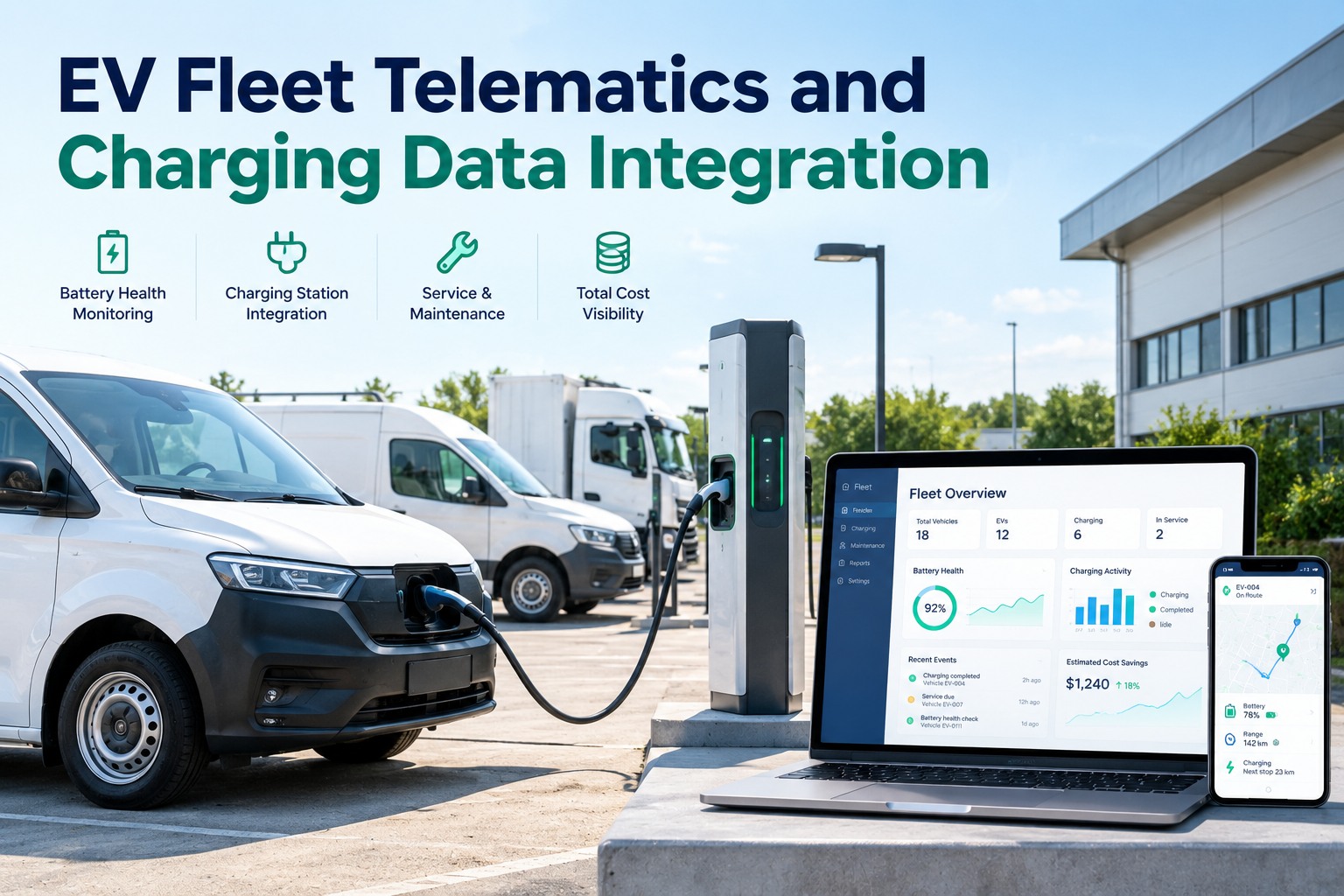
EV fleet telematics tells you how each vehicle is performing, and charging data tells you what happened at the charger. Neither is complete alone, and neither is a maintenance record until it is tied to a vehicle and a work order. This page shows which data comes from where, where the gaps are and how to connect both to a maintenance schedule for a mixed fleet. Schedule a call to connect your EV and charging data to maintenance.
EV FLEET DATA · TELEMATICS, CHARGING AND MAINTENANCE
Your EVs Generate Data in Two Places: Connect Both to One Maintenance Record
What telematics and chargers each report, where the gaps are and how to turn the data into service decisions.
THREE SOURCES, ONE RECORD
VehicleTelematics
ChargerOCPP data
MaintenanceWork orders
Match by vehicle ID.
Where EV Fleet Data Comes From
Vehicles, chargers and the maintenance system each hold part of the picture
Vehicle data can come from OEM telematics built into the vehicle, a third-party device in the data port, or cloud systems that OEMs use to monitor vehicle state. Charger data travels over the Open Charge Point Protocol (OCPP) between the charger and its backend. The maintenance platform is where either becomes a task.
Vehicle telematics
State of charge
Battery temperature and health
Energy consumption
Location, speed and mileage
Diagnostic trouble codes
Regenerative braking and driver behavior
Charger and backend (OCPP)
Session start and stop events
Meter values from the charger
Charger operating state
Smart-charging commands going out
State of charge, from some DC fast chargers only
Fleet maintenance platform
Vehicle and asset records
PM schedules and work orders
Inspections and defects
Parts, labor and cost per unit
Service history per vehicle
What Telematics Can See That Chargers Cannot, and the Reverse
The two sources overlap only a little, so most fleets need both
According to one smart-charging vendor, OCPP usually cannot send the energy a vehicle requests, and it can send state of charge only from some DC fast chargers. Chargers also often cannot read vehicle data directly, because ISO 15118 is not widely implemented, so vehicle data may be missing before and after a session. Telematics fills that gap with trip energy needs, driver behavior and arrival and departure context.
| Question | Vehicle telematics | Charger (OCPP) |
|---|
| How much charge is left? | Yes, state of charge | Only from some DC fast chargers |
| How much energy was delivered? | Energy use per trip | Meter values per session |
| When will it leave and arrive? | Departure and arrival context | No |
| Is the charger working? | No | Yes, operating state |
| What does the trip need? | Trip energy needs and driver behavior | No |
Source note. The OCPP limits above come from a vendor that sells smart-charging software and date from 2022. Standards and chargers change, so confirm with your own charger and backend provider.
Telematics in one system and service in another? Schedule a call and we will map the data to your maintenance records.
Start with the vehicle records and PM schedules, and connect the data after.
From Raw Data to a Work Order
Data only prevents downtime when it triggers a task
Telematics can show battery temperature and state of charge, and chargers can show whether they are operating. Neither fixes anything. The useful step is turning an alert into a scheduled or open work order tied to the vehicle.
1
Collect
Vehicle telematics and charger data
→
2
Match
Tie each session to a vehicle record
→
3
Alert
Flag low health, faults and gaps
→
4
Act
Create a work order or schedule PM
→
5
Review
Cost and uptime per unit
Battery and range signals
State of charge and battery temperature are the signals vendors point to for planning battery service and judging whether a truck can finish its route.
Charger signals
Charger operating state helps you find hardware problems, and it belongs on the charger record, not the truck record.
EV Telematics Integration Checklist
Ask these questions before you connect anything, then check the maintenance side
The vendor sources reviewed for this page report few measured results, so test any integration on a small group of vehicles and compare the data against your own records before you rely on it.
Run EV, Diesel and CNG Maintenance in One Place: Track Battery, Inspection and Service Cost per Vehicle in FleetRabbit
FleetRabbit keeps PM schedules, inspections, work orders and costs for every vehicle in one platform, whatever the fuel. Mixed fleets share one calendar, and every service stays on the vehicle's record.
One calendar for mixed fleets
Inspections and defects
Work orders and costs
Service history per vehicle
Frequently Asked Questions
Quick answers on EV fleet telematics and charging data
What data does EV telematics collect?
Typically state of charge, battery temperature, energy consumption, location, speed, mileage, diagnostics and driver behavior, depending on the vehicle and device.
What is OCPP?
The Open Charge Point Protocol, which links chargers to a backend. It carries session events and meter values and sends smart-charging commands back to the charger.
Why not use charger data alone?
Chargers often cannot read vehicle data, so vehicle-side information such as trip needs and driver behavior is missing.
Does telematics prevent breakdowns?
It can show problems early, but someone still has to act on them. Connect alerts to work orders.
Can one platform handle diesel, EV and CNG units?
A maintenance platform that stores PM schedules and records per vehicle can, whatever the fuel.
Does FleetRabbit connect to charger or telematics data?
Please confirm current integrations with FleetRabbit before relying on them. The platform tracks maintenance, inspections and costs per vehicle.
What does FleetRabbit cost?
FleetRabbit is free for up to three vehicles and $5 per vehicle per month after that.
Track 3 vehicles free.
Turn EV and Charging Data into Scheduled Maintenance for Every Vehicle
Collect from vehicles and chargers, match the data to each unit and let alerts become work orders in one mixed-fleet record.
Free tier for up to 3 vehicles · No credit card required · Records stored per vehicle
October 16, 2026By Sam Parker
All Blogs