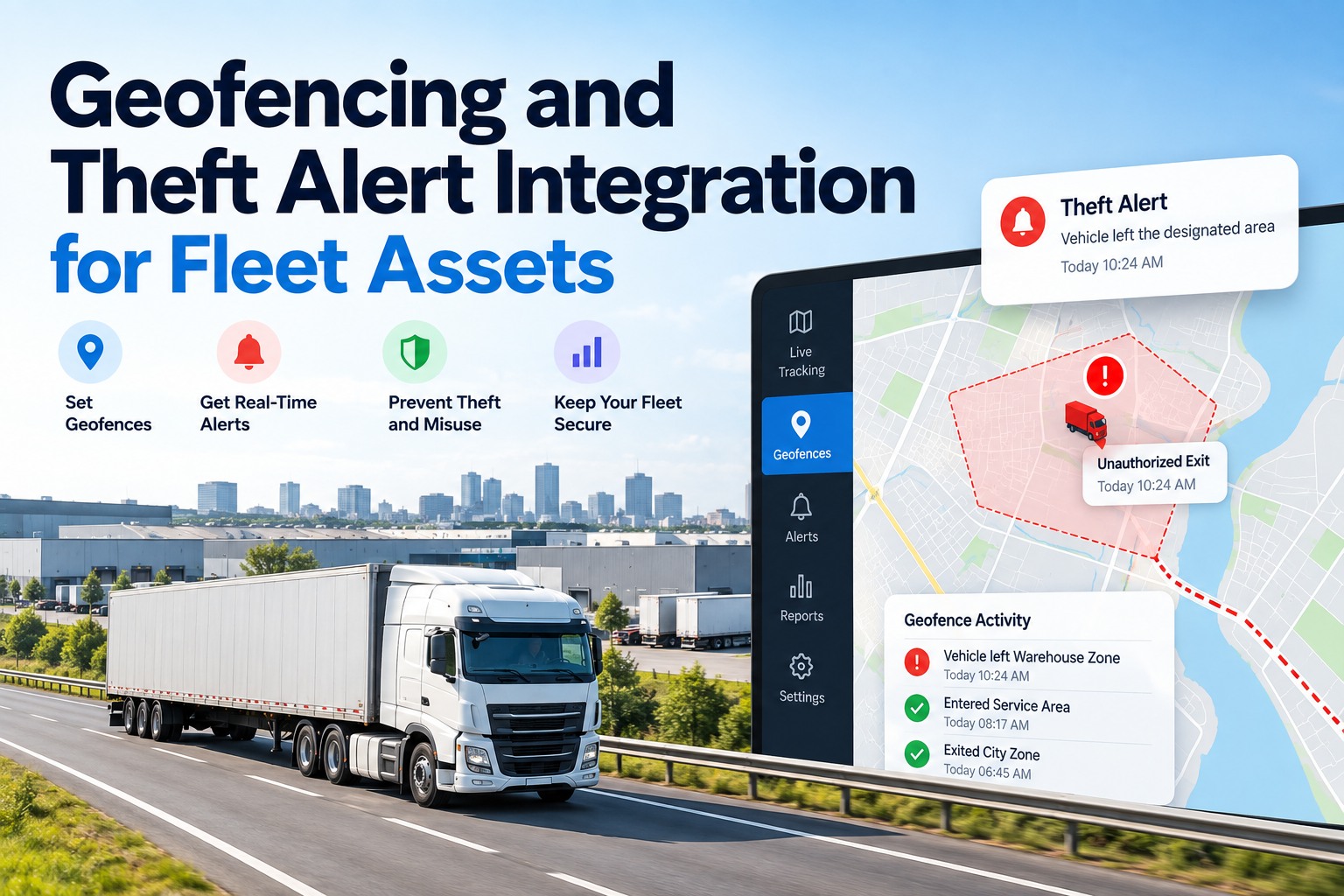
Geofencing and theft alert integration works when a fence breach lands in the same place as the truck's DVIRs, open work orders and PM schedule — so the person who gets the alert can tell in seconds whether it is theft, a tow, a shop visit or a driver running early. On its own, a geofence alert is a dot leaving a circle; joined to maintenance and compliance data, it becomes a decision. This guide shows why theft is getting more expensive per incident, how to close the weekend discovery gap, how to design fences by purpose, and where geofence alerts quietly improve maintenance too. Book a demo to see geofence alerts next to your DVIR and PM data, or start free with 3 vehicles.
Geofencing and theft alerts, integrated
Geofencing and Theft Alert Integration for Fleet Assets
For fleet managers, safety leads and yard supervisors who are tired of switching portals: how to turn fence breaches into fast, correct decisions by seeing them alongside DVIR, PM and compliance records.
No credit card required. Works with the GPS and telematics you already run.
Theft Is Getting More Expensive, Not More Frequent
Thieves are picking fewer, higher-value targets, so each missed alert costs more than it did a year ago. Verisk CargoNet counted 3,594 supply chain crime events in the U.S. and Canada in 2025 — almost the same as 2024 — but estimated losses rose about 60% to nearly $725 million.
What shifted in 2025
- Food and beverage thefts rose 47% to 708 incidents
- Metal thefts rose 77%, driven by copper
- Theft spread to lower-risk areas: New Jersey +50%, Indiana +30%, Pennsylvania +24%
Source: Verisk CargoNet 2025 annual analysis, January 2026.
Put your highest-value lanes and lots behind geofence alerts — start free with 3 vehicles
Close the Weekend Discovery Gap
The most damaging thefts are the ones nobody notices until Monday or Tuesday. In CargoNet's review of Labor Day weekends from 2017 to 2021, 20% of stolen property was last known secure on the Friday and 27% of theft complaints came in on the Tuesday after — days after the loss.
Source: CargoNet Labor Day theft analysis, 2017–2021. Bars are illustrative of timing, not measured durations.
Why minutes matter for recovery
Delays in discovering and reporting a theft are one of the reasons stolen equipment is so rarely recovered — the National Insurance Crime Bureau reported that only 23% of heavy equipment stolen in 2014 was found. An after-hours fence alert does not stop a determined thief, but it turns a Tuesday discovery into a Saturday-night police report with a live location.
Set up after-hours rules for your yards with our team in a 30-minute demo
Design Each Fence for One Job
A fence that tries to do everything alerts on everything, so give each geofence a single purpose, a trigger and an owner. Draw fences to the real property line with a margin for GPS drift — under open sky, GPS-enabled phones are typically accurate to within about 4.9 meters (16 feet), and accuracy drops near buildings and trees. Swipe the table on mobile.
| Fence type | Trigger that matters | When it alerts | Owner | First action |
|---|---|---|---|---|
| Home yard or terminal | Exit with no dispatch, or movement with ignition off | Outside operating hours | On-call manager | Call driver, check open tow or work order, then police |
| Shop or vendor | Arrival and departure | Always, as a status update | Maintenance planner | Mark work order in shop or ready |
| Customer site | Dwell longer than your standard | During the load window | Dispatcher | Check detention, update ETA |
| Known high-risk lot | Any stop with a loaded trailer | Always | Safety lead | Confirm driver is with the unit |
| Job site (equipment) | Exit of trailerable equipment | Nights and weekends | Site supervisor | Verify with site, then report |
| Route corridor | Deviation from the planned route | High-value loads only | Dispatcher | Contact driver, confirm reason |
GPS accuracy: GPS.gov, U.S. government information on GPS performance.
Map these fence types to your yards and customers — start free with 3 vehicles
Sort Every Alert Into One of Three Tiers
Alert fatigue is how theft alerts get ignored, so only the top tier should wake anyone up. Everything else is status information that belongs on a board, not a phone.
Arrivals and departures during operating hours, shop check-ins, customer on-site events.
Long dwell at a non-customer stop, route deviation on a high-value load, a stop at a known high-risk lot.
Movement outside hours with no dispatch, movement with the ignition off, or a tracker that goes silent inside a yard after hours.
A silent tracker is a signal
A device that stops reporting in a yard at 2 a.m. may have lost power — or been unplugged or jammed. Treat a gap in data from a parked unit after hours as an alarm-tier event, not as missing data to check on Monday.
Which of your alerts should wake someone up?
Bring a week of your current geofence alerts. In 30 minutes we'll sort them into info, watch and alarm tiers in FleetRabbit, and show which ones already have an open work order or tow that explains them.
Where Geofencing Meets Maintenance
The same location events that flag theft also answer maintenance questions — once they sit next to your work orders and PM schedule. These four overlaps are where integration pays off beyond security.
A tow is not a theft
A unit moving with the ignition off looks like theft — unless there's an open breakdown ticket with a tow request. Seeing the work order next to the alert stops a false police call.
Shop fences update job status
Arrival at a vendor's fence marks the unit "in shop"; departure marks it ready. Dispatch sees real availability without calling the shop.
Idle in the yard with PM due
A unit sitting in the home yard for days with a PM coming due is an easy service slot, not just a parked truck.
After an alarm, inspect before dispatch
Thieves also strip parked trucks — CargoNet has warned of thefts of semi-tractor control modules that leave trucks undrivable. After any alarm, the next pre-trip inspection should check what's missing.
One View Versus Switching Portals
Most fleets already get geofence alerts from their GPS or telematics provider; the gap is that the alert, the DVIR and the work order live in different tabs. Swipe the table on mobile.
| At 1 a.m. on a Saturday, you need to know | Separate portals | Integrated in FleetRabbit |
|---|---|---|
| Is this unit supposed to be moving? | Check dispatch in another system | Alert shows whether a dispatch exists |
| Is it being towed for a repair? | Call the shop or on-call mechanic | Open work order or tow shown on the alert |
| When was it last inspected? | Search DVIR records separately | Latest DVIR linked to the unit |
| What happens after recovery? | Remember to inspect it | Inspection and repair tracked on the same unit |
Bring your alerts and records into one view — start free with 3 vehicles
Set It Up in Five Steps
You can have a working theft-alert setup on your highest-risk units in an afternoon if you do it in this order.
- Pick your risk units. Start with trailers that carry high-value loads and trailerable equipment.
- Draw one fence per purpose. Yard, shop, customer and high-risk lots, each to the property line plus a GPS margin.
- Set operating hours per yard. After-hours movement is the rule that catches most weekend thefts.
- Assign an owner to each tier. One on-call phone for alarms; dashboards for info and watch.
- Link alerts to records. Connect your telematics so alerts show open work orders, tows and the latest DVIR.
Frequently Asked Questions
What is geofencing and theft alert integration?
It connects the location alerts from your GPS or telematics provider to your fleet records, so a fence breach appears alongside the unit's dispatch status, open work orders and latest DVIR. That context lets the person on call decide quickly whether it's theft. See it with your own units.
Which geofence alerts actually help prevent theft?
After-hours movement out of a yard, movement with the ignition off, stops with a loaded trailer at known high-risk lots, and a tracker going silent in a yard overnight. Most other alerts are status updates. Set up these alarm rules free on 3 vehicles.
How big should a geofence be?
Draw it to the real property line plus a margin for GPS drift. GPS on phones is typically accurate to about 16 feet under open sky and less accurate near buildings, so tight fences around busy lots cause false exits. Get help sizing your fences.
Do we need new tracking hardware?
Usually not. FleetRabbit works with the GPS and telematics providers fleets already use and brings their location events into the same view as DVIR, PM and compliance records. Connect your existing provider free.
How do we avoid false theft alarms?
Use operating hours per yard, send only alarm-tier events to phones, and check each alarm against open work orders and tows — a unit being towed for repair is the most common false alarm. Review your false alarms with us.
What should happen after a stolen unit is recovered?
Treat it as out of service until it's inspected: check for missing parts and damage, open work orders for anything found, and record the inspection before the next dispatch. Track recovery inspections free.
Stop Switching Portals at 1 A.M.
Put geofence and theft alerts next to the DVIR, work order and PM data that explain them, so the right person makes the right call the first time.
In the 30-minute demo
- Your yards and customers drawn as fences
- Alerts sorted into info, watch and alarm
- Alerts shown with open work orders and DVIRs


