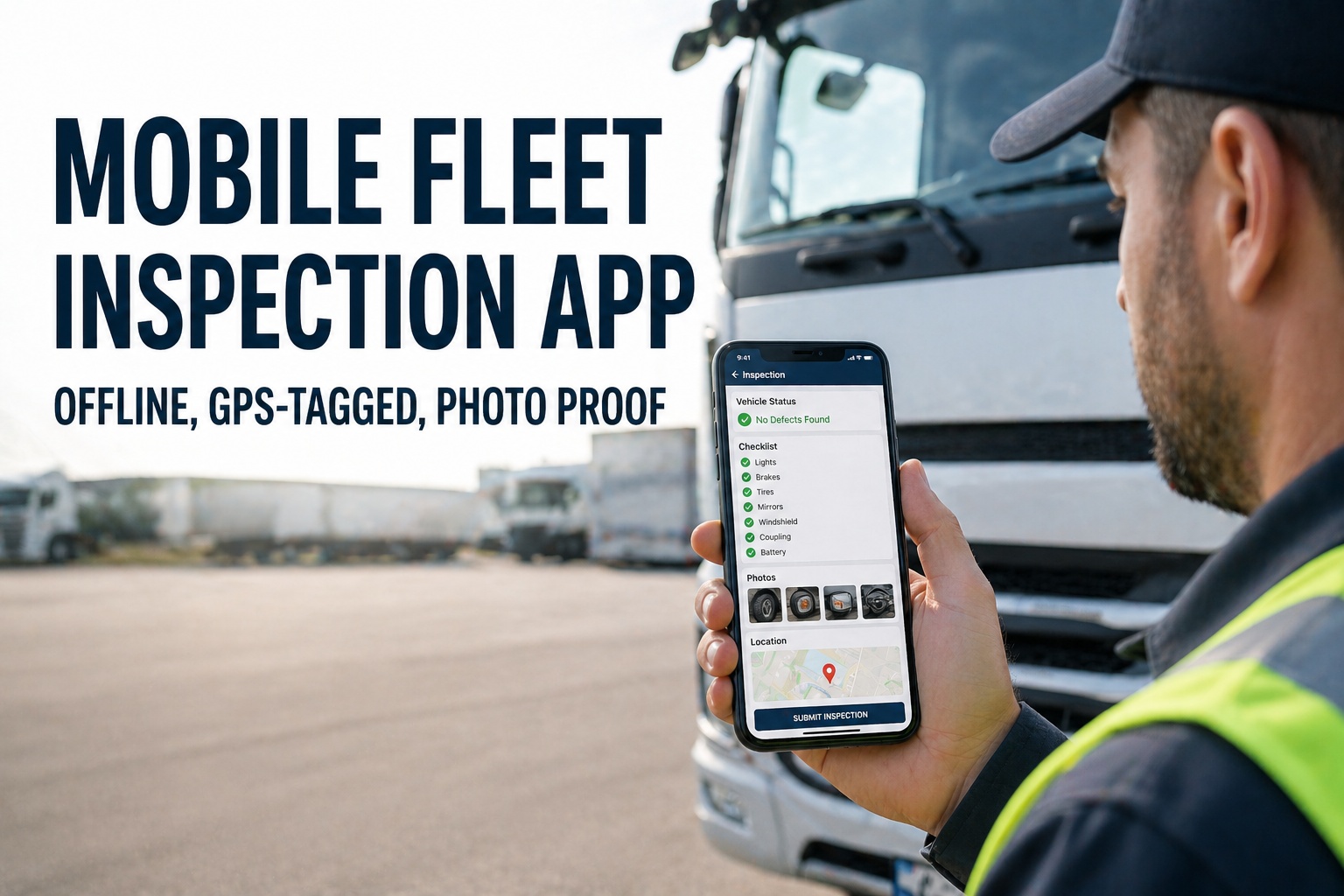
Paper DVIRs are a vanishing species. The numbers explain why: 73% of paper inspection forms never reach the office. Missing or falsified DVIRs carry up to $16,000 in fines per violation during a DOT audit. The 2026 CSA scoring update split Vehicle Maintenance into "Driver Observed" and "Inspector Detected" categories, and paper-based fleets cannot prove driver-level defect detection. On February 19, 2026, FMCSA published final rule FMCSA-2025-0115 explicitly authorizing electronic DVIRs effective March 23, 2026 — closing the last legal ambiguity. The math is brutal in the other direction too: paper inspections average 45 minutes per vehicle; mobile-app inspections average 5-12 minutes. Drivers reach 95% adoption within 30 days because the app is simply faster, less annoying, and eliminates end-of-shift paperwork. This guide walks through how a modern mobile fleet inspection app actually works — offline DVIR capture, GPS-tagged photo proof, the 3-signature compliance chain, and what changes when the inspection workflow finally lives in the driver's pocket instead of a clipboard.
Pre-Trip in Under 3 Minutes. Offline. GPS-Stamped. Photo-Proof.
The inspection workflow finally lives in the driver's pocket — works in dead zones, captures photo evidence, syncs the moment signal returns. Drivers complete DVIRs faster than they could open a paper book.
The Stakes — What Paper DVIRs Actually Cost You
The case for going mobile is not a matter of preference any more. Federal rule changes, CSA scoring updates, and the simple economics of paper management have closed the gap. Here's the cost picture for fleets still on clipboards in 2026.
The CSA "Driver Observed" methodology change in 2026 makes this worse: paper-based fleets cannot document driver-level defect detection in real time, which directly damages the new BASIC sub-category. Mobile DVIR apps capture exactly the evidence the new methodology requires. See the CSA Driver Observed Walkthrough →
What a Mobile Inspection Actually Looks Like — Step by Step
The core workflow takes 5-12 minutes once a driver has done it twice. Here's exactly what happens between unlocking the phone and submitting an audit-ready DVIR record. No paper, no clipboard, no end-of-shift filing.
Driver opens Fleet Rabbit, taps "Pre-Trip Inspection." VIN auto-detected via QR scan or selected from assigned-vehicle list. Vehicle-specific checklist loads instantly — Class 8 tractor gets one template, refrigerated trailer gets another.
Guided walk-around order matching FMCSA's 11 component categories. Each item: tap pass, tap fail, or tap to capture photo + note. Smart prompts prevent submission with missing required items — eliminating pencil-whipping entirely.
Any flagged item requires a photo. Phone camera captures with embedded GPS coordinates + timestamp. Mandatory photo evidence eliminates the "minor scratch vs structural crack" ambiguity that paper DVIRs leave behind.
Digital signature on screen — driver's stylus or finger. App locks the record. Full timestamp + GPS coordinates + signature stored. If online, syncs immediately. If offline, queues with original timestamp preserved.
Any flagged defect instantly generates a work order routed to the right technician with photo, severity, vehicle ID, and driver notes pre-populated. Mechanic certifies repair before truck returns to dispatch.
Offline Mode — What Happens When There's No Signal
This is the feature that separates serious fleet apps from telematics add-ons. Construction sites, oil fields, mining operations, mountain routes, underground parking, dead zones on rural delivery routes — connectivity isn't guaranteed, but FMCSA compliance is. Here's how offline mode actually works.
Driver completes full DVIR on remote job site. Photos, GPS pin (from device), defect notes, signature — all captured locally on phone. App behaves identically to online mode.
Inspection record sits encrypted on the phone. Original 06:30 AM timestamp preserved. Driver continues work, opens app again any time to view recent inspections cached locally.
Phone hits LTE for even 30 seconds — every queued inspection uploads. Original timestamps locked. Defects fire instant work orders. Audit trail seamless. No manual upload step.
Same offline workflow runs on iOS and Android with identical fidelity. Drivers in remote operations stop carrying paper backup books once they trust offline mode for two weeks. See Offline Mode in Action →
Mobile App vs Paper Clipboard — The Real Numbers
This is what changes when the inspection workflow moves into the phone. Not marketing copy — the consistent before/after pattern across deployed fleets.
The ROI Math — What 33 Saved Minutes Per Inspection Actually Recovers
Translate the time savings into dollars. The numbers below assume a 25-truck fleet running 2 inspections per day per truck (pre-trip + post-trip) at a $35/hour fully-loaded driver labor rate — conservative for most operations.
Even on the most conservative assumptions, the platform pays for itself within the first month. Most fleets recover the full year's subscription from a single prevented breakdown — before counting the labor savings. Get the ROI Calculation for Your Exact Fleet Size →
Drivers Adopt the App in 30 Days. Auditors Approve It in 30 Seconds.
5-12 minute inspections, 100% record capture, FMCSA 2026 eDVIR ready. Free for 3 vehicles, no hardware install required.
The 6 Features That Separate Serious Apps from Toy Apps
Anyone can build a checklist app. The features below are what separate FMCSA-defensible compliance tools from glorified PDFs. If your app is missing any of these, your DVIR records may not survive a focused DOT audit in 2026.
Full inspection in zero-connectivity environments. Photos, GPS, signature, defect notes — all stored locally and auto-synced when signal returns. Original timestamps preserved for FMCSA audit defense.
App blocks submission of any flagged defect without a photo. Eliminates "minor scratch vs major crack" ambiguity. Photos embedded in DVIR with GPS + timestamp metadata automatically.
Driver pre-trip → defect declaration → mechanic repair certification → next driver acknowledgment. App enforces every link. Truck cannot dispatch until repair sign-off complete.
Defect flagged at 6:42 AM, work order in shop queue at 6:42 AM. Photo, vehicle ID, severity classification, driver notes — all pre-populated. Zero manual re-entry between driver and mechanic.
Tractor + trailer + reefer linked as a single inspection set. Combinations change daily — app handles asset pairing seamlessly via QR scan. One DVIR covers the whole rig.
Every flagged item maps to the correct 2026 CSA BASIC category — Driver Observed vs Inspector Detected. The new methodology rewards documented driver-level detection. App provides documentation automatically.
The 90-Day Adoption Curve — What Actually Happens
Concerned about driver pushback? The data is consistent across thousands of fleet deployments: drivers prefer the app within days because it's faster and eliminates end-of-shift paperwork. Here's the typical adoption pattern.
Industry research shows zero correlation between driver age and digital adoption success when implementation is done right. The fleets that fail rollouts use the app as a gotcha tool. The ones that succeed treat it as a workflow upgrade. See the Driver Onboarding Workflow Live →
What Real Fleets Actually Achieve in the First 90 Days
Composite results across deployed Fleet Rabbit fleet inspection rollouts. Not a forecast — the consistent pattern documented across thousands of activations.
Frequently Asked Questions
Yes — unambiguously. On February 19, 2026, FMCSA published final rule FMCSA-2025-0115 explicitly authorizing electronic DVIRs under 49 CFR 396.11 and 396.13, effective March 23, 2026. Digital signatures fully replace wet-ink requirements. Fleet Rabbit generates fully compliant eDVIR records with timestamped photos, GPS-verified location, digital signatures, and complete component checklists.
Offline mode. The app captures full DVIRs — photos, GPS pins, defect notes, signatures — entirely on the device. The original timestamp is preserved. When the phone hits any signal (even briefly), every queued inspection auto-syncs. No manual upload, no data loss, no compliance gap. See Offline Mode in Action →
Research shows zero correlation between driver age and digital adoption success when implementation is done correctly. Most drivers prefer the app within days because it's faster — 5-12 minutes vs 45 minutes for paper — and eliminates end-of-shift paperwork. Fleet Rabbit's guided workflow requires only 25-30 minutes of training to full proficiency.
No. Fleet Rabbit runs on iOS and Android phones drivers already carry. No tablets to buy, no in-cab dock to install, no telematics hardware required. Optional: rugged tablets for harsh environments, but standard smartphones work for 95% of fleets.
Multi-asset linking. The app pairs assets dynamically — your tractor with whichever trailer is hooked up that day, plus the reefer attached to it. One DVIR covers the whole combination. Combinations change daily and the app handles it automatically.
Included in the standard Fleet Rabbit subscription — no per-driver app fee, no separate mobile module pricing. Free tier supports up to 3 assets with full mobile DVIR functionality including offline mode, photo proof, and auto-WO routing. Book a Demo to See Pricing →
The Last Time You'll Ever Buy Paper DVIR Books.
iOS + Android. Offline-first. GPS-tagged. Photo-required on flags. Auto work order routing. 3-signature compliance chain. CSA Driver Observed ready. Used by fleets to cut inspection time from 45 min to 5-12 min, hit 100% record capture (vs 27% on paper), and pass DOT audits in 30 seconds instead of days.







