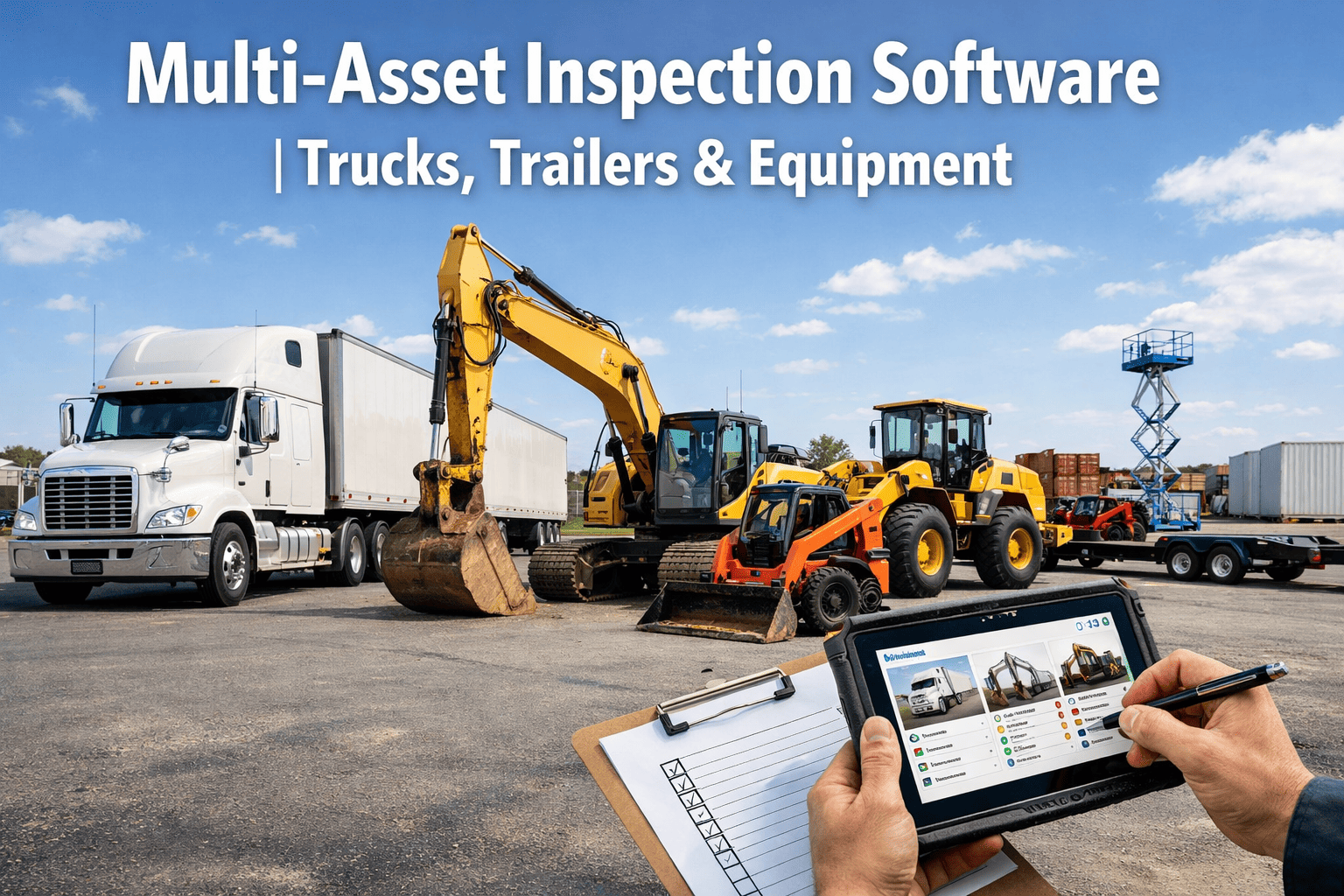
Your fleet does not have one type of asset. It has trucks, trailers, forklifts, buses, construction equipment, and generators — each with its own inspection requirements, its own regulatory framework, and its own failure modes that a generic checklist will completely miss. Right now, across America, 82% of mixed-asset operations are managing all of this with one of three tools: paper forms, a single-vehicle app built for trucks, or a spreadsheet that someone updates when they remember. The result is not just inefficiency. It is compliance gaps, undetected defects, and the kind of audit trail that makes FMCSA investigators very interested in your operation. This page is about what a real multi-asset inspection platform looks like — and what it costs you every month to not have one.
Why One Inspection App Cannot Cover Every Asset Type
The biggest mistake mixed-asset fleets make is using one generic checklist for everything. A truck pre-trip inspection and a forklift daily check share almost nothing. Using the wrong form is not just a waste of time — it is a compliance liability. Here is what each asset type actually requires that a generic app will miss.
The Paper vs Digital Gap — What You Are Actually Losing Every Week
Paper inspections are not just slower. They are structurally incapable of delivering what modern fleet compliance requires. Here is the direct comparison — not in theory, but in the specific things that happen on the ground.
| What Your Fleet Needs | Paper & Clipboard | FleetRabbit Digital |
|---|---|---|
| Asset-specific checklist per vehicle type | One generic form for everything | Custom checklist per asset type & regulation |
| Photo evidence of defects | Written description only — subjective | GPS-stamped photo capture on every defect |
| Defect to work order automation | Manual call to shop — often delayed or lost | Instant work order auto-created, assigned, tracked |
| Offline capability for remote sites | Paper works anywhere — but data goes nowhere | Full offline inspection — auto-syncs on reconnect |
| FMCSA / OSHA audit-ready records | Filing cabinets, illegible handwriting, lost forms | Instant exportable records — any date range, any asset |
| Driver signature & timestamp verification | Pen signature — no GPS, no device verification | Digital signature + GPS location + device ID logged |
| Missed inspection alerts | Nobody knows until it causes a violation | Real-time alert fires the moment a shift starts without inspection |
| New CSA "Driver Observed" category tracking | Impossible to document or prove | Auto-mapped to correct CSA category per inspection finding |
Your Fleet Has Multiple Asset Types. Your Inspection Software Should Too.
FleetRabbit's multi-asset inspection platform ships with pre-built checklist templates for every asset class in your operation — trucks, trailers, forklifts, buses, heavy equipment, and more. Each template is mapped to the correct regulatory standard for that asset type. In a 30-minute demo we show you the template library, walk through a live inspection on your asset types, and demonstrate the defect-to-work-order automation that eliminates every paper handoff in your current process. No credit card required. No long-term commitment. Just a clear look at what your inspections could look like tomorrow.
How a Defect Becomes a Work Order in Under 60 Seconds
The moment between a driver spotting a defect and a mechanic fixing it is where most paper-based operations lose money. Forms get lost. Phone calls go to voicemail. The truck goes out anyway. Here is exactly what FleetRabbit's defect pipeline looks like — start to finish. See this pipeline live in a 30-minute demo.
Driver flags brake fade during pre-trip. Taps the brake item, selects severity, photographs the component, adds a voice note. Digital signature applied. GPS timestamp locked. Total time: 45 seconds.
FleetRabbit instantly generates a work order — asset ID, defect description, photo evidence, severity level, and regulatory flag (FMCSA safety-critical). Vehicle status set to Out of Service automatically.
Fleet manager receives push notification with the photo and work order. One tap to assign to a technician. No phone call. No delay. Dispatch sees the Out of Service flag and pulls a spare vehicle.
Technician receives work order on their app with full defect detail and photo. Completes repair, logs parts and labour time, signs off digitally. Vehicle status auto-updates to Cleared. Audit trail complete.
A trucking operation running 22 vehicles on paper inspections averaged 4.2 hours between defect detection and work order creation — because forms sat in cabs, phone calls went to voicemail, and nobody had visibility into what was flagged. Three vehicles in a single quarter went out with known defects because the paperwork handoff failed. After switching to FleetRabbit's digital pipeline, average defect-to-work-order time dropped to under 8 minutes. Not one vehicle left the yard with an open safety-critical defect in the following six months.
Build Any Inspection Form in Under 10 Minutes
Every fleet is different. A reefer operation has temperature monitoring requirements a dry freight carrier does not. A construction fleet running cranes needs the 3-tier OSHA 1926.1412 program built into the crane checklist. FleetRabbit's form builder lets you create any inspection — from scratch or from a template — in minutes. Sign up free and build your first custom form today — no card required.
Compliance Across Your Whole Fleet — Not Just Your Trucks
Most fleet managers have good DVIR compliance on their trucks. They have almost no visibility into forklift inspection compliance, construction equipment OSHA compliance, or whether their bus driver completed the pre-trip this morning. FleetRabbit gives you a compliance dashboard across every asset class — not just the ones with DOT numbers.
Ready to Run Compliant Inspections Across Every Asset Type?
FleetRabbit's multi-asset inspection platform is live in under 10 minutes — no IT team, no months of setup, no dedicated hardware required. Drivers need fewer than 15 minutes of training. Pre-built templates for trucks, trailers, forklifts, buses, and construction equipment are ready from day one. The defect-to-work-order pipeline runs automatically from the first inspection. Book a 30-minute demo and we will show you your specific asset types, your specific regulatory requirements, and exactly what your inspection dashboard would look like the morning after you go live. No commitment, no sales pressure — just a clear picture of what digital looks like for your fleet.
Frequently Asked Questions
Yes — this is precisely the problem FleetRabbit solves. FMCSA 49 CFR 396.11 applies to your commercial trucks and trailers. OSHA 1910.178 governs your forklifts. OSHA 1926 covers your construction equipment. Each has different fields, different regulatory language, and different documentation requirements. FleetRabbit holds a separate template for each — with the correct items, correct regulatory references, and correct signature requirements built in. Your drivers open the app, select the asset, and the right form appears automatically. No switching systems. No confusion. Start free to access the full template library today.
The system automatically flags it as Out of Service and creates a work order in real time. The fleet manager receives an instant push notification with the defect description, the driver's photo, and the GPS location of the vehicle. A mechanic is assigned directly from the notification — no phone call needed. The vehicle cannot be marked back In Service until the mechanic completes the repair and signs off digitally in the app. Every step is timestamped and stored for audit purposes. The entire loop — defect found to repair certified — averages under 4 hours for safety-critical items compared to 48+ hours on paper-based systems.
Yes — full offline capability is a core feature, not an add-on. Drivers download their assigned checklists at the start of their shift. They can complete the full inspection — including photo capture, measurements, notes, and digital signature — with zero cellular signal. The moment their device reconnects, everything syncs automatically to the dashboard. GPS coordinates are captured using the device's onboard GPS chip, so even offline inspections have location verification. This is critical for construction sites, mining operations, and rural trucking routes. Book a demo to see the offline workflow in action.
Under 10 minutes for most forms using the FleetRabbit drag-and-drop builder. You start with a blank form or the closest matching template, add or remove fields, set which items trigger defect workflows, define photo requirements, and publish. The form is immediately available on all driver devices. You can build forms for any asset type — custom machinery, specialist vehicles, site-specific equipment — without needing a developer or technical support. Most fleet managers build their first custom form during the onboarding call.
FleetRabbit stores all inspection records in line with FMCSA retention requirements: 3 months for DVIRs, 14 months for annual inspection records, and indefinitely for maintenance records if you choose. Every record includes the driver's digital signature, the date and time of submission, the GPS coordinates of the vehicle at the time of inspection, the device ID used, and all photo evidence. Records are exportable as PDF or CSV on demand — so if an FMCSA auditor requests three months of inspection records for a specific vehicle, you can produce them in under two minutes.
Book a Demo — See Multi-Asset Inspections Live With Your Asset Types
FleetRabbit's multi-asset inspection platform handles trucks, trailers, forklifts, buses, construction equipment, and generators in a single mobile app — with asset-specific templates, automatic defect-to-work-order workflows, and full offline capability for remote sites. In a personalised 30-minute demo, we walk through the template library for your specific fleet composition, show a live inspection from driver tap to manager dashboard in real time, demonstrate the defect pipeline from photo capture to work order assignment, walk through your compliance reporting dashboard across all asset types, and answer every question about rollout, driver training, and regulatory mapping for your operation. No credit card. No contracts. Free for up to 3 assets. Most fleet managers have a clear go-live plan within 48 hours of their demo.







