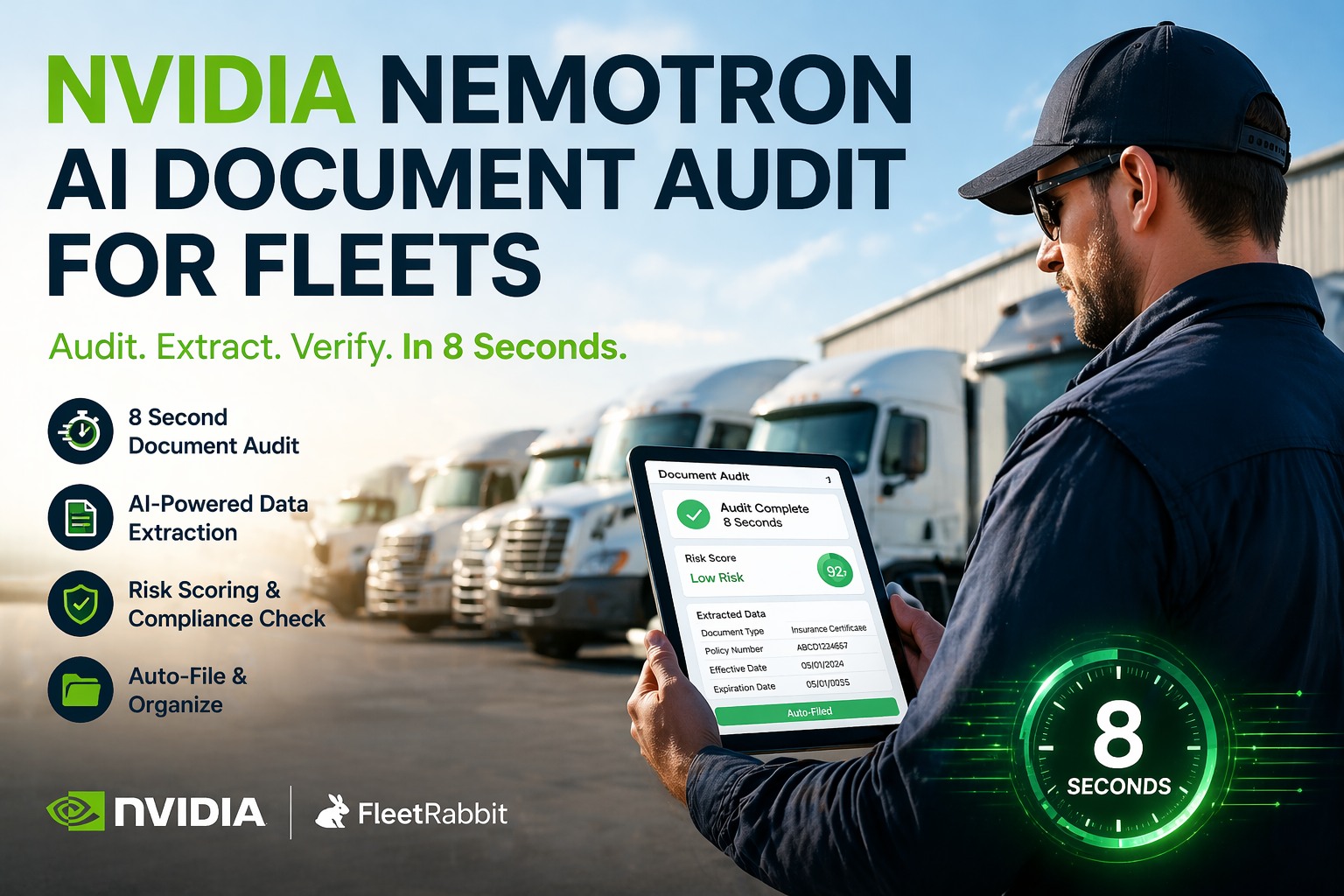
Fleet managers process thousands of documents every month driver licenses, insurance certificates, registration renewals, medical cards, maintenance records, BOLs, and compliance files. Most still scan, manually key data and file by hand. A single missing document during a DOT audit can cost $16,000. Through 2025, FMCSA conducted over 8,300 investigations and uncovered more than 100,000 violations — averaging six violations per investigation. FleetRabbit now uses NVIDIA Nemotron AI to process fleet documents in 8 seconds flat. Upload a document. AI extracts every field. Risk-scores for compliance. Auto-files to the right driver or vehicle profile. Zero manual entry.
NVIDIA Nemotron + FleetRabbit: AI Document Audit in 8 Seconds
FleetRabbit uses NVIDIA's Nemotron Parse to automate fleet document processing. Extract data, risk-score compliance status, and auto-file documents — all powered by enterprise-grade AI that understands tables, forms, and complex layouts that traditional OCR cannot handle.
What is NVIDIA Nemotron?
NVIDIA Nemotron is a family of enterprise AI models designed for document intelligence. Released in early 2026, Nemotron represents NVIDIA's push into open-source AI models that deliver enterprise-grade accuracy while remaining accessible to businesses of all sizes. The Nemotron family includes models for reasoning, visual understanding, information retrieval, and document parsing.
Nemotron Parse specifically extracts text and tables from documents to surface actionable insights. Unlike traditional OCR that reads text line-by-line and mangles complex layouts, Nemotron Parse reconstructs document semantics — understanding reading flow, spatial relationships between elements, and the contextual meaning of data nested in complex layouts. When a table spans multiple pages or a form has nested sections, traditional OCR produces scrambled text. Nemotron preserves structure.
The chipmaker's Nemotron Labs initiative showcases how AI agents built on the open-source models can extract actionable insights from PDFs, spreadsheets, and mixed-format documents — a capability that traditional OCR tools have struggled to deliver reliably. DocuSign, which processes millions of transactions daily for over 1.8 million customers, is evaluating Nemotron Parse for contract understanding at scale. FleetRabbit integrates Nemotron Parse to bring this same enterprise-grade capability to fleet document management.
Traditional OCR vs. Nemotron AI
Traditional Optical Character Recognition (OCR) was designed for simple text extraction — reading typed letters from a scanned page. It works reasonably well for single-column documents with standard fonts. But fleet documents are rarely that simple. Insurance certificates have nested tables. CDLs have data fields scattered across the card. Medical certificates mix typed and handwritten elements. BOLs have complex multi-section layouts.
The practical difference is dramatic. A fleet manager using traditional OCR spends 3-5 minutes per document correcting extraction errors and manually entering missed fields. With Nemotron, documents process in 8 seconds with near-zero correction needed. For a fleet processing 500 documents per month, that's the difference between 40+ hours of admin work and essentially zero.
How FleetRabbit Uses Nemotron AI
When you upload a document to FleetRabbit — whether from desktop, mobile app, or email forwarding — Nemotron AI processes it through a 5-stage pipeline that classifies, extracts, validates, scores, and files automatically. The entire process happens in seconds, not minutes.
The entire process — from upload to filed document with extracted metadata and compliance scoring — takes an average of 8 seconds. Compare that to 3-5 minutes of manual data entry per document, and the math becomes obvious. A fleet processing 500 documents monthly saves 25-40 hours of admin time.
Maintain complete service history alongside document records.connects maintenance records, inspections, and compliance documents in one audit-ready timeline.
See AI Document Processing in Action
Upload a driver license or insurance certificate during your demo. Watch Nemotron extract every field in seconds — no manual entry required.
Supported Document Types
FleetRabbit's Nemotron integration handles 47 fleet document types across driver qualification, vehicle compliance, and operational records. The AI has been trained on thousands of examples of each document type to ensure accurate extraction regardless of state variations, form versions, or document quality.
Automate driver inspections with the same AI-powered efficiency.FleetRabbit Digital DVIR captures inspection data on mobile devices and routes defects to maintenance automatically — creating a complete digital paper trail.
Real-World Processing Example
Here's exactly what happens when you upload a Commercial Driver License to FleetRabbit. The entire process completes in approximately 8 seconds with no manual intervention required.
Compliance Risk Scoring
Nemotron doesn't just extract data — it evaluates compliance risk in real-time. Every document is scored based on expiration status, completeness, regulatory requirements, and cross-reference with other documents in the driver or vehicle file. This proactive scoring helps you address compliance gaps before they become audit findings.
The risk scoring engine considers document interdependencies. For example, a medical card expiration within 30 days elevates risk on the associated CDL as well, since the driver cannot legally operate without a valid medical certificate. These connected alerts ensure nothing falls through the cracks.
Track all fleet costs including compliance penalties and administrative overhead.FleetRabbit Cost Tracking aggregates maintenance, fuel, compliance, and administrative expenses by vehicle, driver, or cost center.
What Happens During a DOT Audit
DOT auditors examine specific categories of records during compliance reviews. Missing even one document can result in fines exceeding $16,000 per violation. Fleets using FleetRabbit's AI document processing pass audits 3x faster than those using paper or basic digital filing systems.
FMCSA sends audit notification. You have limited time to produce documentation.
FleetRabbit produces complete, organized documentation package in under 30 seconds — searchable by driver, vehicle, date, or document type.
Every document properly indexed, dated, and associated with correct driver/vehicle. No hunting through filing cabinets or email archives.
Fleets using AI document management achieve 96% audit pass rates vs. 75% industry average.
Routine audit cases cost fleets approximately $7,100 each, while severe penalties can reach $125,000. Prevention through organized, complete documentation is significantly cheaper than remediation.
Why This Matters for Your Fleet
Eliminate manual data entry entirely. AI processes documents while your team focuses on operations that generate revenue.
Single missing document = $16,000+ fine. AI ensures nothing falls through the cracks or expires unnoticed.
Generate complete audit packages in seconds. No more hunting through filing cabinets or searching email archives.
Fleets using AI document management pass audits clean at 96% vs. 75% industry average.
Schedule preventive maintenance alongside document renewals for complete fleet compliance.FleetRabbit PM Scheduling keeps vehicles maintained and paperwork current simultaneously — nothing expires unnoticed.
Security and Privacy
Fleet documents contain sensitive information — driver Social Security numbers, medical records, financial data. FleetRabbit's Nemotron integration maintains enterprise-grade security throughout the processing pipeline.
All uploads protected with TLS 1.3 encryption. Documents never traverse unencrypted connections.
Stored documents protected with AES-256 encryption. Even if storage were compromised, data remains unreadable.
Infrastructure audited for security, availability, and confidentiality. Annual third-party verification.
Your documents are never used to train AI models. Your data stays yours — period.
Frequently Asked Questions
FleetRabbit's Nemotron integration achieves 99.2% field-level accuracy on typed documents and 97%+ on handwritten notes. Edge cases are flagged for human review — typically less than 1% of uploads require manual correction. Compare this to traditional OCR which requires manual correction on 30%+ of documents.
PDF, JPG, PNG, TIFF, and HEIC (iPhone photos). Multi-page documents are processed as a single unit with all pages indexed together. Maximum file size is 25MB per upload. Batch uploads via ZIP file are supported for bulk processing.
Yes. Upload ZIP files containing multiple documents, forward bulk emails to your dedicated FleetRabbit intake address, or use the API for programmatic batch uploads. The system processes batches in parallel and routes each document to the correct profile based on extracted data.
Low-confidence extractions are flagged for human review rather than auto-filed. You'll see these in a review queue with the original document side-by-side with extracted data. Corrections you make improve future accuracy for similar documents.
FleetRabbit offers REST API access for enterprise integrations. Connect to your TMS, HR system, or custom workflows. Pre-built integrations available for McLeod, TMW, and other major fleet software platforms.
Yes. Nemotron-powered document processing is included in all FleetRabbit plans — including the free tier for up to 3 vehicles. No per-document fees. No add-on charges. No usage limits on document processing.
Process Fleet Documents in 8 Seconds
Upload any fleet document. AI extracts data, validates compliance, and files automatically. See it work with your real documents during a live demo — no commitment required.







