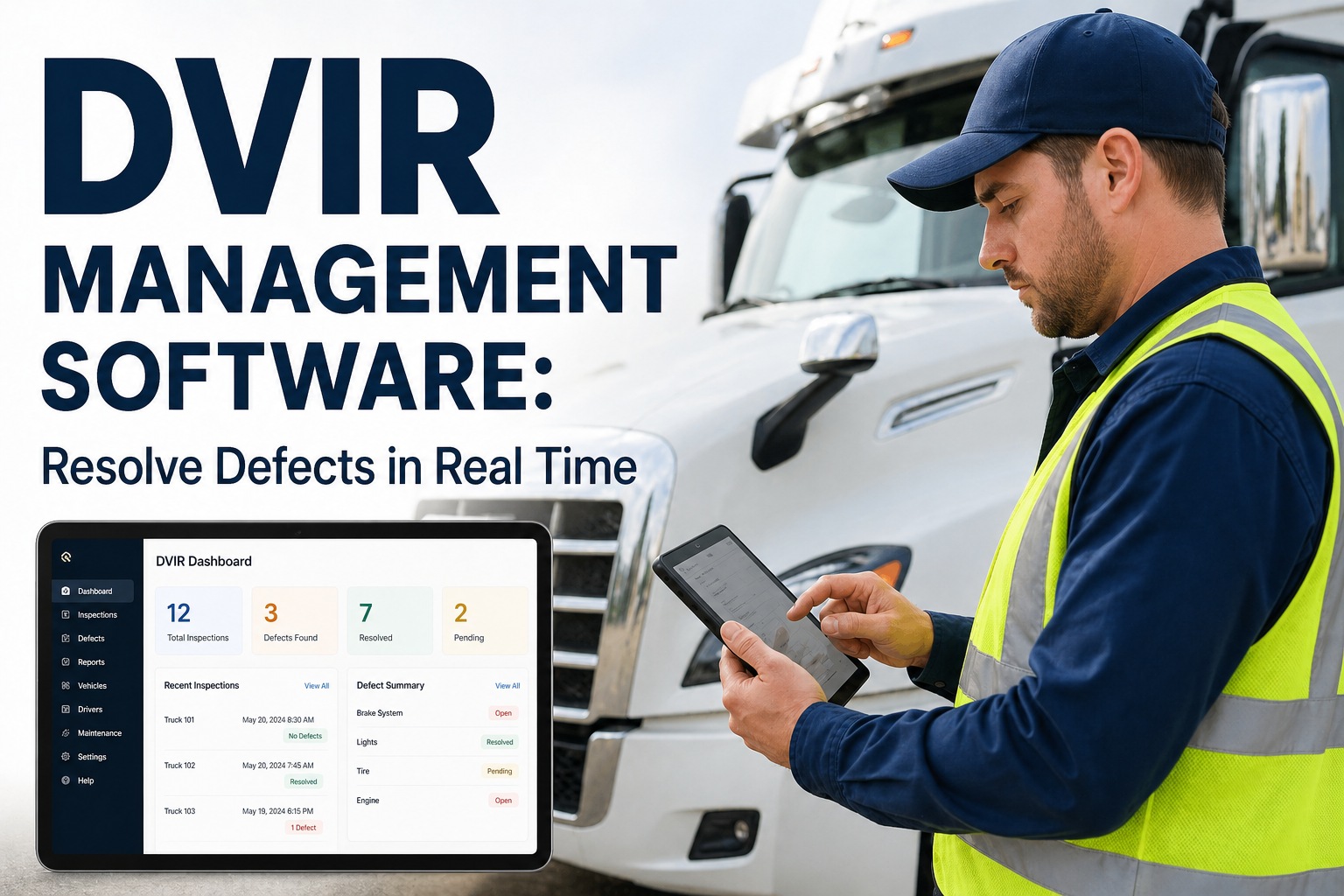
DVIR Management Software: Resolve Defects in Real Time
By James Henderson on April 28, 2026
Every unresolved DVIR defect is a ticking clock. The moment a driver marks a defect on an electronic inspection, federal regulations require it to be acknowledged, repaired or certified safe-to-operate, and signed off before that vehicle legally returns to service. Most fleets handle this through a chain of texts, radio calls, paper sign-offs, and manual system updates that takes hours, creates documentation gaps, and leaves fleet managers with no real-time visibility into which trucks are actually cleared to dispatch. FleetRabbit's DVIR Resolve workflow available via mobile app and REST API — closes that loop in minutes, not hours, with complete digital proof at every step. Book a free demo to see DVIR defect resolution live in your fleet dashboard →
What This Page Covers
FleetRabbit's DVIR Resolve workflow gives drivers, mechanics, and fleet managers a closed-loop defect resolution system: defects reported via mobile DVIR → instant work order generation → mechanic acknowledgment and repair proof → digital sign-off → vehicle cleared for dispatch. Every step timestamped, GPS-verified, and stored for audit. Available natively in the FleetRabbit app and via REST API for integration with your existing shop management or telematics platform.
93%Fleets that fail DOT audits have at least one DVIR violation
$15,691Max fine per DVIR violation under FMCSA 49 CFR 396.11
3-SigFederal 3-signature chain required for every defect close-out
<5 minAverage defect resolution time with FleetRabbit mobile workflow
The DVIR Defect Resolution Problem in Real Operations
The compliance requirement is simple on paper: driver reports defect, mechanic repairs it, both parties sign, next driver acknowledges. In practice, most fleets have built a fragile chain of manual touchpoints that fails regularly — and the failures show up as violations during DOT audits, not when they happen.
Gap 1
No Real-Time Visibility
Fleet manager doesn't know a defect was reported until a driver calls. Shop doesn't know a truck is waiting until dispatch calls the shop. The defect exists in a paper form or a siloed inspection app — not connected to dispatch, not connected to maintenance, not visible to anyone until someone physically moves information between systems.
Gap 2
Incomplete 3-Signature Chain
FMCSA 49 CFR 396.11 and 396.13 require three signatures: the reporting driver, the mechanic certifying repair or safe-to-operate status, and the subsequent driver acknowledging the previous inspection. Most paper and basic app workflows drop at least one of these. A missed mechanic signature is a recordable violation regardless of whether the repair was actually made.
Gap 3
No Repair Proof
Driver signs "defect corrected." But what was actually done? What parts were replaced? Who performed the work? When was the vehicle back in certified condition? Without photo evidence, technician notes, and timestamped sign-off, a DOT auditor reviewing records can — and does — treat an unsigned or unproven repair as a regulatory violation.
Gap 4
Vehicles Dispatched Before Clearance
With no system connecting defect status to dispatch, vehicles get dispatched while defects are technically unresolved. The dispatcher doesn't have a real-time cleared/not-cleared indicator. The driver doesn't see an unresolved defect flag. The vehicle leaves — and the unresolved defect record sits open as a compliance liability.
Gap 5
Audit Retrieval Takes Hours
When a DOT auditor requests 90 days of DVIR records including defect resolution documentation, a fleet with paper or fragmented digital records spends 8–15 hours assembling the package. Missing mechanic signatures get noticed during assembly — after the audit request, not before. The documentation gap becomes the violation.
Gap 6
No API for Existing Systems
Fleets with established shop management software, TMS platforms, or telematics systems can't pipe DVIR defect and resolution data into their existing workflows without manual re-entry. Every manual touchpoint is a data lag and a potential transcription error — and a reason the DVIR data stays siloed and unactionable.
Driver completes pre-trip or post-trip inspection using the FleetRabbit mobile app. Defects are logged by tapping the affected system from a guided checklist — brakes, lights, steering, tires, coupling, body, etc. Driver adds a photo and severity classification (safety-critical vs. minor), then signs digitally. The inspection is timestamped, GPS-tagged, and synced to the fleet management system within seconds. If the device is offline, the DVIR completes locally and syncs automatically when connectivity returns.
→ Full offline capability — completes without cellular signal, syncs on return
Step 2: Automatic Work Order Generation
Zero Dispatcher Re-Entry — Instant Shop Notification
The moment a defect is submitted, FleetRabbit automatically generates a work order containing the vehicle ID, driver name, defect description, photo evidence, severity classification, and the DVIR record ID. The work order is pushed to the shop queue and the assigned technician receives an immediate mobile notification. No dispatcher phone call, no paper routing, no delay between defect report and shop awareness. The vehicle status updates to "Defect — Pending Resolution" in the dispatch dashboard simultaneously.
→ Work order created in under 10 seconds from defect submission
→ All defect context pre-populated — technician has everything needed before walking to the vehicle
→ Vehicle status flag visible to dispatch in real time — no more dispatching vehicles with open defects
→ Parts inventory cross-check: if required parts are in stock, work order includes availability
The mechanic opens the work order in FleetRabbit, documents the repair with technician notes and an after-repair photo, then selects resolution status: "Repaired" or "Safe to Operate As-Is." The mechanic's digital signature is captured with a timestamp and technician ID. This becomes the official mechanic certification required by 49 CFR 396.11 — stored permanently alongside the original defect record. If the defect is beyond immediate repair, the mechanic can flag it for escalation with a documented safety assessment, and the vehicle remains locked in dispatch as not cleared.
→ Mechanic digital signature with technician ID — meets federal certification requirement
When the next driver is assigned to the vehicle, FleetRabbit automatically presents the previous inspection report including any resolved defects. The driver reviews the defect record, repair documentation, and mechanic sign-off, then adds their digital signature acknowledging review. This completes the mandatory three-signature compliance chain. The vehicle status updates to "Cleared" in the dispatch dashboard, the dispatch lock releases, and the full closed-loop DVIR record is filed and searchable. The entire process from defect submission to vehicle clearance is documented with timestamps, signatures, and photo proof — one click away for any audit request. See the complete 3-signature workflow live in a 30-minute demo →
→ Third-signature prompt is automatic — driver cannot skip acknowledgment before dispatch
→ Dispatch lock releases only after all three signatures are captured
→ Complete defect-to-resolution record stored permanently — retrievable in seconds
→ Audit package: select vehicle + date range → closed-loop DVIR report generated in 30 seconds
FleetRabbit DVIR Resolve — Mobile + API
Close Every Defect Loop. Never Dispatch an Uncertified Vehicle Again.
The complete defect-to-clearance workflow — automated work orders, digital sign-off chain, dispatch lock, and audit-ready records — free for up to 3 vehicles. Live in 48 hours. No hardware required.
DVIR Resolve API: Connect to Your Existing Systems
Not every fleet runs a single platform. Many fleets use a TMS for dispatch, a separate shop management system for maintenance, and a telematics platform for GPS. FleetRabbit's DVIR Resolve API lets you push defect events and pull resolution status into any system that can make an HTTPS request — without requiring your team to live in another dashboard. Explore the API in your free FleetRabbit account →
REST API — Standard JSON
Clean REST endpoints with JSON payloads. POST defect events from any inspection system. GET vehicle clearance status before dispatch. Webhook support for real-time event pushes to your platform.
POST /v1/inspections/defects
Webhook Push Events
Subscribe to defect lifecycle events: defect_created, work_order_generated, mechanic_signed, vehicle_cleared. Your TMS or shop system receives instant push notifications without polling.
webhook: defect_status_changed
Compliance Status Endpoint
Query vehicle compliance status before dispatch from your TMS. Returns clearance state, open defect count, last inspection timestamp, and signature chain completeness. Prevents dispatching blocked vehicles at the integration layer.
GET /v1/vehicles/:id/compliance
Audit Report Generation
Programmatically generate DVIR audit packages. Pass vehicle ID, driver ID, or fleet ID with a date range and receive a pre-formatted compliance report with complete defect resolution chains. Automate your regulatory reporting workflow.
POST /v1/reports/dvir-audit
Scenario 1
Morning Dispatch with Open Defect
Without FleetRabbit:
Driver reports brake pull on paper DVIR at 5:30 AM. Paper form sits at the gate. Dispatcher doesn't see it until 7:15 AM when the day-shift manager arrives. Driver has already been assigned a second vehicle and departed. Original vehicle gets dispatched by a different driver at 6:50 AM — defect still unresolved and unseen. Compliance violation exists. Dispatcher has no idea.
With FleetRabbit:
Driver submits brake pull defect at 5:30 AM via mobile. Work order fires to shop at 5:30 AM. Vehicle flagged as unavailable in dispatch dashboard at 5:30 AM. No dispatcher can assign that vehicle until the defect is closed. Mechanic signs off at 6:15 AM. Second driver acknowledges at 6:20 AM. Vehicle clears at 6:21 AM. Zero compliance exposure. Entire chain documented automatically.
Scenario 2
DOT Audit — 90-Day DVIR Record Request
Without FleetRabbit:
Auditor requests all DVIR records for vehicle TR-047 for the past 90 days including defect resolution documentation. Fleet manager spends 6 hours searching paper files and multiple disconnected apps. Finds 3 inspections where the mechanic signature is missing. These are regulatory violations regardless of whether repairs were actually made. Conditional safety rating issued.
With FleetRabbit:
Fleet manager opens FleetRabbit, selects vehicle TR-047, sets date range, clicks Generate Audit Report. In 45 seconds, a formatted package downloads containing every inspection record, every defect, every resolution with mechanic sign-off, every subsequent driver acknowledgment — all timestamped and GPS-verified. Every 3-signature chain complete. Zero violations found. Satisfactory rating maintained.
Scenario 3
API Integration with Existing TMS
Without API Integration:
Fleet uses McLeod TMS for dispatch. When a DVIR defect is reported, a dispatcher has to manually check a separate DVIR app, verify the defect status, then update McLeod to reflect vehicle unavailability. When the vehicle clears, the same manual update is required. Two systems, manual bridging, guaranteed lag between vehicle status and dispatch awareness.
With FleetRabbit DVIR API:
FleetRabbit webhook fires to McLeod the moment a defect is created — vehicle status automatically updates to unavailable in TMS. When the 3-signature chain completes in FleetRabbit, a second webhook fires and McLeod automatically releases the vehicle for dispatch. Zero dispatcher manual updates. Zero lag between compliance system and TMS. One source of truth.
DVIR API + Mobile — One Connected System
Every Defect Closed. Every Signature Captured. Every Vehicle Cleared with Proof.
Whether you need the mobile workflow, the API integration, or both — FleetRabbit's DVIR Resolve system covers the full defect lifecycle from first report to audit-ready record. See it live — book a 30-minute walkthrough →
QWhat exactly is the FMCSA 3-signature requirement for DVIR defects?
Under 49 CFR 396.11 and 396.13, every DVIR defect must complete a mandatory three-signature chain before the vehicle returns to service. Signature 1: The driver who identified the defect during inspection signs and submits the DVIR. Signature 2: The motor carrier's mechanic or authorized representative must sign, certifying either that the defect has been repaired or that the vehicle is safe to operate despite the defect. Signature 3: The next driver assigned to that vehicle must review the previous DVIR including the defect and repair certification, then sign to acknowledge they have reviewed it. FleetRabbit enforces all three signatures automatically — the vehicle cannot be marked as cleared and released for dispatch until all three are captured and linked to the inspection record.
QDoes FleetRabbit's DVIR app work when drivers are in areas without cell signal?
Yes — offline capability is a core feature, not an add-on. The FleetRabbit mobile app completes the full DVIR workflow — guided inspection checklist, defect reporting, photo capture, and digital signature — entirely offline without any cellular or WiFi connection. All data is stored locally on the device with a timestamp reflecting when the inspection was actually completed. When the device returns to connectivity (cellular, depot WiFi, or hotspot), the DVIR syncs automatically to the fleet management system. The timestamp captures the actual inspection time, not the sync time — which is critical for compliance documentation. This covers rural routes, warehouse dead zones, and underground or remote facility environments.
QCan I integrate the DVIR Resolve API with my existing TMS or shop management software?
Yes. The FleetRabbit DVIR Resolve API uses standard REST architecture with JSON payloads — it integrates with any platform that can make HTTPS requests, which includes virtually all modern TMS, ERP, and shop management systems. The integration typically takes 1–3 days of developer time depending on your system. FleetRabbit supports both polling (GET endpoints for vehicle compliance status) and push (webhook subscriptions for real-time event notifications). Webhook events cover the full defect lifecycle: defect created, work order generated, mechanic signed, and vehicle cleared. API documentation is available in your FleetRabbit account after signup. Sign up free to access the full API documentation and sandbox environment →
QWhat happens if a defect can't be immediately repaired — can the vehicle still operate?
Yes, with proper documentation. FMCSA regulations allow a vehicle to continue operating with a defect if a qualified mechanic certifies in writing that the defect does not affect safe operation of the vehicle. In FleetRabbit, the mechanic can select "Safe to Operate As-Is" instead of "Repaired" when closing a defect — but must add a written assessment explaining why the defect does not affect safety. The subsequent driver still must acknowledge this determination with their signature before dispatch. FleetRabbit flags these vehicles with a "Deferred Defect" status visible to dispatch, and the defect remains in the active queue until it is eventually repaired and re-certified. This creates a documented record of the informed decision rather than an undocumented omission.
QHow does FleetRabbit generate audit-ready DVIR packages, and how quickly can they be produced?
FleetRabbit generates audit packages from the compliance report module in under 60 seconds. Select a vehicle, driver, or entire fleet set a date range — click Generate DVIR Report. The system assembles every inspection record within the date range including pre-trip and post-trip inspections, all flagged defects with original driver photos and notes, the mechanic resolution record with technician sign-off and repair documentation, subsequent driver acknowledgment signatures, and timestamps for every step of the chain. The package is formatted in the structure FMCSA auditors and DOT roadside inspectors use for compliance reviews. Multiple fleets have used these packages during active FMCSA investigations with documented success. Most fleets that previously spent 8–15 hours preparing audit documentation now spend 15–30 minutes.
The Defect Loop That Never Closes Is the Violation Waiting to Be Found.
FleetRabbit's DVIR Resolve workflow closes every defect loop — automatically, with digital proof, in compliance with federal 3-signature requirements. Mobile app for drivers and mechanics. REST API for your existing systems. Audit-ready reports in 60 seconds. Free for 3 vehicles.