If you already run Samsara cameras, the hardware question is settled and the interesting question is what happens to the events afterwards. Samsara's platform is strong and its webhook API is genuinely capable — critical events like accidents and breakdowns can trigger immediate workflows in connected systems without constant polling, which is exactly what makes a clean integration possible. What tends to prompt this search is different: maintenance depth. Samsara sells work orders, invoice scanning and fault code intelligence as a separate Fleet Application Suite module with pricing that is not publicly disclosed, on top of a per-vehicle subscription that runs $40 to $60 once AI dash cams are included, on a thirty-six month minimum term. Plenty of fleets want the camera events flowing into a maintenance system without adding a module or reopening a contract. Show us your current Samsara setup in a 30-minute session and we'll map exactly which events would route where.
Integration · Samsara Dash Cams
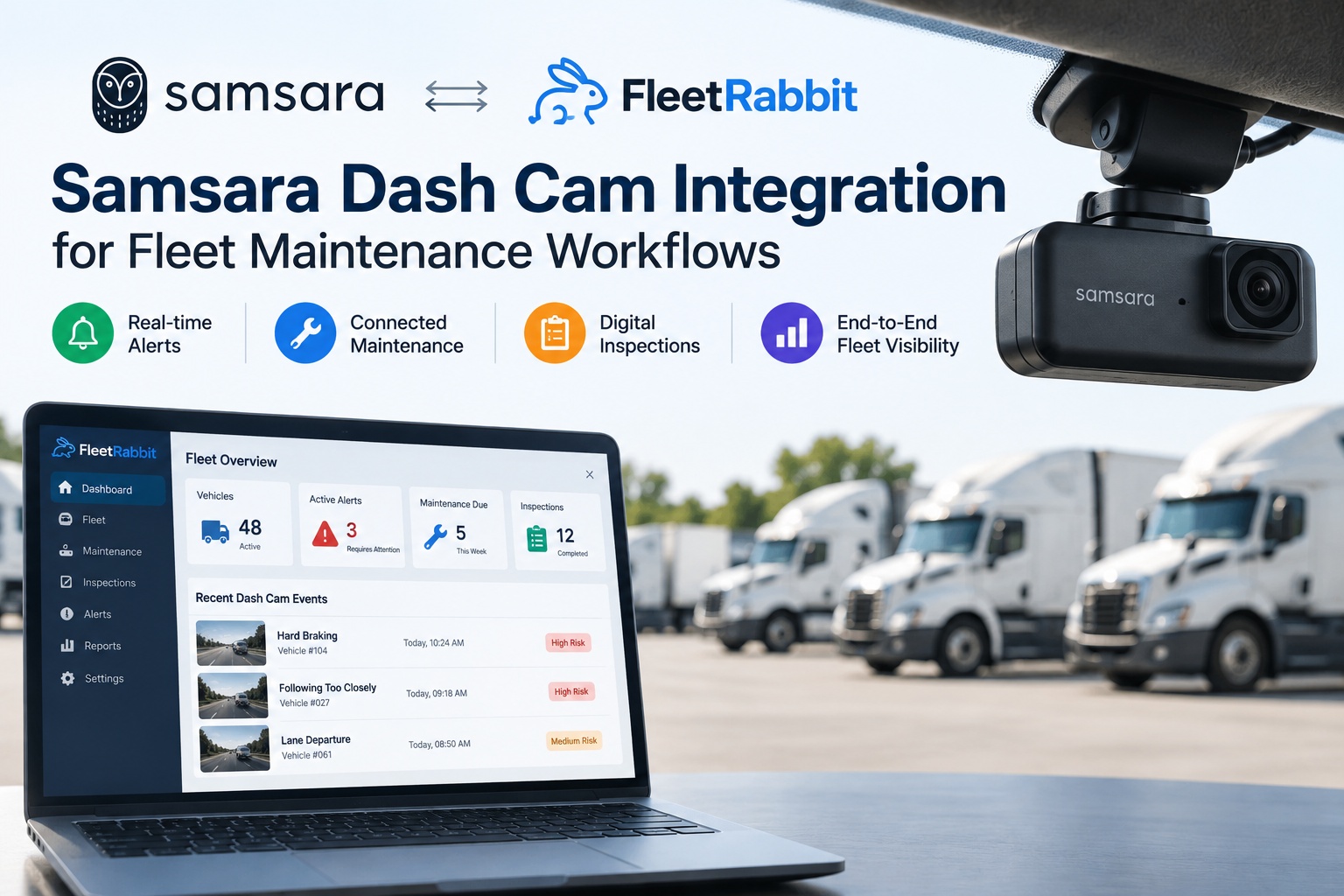
Samsara Dash Cam Integration for Maintenance Workflows
Keep the cameras. Route the events into inspections, work orders and preventive schedules.
Webhook-driven
Hardware stays
No contract change
What Actually Comes Across the Wire
Integration quality depends on what the source platform will push and how quickly. Samsara's answer here is better than most, which is why this works.
EventSafety events, pushed not polledWebhook notifications enable real-time integration without constantly querying the API — which means an event reaches your maintenance system in seconds rather than on whatever interval a polling job was set to.
↓
TriggerCritical events fire immediate workflowsAccidents and breakdowns can trigger workflows in connected systems as they happen. That is the capability the whole integration rests on, and it is native rather than a workaround.
↓
ActionAutomatic work order creationDocumented practice already includes automatic work order creation from geofence triggers. The same mechanism applies to a fault code, a failed inspection item or a safety event with a mechanical signature — the plumbing exists, the question is what sits on the other end of it.
One detail worth checking before you scope anything: some efficient bulk endpoints are
undocumented and not officially supported. They work, and plenty of integrations use them, but building a production workflow on an unsupported endpoint is a decision to make deliberately rather than discover later.
Ask us which endpoints we use and why — it is a fair question to put to any integration partner.
CM32 or CM34 — It Changes What You Can Retrieve
Worth knowing which you have, because the difference affects incident investigation materially.
CM32
Video60-second clip uploads only
Front camera121°, HD 1080p
Driver-facing177°, up to 720p
RetrievalWhat was uploaded is what you get
CM34
VideoContinuous recording, up to 87 trip hours stored
Front camera129°, configurable to 2K with HDR
Driver-facing167°, IR night vision, up to 1080p
RetrievalOn-demand pull from the cloud after the fact
The continuous storage change is the one that matters operationally. With clip-only upload, an incident that nobody flagged in the moment is an incident with no footage. With on-demand retrieval across dozens of trip hours, a claim that arrives three weeks later can still be answered. Note that 2K resolution and extended storage on the newer models require a separate Dash Cam Plus licence, so check what your contract actually includes before assuming you have it.
Where the Money Sits
Published figures, offered so you can see what you are already committed to and what a maintenance layer adds or replaces.
Core telematics
$27–$33 per vehicle, per month
With AI dash cams
$40–$60 per vehicle, per month
Maintenance module
Add-on — pricing not publicly disclosed
Two fair observations rather than criticisms. Samsara does not publish pricing, which is described as putting operators at an information disadvantage before negotiations begin — so if you are mid-contract, knowing your own per-vehicle rate is the first step in any comparison. And the maintenance capability you may be considering is
a separately priced module rather than something included, which is precisely the decision point that brings people to this page.
Bring your current per-vehicle number to a call and we'll put the two options side by side honestly.
Keep What Works, Add What Is Missing
Being straightforward about this makes the decision easier. Samsara does several things well that no integration should try to replace.
Stays with Samsara
Camera hardware and AI detection
Video capture, storage and retrieval
Safety Inbox and event review
ELD and hours-of-service compliance
GPS tracking and live location
Handled in Fleet Rabbit
Work orders raised from events and codes
Preventive schedules on time, mileage or hours
Digital inspections and defect follow-through
Parts, labour and cost per asset
One service history per vehicle, exportable
The split is deliberate. A camera platform should own the camera and a maintenance platform should own the wrench — and the integration is the bit in the middle that most fleets are currently doing by hand, by reading one screen and typing into another.
How many Samsara events currently end in somebody typing into another system?
That number is usually the whole business case. Fault codes copied into a maintenance sheet, safety events written into a coaching log, inspection defects re-entered as jobs. Walk us through your current handoffs and we'll show you which ones disappear on day one.
Inside Fleet Rabbit: What Happens to a Samsara Event
Six behaviours, traced from the moment the webhook lands.
ArrivesThe event lands on the vehicle and the driverBoth records, not one — which is what lets you ask whether a braking pattern follows the driver or the truck. A safety platform alone cannot answer that because it has no maintenance history to check against.
SortsMechanical signatures separate from behavioural onesA fault code becomes a diagnostic job. A repeated braking pattern concentrated on one unit prompts a brake inspection rather than a coaching session. A distraction event goes to coaching, where it belongs.
CreatesA work order with the asset details already filled inVehicle, current mileage, open defects, last service, parts previously fitted — attached automatically rather than looked up. This is the step that removes the retyping, and it is where most of the time saving actually lives.
SchedulesLive mileage keeps preventive intervals honestOdometer data flowing continuously means services fire on actual usage rather than on an estimate somebody typed last quarter — which is the single most common cause of services performed early or late.
RecordsCoaching actions and outcomes against the eventEvent, action, date, result. That log is what insurers read as evidence of active management, and it is the part nobody can reconstruct at renewal.
CostsEverything lands on cost per assetParts, labour, outsourced work and downtime attributed to a specific vehicle, so a unit generating both safety events and repair spend is visible as one problem rather than two separate reports.
The second item is the one worth testing against any alternative you are considering.
Samsara can tell you a vehicle braked hard eleven times. Whether those brakes were serviced four months ago or fourteen is a different system's question — and answering it wrong means coaching a driver for a mechanical fault.
See that sorting run against your last month of events and judge how many would change column.
Getting Connected
Four steps. None of them touches your hardware or your Samsara contract.
1Authorise the connectionAPI access from your Samsara account, scoped to what the integration needs. No hardware changes, no re-fitting, no downtime on any vehicle.
2Match assets to assetsYour Samsara vehicle list mapped to your Fleet Rabbit asset records, so events land on the right unit from the first webhook rather than after a reconciliation exercise.
3Decide which events create workThe real configuration step. Which fault codes raise a job automatically, which safety patterns prompt an inspection, which go to coaching only, and what the thresholds are. Worth an hour of thought, because it determines whether the system helps or generates noise.
4Run parallel for a fortnightKeep doing whatever you do now while the integration runs alongside. After two weeks you can compare what each produced and tune the rules before anyone depends on it.
Try it on three vehicles before you change anything
Connect three Samsara-equipped units free, let the events flow for a fortnight, and see what routing looks like on your own data rather than in a demo environment. No contract, no hardware change, and nothing to unwind if it is not for you — which is a reasonable way to evaluate an integration layer sitting alongside a platform you are already committed to.
Practical Notes From Samsara Users
Five things worth doing on the Samsara side regardless of what sits downstream.
Turn on webhook notificationsRather than relying on scheduled polling. It is the difference between an event reaching your workflow in seconds and reaching it whenever the next job runs.
Build saved filters for the Safety InboxCommon queries saved rather than rebuilt each session — a small habit that materially reduces the time a manager spends before they see something actionable.
Template your coaching notesConsistency in the log matters more than eloquence, particularly if the record is ever read by an underwriter or in a claim.
Check what your licence actually coversHigher resolution and extended storage on newer camera models sit behind a separate licence, and drowsiness detection, multi-camera and satellite connectivity are all add-ons. Several fleets discover mid-incident that a capability they assumed they had was never enabled.
Know your renewal dateOn a thirty-six month minimum term, the window in which you have leverage is narrow and comes round infrequently. Plan any platform decision around it rather than into it.
Frequently Asked Questions
Do we have to leave Samsara to use this?No, and that is rather the point. The cameras stay, the ELD stays, the Safety Inbox stays. Fleet Rabbit connects through the API and takes events into maintenance workflows — work orders, preventive schedules, inspections and cost per asset. Samsara's webhook support means critical events can trigger immediate workflows in connected systems, so the integration works with the platform rather than around it.
Samsara already offers maintenance. Why add anything?It does, as a Fleet Application Suite module covering work orders, invoice scanning and fault code intelligence — sold as an add-on with pricing that is not publicly disclosed, on top of a subscription running $40 to $60 per vehicle per month once AI dash cams are included. For a fleet already mid-contract, adding a module means another negotiation and another line item. Connecting a maintenance platform alongside is a different commercial shape, and worth comparing on your actual numbers rather than in principle.
What does the integration actually move?Safety events, fault codes and vehicle data, pushed by webhook rather than polled. On arrival they attach to both the vehicle and the driver record, get sorted by whether the signature is mechanical or behavioural, and raise a work order with the asset details already populated where that is the right response. Live odometer data keeps preventive intervals accurate, and coaching actions get recorded against the originating event.
Does it matter whether we have CM32 or CM34?For integration, not much — the event data flows either way. For incident investigation, considerably. The CM32 uploads 60-second clips, so an incident nobody flagged at the time is an incident with no footage. The CM34 stores continuous recordings retrievable on demand, with up to 87 trip hours of storage, which means a claim arriving weeks later can still be answered. Note that 2K resolution and extended storage require a separate licence.
How long does connecting take?Authorising API access and mapping your vehicle list is quick. The step worth spending time on is deciding which events create work — which fault codes raise a job automatically, which safety patterns prompt an inspection, and which are coaching only. Run it in parallel with your current process for a fortnight before anyone depends on it, then tune the rules against what actually came through.
What does it cost?Fleet Rabbit is free for three vehicles with no card required, and $5 per vehicle per month beyond that. Set against Samsara's $40 to $60 per vehicle for telematics with cameras, plus an undisclosed maintenance module price, the comparison is worth running on your own fleet size. Bring your per-vehicle rate to a call and we will do the arithmetic with you rather than presenting a generic saving.
Can we try it before committing?Connect three Samsara-equipped vehicles free and let events flow for two weeks alongside whatever you do now. You will see the routing on your own data, with your own fault codes and your own safety events, rather than in a demo environment. Set that up in a few minutes — nothing on the Samsara side changes and there is nothing to unwind.
The Cameras Are Fine. The Handoff Is the Problem.
Samsara captures the event well and its webhooks deliver it fast — what usually breaks is what happens next, when somebody reads a fault code on one screen and types a work order into another. Connect the two, sort mechanical signatures from behavioural ones before anyone books a coaching session, and let live mileage drive the preventive schedule. None of that requires changing hardware or reopening a contract.
Samsara pricing, hardware specifications and module structures are drawn from published third-party analysis and reported customer figures, since Samsara does not publish pricing publicly. Verify current terms, licences and capabilities against your own contract and with Samsara directly before making any commercial comparison.