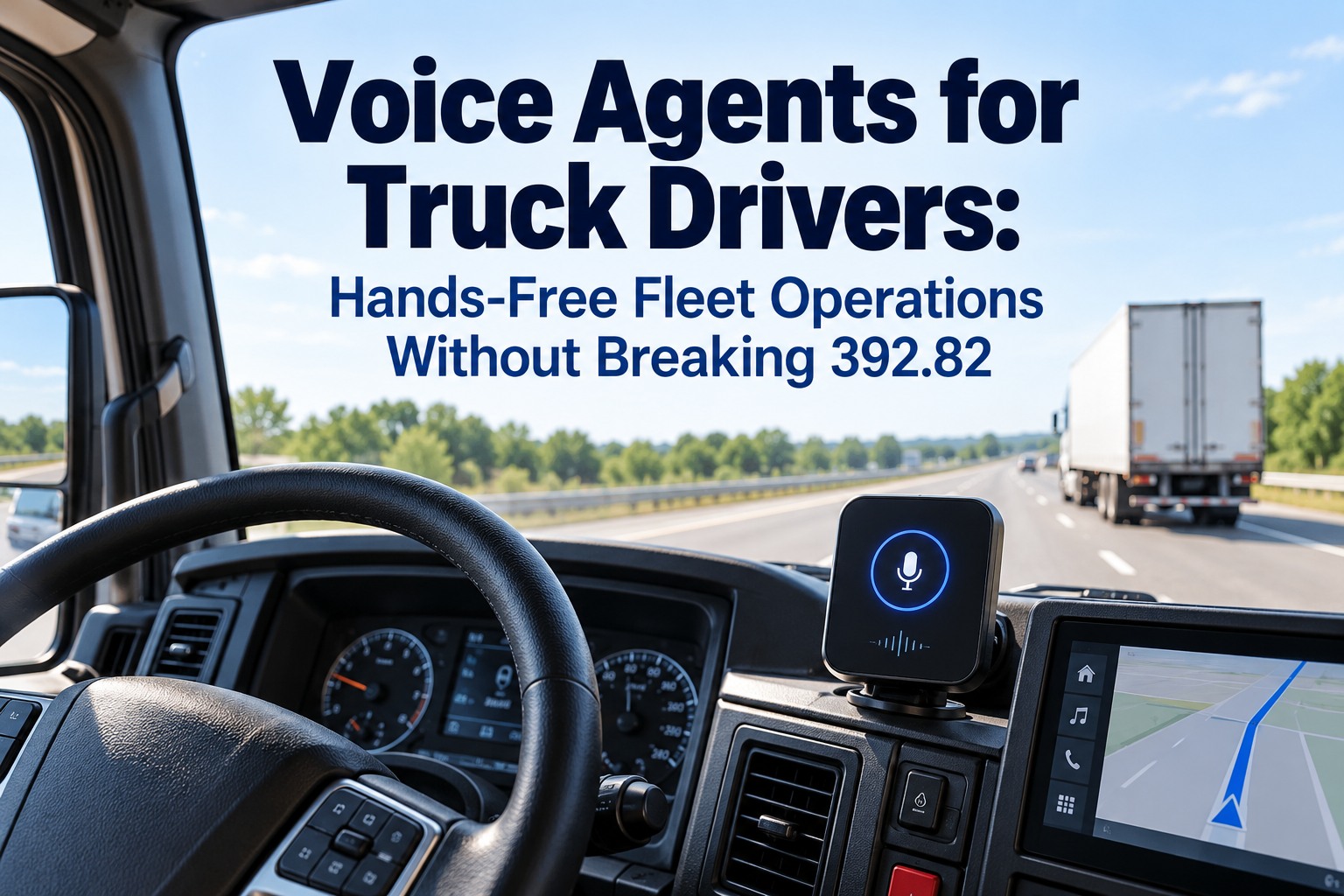
A voice agent for drivers lets a driver call one number, speak in plain language, and have a defect, delay or status update land in the maintenance and dispatch systems as a real record — no app to install, no login to remember, no tapping. The rule that shapes the whole design is 49 CFR 392.82: commercial drivers may not hold a mobile phone or press more than a single button to make or end a call while driving, and the device has to be reachable from a normal seated position. FMCSA's research behind that rule found dialing raised the odds of a safety-critical event roughly six times, with drivers' eyes off the road an average of 3.8 seconds. This guide covers what belongs in a voice workflow and what still belongs on a form, what happens to the words after the call, recording consent across state lines, and how to get drivers using it past week one. Book a 30-minute demo to hear a defect call become a work order, or create a free account and try it on three trucks.
If a Driver Has to Look at a Screen to Report It, They'll Report It Tomorrow. Or Never.
For safety directors, fleet managers and maintenance leads: how hands-free reporting works inside the federal limits, what it should handle, and what still waits until the truck is parked.
Why the Federal Hands-Free Rule Decides How a Driver Voice Workflow Has to Work
Any tool that needs a tap, a glance or a menu gets used while parked, or not at all. The rule effectively writes the product specification: the driver speaks, the agent asks only what it needs, and everything else happens on the other side of the call. You can set this up on three trucks with a free account.
49 CFR 392.82. FMCSA's rulemaking research: dialing raised safety-critical event odds about six times, with eyes off the road averaging 3.8 seconds.
No menus to read and no fields to select. Short questions, ordinary answers.
Placing the call is the only interaction, and any phone can do it — no app, no login.
Confirmation is spoken. Anything needing reading waits until the truck is parked.
What a Driver Voice Workflow Should Handle, and What Still Belongs on a Form
The line is simple: voice is for reporting and asking, never for signing or editing regulated records. A defect report by voice is useful; a signature or a log edit by voice is a compliance problem waiting for an auditor. We'll walk through this split for your fleet in a demo. Swipe the table on mobile.
| Driver task | How it should happen | What the system does with it |
|---|---|---|
| Report a defect found on the road | Voice, hands-free | Opens a work order with unit, location and time |
| Confirm arrival, departure or a delay | Voice, hands-free | Updates dispatch without a phone in hand |
| Ask what is open on the truck | Voice, hands-free | Reads back open defects and upcoming service |
| Add a note to an existing job | Voice, hands-free | Appends to the record the shop already has |
| Sign the inspection report | Parked, in the app | A signature belongs on the form, not on a call |
| Edit an hours-of-service log | Parked, in the ELD | Log edits are regulated and audited |
A phone call is not a DVIR
Voice reporting speeds up the hand-off to the shop, but the driver vehicle inspection report still has to be completed and signed in the form it is kept in, and defects still need the repair certification chain before the next driver takes the truck. Treat the call as intake, not as the record.
What Happens to the Words After the Driver Hangs Up
The value isn't the transcription — it's what the transcription becomes. A useful voice workflow ends with a record on the right unit, an owner and a due time, which is exactly what a call to dispatch usually doesn't produce. Every step below removes a re-keying step from someone's day, and each one lands on the unit's work order history. Try the full hand-off free on 3 vehicles.
Bring One Real Defect Report to the Demo
We'll run it through the hands-free flow live and show the work order it creates — unit, time, location and priority already filled in, and the DVIR chain it feeds.
Recording, Consent and the State Lines Your Drivers Cross Every Day
Voice systems record or transcribe, and recording law is not uniform. Several states require every party's consent rather than one party's, and drivers cross those lines routinely, so policy should assume the strictest rule on the route. Say plainly what is recorded, what is kept and for how long, and put it in the handbook before the rollout rather than after. We can review the workflow with your safety lead in a demo.
A short spoken notice at the start removes most of the ambiguity for drivers and for you.
Handbook language signed at onboarding, covering what is captured and why.
Say how long audio and transcripts are held; the work order is the record that lasts.
Getting Drivers to Actually Use It After the First Week
Drivers judge a new tool by whether anything happens after they use it. The fastest way to kill voice reporting is a report that vanishes into a queue; the fastest way to make it stick is a call back from the shop that repeats what the driver said. Start with one terminal, free.
Defect reporting only. Nothing else until it works every time.
The shop acknowledges every voice-reported defect the same day, by name.
Arrival and delay updates, then "what's open on my truck".
Share how many defects came in by voice and how fast they were closed.
The Numbers That Show Voice Reporting Is Paying for Itself
Track four things from the first week. The cost side is why the project exists: industry benchmarking puts unplanned downtime at roughly $448 to $760 per truck per day before towing and repair, so a defect reported hours earlier is worth more than the tool costs. Feed the pattern into your PM schedule so repeat reports pull the next service forward. We'll set the baseline with you in the demo.
Driver Voice Agent Questions Safety and Maintenance Leads Ask
Is it legal for a driver to use a voice assistant while driving a commercial vehicle?
Hands-free use is allowed under 49 CFR 392.82 if the driver doesn't hold the phone, uses no more than one button to start or end a call, and can reach the device from a normal seated position. Anything requiring reading or typing waits until parked. See a compliant workflow in a demo.
Do drivers need a smartphone or an app?
No. The point of a call-in workflow is that any phone works — no app to install, no login to remember and nothing to update. Try it on 3 vehicles free.
Can a voice report replace the DVIR?
No. The inspection report still has to be completed and signed, and defect repairs still need certification before the next trip. Voice is the fastest way to start the process, not the record itself. See the full chain with us.
What should drivers not do by voice?
Signing documents and editing hours-of-service logs. Both are regulated records that belong in the app or ELD with the truck parked. Set the scope free.
Do we need consent to record these calls?
Several states require all parties to consent, and drivers cross state lines, so plan for the strictest rule: announce recording in the call and cover it in policy. Review the policy with our team.
How do we keep drivers using it?
Start with one use case, make sure the shop responds visibly to every voice-reported defect, then add status updates. Adoption follows the response, not the feature. Start free and close the loop.
Listen to a Defect Call Become a Work Order on One of Your Own Units
Bring a defect your drivers actually report. In 30 minutes we'll run it through the hands-free flow and show the work order it creates, with the unit, time, location and priority already filled in — and where it lands on the inspection record.
No credit card required. Works with the phones your drivers already carry.