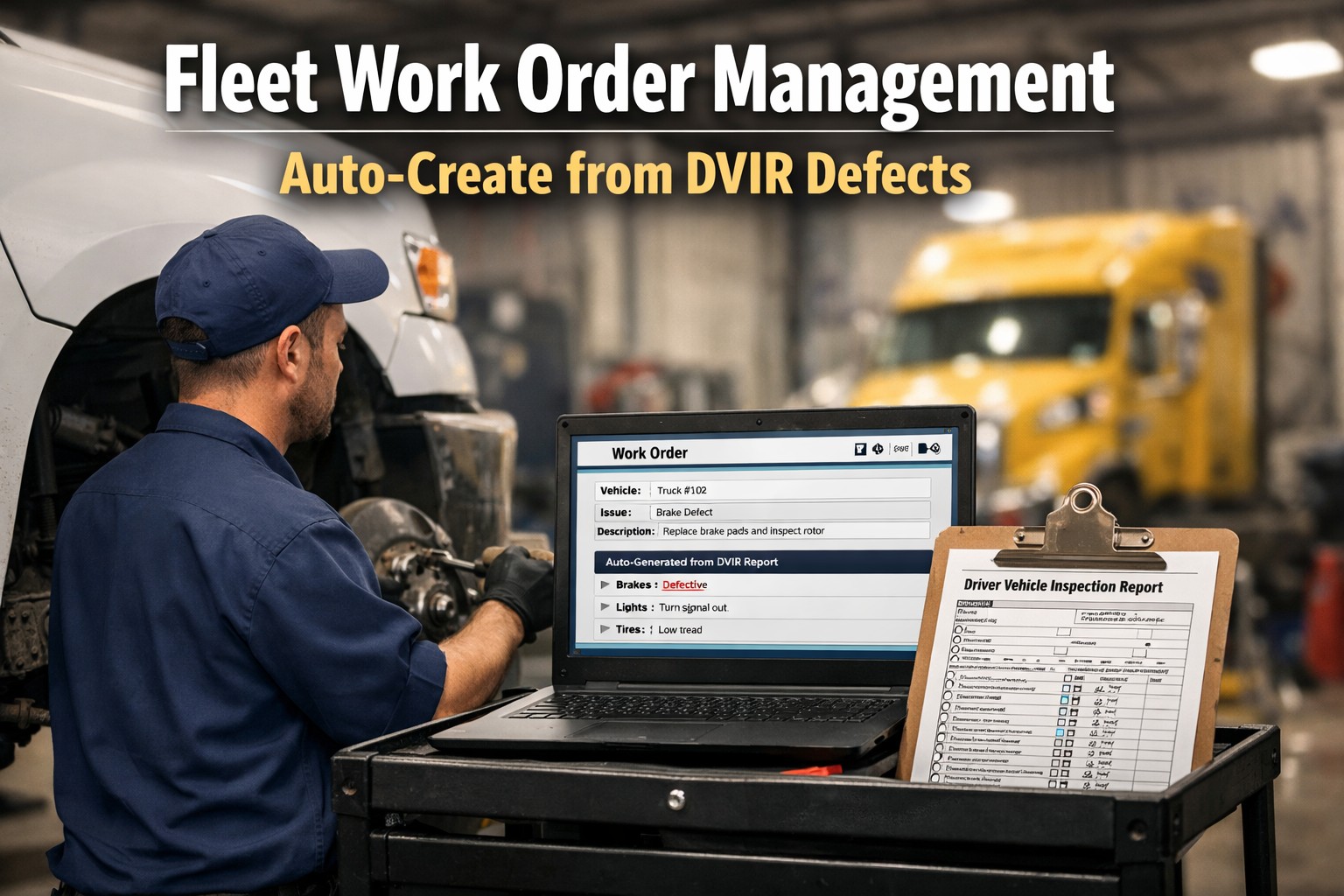
DVIR Defect Today. Work Order Instantly. Repair Tracked Completely.
Auto-create work orders from inspection defects. Assign technicians, track labor and parts, update status from mobile. Complete repair history for every vehicle.
What Is Fleet Work Order Management?
Work order management software is a digital system that creates, assigns, tracks, and closes maintenance tasks for fleet vehicles. Every repair, inspection, or service request becomes a documented work order with assigned technicians, required parts, labor hours, and completion status.
Unlike paper-based systems where work orders get lost, delayed, or incomplete, digital work order management provides real-time visibility into every maintenance task. Supervisors see what's pending, what's in progress, and what's complete. Technicians receive assignments on mobile devices. Parts usage is tracked automatically. And every repair becomes part of the vehicle's permanent service history.
For fleets managing 20+ vehicles, manual work order processes create bottlenecks that delay repairs, increase downtime, and make compliance audits difficult. Schedule a demo to see how automated work orders eliminate these problems.
Work Order Management Software Features
Auto-Create from DVIR
Driver reports brake defect during inspection. Work order generates automatically with priority level, vehicle info, and defect details. No manual data entry required.
Task Tracking
Track every maintenance task from creation to completion. See pending, in-progress, and completed work orders in real-time. Never lose track of a repair again.
Labor & Parts Tracking
Record technician hours, parts used, and costs on every work order. Know exactly what each repair costs. Track parts inventory automatically as items are used.
Technician Mobile App
Technicians receive assignments, update status, log hours, and mark completions from their phone or tablet. No walking back to the office to update paperwork.
Priority Assignment
Safety-critical defects get highest priority. Routine maintenance queues behind urgent repairs. Supervisors can override priorities based on operational needs.
Service History
Every completed work order becomes part of the vehicle's permanent record. See complete repair history, recurring issues, and total maintenance costs per asset.
DVIR Defect to Work Order Automation
The connection between driver vehicle inspection reports and maintenance work orders is where most fleets lose time. A driver marks "brake lights not working" on a paper DVIR. That paper sits in a folder until someone reviews it. Then someone manually creates a work order. Then someone assigns a technician. Hours or days pass before the repair even starts.
With FleetRabbit's work order automation, DVIR defects flow directly into the maintenance queue. Here's how it works:
Driver Reports Defect
Driver completes digital DVIR on mobile app, marks brake light defect with photo
Work Order Auto-Creates
System generates work order instantly with vehicle ID, defect type, priority level, and driver notes
Technician Assigned
Supervisor assigns technician or system auto-assigns based on skills and availability
Repair Tracked
Technician logs hours, parts, and completion status from mobile device
Vehicle Cleared
Completed work order clears the DVIR defect, vehicle returns to service with documented repair
This automated workflow reduces defect-to-repair time from 2.5 days average to under 4 hours. Start your free trial to see the automation in action.
Benefits for Fleet Maintenance Teams
Faster Repair Workflows
Eliminate the lag between defect discovery and repair start. Work orders queue automatically, technicians see assignments immediately, and repairs begin faster. Average repair cycle time drops 40%.
Better Technician Productivity
Technicians spend time turning wrenches, not shuffling paper. Mobile access means no walking to the office for assignments. Clear work order details mean no hunting for vehicle information.
Reduced Paperwork
Digital work orders eliminate paper forms, filing cabinets, and lost documents. Everything lives in the system - searchable, sortable, and accessible from anywhere.
Accurate Repair Tracking
Every repair is documented with technician, parts, labor hours, and costs. No more guessing what was done or when. Complete audit trail for compliance and warranty claims.
See How Digital Work Orders Transform Fleet Maintenance
Watch a 15-minute demo showing DVIR-to-work-order automation, technician mobile app, and maintenance analytics.
Fleet Maintenance Analytics
Work order data becomes powerful when analyzed. FleetRabbit's maintenance analytics transform completed work orders into actionable insights that reduce costs and improve fleet reliability.
Repair History Analysis
See which vehicles have the most repairs, which components fail most often, and which issues recur. Identify problem vehicles before they drain your maintenance budget.
Labor Cost Tracking
Track technician hours by work order type, vehicle, and repair category. Identify where labor costs are highest and optimize technician assignments.
Parts Usage Reports
See which parts are used most frequently, track costs by vendor, and identify opportunities for bulk purchasing or supplier negotiations.
Maintenance Trends
Spot seasonal patterns, predict upcoming maintenance needs, and plan staffing and parts inventory based on historical work order data.
Manual vs Digital Work Order Management
| Process | Manual / Paper | FleetRabbit Digital |
|---|---|---|
| Work order creation | 23 minutes average | 10 seconds (auto) |
| DVIR defect to repair start | 2.5 days | 4 hours |
| Technician assignment | Walk to office, check board | Push notification to mobile |
| Parts tracking | Manual inventory count | Auto-deduct from inventory |
| Labor hours recording | End-of-day estimates | Real-time clock in/out |
| Finding repair history | Search filing cabinets | Instant search by vehicle |
| DOT audit preparation | Days of document gathering | One-click report export |
| Lost/incomplete records | 15-20% of work orders | 0% |
Related Fleet Management Tools
Work order management integrates with other FleetRabbit modules for complete fleet maintenance visibility:
Frequently Asked Questions
What is work order management software?
Work order management software is a digital system for creating, assigning, tracking, and completing maintenance tasks. It replaces paper work orders with a centralized system that provides real-time visibility into all repairs and maintenance activities.
How does DVIR integration work?
When a driver marks a defect on their digital DVIR inspection, the system automatically creates a work order with the defect details, vehicle information, and appropriate priority level. No manual data entry required.
Can technicians use it on mobile devices?
Yes. FleetRabbit's technician app works on iOS and Android phones and tablets. Technicians receive assignments, update status, log hours, add parts, and mark completions from the shop floor.
How does parts tracking work?
When a technician adds parts to a work order, the system automatically updates inventory levels and records the cost. You can see parts usage by vehicle, work order type, or time period.
Does it help with DOT compliance?
Yes. Complete work order history provides documentation required under FMCSA 396.3 for maintenance records. Export reports for DOT audits with one click.
What does it cost?
FleetRabbit costs $3 per vehicle per month with all features included. First 3 vehicles are free forever. No setup fees, no contracts, cancel anytime.
How long does implementation take?
Most fleets are up and running in under 2 hours. Import your vehicle list, invite technicians, and start creating work orders immediately. No complex setup required.
Stop Losing Repairs to Paper Chaos
Digital work orders. DVIR automation. Technician mobile app. Complete repair tracking. $3/vehicle/month. 3 vehicles free forever.


