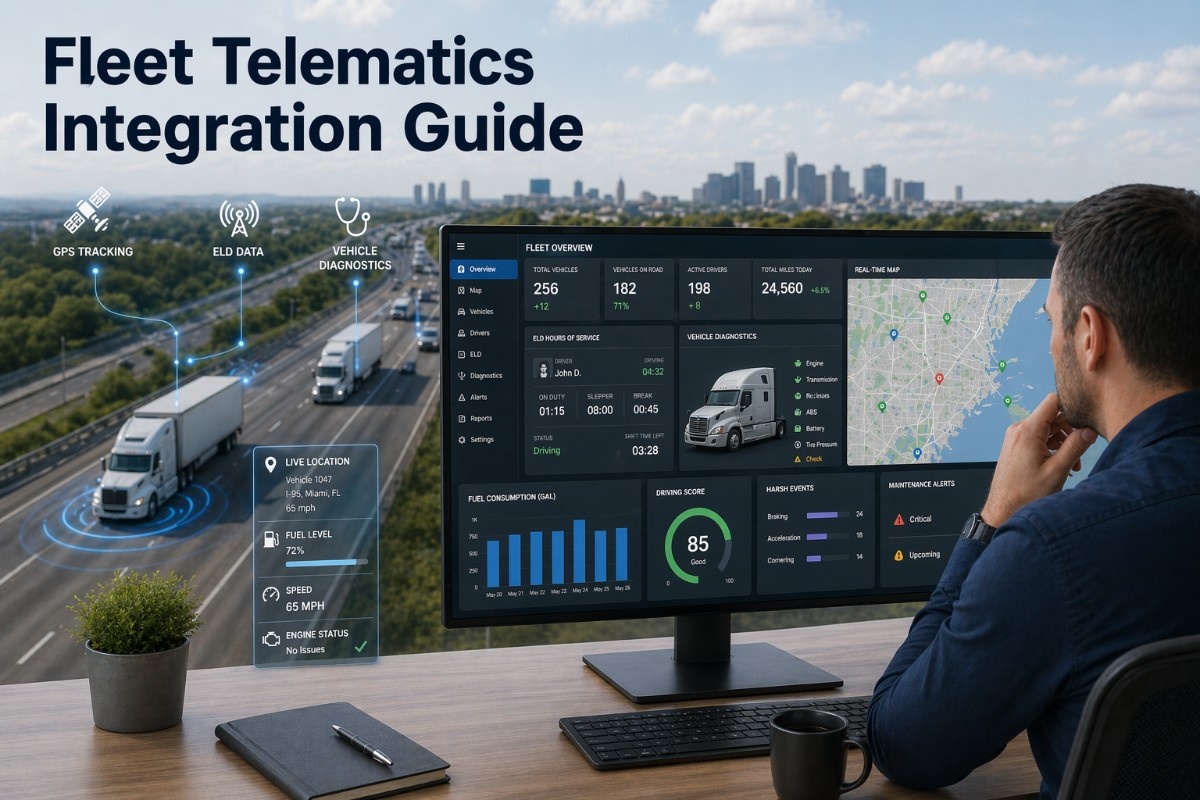
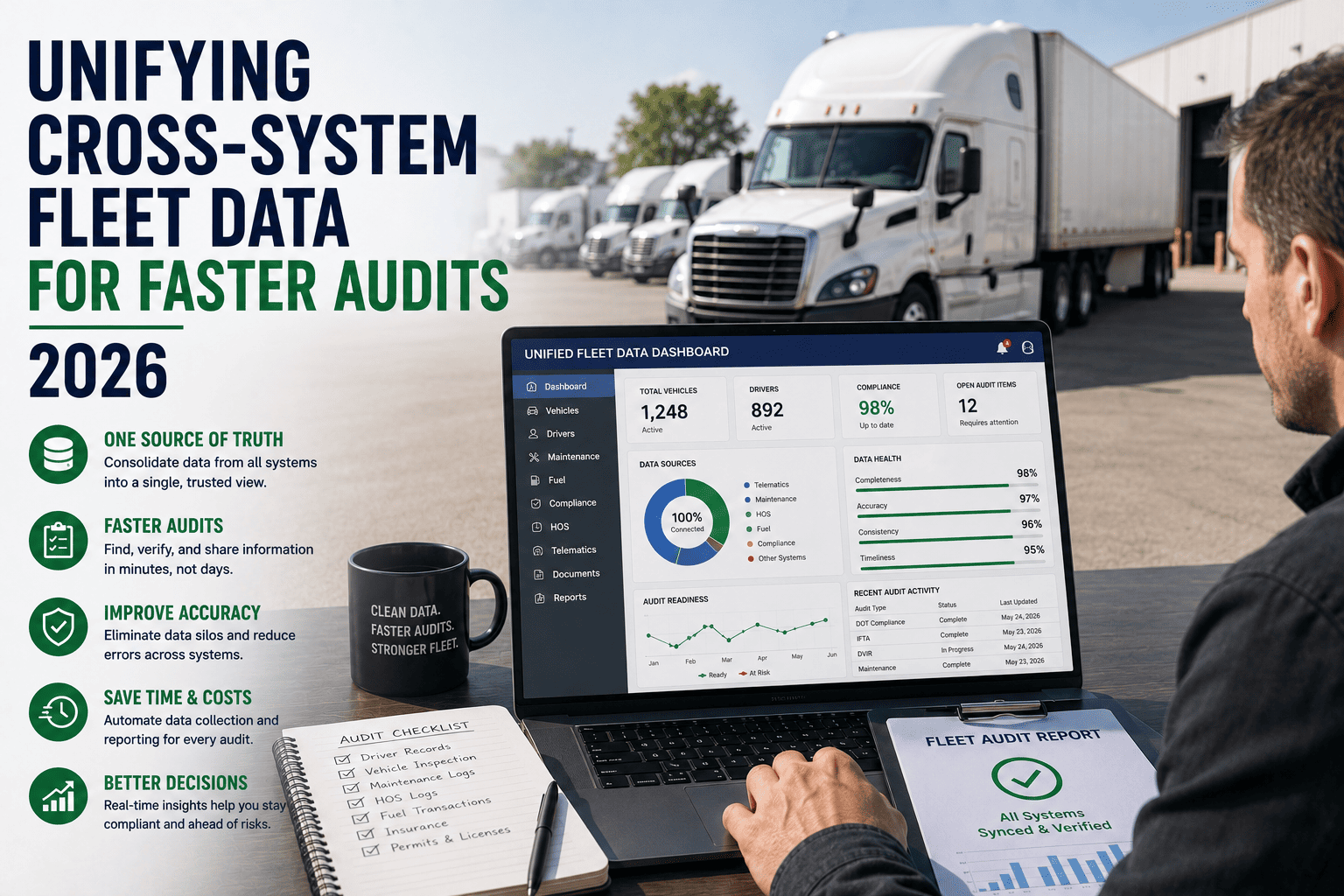
Fleet telematics has evolved from a single data stream—GPS location—to a complex ecosystem of connected sensors, onboard diagnostics, electronic logging devices, and driver behaviour monitors. The challenge for fleet operators is no longer collecting data; it is unifying disparate data streams into a single, actionable view. A fleet may have GPS tracking from one provider, ELD compliance from another, engine diagnostics from the OEM telematics portal, and camera events from a separate safety system. Fleet managers toggle between five or six applications to understand what is happening with a single vehicle. This fragmentation creates blind spots, delays decision-making, and prevents the cross-correlation that reveals true operational insights. Fleet Rabbit solves this integration challenge by acting as a universal telematics aggregator—pulling data from any source, normalising it into a common schema, and presenting unified fleet intelligence through a single dashboard and API.
Quick Answer
Fleet Rabbit integrates GPS tracking, ELD HOS data, vehicle diagnostic trouble codes, driver behaviour telematics, and environmental sensors into a single platform. The system connects to 40+ telematics hardware providers and OEM gateways via standard APIs, J1939 vehicle bus, and aftermarket sensors. Data normalisation enables cross-correlation that is impossible with fragmented systems—for example, correlating hard braking events with specific engine fault codes or HOS violation risks.
Why Telematics Integration Matters for Modern Fleets
The average commercial fleet uses three to five separate telematics systems simultaneously. GPS tracking provides location and speed. ELD provides HOS compliance data but often lacks engine diagnostics. OEM telematics portals offer fault codes but no driver behaviour data. Aftermarket cameras capture events but are not correlated with vehicle telemetry at the time of the event. This fragmentation has real operational costs: a dispatcher cannot see driver hours on the same screen as vehicle location. A maintenance planner cannot see fault codes alongside driver-reported issues. A safety manager cannot correlate hard braking events with engine torque output or brake system faults.
Fleet Rabbit eliminates these disconnects by pulling all telematics data into a unified data lake. The system then enriches that data through cross-correlation—for example, identifying that a specific engine fault code tends to precede hard braking events, or that drivers with poor HOS compliance also have higher idle percentages. These insights are impossible to generate when data remains trapped in separate silos.
Telematics Data Sources and Integration Methods
The table below outlines the primary telematics data sources Fleet Rabbit integrates and the methods used to connect each source.
| Data Source |
Key Data Elements |
Integration Method |
Typical Update Frequency |
| GPS Tracking Systems |
Real-time position, speed, heading, odometer, geofence events, route history |
API integration with GPS provider (Samsara, Geotab, KeepTruckin, Verizon Connect, et al.) |
1-30 seconds |
| ELD and HOS Devices |
Driver duty status, remaining driving hours, on-duty window, break compliance, cycle tracking, log certification |
ELD API standard (FMCSA-compliant) or direct integration with ELD provider |
60 seconds |
| OEM Telematics Portals |
Engine fault codes (SPN-FMI), fuel economy, DEF level, DPF soot load, oil life, battery voltage, transmission data |
OEM API (Volvo, Freightliner, International, Mack, Peterbilt, Kenworth) or J1939 gateway |
60-300 seconds |
| Aftermarket Sensors |
Tire pressure, temperature (reefer/cargo), door status, liftgate usage, cargo securement, trailer occupancy |
Bluetooth, LoRaWAN, or cellular sensor gateways integrated via Fleet Rabbit API |
60-900 seconds |
| Driver Behaviour Systems |
Hard braking, rapid acceleration, cornering force, following distance, lane departure, distracted driving events |
API integration with camera or telematics provider (Lytx, Netradyne, Samsara, Motive) |
Event-driven (real-time) |
Fleet Rabbit Integration Architecture
The pipeline below shows how Fleet Rabbit ingests, normalises, and unifies telematics data from multiple sources.
1
Multi-Protocol Data Ingestion
Fleet Rabbit supports REST API, WebSocket, MQTT, J1939 vehicle bus direct connection, and file-based ingestion (CSV, JSON, XML). Connectors for 40+ telematics providers pre-built and maintained.
Currently ingesting: GPS from Samsara, ELD from KeepTruckin, faults from Volvo API, tyre pressure from Bendix sensors.
2
Data Normalisation and Enrichment
Raw data converted to standard schemas. GPS coordinates standardised to WGS84. Fault codes decoded from manufacturer-specific values to SAE J1939 SPN-FMI. Timestamps normalised to UTC. Vehicle VINs validated and enriched with OEM data.
Source A calls it driverID, Source B calls it driver_id. Both mapped to standard field driver_identifier.
3
Cross-Source Correlation
Events from different sources correlated by vehicle, driver, time, and location. For example, a hard braking event from the camera system is linked to engine fault code data, GPS speed, and driver HOS status at that exact moment.
Vehicle 4472: Hard braking event at 14:32:05 correlated with engine code P018F (low brake air pressure) and driver on-duty 11.5 hours.
4
Unified Output and Analytics
Normalised, correlated data delivered through Fleet Rabbit dashboard, API, webhooks, or integrated TMS/ERP. Real-time alerts for cross-source conditions (example: fault code plus HOS violation risk). Historical analytics for fleet-wide pattern detection.
Alert: Vehicle 4472—Air brake fault code and driver approaching 14-hour limit. Immediate inspection recommended.
Supported Telematics Hardware and Platforms
Fleet Rabbit maintains pre-built connectors for the most common telematics hardware and software platforms used by commercial fleets.
ELD and Compliance Platforms
KeepTruckin (Motive), Samsara, Geotab, Omnitracs, Garmin, Rand McNally, Pedigree, Blue Ink, EROAD, Veeder-Root. Full HOS data including driver status logs, remaining hours, violation events, and certification records.
GPS and Asset Tracking
Verizon Connect (Fleetmatics), Spireon, Zonar, Teletrac Navman, GPS Insight, Azuga, Lytx, MiX Telematics. Real-time position, geofencing, breadcrumb history, and sensor data from connected devices.
OEM Factory Telematics
Volvo Trucks (Remote Diagnostics), Freightliner (Detroit Connect), International (OnCommand Connection), Mack (Guardian), Peterbilt (SmartLINQ), Kenworth (TruckTech+). Factory fault codes, fuel efficiency, component wear, and predictive maintenance alerts.
Trailer and Cargo Telematics
Thermo King (TracKing), Carrier (Lynx), Orbcomm, Spireon trailer tracking, Phillips Connect. Reefer temperature, door status, cargo load sensors, tyre pressure monitoring, and trailer location tracking.
Key Integration Capabilities for Fleet Operations
1
Single Vehicle View
All telematics data for a single vehicle displayed on one screen: current location, assigned driver and HOS status, active fault codes, recent driver behaviour events, fuel economy, and sensor readings. No toggling between applications.
2
Cross-Correlation Analytics
Machine learning models analyse data across sources to identify patterns. Examples: correlation between engine fault codes and hard braking events, relationship between HOS violation risk and driver fatigue measured by steering pattern, predictive maintenance based on combined fault code history and usage patterns.
3
Unified Alerting
Conditional alerts that span multiple data sources. Example trigger: IF fault code P018F (brake pressure) active AND vehicle speed > 45 mph AND driver on-duty > 12 hours THEN send critical alert to safety manager and dispatch.
4
Historical Data Warehouse
All telematics data stored in a unified data warehouse with retention configurable from 90 days to 7 years. Supports fleet-wide trend analysis, predictive modelling, and compliance audit reporting across all data sources.
Measured Benefits of Telematics Integration
The table below compares key operational metrics between fleets using fragmented telematics systems versus fleets with Fleet Rabbit unified integration.
| Operational Metric |
Fragmented Systems |
Fleet Rabbit Unified Integration |
Improvement |
| Time to diagnose vehicle issue |
45-90 minutes |
5-10 minutes |
85% faster |
| Missed fault codes (unreported) |
35% of faults |
0% of faults |
100% capture |
| Fleet manager applications used daily |
4-6 applications |
1 application |
80% reduction |
| Cross-source correlation time |
Manual, 30-60 minutes |
Automated, real-time |
99% faster |
| Data integration errors per month |
12-18 manual errors |
0 automated errors |
100% elimination |
| Predictive maintenance accuracy |
62% |
89% |
+27 points |
Integration Deployment Process
Fleet Rabbit follows a structured deployment process for telematics integration, typically completing within two to four weeks depending on the number of source systems.
1
Discovery and Inventory
Fleet Rabbit team identifies all telematics sources currently in use. Each source documented with provider, API availability, authentication method, and data elements available. Gap analysis for missing or incomplete data streams.
2
Connector Configuration
Pre-built connectors configured for each identified source. API authentication established. Test data flow validated. Field mapping confirmed against Fleet Rabbit standard schemas.
3
Data Validation and Reconciliation
Sample data from each source validated against original system to ensure accuracy. Cross-source reconciliation confirms that vehicle and driver identifiers match across all sources. Discrepancies resolved.
4
Dashboard and Alert Configuration
Fleet Rabbit dashboard customised for specific fleet roles (dispatcher, safety manager, maintenance planner). Cross-source alert rules defined. User training on unified telematics view provided.
From the Field: Integration Success Story
We were running five separate telematics systems: Samsara for GPS and cameras, KeepTruckin for ELD, Volvo Remote Diagnostics for fault codes, a separate tyre pressure monitoring system, and spreadsheets for driver logs. Our fleet manager spent two hours each morning just pulling data from these systems to understand what happened the previous day. When we implemented Fleet Rabbit, all five systems started feeding into one dashboard. Now our manager opens one screen and sees everything: driver hours, vehicle location, active faults, tyre pressure, and video events. When a fault code appears, the system automatically checks driver HOS status and vehicle location, then alerts the appropriate maintenance facility. Our average repair time dropped from 4.5 days to 1.8 days because we catch faults immediately and have all the context to prioritise them correctly.
Director of Fleet Technology
Food Grade Tanker Fleet — 95 Power Units — 120 Trailers
Frequently Asked Questions About Telematics Integration
QDoes Fleet Rabbit replace our existing telematics hardware or software?
No. Fleet Rabbit integrates with your existing telematics systems. You continue using your current hardware and software providers. Fleet Rabbit acts as a unified data layer that pulls data from all your sources, normalises it, and presents it through a single interface. You do not need to rip and replace any existing systems.
QWhat if one of our telematics providers does not offer an API?
For providers without API access, Fleet Rabbit offers alternative integration methods including J1939 vehicle bus direct connection (through existing telematics hardware), file-based ingestion (CSV, JSON, XML via SFTP), and manual entry templates for systems that cannot be automated. In most cases, the telematics provider does offer an API but may require enabling. Fleet Rabbit engineering team can assist with provider engagement to unlock API access.
QHow does Fleet Rabbit handle data from vehicles with multiple telematics devices?
Fleet Rabbit uses a vehicle master record that associates all telematics devices with a single vehicle identifier (typically VIN). Data from each device is tagged with the vehicle VIN during ingestion. The system then reconciles any overlapping data points using configurable rules (example: GPS location from device A preferred over device B when both provide location). Time-series data from different devices is aligned by timestamp for correlation analysis.
QWhat data retention does Fleet Rabbit provide for historical telematics data?
Standard retention is 90 days for high-frequency data (position, engine metrics) and 2 years for event data (fault codes, HOS violations, driver events). Extended retention up to 7 years is available for fleets requiring long-term compliance or warranty documentation. All historical data is available for query through the Fleet Rabbit API and dashboard.
Telematics Integration Performance Summary
85%
Faster Issue Diagnosis
80%
Fewer Applications Daily
99%
Faster Cross-Source Correlation
89%
Predictive Maintenance Accuracy
Unified Telematics Platform
Stop Toggling Between Five Telematics Applications
Fleet Rabbit integrates your GPS, ELD, OEM diagnostics, and sensor data into a single unified view. See driver hours, vehicle location, fault codes, and camera events on one screen. Cross-correlate data sources to uncover insights fragmented systems hide.
Unify Your Fleet Telematics Data
Schedule a telematics integration assessment. We will identify all your current data sources, map integration requirements, and provide a unified dashboard demonstration using your actual fleet data.
40+ Provider Connectors
Unified Dashboard
Cross-Source Alerts
7-Year Data Retention
API Access
April 24, 2026
By Jason Smith
All Posts