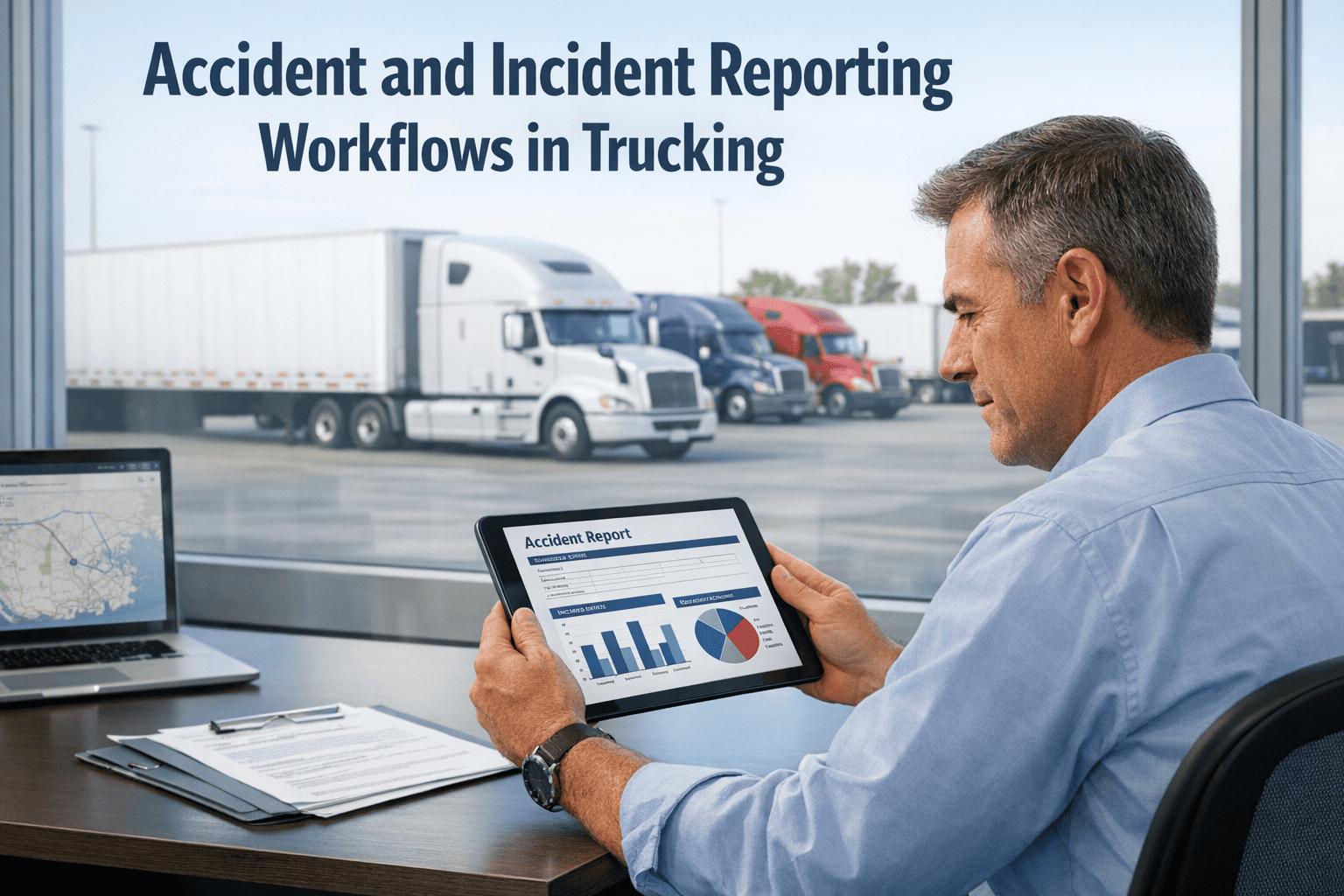
Every second after a trucking accident matters — for driver safety, regulatory compliance, and your fleet's liability exposure. Yet most fleets still rely on paper forms, phone calls, and email chains to capture incident data. By the time a report reaches the right desk, critical details are missing, witnesses are gone, and the clock on FMCSA filing deadlines is already running. FleetRabbit's digital incident reporting workflows change all of that: structured digital forms, automated escalation, GPS-timestamped documentation, and compliance tracking — all triggered the moment an incident occurs. See how FleetRabbit streamlines incident reporting — book a free 30-min demo →
Why Manual Incident Reporting Fails Trucking Fleets
Paper-based and informal reporting processes create a cascade of downstream problems — incomplete data, missed deadlines, compliance exposure, and insurance disputes that cost more than the original incident. The problem isn't that fleet managers don't care about incident documentation. It's that the tools they use make accurate, timely reporting structurally difficult.
Driver calls dispatch. Dispatcher takes notes on paper. Safety manager gets an email summary hours later. FMCSA report is filed days after the incident. By then, photos are blurry, witness contact info is lost, and the timeline doesn't match.
Driver opens FleetRabbit mobile app. Structured incident form captures GPS location, timestamp, photos, witness info, and injury status automatically. Safety manager receives real-time alert. FMCSA filing is pre-populated. Done in minutes.
The 5 Stages of a Digital Incident Reporting Workflow
FleetRabbit structures incident reporting into a five-stage workflow — from first notification through investigation closure. Each stage has defined inputs, outputs, and responsible parties, so nothing falls through the cracks and every stakeholder knows exactly where the incident stands.
Driver submits structured first report via mobile app within minutes of the incident. GPS coordinates, timestamp, photo uploads, injury status, and other vehicle information are captured at the scene — before memory fades or conditions change.
FleetRabbit automatically routes the incident to the appropriate stakeholders based on severity classification — safety manager, fleet executive, insurance coordinator, or legal team. Escalation paths are configurable by incident type and severity level.
Based on incident classification, FleetRabbit automatically identifies which regulatory filings are required — FMCSA accident register entries, DOT reportable thresholds, state agency notifications — and sets countdown timers for each deadline.
Safety managers conduct structured investigations within the platform — adding findings, attaching documentation, logging corrective actions, and tracking root cause analysis. All activity is timestamped and attributed to the investigator for audit purposes.
When the investigation is complete, FleetRabbit generates a structured documentation package — incident summary, supporting evidence, regulatory filings, corrective action records — formatted for insurance submission, legal review, or DOT audit.
What FleetRabbit Captures at the Scene — and Why It Matters
The quality of the first report determines the outcome of everything that follows — from insurance negotiations to DOT audits. FleetRabbit's driver-facing incident form is engineered to capture the right data in the right sequence, even when a driver is stressed and operating under difficult conditions.
The moment a driver initiates an incident report, FleetRabbit locks the precise GPS coordinates and timestamp — creating an immutable location and time record that cannot be altered after the fact. This protects your fleet in disputes about where or when an incident occurred.
FleetRabbit guides drivers through a checklist-based photo capture sequence — vehicle damage, other vehicles involved, road conditions, signage, skid marks, and injury evidence. Each photo is automatically tagged with GPS coordinates and timestamp for evidentiary integrity.
Structured fields for other driver information — name, license, insurance, vehicle registration, contact details — ensure that witnesses and third-party information is captured completely at the scene, not reconstructed from memory hours later.
Injury classification fields prompt drivers to document the nature of any injuries — driver, passenger, or third-party — and whether emergency services were contacted. This data directly feeds into the DOT reportability threshold assessment and insurance notification requirements.
FleetRabbit automatically pulls the driver's Hours of Service record and most recent pre-trip inspection results at the time of the incident — attaching them to the incident file. If fatigue or a pre-existing vehicle defect is later alleged, your documentation is already in place.
Post-accident drug and alcohol testing requirements under 49 CFR Part 382 have strict time windows. FleetRabbit automatically calculates test deadlines based on incident severity, sends reminders to the safety manager, and tracks test completion status within the incident record.
FMCSA Compliance — What Your Incident Register Must Contain
Under 49 CFR Part 390.15, motor carriers are required to maintain an accident register for all DOT-reportable accidents for a minimum of three years. The register must be available for inspection at any time by FMCSA or state enforcement. Most fleets fail DOT audits not because accidents went unreported, but because the register entries are incomplete.
Incident Severity Classification — How FleetRabbit Routes Reports
Not all incidents require the same response. A minor fender bender in a parking lot requires different documentation, escalation, and filing obligations than a multi-vehicle accident with injuries. FleetRabbit's severity classification engine determines the correct workflow automatically based on the information captured in the first report.
Investigation Management — From Incident to Root Cause
Filing the initial report is only the beginning. Proper investigation management — determining root cause, identifying contributing factors, and documenting corrective actions — is what actually reduces future incident frequency and protects your fleet's safety rating.
Live Incident Dashboard — What Safety Managers See in FleetRabbit
Safety managers and fleet executives have a real-time view of all open incidents, pending compliance deadlines, and investigation status — so nothing falls through the cracks and escalations happen before deadlines are missed.
Every Hour of Delay After an Incident Costs Your Fleet More Than the Incident Itself
Missing FMCSA deadlines, incomplete first reports, and undocumented investigations expose your fleet to fines, safety rating downgrades, and indefensible liability positions. FleetRabbit structures every step of the process — so the right data is captured, the right people are notified, and every deadline is tracked automatically.
How Incident Data Improves Fleet Safety Over Time
Individual incident reports are valuable. Aggregated incident data across your fleet over time is transformational. FleetRabbit's safety analytics module turns historical incident records into actionable safety intelligence — identifying patterns that predict and prevent future incidents before they occur.
Incident history, near-miss reports, and corrective action completion rates combine into a driver risk score — enabling targeted coaching before a pattern becomes a serious incident.
GPS incident data plotted against route records identifies specific road segments, intersections, or geographic areas with disproportionate incident rates — informing routing decisions that reduce exposure.
Incident frequency by time of day, day of week, and shift pattern reveals fatigue-related risk windows — enabling scheduling adjustments and targeted HOS policy review.
Cross-referencing incident records with DVIR defect history identifies vehicle maintenance patterns that correlate with incidents — creating a data-driven case for preventive maintenance investment.
Track whether corrective actions assigned after incidents actually reduce recurrence — closing the loop between investigation findings and measurable safety improvement.
Monitor how incident history is affecting your fleet's CSA BASIC scores — with alerts when trends suggest intervention is needed before SMS scores trigger enforcement scrutiny.
Frequently Asked Questions
FleetRabbit's incident module is designed to capture all incident types across the severity spectrum — DOT-reportable accidents involving injury, fatality, or vehicle damage requiring towing; non-DOT property damage incidents; near-miss events with no physical contact; cargo damage claims; and driver safety violations that require investigation. Capturing near-misses is particularly valuable because they represent the same risk factors as reportable accidents, but without the regulatory filing obligation. Fleets that systematically log near-miss data identify and eliminate contributing factors before they result in FMCSA-reportable incidents. Start free and configure your incident categories today →
FleetRabbit applies the FMCSA's definition of a recordable accident under 49 CFR 390.5 — an accident involving a commercial motor vehicle on a public road that results in a fatality, an injury treated away from the scene, or a vehicle towed from the scene. The driver's first report includes structured fields for each of these criteria. When any threshold is met, FleetRabbit automatically classifies the incident as DOT-reportable, activates the compliance deadline tracker, pre-populates the accident register entry, and escalates to the safety manager. Incidents that don't meet the DOT threshold are still captured in the internal record for safety analysis purposes — near-miss and below-threshold incidents often reveal the same root causes as reportable accidents. Book a demo to see the compliance classification workflow →
FleetRabbit's incident documentation is structured to produce a defensible record for insurance and litigation purposes. GPS-timestamped location data, photo evidence with embedded metadata, automatically attached HOS records, DVIR history, and the complete investigation timeline — all with an immutable audit trail that shows exactly what was documented and when. This is the documentation that separates fleets that settle quickly from fleets that defend successfully. Many FleetRabbit customers report that the completeness of their digital incident documentation significantly accelerates insurance claim resolution and provides a foundation for contesting third-party liability allegations. The documentation package export generates a structured file formatted for submission to insurers or legal counsel. Note: FleetRabbit is a documentation and workflow tool — always work with qualified legal counsel on specific litigation strategy.
Under 49 CFR Part 382.303, post-accident alcohol testing must be conducted within 8 hours of the accident for DOT-threshold incidents; if alcohol testing is not completed within that window, the motor carrier must document why. Post-accident controlled substance testing must be completed within 32 hours. FleetRabbit's incident module calculates these deadlines from the time of the first report, displays countdown timers on the incident record and safety manager dashboard, and sends escalating alerts as deadlines approach. If a deadline is missed, FleetRabbit prompts the safety manager to document the reason for non-completion — creating the regulatory documentation required even in cases where testing windows are missed. Set up your compliance deadline tracking today →
FleetRabbit's mobile incident reporting app supports offline data capture — drivers can complete the structured incident form, capture photos, and log all incident details even without a data connection. The GPS coordinates are recorded from the device's onboard GPS at the time of report initiation, not from a network lookup, so location accuracy is maintained without a data signal. All captured data is stored locally on the device and automatically synchronized with the fleet management platform when connectivity is restored. The timestamp logged reflects the actual time of incident report initiation at the scene — preserving the evidentiary integrity of the timeline even when submission is delayed by connectivity. Book a demo to see the offline reporting capability →
Most fleets are live with digital incident reporting within 2–4 hours of starting setup. Configuration involves adding your vehicles and drivers, setting your incident severity levels and escalation contacts, and customizing your incident form fields if needed beyond the standard set. FleetRabbit provides pre-built incident form templates aligned to FMCSA requirements — most fleets can deploy with minimal customization. Driver onboarding takes approximately 10–15 minutes per driver to walk through the mobile app workflow. The incident module is included in FleetRabbit's standard plan at $3/vehicle/month, with a forever-free tier for up to 3 vehicles. No hardware is required and no IT project is needed — setup is handled entirely through the web dashboard and mobile app.
Build a Defensible Safety Record — Starting With the Next Incident
FleetRabbit's digital incident reporting workflow gives your fleet GPS-timestamped evidence, automated FMCSA compliance tracking, structured investigation management, and insurance-ready documentation — all from a mobile app your drivers can use at the scene in minutes.
No contracts · No hardware · Incident module included · 3 vehicles free forever