Ask most dispatchers how long a truck has actually been sitting at a customer dock, and you will usually get a guess, not an answer. Detention now affects nearly 40 percent of truckload stops and costs the industry more than 15 billion dollars a year, yet most fleets are still trying to prove those hours happened using a driver's memory and a rough check-in call. Geofencing closes that gap. It turns every terminal gate, yard lane, and customer dock into a digital boundary that timestamps exactly when a truck arrives and leaves, with no argument possible afterward.
Nearly 95 percent of carriers now charge detention fees, but industry data shows they collect on fewer than half of those invoices, largely because they cannot prove the time with objective records. A 20-truck fleet averaging two detention events per truck each week can lose 70,000 to 100,000 dollars a year in uncollected productivity. Automated GPS geofencing generates a fixed, disputable-proof timestamp the moment a truck crosses a facility boundary, turning detention from a guess into billable, defensible data.
Three Places Geofencing Pays for Itself
Why "On Site" Is Not Good Enough Anymore
Most dispatch boards can already tell you a truck is somewhere near a customer address. What they cannot tell you, without geofencing, is whether that truck is backed into the dock, sitting in a staging lane, or stuck behind three other trailers waiting for a door. That distinction is exactly where lost time hides, and it is exactly what a well-designed geofence layout reveals.
Nested Geofences Tell the Real Story
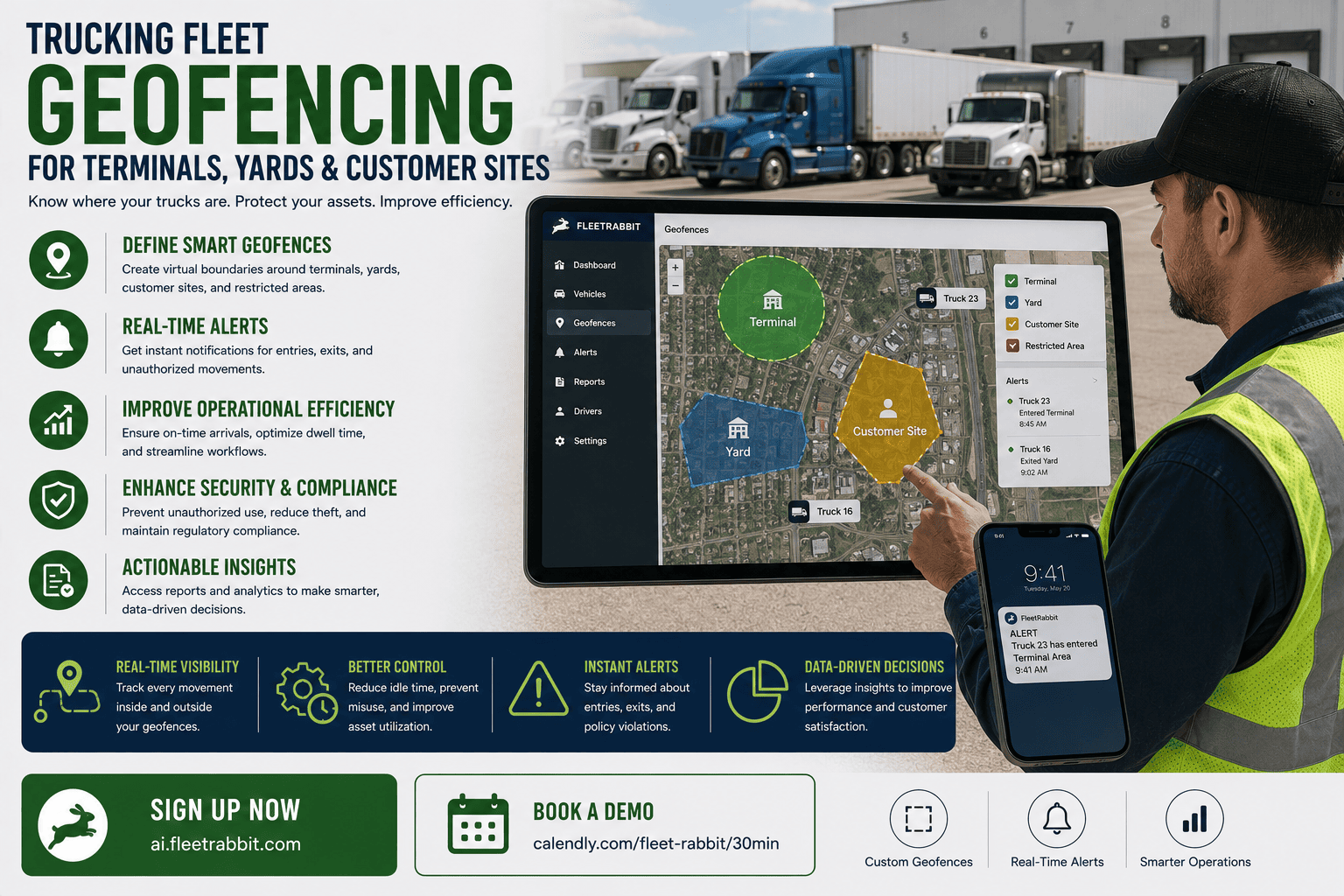
A single geofence around an entire facility only tells you when a truck entered and left the property. Breaking that same facility into smaller, nested geofences around the gate, the staging area, and the dock doors shows exactly how long each stage actually took. That stage-by-stage view is what turns a vague dwell-time complaint into a specific, actionable conversation with a shipper.
Why This Matters for Driver Retention Too
Extended dwell time does more than cost money. Research has linked longer waits at facilities to higher crash rates as drivers speed up to make up lost time, and drivers who repeatedly experience detention are more likely to look for work elsewhere. Objective dwell data gives fleets the leverage to push back on chronic offenders and protect both driver income and driver retention.
FleetRabbit builds geofences around terminals, yards, and customer docks, capturing arrival and departure automatically so detention time is proven, not disputed. You can sign up for FleetRabbit and start mapping your key sites today, or book a demo to see live geofence alerts in action first.
What Geofencing Replaces, Site by Site
The clearest way to see the value of geofencing is to compare what dispatch knows today against what it knows once every key location is mapped and monitored automatically.
| Location Type | Without Geofencing | With Geofencing | Operational Payoff |
|---|---|---|---|
| Terminal Gate | Manual gate log or driver call-in | Automatic timestamped entry and exit | Accurate yard headcount without a phone call |
| Yard Zones | Single "on property" status | Zone-level status: staged, parked, or hooked | Faster trailer location for outbound loads |
| Customer Dock | Driver-reported arrival and departure | GPS-verified boundary crossing | Defensible documentation for detention billing |
| Dwell Time Alerts | Discovered during a routine check-in | Automatic alert once free time is exceeded | Earlier intervention before HOS runs out |
Setting Up Geofencing Without Overcomplicating It
Start With Your Highest-Traffic Sites
You do not need to map every customer address on day one. Begin with terminals, primary yards, and the customer sites generating the most detention disputes. These locations deliver the fastest, most visible return and build confidence in the system before expanding further.
Layer in Nested Zones Where Dwell Time Hides
Once the outer boundary is in place, add smaller zones around gates, staging lanes, and dock doors at your busiest facilities. This is where the real dwell-time detail lives, and it is what separates a basic arrival log from a full picture of where time is actually being lost.
Connect Alerts to a Real Workflow
A geofence alert that nobody acts on is just a notification nobody reads. Route dwell-time alerts to the person who can actually follow up, whether that is dispatch calling the facility or billing preparing a detention invoice, so every alert leads to an action.
FleetRabbit's geofence alerts flag exactly when a truck crosses into free-time overage, giving billing the timestamped proof needed to invoice with confidence. Book a free demo to see how dwell-time alerts work at your busiest sites, or sign up now to start mapping your locations today.
Frequently Asked Questions
Terminals, yards, and customer docks all hide dwell time that manual processes simply cannot catch. FleetRabbit turns every one of those locations into a monitored, timestamped zone so detention gets billed and dwell time gets managed. Explore the platform with a free sign-up or see live geofence tracking with our team.