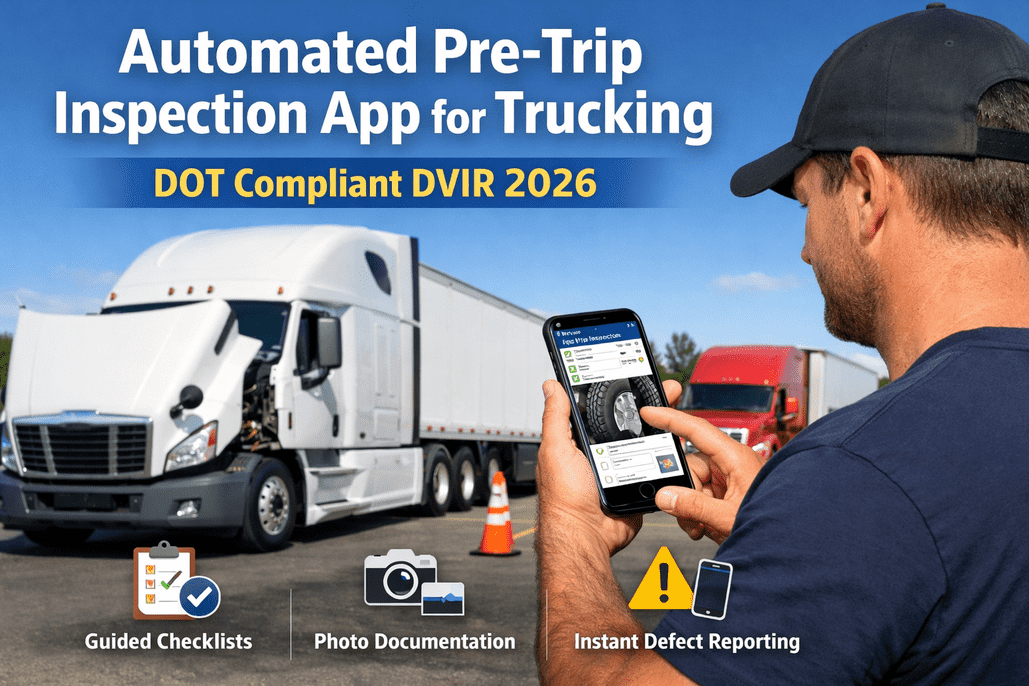
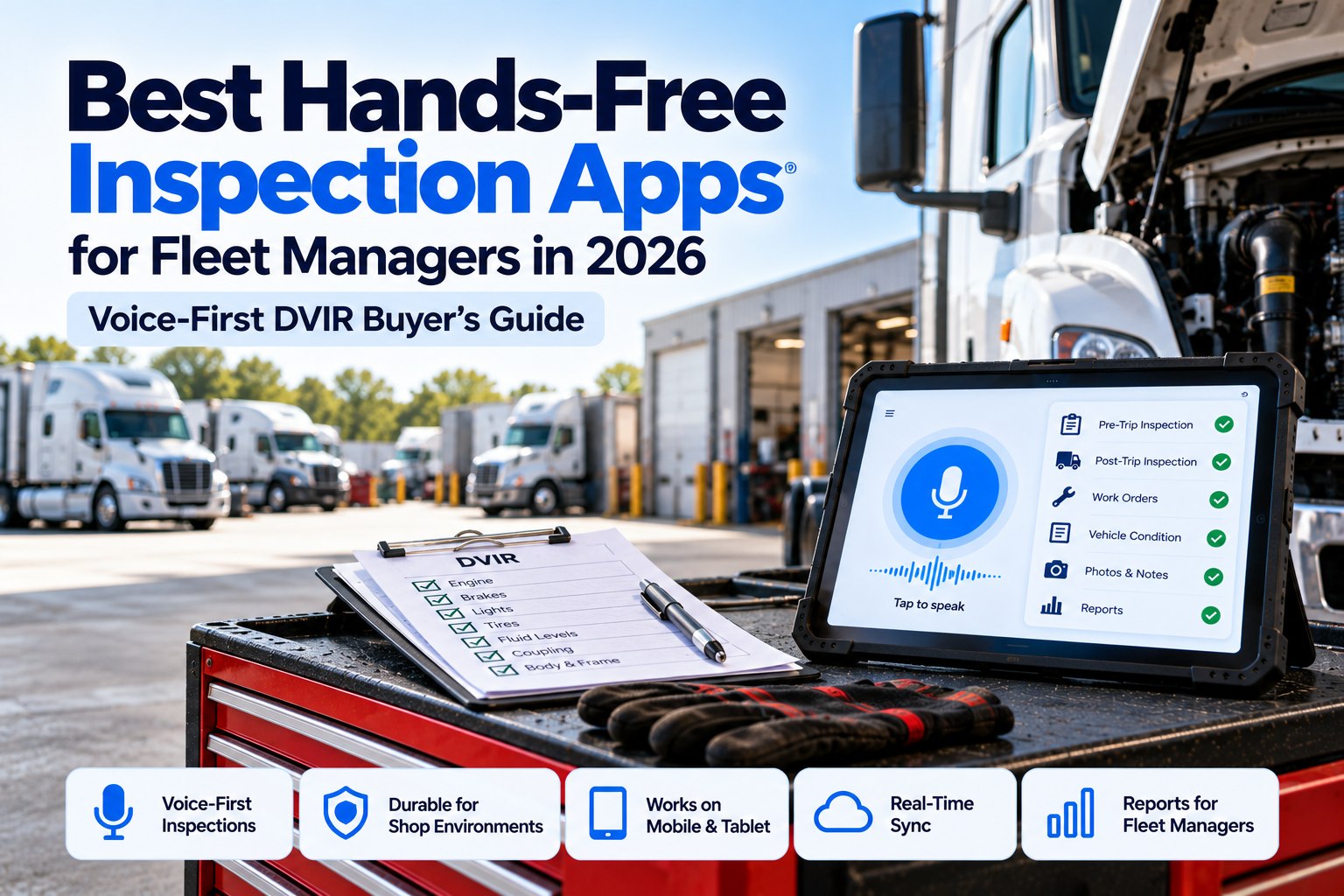
A thorough pre-trip inspection takes 15-30 minutes with a clipboard. An automated app cuts that to 8-12 minutes — with better documentation, instant defect reporting, and DOT-compliant records that actually hold up during audits. In 2025, CVSA inspectors placed 22.6% of vehicles out of service during the International Roadcheck. Brakes, tires, and lights accounted for over 75% of those violations — all items that a proper pre-trip inspection catches before your truck ever leaves the yard. Here's how automated inspection apps work, what they check, and why fleets that use them pass roadside inspections at dramatically higher rates. Try FleetRabbit's digital inspection platform free.
The 7-Zone Walk-Around: How Apps Guide the Inspection
The DOT-recommended method divides a pre-trip inspection into 7 zones, walked in sequence around the vehicle. Automated apps turn this into a guided workflow — each zone becomes a screen with specific checkpoints, photo prompts, and pass/fail inputs that can't be skipped.
Zone 1
Approach & Overview
Vehicle lean or list
Fluid puddles underneath
Overall body condition
Cargo area secure
App prompts: 1 wide-angle photo from 20 ft, flags lean angle from image analysis
Zone 2
Engine Compartment
Oil level & condition
Coolant level
Power steering fluid
Belts & hoses
Wiring insulation
Air compressor
App prompts: Fluid level photos, belt condition close-up, leaks check under engine
Zone 3
Driver Side
Front tire & wheel
Brake components
Suspension & shocks
Fuel tank & cap
Drive axle tires
Frame & body
App prompts: Individual tire photos, brake drum close-up, suspension component shots
Zone 4
Rear
Taillights & reflectors
Rear tires & wheels
Splash guards / mud flaps
Cargo doors & securement
ICC bumper
App prompts: Light function test photo, door seal condition, cargo securement verification
Zone 5
Passenger Side
Front tire & wheel
Brake components
Exhaust system
Drive axle tires
Frame condition
App prompts: Mirror image of Zone 3 — ensures both sides get equal inspection attention
Zone 6
Front
Headlights & signals
Windshield condition
Mirrors & brackets
Wiper blades & arms
Front bumper
App prompts: All-lights-on photo with engine running, windshield crack documentation
Zone 7
Cab Interior & Brake Test
Gauges & warning lights
Steering play
Horn function
Seat belt condition
Emergency equipment
Air brake test (build, leak-down, low-air warning, spring brake)
App prompts: Dashboard photo at startup, air pressure build time, guided 4-step brake test sequence
Why Pre-Trip Violations Dominate Roadside Inspections
CVSA's 2025 International Roadcheck inspected 56,178 commercial vehicles. The violations that put trucks out of service are overwhelmingly items a pre-trip inspection should catch.
Brake Systems
5,561 violations
Zones 3, 5, 7
Tires
2,899 violations
Zones 3, 4, 5
Lighting & Electrical
~1,897 violations
Zones 4, 6
Cargo Securement
~1,491 violations
Zones 1, 4
Other (steering, suspension, exhaust, frame)
~1,694 violations
Zones 2, 3, 5
Over 87% of vehicle OOS violations involve components checked in a standard 7-zone pre-trip inspection. An automated app with photo documentation catches these before your driver leaves the yard.
Catch What Roadside Inspectors Catch — Before They Do
FleetRabbit's digital inspection platform guides drivers through every DOT-required checkpoint with photo documentation, instant defect reporting, and automated maintenance workflows.
Paper Clipboard vs. Automated App: The Difference
Time to complete
15-30 minutes
8-12 minutes
Checklist guidance
Generic printed form, same for all vehicle types
Vehicle-specific digital checklist that adapts to tractor, trailer, straight truck, or specialty equipment
Defect documentation
Handwritten description — often vague or illegible
Photo + GPS + timestamp + severity classification + driver notes
Defect reaches maintenance
Hours later — paper sits in cab or office inbox
Instantly — push notification to maintenance team the moment it's submitted
Previous defect carryover
Driver may not know about prior shift's issues
Unresolved defects from previous inspection auto-display for next driver
Pencil-whip prevention
None — driver can check "OK" without looking
Required photos per zone, minimum inspection time tracked, GPS confirms location
Air brake test
Checkbox: "Brakes OK"
Guided 4-step sequence: build pressure → leak-down rate → low-air warning → spring brake pop
Compliance record
Paper filed for 3 months, often lost or damaged
Cloud storage with instant retrieval, retained for years, audit-ready in seconds
Work order creation
Manual — fleet manager reads paper, creates order
Automatic — defect triggers work order in maintenance system (e.g.,
FleetRabbit)
Fleet-wide visibility
Zero — paper stays with individual truck
Dashboard shows all inspections, defect trends, compliance rates, and overdue items across entire fleet
The Air Brake Test: Step-by-Step App Walkthrough
The air brake test is the most complex part of any pre-trip inspection — and the most commonly skipped. Automated apps break it into 4 guided steps that even a new CDL driver can follow correctly every time.
Step 1
Build Air Pressure
Start engine, build air pressure to governor cut-out (120-140 psi). App timer tracks build rate — if pressure doesn't reach cut-out within 3 minutes, system flags air compressor or leak issue.
Pass: Cuts out at 120-140 psi in under 3 min
Step 2
Static Leak-Down Test
Engine off, release parking brake, apply foot brake firmly for 1 minute. App monitors reported pressure drop. Maximum allowable: 3 psi for single vehicle, 4 psi for combination.
Pass: ≤3 psi drop (single) or ≤4 psi (combo)
Step 3
Low-Air Warning Test
With engine off, pump brake pedal to reduce air pressure. Low-air warning buzzer/light must activate before pressure drops below 60 psi. App prompts driver to record the exact psi when warning triggers.
Pass: Warning activates above 60 psi
Step 4
Spring Brake / Parking Brake Test
Continue pumping brake pedal. Between 20-40 psi, the tractor protection valve should pop out and spring brakes should engage. App confirms completion and records final pressure reading.
Pass: Spring brakes engage between 20-40 psi
A failed air brake test means your truck is out of service. Period. FleetRabbit integrates inspection results directly with maintenance scheduling — so when a brake test fails, the work order is already created before your driver walks back to the office. Schedule a demo.
What Happens When a Defect Is Found
The difference between a clipboard and an automated app isn't just how defects are recorded — it's what happens next.
1
Driver Flags Defect
Photo captured, severity selected (safety-critical / needs attention / monitor), notes added. Takes 15-30 seconds per defect.
2
Instant Classification
Safety-critical defects (brakes, steering, tires below minimum tread) block vehicle dispatch automatically. The truck cannot be assigned a load until the defect is resolved.
3
Maintenance Notified
Push notification to maintenance manager with photo, location, severity, and vehicle ID. Work order auto-generated in the maintenance system.
4
Repair Completed & Signed
Mechanic documents repair with photos, parts used, and time spent. Digital signature confirms work complete. DVIR updated with resolution record.
5
Next Driver Acknowledges
Next driver assigned to the vehicle sees the repaired defect, reviews repair documentation, and signs off — completing the 3-signature DVIR chain required by FMCSA.
From Defect to Resolution in One Workflow
FleetRabbit's closed-loop system connects inspection findings directly to work orders, parts, and repair sign-offs — so nothing gets lost between the yard and the shop.
Features That Matter in a Pre-Trip Inspection App
Not all inspection apps are equal. Here are the capabilities that separate compliance tools from real fleet management platforms.
Custom Checklists by Vehicle Type
Different templates for day cabs, sleepers, straight trucks, reefers, flatbeds, dump trucks, and specialized equipment. Each shows only the checkpoints relevant to that vehicle class.
Required Photo Documentation
Configurable photo requirements per zone — some fleets require photos for every checkpoint, others only for defects. Either way, it prevents pencil-whipping with visual proof.
Offline Mode
Inspections must work in truck yards, remote sites, and dead zones with no cell signal. Data syncs automatically when connectivity returns — no lost inspections.
Real-Time Defect Alerts
Safety-critical defects trigger instant push notifications to maintenance managers, dispatchers, and fleet safety officers — not just an email that sits unread for hours.
Defect Carryover
Unresolved defects from previous inspections automatically appear on the next driver's checklist. No more "I didn't know about that" when a different driver picks up the truck.
Maintenance Integration
Defects flow directly into the maintenance management system as work orders with all documentation attached.
FleetRabbit does this natively.
Fleet-Wide Dashboard
See inspection completion rates, defect trends, recurring issues by vehicle, compliance gaps, and overdue inspections across your entire fleet in one view.
Audit-Ready Records
Every inspection stored with timestamp, GPS, driver signature, photos, and complete defect resolution chain. Retrievable in seconds for DOT audits or litigation defense.
Frequently Asked Questions
QIs a pre-trip inspection legally required every day?
Yes. Under 49 CFR §392.7, drivers must be satisfied that vehicle parts and accessories are in good working order before operating. FMCSA requires at least one inspection logged per day in HOS records. While a written DVIR is only required when defects are found (for property-carrying CMVs since 2014), the inspection itself is always mandatory. Passenger vehicle drivers must submit a report after every tour of duty regardless of defects found.
QHow long should a pre-trip inspection take?
DOT doesn't specify an exact time, but industry standard is 15-30 minutes for a thorough clipboard inspection of a tractor-trailer combination. Automated apps typically reduce this to 8-12 minutes through guided workflows, tap-based checklists, and structured photo prompts. An inspection completed in under 5 minutes is a red flag — it almost certainly means items were skipped. Most automated apps track inspection duration and flag suspiciously fast completions.
QWhat are the penalties for skipping or falsifying a pre-trip inspection?
Fines range from $1,270/day for failure to complete a required inspection to $12,700 for falsifying a DVIR. If a defect is reported but not repaired, carriers face fines up to $15,420. An out-of-service violation during a roadside inspection costs an average of $861 before fines or repairs. Beyond direct costs, violations add CSA points to your Vehicle Maintenance BASIC, increasing audit frequency and insurance premiums. In 2025, 22.6% of trucks inspected at the CVSA Roadcheck were placed out of service.
QCan I use a phone app instead of paper for my DVIR?
Yes. FMCSA explicitly supports electronic data collection for DVIRs. An eDVIR must contain the same information as a paper form: vehicle identification, date, defect descriptions, and driver signature. Electronic records must be retained for at least 3 months (most digital systems keep them for years). Many ELD providers include eDVIR functionality in their driver apps, and standalone inspection platforms like FleetRabbit offer deeper integration with maintenance workflows.
QWhat's the difference between pre-trip and post-trip inspections?
Pre-trip happens before the driver operates the vehicle — it's the safety check that confirms the truck is roadworthy. Post-trip happens at the end of the driving shift to identify damage, wear, or issues that developed during the route. For property-carrying vehicles, a written report is only required when defects are found during either inspection. For passenger vehicles, a post-trip DVIR is required regardless. Most fleet safety managers require both inspections as a best practice, using the post-trip to catch issues the next driver's pre-trip would inherit.
15 Minutes That Save Thousands
Every breakdown your pre-trip inspection prevents saves $760+ per day in downtime, $3,500+ in emergency repairs, and untold dollars in CSA score damage. FleetRabbit makes those 15 minutes count with guided digital inspections, instant defect workflows, and audit-ready compliance records.
February 13, 2026
By James Henderson
All Articles