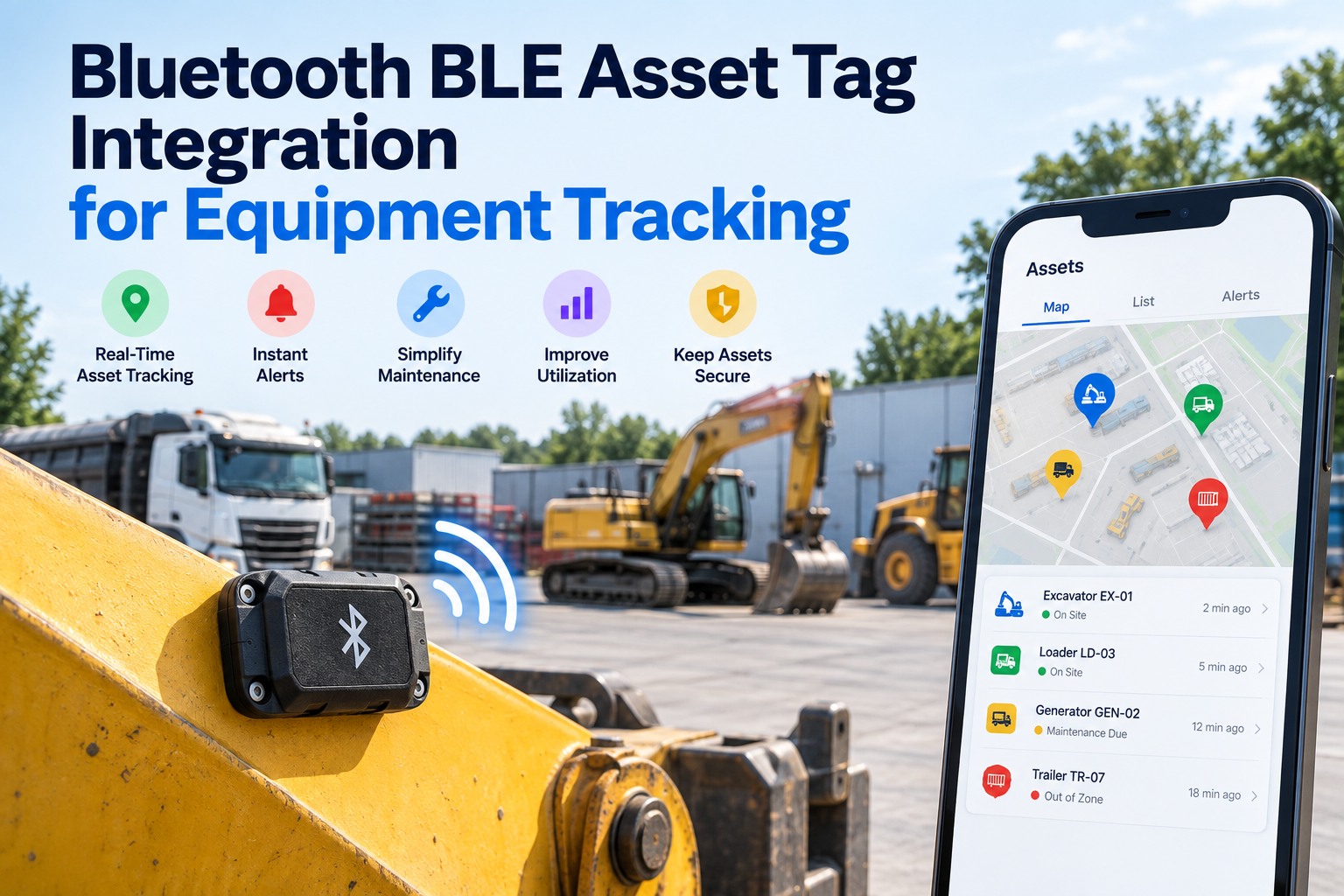
Bluetooth BLE asset tag integration lets a fleet find, protect and maintain the equipment that has no engine computer or GPS of its own — generators, pumps, welders, attachments and tool kits — by using the trucks and gateways you already run as listeners. The tag only broadcasts a short signal; the nearest gateway hears it and reports its own location, so what you get is "last seen near Unit 214 at the north yard," not a live GPS dot. That is enough to cut search time, catch equipment left behind and trigger inspections and service, as long as those tag events land next to your DVIRs and PM schedule instead of in a separate app. This guide explains how the tags work, how they compare with GPS trackers, what to tag, which four alerts matter and how to use tag data for maintenance. Book a demo to see tag events alongside your maintenance records, or create a free account and connect your first units.
BLE asset tags, connected to maintenance
Bluetooth BLE Asset Tag Integration for Equipment Tracking
For equipment managers, fleet managers and shop leads: how to track unpowered equipment with BLE tags and turn every sighting into an inspection, a service task or a recovery — in the same place as your fleet records.
- No GPS or cellular inside the tag
- Multi-year sealed battery
- Your trucks act as listeners
How a BLE Asset Tag Actually Reports Location
A BLE tag has no GPS chip and no cellular radio; it simply broadcasts a short Bluetooth Low Energy signal, and a nearby gateway does the rest. Samsara's own tag data sheets describe location as approximate, based on the GPS position of the nearby gateway that hears the tag. You can see this flow on your own equipment with a free account.
Tag broadcasts
A short signal every few seconds, slower when the asset is still to save battery.
Gateway hears it
A telematics device in a truck, yard or phone picks up the signal and adds its own GPS position.
Sighting is logged
The cloud records "tag seen near this gateway at this time" and updates the asset's last-known location.
"Seen near" is not "loaded on"
Because the location belongs to the gateway, a tag heard by Unit 214 might be in its toolbox — or on the ground beside it in the yard. Treat one sighting as proximity; treat the same tag travelling with the same truck across several gateway positions as "carried by." That single rule prevents most false "equipment left behind" alarms.
BLE Tag or GPS Tracker? Match the Device to the Asset
BLE tags trade live, independent positioning for years of battery life and a much smaller size, which is why they suit many small unpowered assets but not all. We can help you split your equipment list between the two in a demo. Swipe the table on mobile.
| Factor | BLE asset tag | GPS + cellular tracker |
|---|---|---|
| How it finds location | Borrows the GPS of a nearby gateway | Calculates its own position |
| Works far from your fleet | Only where a gateway can hear it | Anywhere with cellular coverage |
| Power | Sealed battery rated for years | Wired power or regular charging |
| Size and mounting | Small, zip-tie or bolt-on | Larger, often hard-wired |
| Best for | Tools, attachments, generators, pumps kept near your trucks and yards | Trailers, high-value equipment, assets that travel alone |
Rated battery life, BLE tags
Samsara product data sheets, nominal conditions; batteries are not replaceable and extreme temperatures shorten life. Shown as an example of the category.
The Bluetooth SIG puts reliable Bluetooth range anywhere from under a meter to more than a kilometer, depending on transmit power, receiver sensitivity and the radio mode used. Steel trailers, containers and toolboxes shrink it, so test range in your own yard before setting alerts.
What to Tag First
Start with equipment that is valuable, easy to carry off and shared between crews, because that is where search time and losses concentrate. Tag your first ten assets on a free account and expand once the alerts prove useful.
Portable power and pumps
Generators, trash pumps, compressors. Moved between sites, rarely checked in.
Welders and saws
High theft appeal, small enough to leave in the wrong truck.
Attachments and implements
Buckets, forks, breakers that swap between machines.
Safety and test kits
Gas detectors, fall-protection kits, diagnostic tools with calibration due dates.
Trailers and high-value units
Assets that travel alone, far from your gateways, need their own GPS tracker.
Low-value consumables
If replacing it costs less than tracking it, a check-out log is enough.
Four Tag Alerts Worth Acting On
Most tag data is quiet history; only four events should create a task for a person. Everything else stays in the asset's location log. We'll set these four alerts up with you in a 30-minute demo.
Not seen for too long
No gateway has heard the tag within your set window. Absence, not location, is the strongest loss signal.
Task: search last-seen siteLeft with the wrong vehicle
A tag travels with a truck it isn't assigned to across several positions.
Task: confirm with the driverArrived at yard or shop
The tag is heard by a yard or shop gateway after time in the field.
Task: inspect before next jobTag battery near end of life
Sealed batteries can't be swapped, so the tag itself needs replacing.
Task: order and fit a new tagHow much time does your crew spend looking for equipment?
Bring your equipment list. In 30 minutes we'll show which assets to tag, which alerts to turn on and how each sighting reaches the right person in FleetRabbit.
Using Tag Data for Maintenance, Honestly
Tag sightings tell you where equipment is and when it came back, which is exactly when service and inspection should happen — but presence is not usage. A generator that rode in a truck for 40 hours may have run for two, so tie preventive maintenance intervals to hour-meter readings taken at inspection, and use the tag to find the unit and trigger that inspection. Set arrival-triggered inspections up free.
Tag data is good for
- Opening an inspection when equipment returns to the yard
- Finding the unit when its service is due
- Flagging equipment that hasn't returned before its calibration date
- Showing which crew had it when damage is found
Tag data is not
- An engine-hour meter for PM intervals
- Proof the equipment was used, only that it was nearby
- A live location when no gateway is in range
- A replacement for a GPS tracker on trailers
Worked example: a pump comes back
Pump P-03 last heard at the job site by Unit 214.
Yard gateway hears P-03. FleetRabbit opens a return inspection.
Mechanic logs hour meter at 1,212 h; service is due at 1,250 h, so a work order is scheduled before its next job.
Frequently Asked Questions
What is a BLE asset tag?
A small, battery-powered Bluetooth Low Energy beacon attached to equipment. It broadcasts a signal that nearby gateways hear and report with their own location, so you see where the asset was last detected. See tags on a live map in a demo.
How accurate is BLE asset tag location?
It's approximate: the position reported is the gateway's, so accuracy depends on how close the tag is to the gateway that heard it. It's reliable for "which yard or which truck," not for an exact spot. Test accuracy on your own yard free.
How long do BLE tag batteries last?
Commercial tags are commonly rated for several years; Samsara's data sheets list three to six years under nominal conditions, with non-replaceable batteries. Heat and cold shorten that. Plan tag replacement with our team.
Do we need special gateways?
Usually not. Many telematics devices already installed in trucks can act as BLE listeners, and FleetRabbit works with the telematics providers fleets already use. Check that your provider supports the tags you choose. Connect your provider free.
Can BLE tags replace GPS trackers?
Not for assets that travel alone or sit far from your fleet, such as trailers. BLE works where your gateways are; GPS trackers work anywhere with coverage. Most fleets use both. Split your asset list with us.
Can tag data drive preventive maintenance?
It can trigger it — for example, opening an inspection when equipment returns — but service intervals should use hour-meter or usage readings, because a tag shows presence, not run time. Set up return-triggered inspections free.
Stop Searching. Start Servicing.
Put every tag sighting next to the inspection and PM records it should trigger.
- Connect your telematics provider
- Tag your first ten assets
- Turn on the four alerts