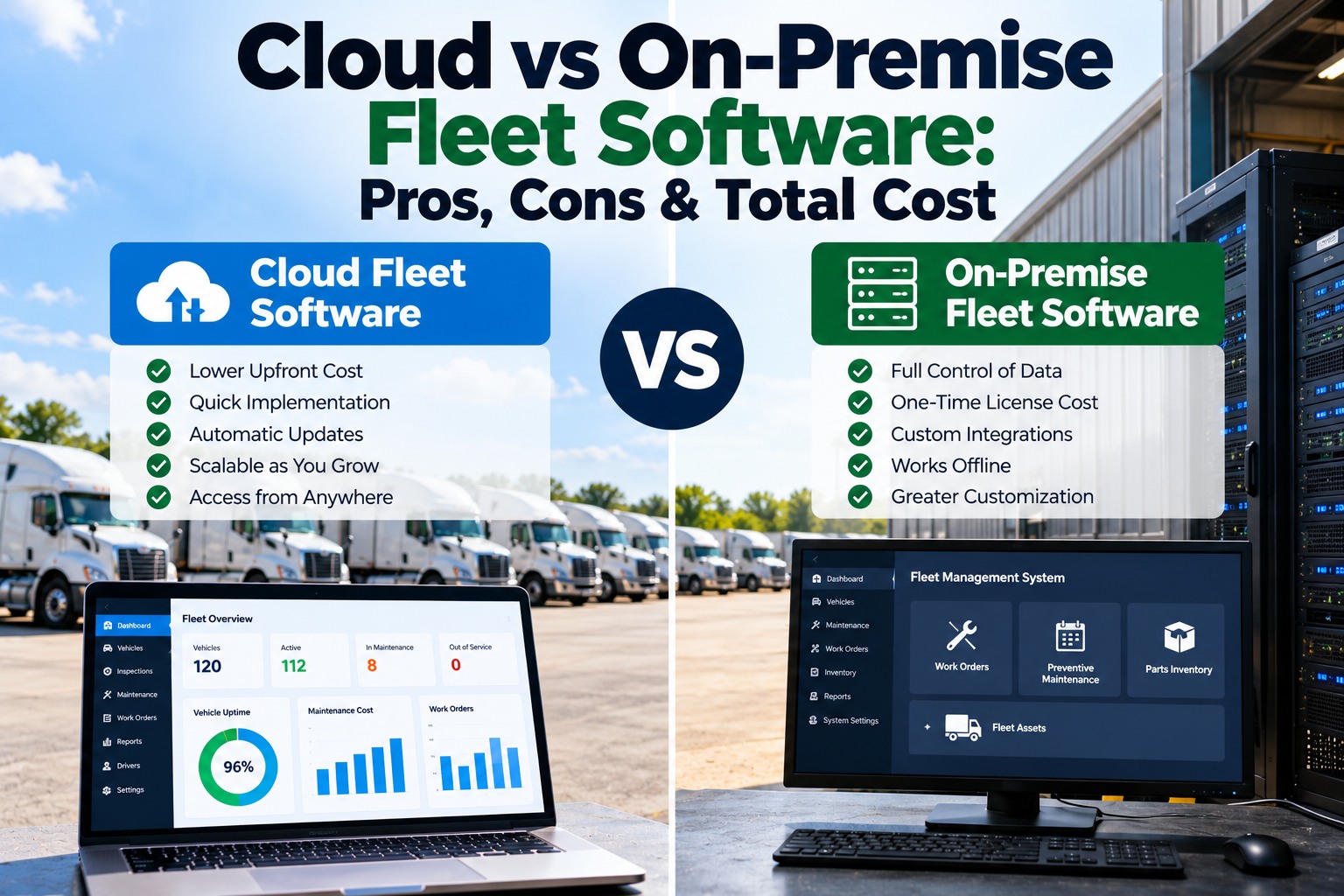
Most fleets choosing maintenance and inspection software today are really choosing how they want to pay for it and who they want running it. On-premise software means buying a perpetual licence, running it on your own servers and paying a yearly maintenance fee for updates. Cloud software, often called SaaS, means a subscription where the vendor hosts, secures and updates the system and your team signs in from a browser or phone. The right answer depends mostly on IT staffing, fleet size, field users and budgeting. This article compares the two on cost, IT overhead, scalability and security, then walks through a five-year total cost of ownership model you can adapt to your own quotes. If you want those numbers run against your fleet, schedule a demo and we'll build the model with you.
How the money moves: a steady subscription versus a large upfront licence
The two models put cost in different places on the calendar. A subscription spreads cost evenly and treats software as an operating expense. A perpetual licence puts most of the cost in year one as a capital purchase, followed by an annual maintenance fee for as long as you want updates and support.
The perpetual licence keeps charging: maintenance runs 20 to 25% of the price every year
A perpetual licence doesn't end the spending. To keep receiving updates, security fixes and vendor support, owners pay an annual maintenance fee. CIO reported that enterprise vendors typically charge 20 to 25% of the net licence price per year, with SAP and Oracle both at 22% for their main support tiers. A Forrester survey cited in the same report found buyers thought a fair rate was under 16%, but were actually paying around 26%.
Over five years, a 22% fee adds more than the original licence price again. That's the number most on-premise quotes leave out of the headline.
A five-year TCO model for a 50-truck fleet, with every assumption on the table
The model below is illustrative. It uses round numbers for a 50-unit fleet so the structure is easy to follow; replace each line with your own quotes. IT time is priced at the median pay for network and computer systems administrators, $99,130 a year according to the U.S. Bureau of Labor Statistics (May 2025), before benefits.
| Cost line | Cloud / SaaS | On-premise |
|---|---|---|
| Software | $30 per vehicle per month: $18,000 a year | $60,000 perpetual licence, year 1 |
| Annual maintenance | Included in subscription | 20% of licence: $12,000 a year |
| Implementation | $5,000 onboarding, year 1 | $15,000 install and configuration, year 1 |
| Servers and licences | None | $15,000 server, $5,000 OS, database and backup licences, year 1 |
| Hosting and power | Included | $2,000 a year |
| IT administration | 5% of one administrator: about $4,960 a year | 20% of one administrator: about $19,830 a year |
| Five-year total | About $119,800 | About $264,100 |
Two sensitivities matter. If you already have servers and an IT team with spare capacity, the on-premise hardware and admin lines shrink, but the licence and maintenance still put on-premise well ahead on cost over five years in this example. For very large fleets the picture can change, because subscription costs grow with every vehicle while a site licence may not. That's the case to model carefully.
Security: who patches the system matters more than where the server sits
Security is the objection raised most often against cloud software, and the stakes are real. IBM's Cost of a Data Breach Report 2025 put the average U.S. breach at $10.22 million, an all-time high, against a global average of $4.44 million. But on-premise software isn't automatically safer. It is only as secure as the patching, backups, access control and monitoring your own team provides. In the cloud, the vendor takes on the infrastructure side and you keep responsibility for who has access.
Ask any cloud vendor for their security documentation, where data is hosted, how often it's backed up, and whether data is encrypted in transit and at rest. Ask an on-premise vendor how long a version stays supported, because an unpatched old version is one of the most common ways in.
IT overhead: what an on-premise fleet system asks of your team every year
For many fleets the deciding factor isn't money but people. An on-premise system needs someone to keep it running, and that person's time costs real money whether or not it shows up on the software invoice.
Scalability and the field: drivers and technicians don't sit at a desk
Fleet software is used mostly by people who are away from the office: drivers filing inspections at 5 a.m. in a yard, technicians closing work orders in the bay, managers checking status from the road. Cloud systems are built for that by default, with mobile apps that connect from anywhere and add users or vehicles as you grow. On-premise systems can reach the field, but only through remote access your IT team builds and secures. Adding a new terminal or acquiring another fleet is a configuration change in the cloud and often a project on-premise. A mobile DVIR and DOT inspection workflow is the clearest example: it only works if a driver's phone can reach the system the moment the inspection is done.
Compliance records have to survive whichever model you pick
Fleet maintenance software holds records the DOT expects you to produce on request: maintenance records kept for a year under 49 CFR 396.3, driver vehicle inspection reports with repair certifications for three months, and annual inspection reports for 14 months. In an on-premise system, those records are only as safe as your backups. A failed server with an untested backup can leave a carrier unable to show its maintenance history during a compliance review. In the cloud, backups and retention are the vendor's job, but the records are only useful if you can export them. Ask both kinds of vendor the same question: if an investigator asks for one truck's last 12 months, how fast can you produce it, and in what format?
Time to value: weeks in the cloud, a project on-premise
Implementation time is a cost that rarely makes the TCO sheet. A cloud system can usually be live as soon as units and users are loaded, because there is nothing to install. On-premise deployment starts with buying and installing hardware, setting up the database and remote access, and testing before anyone files an inspection. Every month spent installing is another month of paper DVIRs, missed PM and repair costs you can't see. For most fleets, the fastest route to clean maintenance records is the one with the fewest steps between signing and the first driver using the app.
Cloud has costs too: subscription creep, lock-in and connectivity
A fair comparison has to include the cloud's weaknesses. Flexera's 2025 State of the Cloud report found 84% of organizations struggle to manage cloud spending, and that cloud budgets are exceeded by 17% on average. That research covers cloud infrastructure broadly rather than fleet software, but the lesson carries over: subscriptions are easy to add and easy to forget.
When on-premise still makes sense
For most small and mid-sized fleets, none of these apply, which is why cloud has become the default for inspection and maintenance software. It also means maintenance data lives in one place that drivers, technicians and managers can all reach, which is what makes preventive maintenance scheduling and fleet maintenance management work day to day.
FleetRabbit runs in the cloud, so your team inspects, repairs and reports from anywhere with nothing to install
- Pricing for your fleet size, next to your current costs
- How data is hosted, backed up and secured
- Exporting your records whenever you want them
- The mobile apps drivers and technicians use
- Moving your existing data in