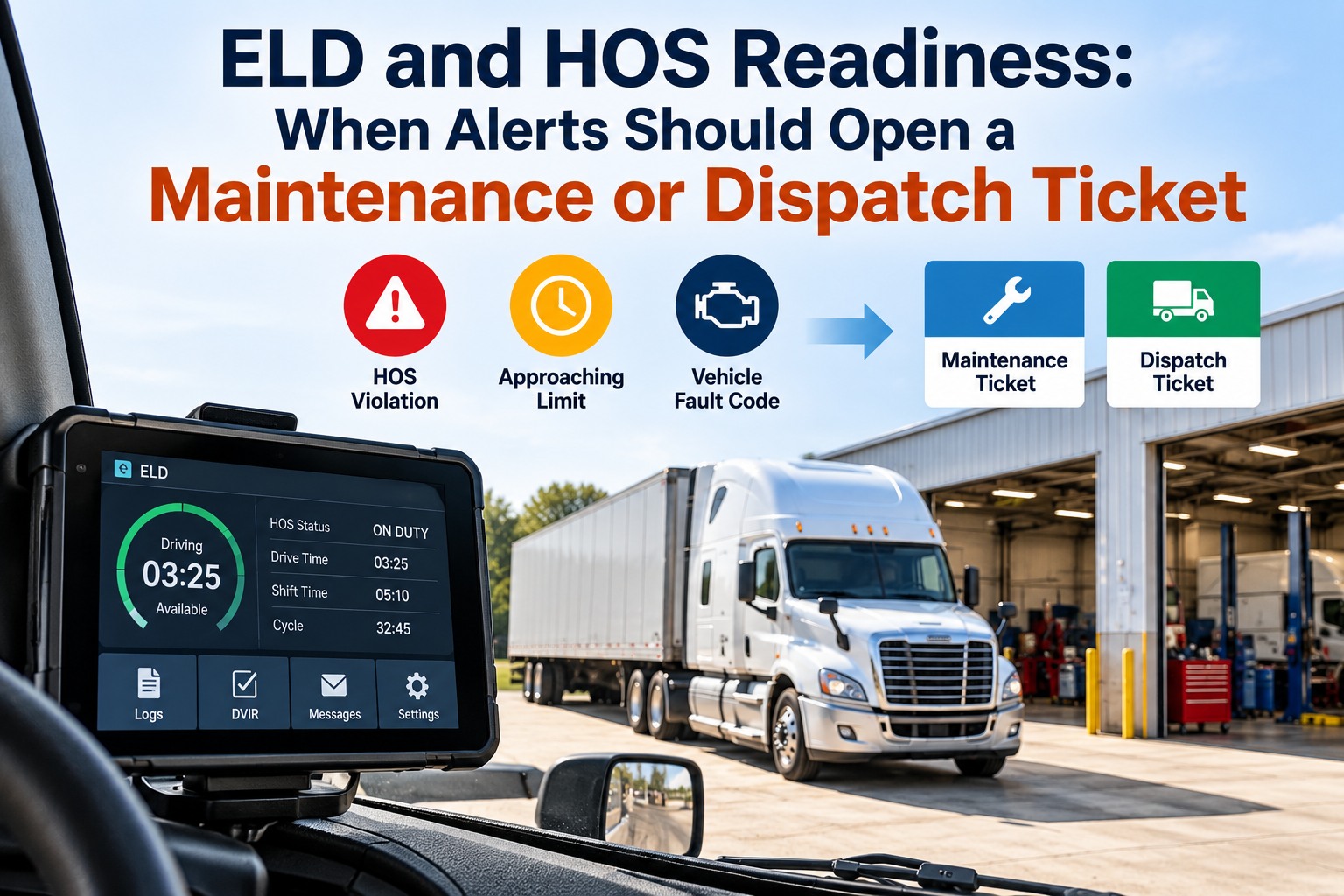
An ELD produces two kinds of signal every day. Some are hours-of-service facts a dispatcher should act on before a driver runs out of clock. Others are device and data problems that carry their own federal deadlines — and those deadlines are short. Under 49 CFR 395.34, a driver must note an ELD malfunction and give written notice to the carrier within 24 hours, reconstruct the record of duty status for the current day and the previous seven on paper, and keep logging on paper until the device is back in compliance, while the carrier has 8 days from discovery or notification to correct, repair, replace or service it. Treat those as alerts and they age; treat them as tickets with an owner and a due date and they close. This guide sets out which ELD and HOS events belong in maintenance, dispatch or compliance, the clocks attached to each, and what to do when a device lands on FMCSA's revoked list. Book a 30-minute demo to see your own ELD events routed into tickets, or start free with 3 vehicles.
Your ELD Doesn't Send Alerts. It Sends Deadlines With Alerts Attached.
For compliance managers, dispatchers and maintenance leads: which ELD and hours-of-service events should open a ticket, who owns each one, and the federal clock running behind it.
Deadlines from 49 CFR 395.34 and FMCSA's revoked device notices. No credit card required.
THE SPLIT
Every ELD Signal Belongs to Maintenance, Dispatch or Compliance — Decide Which Before It Arrives
The reason ELD alerts get ignored is that they land in one place and mean three different things. A device losing power is a truck repair. A driver nearing the 14-hour limit is a dispatch decision. A malfunction notice is a compliance clock. Sorting them at the door is most of the work. You can route them three ways on a free account.
Power loss, disconnects, damaged harnesses, and the engine-hour and odometer readings that should be firing service triggers.
Approaching limits, available drive time against the remaining route, and the re-plan that has to happen before the clock runs out.
Malfunctions, data diagnostics, unassigned driving, log edits, and whether the device is still on the registered list.
ROUTING
Which ELD and HOS Events Should Open a Ticket, and Who Has to Own It
Write this table once with dispatch, the shop and compliance in the room. Each row names the ticket type, the owner and the deadline the ticket has to beat. We'll build it around your own alerts in a demo. Swipe the table on mobile.
| Signal | Ticket | Owner | The clock behind it |
|---|---|---|---|
| ELD malfunction reported by a driver | Compliance ticket | Compliance lead | Paper logs start now; device fixed within 8 days |
| ELD data diagnostic event | Compliance ticket | Compliance lead | Resolve per the provider's guidance before it becomes a malfunction |
| Unassigned driving segments | Compliance ticket | Safety or compliance lead | Assign or annotate within the week |
| Device offline, disconnected or losing power | Maintenance ticket | Shop lead | Wiring and mounting are a truck repair, not a paperwork problem |
| Driver approaching the 11 or 14-hour limit | Dispatch ticket | Dispatcher | Re-plan the load before the limit, not after |
| Engine hours or odometer crossing a service threshold | Maintenance ticket | Maintenance planner | Opens the scheduled PM automatically |
| Repeated log edits on one driver | Compliance review | Safety lead | Pattern review, not a single correction |
| Provider device appears on the revoked list | Compliance ticket, urgent | Compliance lead | Replace before the deadline or drivers risk out-of-service |
THE MALFUNCTION CLOCK
What Actually Has to Happen in the Eight Days After an ELD Malfunction
This is the sequence that catches carriers out, because the driver's obligations start immediately while the carrier's repair window runs in parallel. All of it comes straight from 49 CFR 395.34. Track the whole sequence per unit on a free account.
The driver reconstructs the record of duty status for the current 24-hour period and the previous seven consecutive days on compliant paper logs, unless those records are already retrievable.
The driver notes the malfunction and provides written notice to the motor carrier.
The driver keeps preparing records manually until the device is serviced and back in compliance, and presents those paper records at a roadside inspection.
A carrier seeking more time notifies the FMCSA Division Administrator for its principal place of business, with device details and what it has already done.
The carrier must correct, repair, replace or service the malfunctioning ELD within 8 days of discovery or the driver's notification, whichever comes first.
Source: 49 CFR 395.34 and FMCSA's ELD malfunction guidance. Extension requests can be submitted by email to FMCSA as described in that guidance.
Bring Last Month's ELD Exceptions. We'll Show You Which Ones Were Tickets.
Malfunctions, data diagnostics, unassigned segments and edits from 30 days. We'll sort them into maintenance, dispatch and compliance, attach the deadline each one carries, and show which are still open past their clock.
DEVICE STANDING
When Your ELD Provider Lands on the Revoked List, the Clock Is Already Running
FMCSA removes devices from the registered list when providers fail to meet the requirements in Part 395, and carriers normally get about 60 days to replace them. On 13 January 2026 the agency removed four devices with a replacement deadline of 15 March 2026, and from that date safety officials were told to cite 395.8(a)(1) and place drivers using them out of service under the CVSA criteria. More devices were removed in March 2026. This is a compliance ticket the day the notice appears, not a purchasing decision for next quarter. We'll check your device list with you in a demo.
Match the revoked device names and identifiers to what is actually installed, by unit.
Revoked devices must stop being used; drivers revert to paper logs or compliant logging software in the meantime.
After it passes, continued use is treated as operating without an ELD and drivers can be placed out of service.
Device, install date and driver, so an inspection or audit can be answered from the record.
Source: FMCSA ELD news and revoked device notices, January and March 2026.
THE QUIET ONES
Unassigned Driving and Data Diagnostics Are Tickets, Not Housekeeping
These two produce no roadside drama and no driver complaint, which is exactly why they accumulate. Unassigned segments mean miles nobody has claimed; data diagnostic events mean the device is telling you something is inconsistent before it becomes a malfunction. Both belong to a named person with a weekly due date. Put both on a weekly review free.
Assign them to the right driver or annotate why they are unassigned — yard moves, mechanics, a driver who forgot to log in. Left alone, they are the first thing an auditor counts.
Drivers are required to follow the carrier's and provider's guidance to resolve the inconsistency. Unresolved diagnostics are how a small data problem becomes an 8-day repair clock.
THE MAINTENANCE SIDE
The ELD Data Your Maintenance Schedule Should Already Be Using
The same device that records duty status also reports engine hours and odometer continuously — which is the data most fleets still key in by hand. Engine hours matter most on trucks that idle or work a PTO, where mileage badly understates wear. Feed both into preventive maintenance triggers so a service opens itself, and keep device faults on the work order queue where they belong. See meter-driven PM triggers in a demo.
Mileage-based services open at the threshold instead of at the next manual reading.
Hour-based services for high-idle and vocational units, where miles run out long after the wear does.
Power loss, disconnects and mounting faults become shop work orders, not compliance arguments.
THE ROUTINE
A Weekly ELD and HOS Review That Takes Fifteen Minutes
Most of the exposure here is preventable with one short weekly pass, provided every item has an owner. Pair it with HOS monitoring so the exceptions are a screen rather than a search. Start the routine free this week.
Anything approaching the 8-day mark gets escalated today.
Assign or annotate; note any driver with a repeat pattern.
Review edits by driver, resolve diagnostics per provider guidance.
Confirm no installed device is on the revoked list, and that meter-based PMs are firing.
THE STAKES
What ELD and HOS Failures Cost at the Roadside and in the Shop
Hours of service is the single largest driver out-of-service category: at CVSA's 2025 International Roadcheck, it accounted for 32.4% of driver out-of-service violations, and false logs were a focus area. On the maintenance side, industry benchmarking puts unplanned downtime at roughly $448 to $760 per truck per day before towing and repair, and ATRI puts 2025 repair and maintenance cost at $0.215 per mile. A missed meter trigger and a missed malfunction deadline both end up in the same place. Estimate your own exposure with our team.
QUESTIONS
ELD and HOS Workflow Questions Compliance and Fleet Managers Ask
What has to happen when an ELD malfunctions?
The driver notes it, gives written notice to the carrier within 24 hours, reconstructs the current day and previous seven days on paper, and keeps logging on paper until the device is back in compliance. The carrier must correct, repair, replace or service it within 8 days. See the clock tracked per unit.
Can we get more than eight days?
A carrier can request an extension by notifying the FMCSA Division Administrator for its principal place of business within five days of the driver's notification, with device details and the steps already taken. Track malfunction dates free.
What happens if our ELD provider is revoked?
Stop using the device, revert to paper or compliant logging software, and replace it before the deadline in the notice — typically about 60 days. After that, drivers using it can be cited under 395.8(a)(1) and placed out of service. Check your devices with us.
Are unassigned driving segments a real problem?
Yes. They are miles with no driver attached, and they are among the first things reviewed in an audit. Assign or annotate them weekly rather than at year end. Start a weekly review free.
Should ELD alerts create maintenance work orders?
Some should. Device power loss, disconnects and mounting faults are truck repairs, and engine hours and odometer readings should be firing PM triggers automatically. See meter-driven PMs in a demo.
Does this software keep us compliant?
No. It routes signals, tracks the deadlines and keeps the records, but drivers must still log accurately and the carrier remains responsible for meeting the rules. Start building the record free.
Give Every ELD Signal an Owner, a Ticket and a Deadline It Has to Beat
FleetRabbit takes ELD and HOS events from the system you already run, routes them to maintenance, dispatch or compliance, attaches the federal clock each one carries, and keeps the record that proves the work was done on time.
No credit card required. Works with your existing ELD.