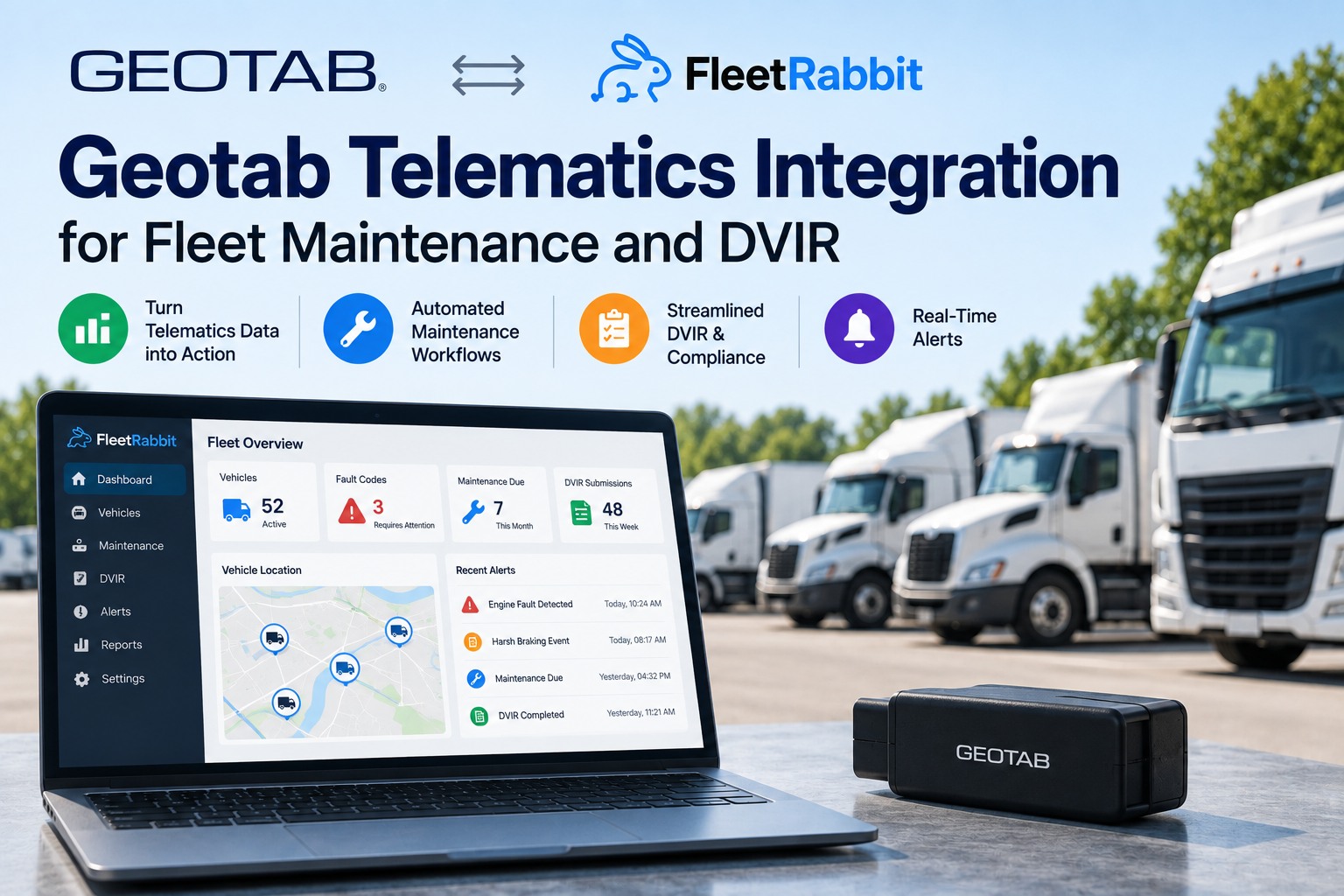
Geotab has the most genuinely open platform in fleet telematics, and that creates a particular problem. The MyGeotab API is fully available to every customer, exposes devices, trips, engine measurements, faults, rules and maintenance records, offers a checkpointed change feed for reliable synchronisation, documents how to pull OBD-II and J1939 fault codes, and ships an adapter purpose-built for streaming data into external systems. Which means when a Geotab fleet asks how to get telematics into maintenance workflow, the honest technical answer is always "you could build that." Plenty have. The question worth asking is different: who maintains it when the person who wrote it leaves, when the API version moves, when a plan change alters what your database exposes, and when the requirement grows from fault codes into parts inventory and cost per asset. Talk it through with someone who has built against the Geotab SDK before you commit either way.
Integration · Geotab Telematics
Geotab Telematics Integration for Maintenance and DVIR
Your data is already accessible. The question is what consumes it, and who looks after that code next year.
What MyGeotab Will Actually Give You
Worth establishing first, because the answer is more generous than most telematics platforms and it shapes everything that follows.
EntitiesDevices, trips, zones, engine measurements, faults, rules, maintenance recordsPlus users, groups, locations, electric vehicle data and media metadata. It is a comprehensive surface rather than a curated subset — you are not fighting the platform for access.
Fault codesOBD-II and J1939, documented explicitlyGeotab publishes guidance on obtaining both from FaultData objects. The J1939 support matters — heavy vehicle fault data is exactly what a maintenance workflow needs and exactly what thinner integrations tend to lack.
Sync methodGet for current state, GetFeed for a checkpointed streamThe feed is what makes reliable synchronisation possible — you resume from a checkpoint rather than re-querying and hoping you did not miss anything between polls.
ExtensionAdd-Ins inside MyGeotab and Geotab DriveCustom pages and workflows can appear within the platform your team already uses, and patterns combine — an Add-In handling interaction while a server process synchronises to another system.
One caveat Geotab states plainly and every buyer should read: availability depends on your database's features, your API user's clearances and your data scope. An entity documented in the SDK is not necessarily an entity your database exposes, which is a discovery best made during scoping rather than during build.
Check Your Plan Before You Scope Anything
A specific and expensive gotcha, because Geotab's plan structure changed and the legacy names still circulate.
Current global plans
GO PlanIncludes the former ProPlus feature set, Active Tracking, EV data, Wi-Fi and Public Works support
Base / GO CoreCore GPS, VIN, Driver ID, basic IOX support and harsh-braking detection
Legacy — no longer available
Regulatory · Pro · ProPlusStill shown in comparison tables for existing customers, which is exactly why people quote them in scoping conversations and discover the gap later
Published advice is direct about this:
confirm the exact package name and included features with your reseller rather than working from a comparison table or a colleague's recollection. Your plan tier determines which data your database exposes, which determines what any integration — yours or ours — can actually do.
Tell us your plan name and we'll confirm what is reachable before anyone estimates anything.
Build It or Connect It
An honest comparison, because with Geotab specifically both routes genuinely work and the choice is about ownership rather than capability.
Swipe to see all columns
Neither column is wrong. Geotab attracts fleets that value configurability, and if you have the team and a requirement nobody has productised, building is a legitimate answer and the SDK will not let you down. The failure mode worth avoiding is the middle — a half-finished internal integration that moves fault codes and nothing else, maintained by someone who has since moved teams, which is a surprisingly common place to find a Geotab fleet.
Already built
something?
Bring it and we'll tell you honestly whether to keep it
Plenty of Geotab fleets have a working script pulling FaultData into a spreadsheet or a database. If yours covers what you need, we will say so. If the next requirement is work orders, parts and cost per asset, we will show you what that build actually costs before you commission it. Either answer is useful and neither takes more than half an hour.
Geotab Already Does Some of This
Being straight about the overlap, because it is narrower than the marketing on either side suggests.
In MyGeotab
Maintenance scheduling and reminder alerts
Maintenance records as an API entity
Daily DVIR compliance checks for drivers
Fault data from OBD-II and J1939
Engine measurements and odometer
Where a maintenance platform adds
Work orders with assignment, approval and closure
Parts inventory, consumption and reorder points
Labour capture against the job, not the vehicle
Cost per asset including downtime and outsourced work
Non-telematics assets — trailers, plant, equipment
The distinction is between knowing a service is due and running the shop that performs it. Geotab tells you the interval has been reached and holds a record that it happened. What sits between those two points — the job, the parts, the technician's time, the cost, the closure — is a different application, and a fleet with an in-house workshop feels that gap daily.
Inside Fleet Rabbit: What We Do With the Feed
Six behaviours, built on the same API you would build on yourself.
01Checkpointed sync rather than pollingUsing the change feed so nothing is missed between reads and nothing is processed twice — the pattern Geotab documents for exactly this purpose, implemented once rather than re-invented per customer.
02Fault codes become candidate work ordersOBD-II and J1939 fault data arriving as jobs with the asset, current odometer, open defects and service history already attached. The rules for which codes auto-create and which queue for review are yours to set.
03Odometer and engine hours drive the scheduleMulti-interval preventive maintenance on time, distance and hours simultaneously, fed by live engine measurements. Trucks on mileage, plant on hours, trailers on date — all running at once rather than as one rule stretched across everything.
04DVIR defects route to assignable jobsInspection defects becoming work with an owner and an outcome, so the loop from reported to repaired to verified is evidenced — which is what an auditor is actually examining rather than the inspection record alone.
05Parts, labour and cost per assetStock levels and consumption against jobs, with parts, labour, outsourced repairs and downtime attributed to a specific vehicle over its life. This is the layer telematics does not attempt and should not.
06Assets Geotab never seesTrailers, generators, attachments and yard equipment on the same maintenance system as your GO-equipped vehicles — because a fleet's service programme rarely stops at the units with a telematics device in them.
The first item is worth a moment if you are weighing a build. Geotab's own guidance on API practice warns that the flexibility which makes the SDK powerful also allows for patterns that degrade performance on your own database — session handling and feed checkpointing being the common pitfalls. Those are solvable, and they are also the kind of thing you solve once by reading the guidance carefully rather than by discovering it in production.
Connecting
Four steps. The reseller question in step one is the one people forget.
1Confirm your plan and clearancesYour package name from your reseller, and the data scope on the API user. This takes one email and prevents the whole class of problem where an integration is scoped against data the database does not expose.
2Create a service accountA dedicated API user with appropriate clearances rather than a person's credentials, following Geotab's own service account guidance. No hardware touched, no driver disruption.
3Map assets and set the rulesYour device list matched to maintenance records, then the decisions that matter — which fault codes raise a job automatically, which DVIR categories route where, and your PM intervals per asset class. This is the hour worth spending properly.
4Run parallel, then decideTwo weeks alongside whatever you do now. If you already have an internal script, leave it running and compare — that comparison is the most useful evaluation available and it costs nothing.
Point it at three vehicles and judge the output, not the pitch
Free for three assets, no card, no time limit. Authorise a read-scoped service account, let real FaultData and real engine measurements flow for a fortnight, and see what your own fault codes look like as work orders. If you are mid-build internally, run both and compare — we would rather you made that comparison than took our word for it.
Notes for Whoever Owns the Integration
Five practical points drawn from Geotab's own documentation, useful whether or not you connect anything.
Hold the sessionAuthentication happens before any call so Geotab knows which server and database to route to. Re-authenticating per request is the most common performance mistake and the easiest to avoid.
Use the feed, not repeated queriesGet is for bounded current-state questions; GetFeed maintains a checkpointed stream of changes. Using the first where the second belongs is how integrations end up hammering a database.
Consider the adapterGeotab publishes an API Adapter specifically for streaming MyGeotab data into external systems, with a deployment guide. If you are building, starting there rather than from raw calls saves a meaningful amount of work.
Service accounts, not personal credentialsA dedicated API user with defined clearances, per Geotab's guidance. It also means an integration does not break when someone leaves.
Remember Add-Ins existIf your team lives in MyGeotab, a workflow can appear inside it rather than in another tab — and the Drive Add-In SDK extends that to the driver app. Worth knowing before assuming everything must live elsewhere.
Frequently Asked Questions
Can we just build this ourselves?Technically, yes — and with Geotab that is a more honest answer than with most platforms. The API is fully available to MyGeotab customers, exposes faults, engine measurements, trips and maintenance records, offers a checkpointed change feed and documents fault code retrieval explicitly. The real question is scope: getting data out is the easy part, while work orders, parts inventory, labour capture and cost per asset are separate applications after that. Build if you have development capacity and genuinely unusual requirements.
What data actually comes across?Fault codes from OBD-II and J1939 through FaultData objects, engine measurements including odometer and hours, trips, devices, zones and DVIR data — subject to your plan and your API user's clearances. Synchronisation runs on the checkpointed feed rather than repeated polling, so nothing is missed between reads. The J1939 support is worth noting if you run heavy vehicles, since that is where the maintenance-relevant fault data lives.
Does our Geotab plan affect what is possible?Yes, and this catches people out. Current global plans are GO Plan and Base/GO Core, while Regulatory, Pro and ProPlus are legacy and no longer available — though they still appear in comparison tables for existing customers, which is why outdated names circulate in scoping conversations. Geotab also states that entity availability depends on your database features, API user clearances and data scope. Confirm your exact package with your reseller before anyone estimates work.
MyGeotab has maintenance features. What is missing?Scheduling, reminder alerts, maintenance records and daily DVIR checks are all present. What sits outside is the workshop itself — work orders with assignment, approval and closure, parts inventory and consumption, labour captured against the job, and cost per asset including downtime and outsourced work. The line is between knowing a service is due and running the operation that performs it.
We already have an internal script. Should we replace it?Not necessarily, and we will tell you so if it covers what you need. The question is what happens next — when the requirement grows into parts and cost tracking, when the API version moves, and when whoever wrote it changes roles. Internal integrations frequently have one maintainer, which is fine until it is not. Show us what you have and we will give you a straight answer rather than a sales one.
Can we manage trailers and equipment too?Yes, and for many Geotab fleets this is the deciding factor. Assets without a GO device — trailers, generators, attachments, yard equipment — sit on the same maintenance system with their own intervals, so your service programme covers the whole fleet rather than only the units carrying telematics. Anything Geotab does track simply arrives with live usage data attached.
Open API, Real Decision
Geotab will give you the data — faults, engine measurements, trips, maintenance records, through a feed designed for exactly this. What it will not do is decide whether your organisation wants to own an integration and then build a maintenance application behind it. Confirm your plan first, use the feed rather than polling, and run whatever you choose alongside your current process for a fortnight before anything depends on it.
Plan names, entity availability and API behaviour are drawn from Geotab's published developer and support documentation and independent 2026 reviews. Geotab is sold through authorised resellers and does not publish a public rate card — confirm current packages, pricing and included features with your reseller before making any commercial decision.