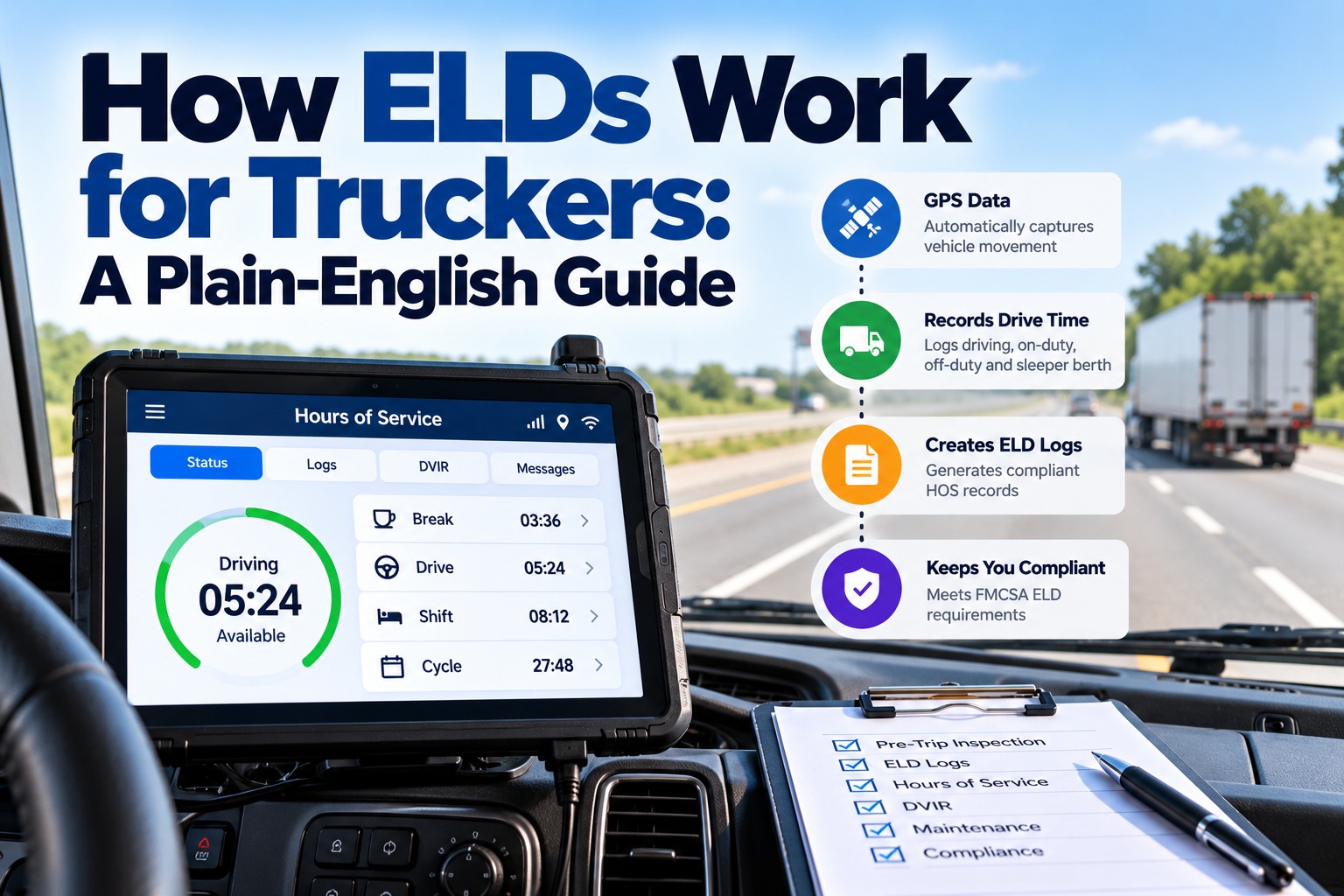
An electronic logging device does one job: it records when a truck moves, so a driver’s hours of service can’t be written in afterwards. It connects to the engine, notices when the wheels start turning, and logs the time, the place and the miles. The driver fills in the rest: when they’re off duty, in the sleeper or working but not driving. This plain-English guide explains what an ELD records, how duty status changes, how location is logged, how logs reach an inspector, what to do when the device fails, who is exempt, and a checklist you can use. To see how FleetRabbit puts ELD hours next to your inspections and maintenance, book a short demo with our team.
What an ELD records automatically, without the driver touching it
The device is synchronised with the engine, so it knows when the truck is running and moving. At each record it captures the same core data.
Because the miles and engine hours come from the engine, a log can’t show the truck parked while it was moving. That’s the whole point of the rule.
Four duty statuses, and the one the ELD sets by itself
The driver chooses three of the four. Driving is set automatically once the truck reaches 5 mph. If the truck sits still for five minutes in driving status, the ELD asks the driver, and switches to on duty, not driving, if there’s no response within a minute.
Pre-trip inspections, fueling and hooking up a trailer or chassis are on-duty time. Logged honestly, they eat into the 14-hour window, which is one more reason to make the daily inspection fast and complete.
A day on the ELD: one driver, one tractor-trailer, hour by hour
It helps to follow one day. A driver logs in at 6:00 and sets on duty for the pre-trip: a walkaround of the tractor, hooking a loaded van trailer and checking the glad hands and lamps. At 6:35 the truck pulls out of the yard, passes 5 mph, and the ELD switches to driving on its own. At 10:40 the driver stops at a customer, and after five minutes still the ELD asks whether they’re still driving; they tap on duty for the unload. At 12:10 they take a 30-minute meal break, set as off duty. The afternoon runs to a drop yard, where they swap trailers, which is on-duty time again, and then home. At 18:20 they do the post-trip, note a cracked marker lamp on the trailer, and go off duty. Before logging out, they certify the day. Every one of those changes has a time, a location to within about a mile, and engine hours and miles behind it.
How location is logged: a 1-mile radius on duty, 10 miles off duty
At the roadside: two ways logs reach the inspector
Every ELD must support at least one option from one of these groups. The driver needs to know which one their device uses before the inspector asks.
The four things that must be in the cab
When the ELD breaks: a malfunction timeline
A malfunction doesn’t stop the truck, but the paper logs and the 8-day repair deadline do matter. A failed ELD is also worth logging in the tractor’s maintenance history, so a recurring fault is caught.
Unassigned driving, edits and other things carriers must manage
Who doesn’t need an ELD
| Driver or vehicle | ELD | Note |
|---|---|---|
| Drivers who keep logs 8 days or fewer in any 30-day period | Paper logs allowed | Record of duty status still required for those days |
| Short-haul drivers under the 150 air-mile exception | No logs or ELD needed | Time records still kept |
| Driveaway-towaway operations | Exempt | Where the vehicle driven is the commodity being delivered |
| Vehicles with an engine model year before 2000 | Exempt | Based on the engine, not the vehicle’s model year |
| Everyone else required to keep logs | ELD required | Device must be on FMCSA’s registered list |
Registered, then revoked: why the ELD list matters
ELDs are self-certified by their makers and listed on FMCSA’s registry. FMCSA removes devices that don’t meet the rule. On 20 May 2026 it removed 12 devices at once, and 79 since January 2025, CCJ reported. Carriers using a revoked device get 60 days to switch to a registered one, using paper logs in the meantime. After that, drivers can be cited and placed out of service. Check the revoked list each quarter, and before buying a device.
Choosing an ELD: questions to ask before you buy
Every registered ELD meets the same minimum rule, but they differ a lot in daily use. Before signing a contract, check that the device is on FMCSA’s registered list and isn’t on the revoked list, and ask the maker what happens if it is revoked later. Ask which roadside transfer method it uses, and try it. Check how it handles yard moves and personal conveyance, and whether the carrier can turn those categories on and off for each driver. Ask how unassigned driving is shown to the office, and how long the device keeps data if it loses signal. And check what else it connects to. Hours of service are only part of running a truck; dispatch, inspections and maintenance all use the same driver and vehicle records, so an ELD that shares its data with your other systems saves typing the same unit numbers twice.
Owner-operators, leased drivers and mixed fleets
When an owner-operator leases onto a carrier, the lease should say whose ELD is used and who can see the data. Often the carrier requires its own device so it can manage hours-of-service compliance. In a mixed fleet, where some drivers fall under the short-haul exception and others don’t, each driver’s status needs to be set correctly in the ELD, because a short-haul driver who goes over 150 air miles or 14 hours that day needs a log for it.