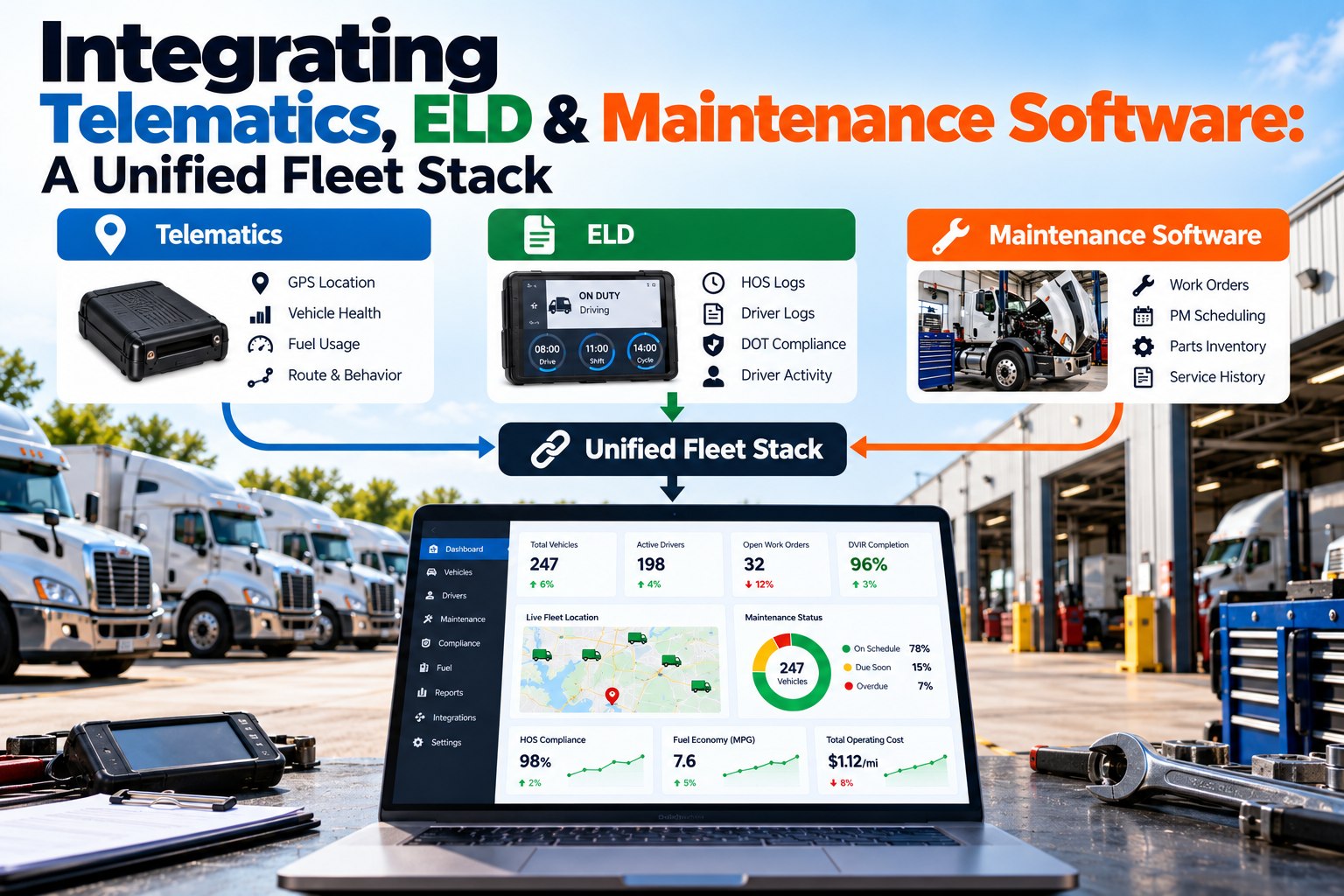
Most fleets already own the data they need to run maintenance well. The telematics system knows where every truck is, how far it has gone and which fault codes it is throwing. The ELD knows how many hours each driver has left. The maintenance system knows what is due, what is broken and what has been fixed. The problem is that each one lives in its own dashboard, so a dispatcher, a shop lead and a safety manager all see a different part of the same truck. This article shows how to connect the three: what data should move, APIs or webhooks, one identity per truck, and a stack that survives a vendor change. To see how your own systems would connect, schedule an integration walkthrough with our team.
Five handoffs that make a connected fleet stack worth building
Integration projects fail when they try to sync everything. They succeed when they start with the few handoffs where one system's data changes what another team does today. These five carry most of the value for a maintenance-focused fleet.
APIs or webhooks: pull the data on a schedule, or have it pushed the moment it changes
There are two basic ways systems exchange data. With an API, one system asks the other for updates on a schedule, such as every 15 minutes. With a webhook, the source system sends a message the moment something happens. Most fleet stacks need both, chosen by how urgent the data is.
- Best for odometer, engine hours and daily summaries
- Simple to build and recover after an outage
- Data is only as fresh as the polling interval
- Polling too often runs into rate limits
- Best for fault codes, DVIR defects and status changes
- Near real-time, with no wasted requests
- Needs an endpoint that is always listening
- Missed messages must be retried or reconciled
A practical rule is to use webhooks for events someone must act on today, and scheduled API pulls for readings that only need to be current by the next PM check. Then run a nightly reconciliation pull either way, so any webhook that failed still gets caught.
The data map: which field comes from where, and how fast it needs to move
Before connecting anything, write down the data map. It prevents the two most common integration failures: two systems both claiming to own the same field, and urgent data moving on a slow schedule.
| Data | System of record | Where it should land | Method | How fresh it needs to be |
|---|---|---|---|---|
| Odometer and engine hours | Telematics | CMMS meter readings | Scheduled API pull | Daily is enough for PM triggers |
| Engine fault codes | Telematics | CMMS work order or alert | Webhook | Minutes, for critical codes |
| GPS location | Telematics | Dispatch and road-call view | Webhook or frequent pull | Minutes |
| Driver hours available | ELD | Shop scheduling and dispatch | Scheduled API pull | Hourly during the shift |
| Driver assigned to unit | ELD | CMMS and DVIR record | Webhook on log-in | At start of shift |
| DVIR defects | CMMS or DVIR app | Work order and dispatch hold | Webhook | Immediately |
| Repair completed | CMMS | Dispatch release and records | Webhook | Immediately |
Write one more rule next to the map: when two systems disagree, which one wins? For meter readings it should almost always be telematics, with manual entries allowed only when a device is offline and flagged for review. For defects and repairs it should be the maintenance system. Deciding this up front stops the slow data drift that makes people stop trusting the combined view.
One truck, one ID: the identity problem every integration has to solve first
The same truck is often called something different in each system: unit 214 in maintenance, a device serial number in telematics, a vehicle name typed by a driver in the ELD. If those don't line up, a fault code lands on the wrong truck or on no truck at all. Fix identity before any data moves.
The VIN is the most reliable shared key because it never changes and every system can store it. Map each system's identifier to the VIN once, keep that map in the system you treat as the master unit list, and update it whenever a device is moved to a different truck. That last step is where many integrations quietly break.
ELD records have their own rules, and the stack has to respect them
ELD data isn't just operational data. Under the federal ELD rule, carriers must keep record of duty status data and back-up data for six months, with the back-up copy stored on a separate device from the original. ELDs must be able to transfer data to safety officials by wireless web services and email, or locally by USB and Bluetooth. An integration that copies hours-of-service data into another system can make it more useful, but it doesn't replace the ELD provider's own retention, and drivers' records still need to be kept in a way that protects their privacy.
Build the stack to survive a vendor change: 79 ELDs revoked in 16 months
Vendors come and go, and some ELDs don't stay compliant. FreightWaves reported in May 2026 that FMCSA had revoked 79 ELDs from its registered list since January 2025, including 12 in a single announcement, for failing the rule's technical requirements. Carriers using a revoked device get 60 days to replace it. A fleet whose maintenance system is hard-wired to one ELD or telematics vendor has to rebuild its integration under that deadline.
What the unified view should show each role
"Single dashboard" is a common goal, but dispatchers, shop leads and safety managers ask different questions about the same truck. A good unified view starts from the shared unit record and shows each role the part it acts on.
Secure the connections, not just the systems
Every integration is a door into your data. Give each connection its own API key or credential with only the permissions it needs, so a telematics feed can write meter readings but can't delete work orders. Keep a list of every active integration and who owns it, and revoke credentials the day a vendor contract ends. Treat ELD data with extra care, because hours-of-service records describe individual drivers, and the ELD rule requires carriers to protect driver privacy. Only pass the fields another system genuinely needs, such as hours available, rather than full logs.
Where unified fleet stacks break in practice
A phased rollout: identity first, events second, insight last
Each phase delivers value on its own, which keeps the project funded. The maintenance side is usually the right hub because it already holds the unit list and the repair history, and connecting it to DVIR and DOT inspections and preventive maintenance scheduling is where most of the operational payoff sits.
FleetRabbit acts as the maintenance hub your telematics and ELD data flow into
- Your current telematics and ELD providers, and how they connect
- Mapping your trucks to one unit list
- Meter readings triggering PM
- A defect becoming a work order and a dispatch hold
- The view your shop and dispatch would share
Once the data flows, the payoff shows up in the shop: fewer missed PMs, faster repairs and a cleaner history on every unit through FleetRabbit's fleet maintenance tools.