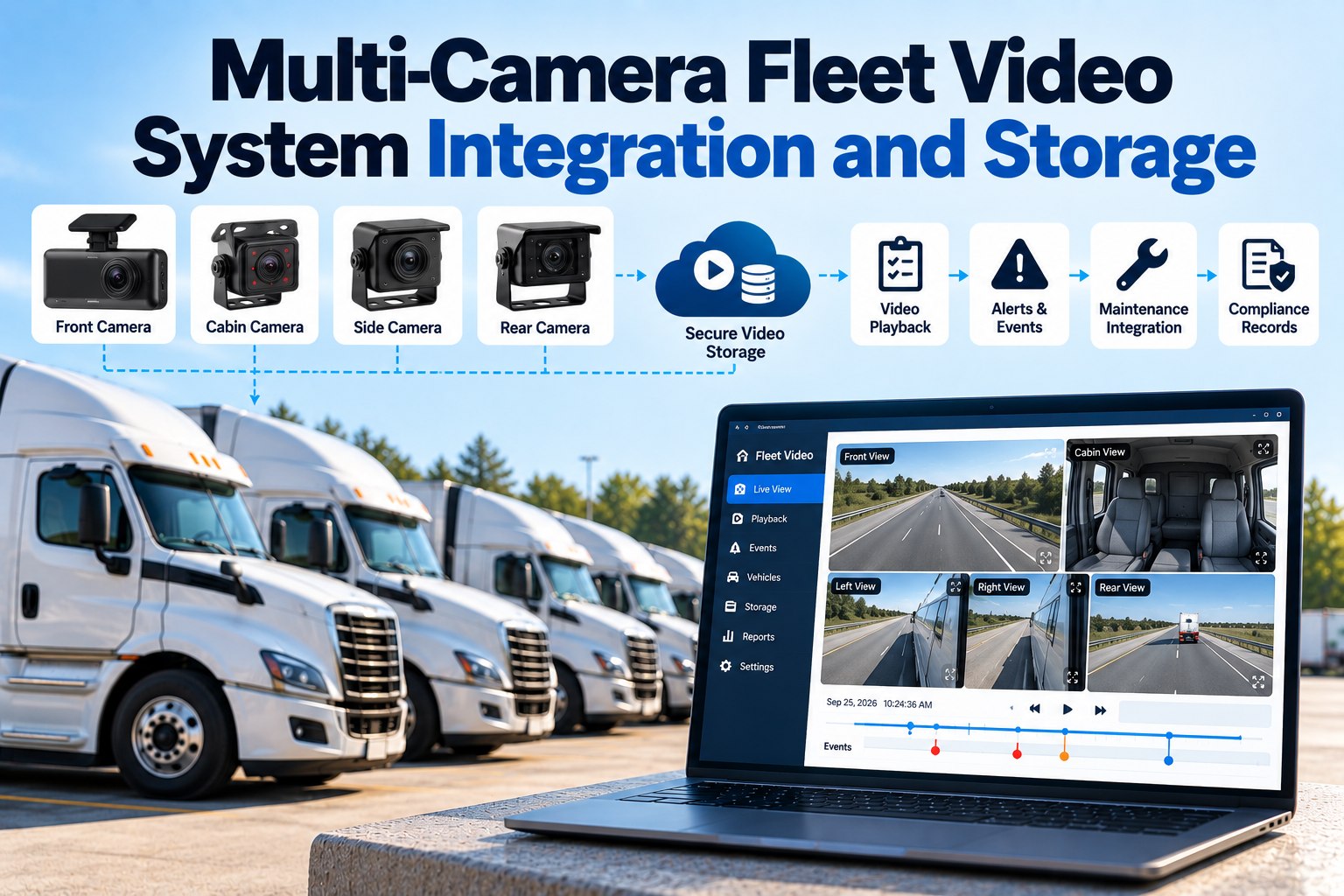
Multi-camera fleet video is bought as a safety decision and lived with as a storage decision. That gap is where most deployments go wrong, and the arithmetic is worth doing before the purchase order rather than after the first claim. Take a six-camera installation recording 1080p in H.264 at roughly 8 Mbps per camera: that is about 3.6 GB per camera per hour, so a ten-hour shift produces around 216 GB per truck per day. A 128 GB card in that configuration is overwritten inside a single shift. Switch the same cameras to H.265, which achieves comparable quality at roughly half the bitrate, and you halve it — which is the single highest-leverage specification decision in the whole project. Meanwhile uploading what those cameras record is not expensive, it is impossible: the same fleet's event clips, at perhaps twenty 60-second uploads per truck per month, come to well under a gigabyte each. Almost nothing ever leaves the vehicle, which means your retention policy is really a decision about what you choose to rescue from a loop that is already deleting. And unlike hours-of-service records, fleet video carries no federal retention period at all — the clock that matters is set by your exposure, not by a regulation. This page covers the storage matrix, the edge-versus-upload split, which camera positions earn their place, a four-tier retention policy, and the first 48 hours after an event. Price your storage with us, or open a workspace and try it.
Six Cameras Produce About 216 GB a Day. Almost None of It Will Ever Leave the Truck.
For fleet safety and operations leaders specifying a video system: the storage and bandwidth arithmetic, the codec decision that halves your costs, which camera positions are worth the money, and a retention policy that survives a preservation demand.
No credit card required. Video events, DVIR and PM on one unit record.
The Storage Matrix
Read across the row for your camera count and down the column for your specification. The card-life figure is the one that surprises people. We will run this for your exact configuration. Swipe the table on mobile.
| Per truck, 10-hour shift | 720p, H.265 | 1080p, H.265 | 1080p, H.264 |
|---|---|---|---|
| 2 cameras | 18 GB128 GB card lasts 7.1 days | 36 GB128 GB card lasts 3.6 days | 72 GB128 GB card lasts 1.8 days |
| 4 cameras | 36 GB128 GB card lasts 3.6 days | 72 GB128 GB card lasts 1.8 days | 144 GB128 GB card lasts 21 hours |
| 6 cameras | 54 GB128 GB card lasts 2.4 days | 108 GB128 GB card lasts 1.2 days | 216 GB128 GB card lasts 14 hours |
Computed transparently from stated bitrate assumptions — roughly 2 Mbps for 720p H.265, 4 Mbps for 1080p H.265 and 8 Mbps for 1080p H.264, converted at 0.45 GB per hour per Mbps. Real bitrates vary with scene complexity, frame rate and the encoder in your specific hardware, and most systems use variable bitrate so a busy urban shift consumes more than an empty motorway. Use these as planning figures and confirm the actual bitrate with your vendor, because a 2 Mbps difference per camera across six cameras changes everything downstream.
What Actually Leaves the Vehicle
This is the structural fact that should drive the whole architecture. Continuous cloud upload is not a premium option you have decided against — for a multi-camera fleet it does not exist. Try the event-based version on three trucks.
Event-upload figure worked from roughly twenty 60-second clips per truck per month at 4 Mbps, which is about 30 MB per clip. The practical consequence: your system's value rests almost entirely on whether it flags the right events, because an event nobody flagged is an event that was overwritten. When you evaluate vendors, the question is not how much cloud storage is included — it is what triggers an upload, and whether you can go and fetch a clip on demand before the loop reaches it.
Which Cameras Earn Their Place
Every additional camera multiplies your storage line and your bandwidth line. Justify each one against a loss you have actually had rather than against a package tier. Swipe the table on mobile.
| Position | What it answers | Worth it when |
|---|---|---|
| Road-facing | What the truck was approaching | The only view that answers fault in most collisions. Non-negotiable |
| Driver-facing | What the driver was doing | The highest-value and highest-friction camera. Covered by its own policy questions |
| Left and right side | Blind spots and lane changes | Earns its place on urban and multi-drop work, less so on long highway lanes |
| Rear-facing | Reversing and being struck from behind | Cheap insurance against the claim you cannot otherwise dispute |
| Cargo or trailer interior | Load condition and securement | Mostly a claims and damage-dispute camera rather than a safety one |
| Coupling or fifth wheel | Connection state and drop-and-hook | Specialist. Justify it against a specific loss you have actually had |
Bring Your Camera Count and We Will Do the Arithmetic
Thirty minutes, your configuration, and you leave with the storage per truck per day, the realistic upload volume, a codec recommendation and a four-tier retention policy drafted against your own exposure. Useful whether or not you end up putting the events in our platform.
A Retention Policy in Four Tiers
There is no federal retention period for fleet video. That is not a licence to keep nothing — it means the duration is set by your claims exposure and your insurer, and that you have to decide it rather than inherit it from a default setting.
On the card or local drive, overwritten in a loop. This is your window to find something nobody flagged at the time.
Harsh brake, collision, camera-detected event, driver-pressed button. Long enough for a claim to surface.
Moved out of the loop entirely into case storage. If it can be overwritten, it will be.
The moment you are on notice, the loop is your enemy. This needs to be a one-click action, not a process.
Hours-of-service records carry their own retention requirement under 49 CFR Part 395, and fleets frequently anchor video retention to that same window for consistency — verify the current period and wording directly against the regulation before you write it into a policy, since it governs duty-status records rather than video. Video retention itself is a commercial and legal judgement, so have your insurer and counsel set the numbers in the second and third tiers above.
The First 48 Hours Decide What You Still Have
Read this alongside the card-life figures from the matrix. On a six-camera 1080p H.264 installation, the loop is the deadline.
The clip exists on the card and possibly nowhere else
On a six-camera 1080p setup a 128 GB card can overwrite within a single shift. This is the real deadline
A preservation demand can land in this window, and a lawful request does not care how your loop is configured
If the footage was never pulled off the vehicle, no policy written afterwards can recover it
Can you place a hold on a specific vehicle's footage, immediately, from a phone, without a technician touching the truck — and can you prove afterwards when the hold was applied? That single function is worth more than any amount of included cloud storage, because it is the only thing standing between a preservation obligation and a loop that is still overwriting. Ask for a live demonstration of it rather than a slide. Put the resulting record next to the inspection report and the preventive maintenance history so the unit's full context travels with the clip.
Multi-Camera Video Questions Fleets Ask
How much storage does a multi-camera fleet video system need?
On planning assumptions of about 3.6 GB per camera-hour at 1080p H.264, a six-camera truck on a ten-hour shift produces roughly 216 GB a day, and a four-camera truck about 144 GB. At 1080p H.265 those roughly halve. Confirm actual bitrates with your vendor, because variable-bitrate encoding means a busy urban route consumes noticeably more than a highway one. Have us compute yours.
Is H.265 worth specifying over H.264?
For a multi-camera installation it is usually the most consequential line in the specification. H.265 delivers comparable quality at roughly half the bitrate, which halves card consumption, halves upload size and doubles how far back your loop reaches. The trade-offs are hardware support and decode compatibility with whatever you review footage on, so verify both before committing. Try it on three trucks first.
Can I upload all my video to the cloud?
No. A six-camera fleet recording 216 GB per truck per day cannot move that over cellular at any price. Every practical system records continuously at the edge and uploads only flagged events — which is why what triggers an upload, and whether you can fetch a clip on demand, matter far more than the cloud allowance in the quote. Discuss the architecture.
How long should we keep fleet video?
There is no federal retention period for video, so the answer comes from your claims exposure and your insurer rather than from a rule. A workable structure is a short loop of 72 hours to 7 days for everything, 90 days for flagged events, retention until closure plus a margin for anything tied to a claim, and indefinite retention for footage under a preservation obligation. Have counsel set the actual durations. Start with the tiers in place.
What happens if footage is overwritten after an accident?
That is exactly the risk the loop creates, and on a six-camera high-bitrate setup the window can be a single shift. Once you are on notice of a potential claim you have an obligation to preserve relevant evidence, and destroying it — including by letting an automatic loop run — can carry serious consequences. The practical protection is the ability to place an immediate hold, which is why it belongs on your evaluation checklist rather than in the small print. Take legal advice on your own obligations. Review your retention setup.
How many cameras do we actually need?
Road-facing is non-negotiable. Beyond that, each camera should answer a loss you have actually had — side cameras earn their place on urban multi-drop work, rear cameras are cheap protection against struck-from-behind claims, and cargo or coupling cameras are specialist. Every added camera multiplies storage and bandwidth, so the honest count is usually lower than the package on offer. Model it on three units.
Should video events sit with maintenance records?
They should sit with the unit. A harsh-brake clip read alongside that truck's open brake defect, its last inspection and its PM history tells you something neither record tells you alone — and it is the difference between a video library and an operating picture. See them on one record.
The Clip Is Only Useful Next to Everything Else About That Truck
FleetRabbit holds video events against the same unit as the DVIR record, the open defects and the work orders, with retention tiers you set rather than inherit. Bring your camera count, your codec and your current retention settings to the session and we will work through the storage, the upload volume and the policy together.
No credit card required. Bring one vehicle's configuration to start.