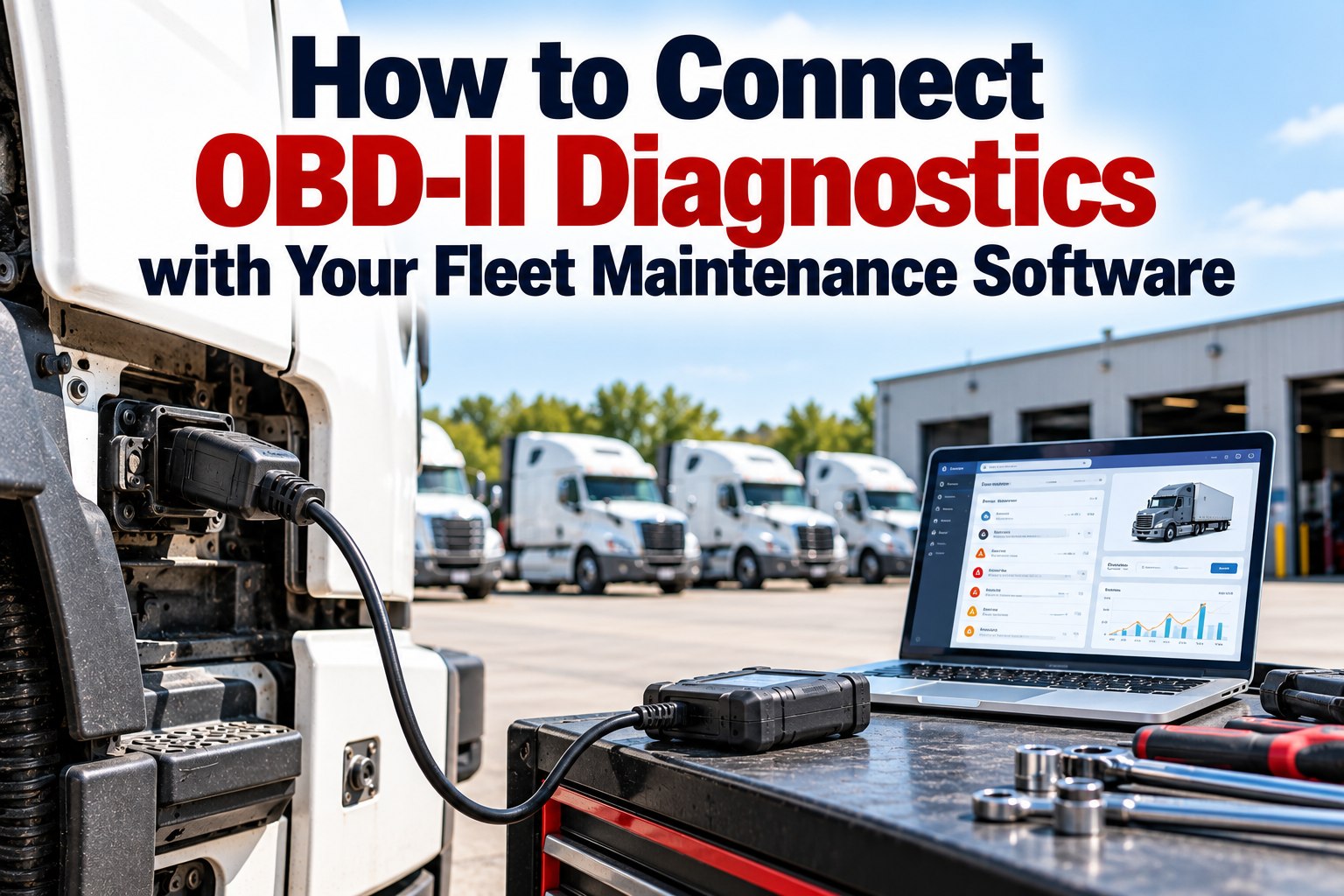
Connecting OBD-II and J1939 diagnostics to fleet maintenance software means more than plugging in a device: it means every fault code arrives with a unit number, gets scored for severity, opens a work order for a named owner, and lands on that truck's repair history so repeats are visible. Fleets that skip the middle steps get the problem maintenance managers told Transport Topics about — remote diagnostics reduce downtime and cost, but sifting through all of that fault code data is a challenge — and Eaton makes the same point about raw feeds, noting that without analysis, codes are distributed to fleets with no immediate, actionable next steps. This guide covers the data sources, the integration architecture, routing and deduplication rules, the KPIs to track, the cost math, a 90-day rollout and a pre-connection checklist. Book a demo to see this working on your fleet, or create a free account and connect your first units.
Integration guide · Diagnostics to maintenance
Codes Are Not the Hard Part. Turning Them Into Work Orders Someone Owns Is.
For fleet managers, maintenance managers and operations leads: how to connect diagnostic data to your maintenance system so alerts turn into scheduled repairs instead of noise.
What a Working Diagnostics-to-Maintenance Integration Actually Looks Like
An integration is a pipeline, and each stage removes work from a human. Codes leave the vehicle network, reach your maintenance system through a telematics or OEM connection, get matched to the right unit, scored, routed and closed — with the result stored where the next technician will look. You can build this on your own units with a free account.
The Three Diagnostic Data Sources Fleets Connect, and What Each One Gives You
Most mixed fleets end up with all three, and the differences decide what your rules can do. Specify by vehicle class rather than ordering one device for everything. We can review your fleet's mix in a demo.
OBD-II devices on the 16-pin port
P-codes in the SAE J2012 format, mainly powertrain and emissions. Simple to fit, limited module coverage on heavier units.
J1939 devices on the 9-pin connector
SPN and FMI codes with occurrence counts, source addresses and lamp status, across engine, transmission, brakes and aftertreatment.
OEM remote diagnostics feeds
Manufacturer services that push fault events and, in some cases, recommended actions. Coverage and depth vary by brand.
Why Raw Fault Code Feeds Get Ignored Inside Three Weeks
Turning telematics on creates a feed, not a process. Fleet maintenance managers told Transport Topics that remote diagnostics help cut downtime and cost, but that sifting through the fault code data is a challenge — and Eaton notes that without analysis, codes reach fleets with no immediate, actionable next steps. The fix is a filter with an owner at the end of it. Start filtering your own feed free.
Funnel shape is illustrative: the point is the ratio between what arrives and what should reach a person. Set your own thresholds from your first 30 days of data.
The Routing Rules That Decide Who Acts on Each Kind of Fault Code
Write the rules once, in plain language, and let the software apply them every time. Five tiers cover most fleets, and every tier names an owner and a due time — an alert with neither is a notification, not a process. We'll help you set these tiers up in a demo. Swipe the table on mobile.
| Code class | Severity | Owner | Action | Record |
|---|---|---|---|---|
| Red stop lamp, engine protection | Critical | On-call manager | Stop the truck, arrange help now | Phone plus work order |
| Emissions codes with derate risk (DEF, SCR, DPF) | High | Maintenance planner | Book before the next long trip | Work order, 24 hours |
| Repeat code, third occurrence in 30 days | High | Shop lead | Escalate to full diagnosis | Work order, flagged as repeat |
| Sensor circuit codes, single occurrence | Medium | Technician queue | Check at next PM | Added to PM checklist |
| Informational and network codes | Low | No owner | Log only | History only, no alert |
Turn your own fault feed into routed work orders
In 30 minutes we'll take a week of your fault data, apply these tiers in FleetRabbit and show how many alerts would actually have reached a technician.
How Deduplication and Repeat Detection Stop the Same Fault Being Diagnosed Twice
The same code firing forty times is one problem, not forty alerts — but a code that returns a month after a repair is the most valuable signal your system produces. Handle both with the occurrence count and the repair history. Track repeats per unit free.
Group repeats of the same code on the same truck inside a set window so one alert carries a count rather than filling an inbox.
Occurrence counts separate an intermittent fault from a persistent one, which is why clearing codes to "start clean" destroys evidence.
A code that reappears within 30 days of a closed work order is a failed repair, and it should escalate automatically rather than start over.
A fuel pressure code with misfire codes is one diagnosis; routing them separately sends two technicians at the same truck.
The Six KPIs That Tell You Whether the Integration Is Working
Set a baseline before you switch the rules on, then compare after 90 days. These six show whether the pipeline is removing work rather than adding alerts. We can set the baseline with you in a demo. Swipe the table on mobile.
| KPI | What it tells you | Direction |
|---|---|---|
| Codes per truck reaching a human | Alert volume after filtering | Lower |
| Share of alerts that became a work order | Whether the rules are trusted | Higher |
| Hours from code to work order opened | Speed of the hand-off | Lower |
| Repeat codes on the same unit in 30 days | Whether repairs fix causes | Lower |
| Unplanned roadside events per 100 trucks | The outcome that pays for the project | Lower |
| Share of repairs done in planned downtime | Scheduling quality | Higher |
Baseline versus 90 days, the shape to look for
IllustrativeBars show the direction each measure should move, not promised results. Measure your own baseline first.
The Cost Case for Connecting Diagnostics to Maintenance Software
The case rests on converting unplanned events into planned ones. Industry benchmarking puts unplanned downtime at roughly $448 to $760 per truck per day before towing and repair, CCJ reports unplanned repairs costing fleets between $700 and $1,500 in lost revenue per day, and Eaton cites potential savings of two days of downtime on connected components. Track your own avoided downtime free.
Where the savings actually come from
Not from the alert itself, but from the three things it enables: a repair booked into planned downtime instead of a roadside call, a technician who starts with the code and history rather than a phone description, and a repeat fault caught the first time it returns instead of the third.
A 90-Day Rollout Plan for Connecting Diagnostics to Your Maintenance System
Start narrow, prove the rules on a subset, then widen. Most failed rollouts turn everything on at once and drown the shop in week one. We can shape this plan around your fleet in a demo.
List every unit with its class, connector and current device. Record today's KPI baseline before changing anything.
Link the telematics or OEM feed, match every VIN to a unit number, and confirm codes arrive with the right truck.
Apply severity tiers and routing to 10 to 20 trucks. Tune thresholds weekly with the shop lead.
Extend to the fleet, turn on repeat detection, then compare the six KPIs against the baseline.
The Integration Checklist to Work Through Before Any Device Is Ordered
Each item below prevents a specific failure mode that shows up months later. Run through them with your telematics provider and your maintenance system before hardware is specified, and connect the feed through your telematics integration. Connect your first units free.
Diagnostics Integration Questions Fleet Managers Ask Before They Start
What does it mean to integrate OBD-II diagnostics with fleet maintenance software?
It means fault codes flow automatically from the vehicle into your maintenance system, matched to the right unit, scored for severity, routed to an owner and closed as a work order with the repair on the truck's history. See the whole flow in a demo.
Do we need different devices for light and heavy vehicles?
Usually yes. Light-duty vehicles use the 16-pin OBD-II port, while Class 6 to 8 trucks report J1939 codes, normally through a 9-pin connector. Specify per class rather than ordering one device for the whole fleet. Connect both types free.
Will this create more alerts than my shop can handle?
Only without rules. Deduplicate by unit and code, score severity, and alert only the tiers with an owner and a due time — everything else is logged to history. Set your tiers with our team.
Can fault codes open work orders automatically?
Yes. That's the point of the integration: the code, its occurrence count and the unit's history arrive on a work order so the technician starts diagnosing instead of gathering information. Try it on 3 vehicles free.
How long does an integration take to show results?
Plan on about 90 days: two weeks to baseline, two to connect and match units, a month on a pilot group, then fleet-wide and measurement. Shape the plan with us.
What should we measure to prove it worked?
Alerts reaching a technician, share of alerts becoming work orders, hours from code to work order, repeat codes within 30 days, unplanned roadside events per 100 trucks and the share of repairs done in planned downtime. Start your baseline free.
Connect Your Diagnostics Once and Let Every Code Find Its Owner
FleetRabbit takes OBD-II and J1939 faults from your telematics, matches them to the right unit, applies your severity tiers and opens a work order with the code, count and history attached — then keeps score on the KPIs above.