Scanner comparisons usually go wrong at the first question, because they treat "scanner" as one category when the market contains at least three: adapters that are pure hardware, OEM software that only talks to one engine family, and multi-brand tools that talk to everything but cannot reprogram any of it. Get that wrong and you buy a capable product that cannot do the job you bought it for. The line worth internalising before comparing anything is the one between diagnostic reading — fault codes, live data, basic resets — and programming, meaning ECM reflashes, parameter changes and injector trim calibrations. Multi-brand tools cover the first across almost every make. For the second there is generally no shortcut around the OEM application. That single distinction explains most of the seven tools below. Start a free trial to log fault codes and repairs against each unit regardless of which tool pulled them.
DIAGNOSTICS & REPAIR · 2026 COMPARISON
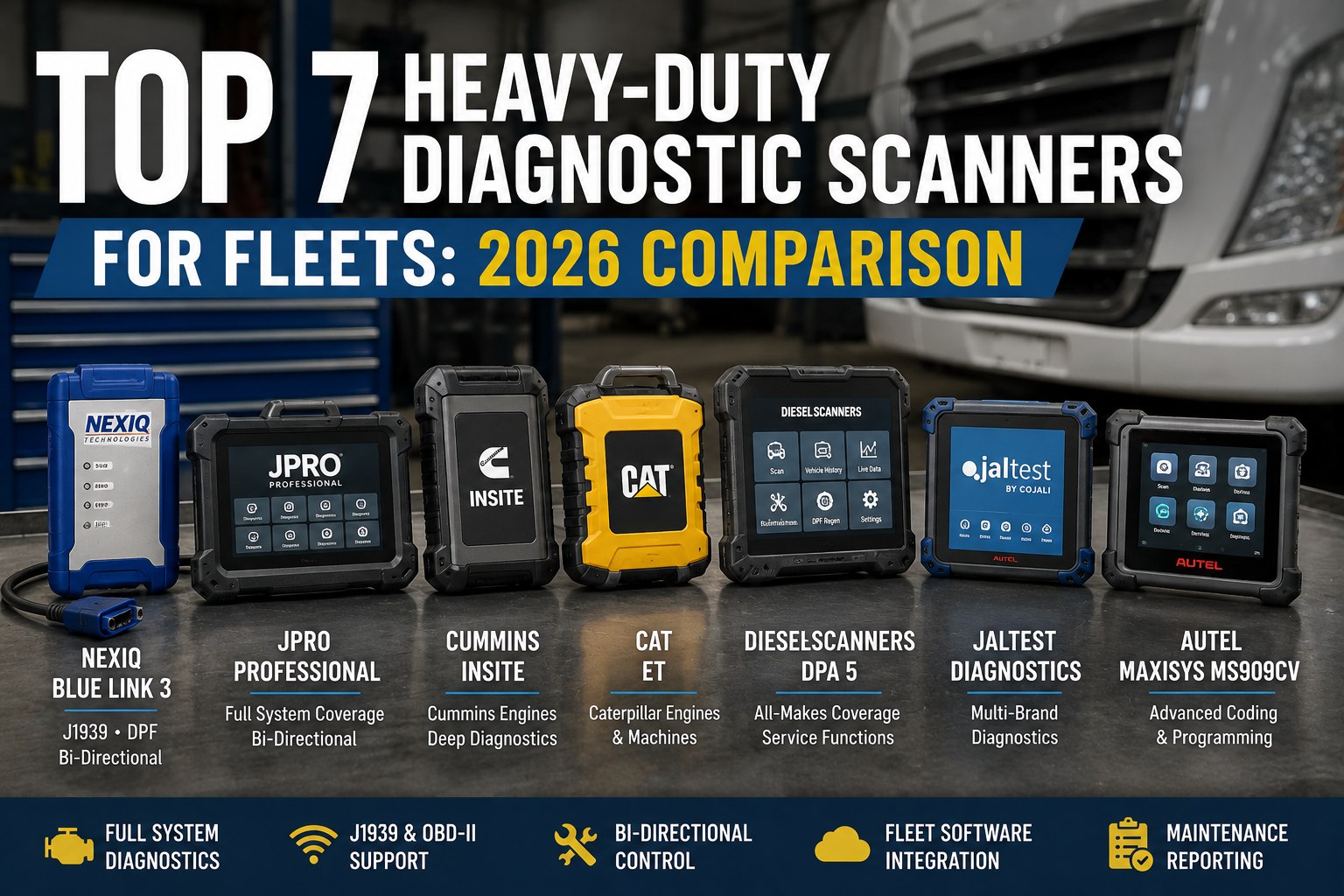
Top 7 Heavy-Duty Diagnostic Scanners for Fleets
Nexiq, JPRO, Cummins INSITE, CAT ET, Premium Tech Tool and the multi-brand alternatives — compared on protocol coverage, programming capability and what each one genuinely replaces.
Read codes and live data
Multi-brand tools and OEM software both
ECM programming
OEM only
Reflash, parameter changes and injector trim generally require the manufacturer's own application. Decide which side of this line your work sits on before comparing anything else.
Why Guessing Is Expensive
Modern diesel trucks — Cummins X15, Detroit DD15, Volvo D13, Mack MP8, PACCAR MX-13, Cat C15 — run on more than 60 electronic control units talking across CAN, J1939 and J1708 networks. A single check-engine lamp could be a failing NOx sensor, a clogged DPF, an SCR fault, a fuel rail pressure problem or a calibration issue.
60+Control units on a modern tractor, across three network types
2–4 hrsWasted per truck when technicians diagnose without the right tool
20–25Billable diagnostic hours to pay back a typical two-software setup
The framing that saves money
The right scanner pays for itself in weeks and the wrong one becomes an expensive paperweight — but "wrong" almost never means low quality. It means a tool whose capability does not match the work. A shop doing 90% Cummins-powered Freightliners does not need six OEM subscriptions; a mobile service unit covering everything does not need dealer-level flashing.
Adapter and Software Are Two Purchases
This trips up more first-time buyers than any protocol question. Several of the most important products on this list are not scanners at all.
The adapter (VCI)
The hardware bridge between your laptop and the truck. It carries no diagnostic content of its own — it is the passport that lets licensed software talk to the vehicle.
ExamplesNexiq USB-Link 3, Cummins INLINE 7, CAT Communication Adapter, Volvo VOCOM
The software
Where the diagnostics live. OEM applications go deepest on their own engines; multi-brand packages trade that depth for breadth across makes.
ExamplesCummins INSITE, CAT ET, Detroit DDDL, Volvo/Mack PTT, JPRO, Jaltest, TEXA
CAT ET is software only — it needs a communication adapter and a 9-pin cable to reach the machine. Caterpillar equipment uses a 9-pin Deutsch connector on J1939 or J1708 rather than the OBD-II protocol used on passenger vehicles, so a consumer OBD-II scanner will not talk to it at all.
The Seven
Ranked by what they replace rather than by price. Note that several are complements rather than competitors — the common professional setup runs two of these together.
01Nexiq USB-Link 3Adapter
The de facto standard vehicle communication interface. RP1210, RP1210C and J2534 compliant, supporting 6-pin and 9-pin Deutsch, OBD-II and 16-pin GMLAN connectors, with USB and Bluetooth up to around 100 feet. It also supports CAN FD and DoIP for newer vehicle architectures, and moves data faster than the USB-Link 2 — which matters specifically for ECM flashing.
Best forAny shop already running OEM software and needing one reliable adapter for all of it
Works withCummins INSITE, Detroit DDDL, CAT ET, Volvo and Mack PTT, PACCAR DAVIE 4, Allison DOC, Bendix ACom, Eaton ServiceRanger, Meritor TOOLBOX PLUS
LimitationIt is not a software product. You still buy and maintain the applications separately
02JPRO ProfessionalMulti-brand
The common first choice for shops repairing many truck brands, built around fast full-system diagnosis across a mixed fleet. It covers heavy-duty, medium-duty and some light-duty truck systems, and accepts Nexiq as a valid RP1210 source rather than demanding its own adapter.
Best forMixed commercial truck repair and fleet maintenance where speed across makes matters more than depth on one
LimitationReads codes and live data across makes, but some advanced functions still require the OEM application
03Cummins INSITEOEM
The deepest available access to Cummins ECM data, covering fault code diagnostics, forced DPF regeneration, injector cut-out tests, ECM calibration updates and parameter programming. No aftermarket tool matches it for Cummins-specific depth, and it is generally considered the more approachable OEM interface for a technician new to this software.
Best forCummins diagnostics, troubleshooting, parameter adjustment and calibration support
AdapterNexiq USB-Link 3 is on the Cummins-approved list, as is the Cummins INLINE 7
LimitationCummins engines only. It does nothing for the rest of the fleet
04CAT ET, with CAT SISOEM
Electronic Technician is the diagnostic side for Caterpillar engines and equipment; SIS carries the repair manuals, service procedures and parts information. Many Caterpillar shops run both, because the diagnosis and the procedure live in different products.
Best forCaterpillar engines and machines at dealer-level depth
AdapterSoftware only — needs a communication adapter and a 9-pin cable
LimitationWatch driver versions on legacy engines, and never run it simultaneously with another OEM application
05Volvo / Mack Premium Tech ToolOEM
Designed specifically for Volvo and Mack vehicle systems, and the correct answer where those makes form a meaningful share of the fleet. It runs cleanly through a Nexiq adapter, so it does not force a second piece of hardware onto the bench.
Best forVolvo D13 and Mack MP8 work needing more than code reading
LimitationMake-specific, like every OEM application on this list
06Autel MaxiSys MS909CVAll-in-one
A self-contained tablet rather than a laptop-plus-adapter setup, offering the broadest base coverage across multiple makes and protocols including J1939 and OBD-II. For a fleet manager running a genuine mix, it is the strongest single-purchase starting point.
Best forMixed fleets wanting one device covering as much as possible without multiple subscriptions
LimitationBroad coverage is not dealer-level depth. Deep programming still routes back to the OEM tool
07Jaltest CV and TEXA IDC5Multi-brand
The main alternatives to JPRO in the multi-brand category, both accepting Nexiq as a valid RP1210 source. Strong coverage across commercial vehicles and, in Jaltest's case, across trailers, agricultural and construction equipment too — which matters for vocational fleets with mixed equipment types.
Best forFleets whose equipment extends beyond on-highway trucks
LimitationSame category limit — reading and live data across makes, not ECM programming
Whichever tool pulls the code, the repair history belongs to the truck.
Fault codes, diagnoses and repairs recorded against the unit rather than left in a laptop — so the third occurrence of the same code is visible as a pattern instead of arriving as a surprise.
Coverage at a Glance
The comparison that actually matters — what each category can and cannot do, rather than a feature count.
← Swipe to see all columns →
Choose by Fleet Profile
Four common situations. Match yours rather than buying the highest-rated product.
Mostly one engine make
If the large majority of your work is one make, start with that OEM software plus a Nexiq USB-Link 3, then add the next most common OEM application as a second priority. Six subscriptions for a fleet that is 90% one engine is money spent on coverage you will not use.
A genuine mix, reading only
Where the work is fault-finding and live data rather than programming, an all-in-one tablet or a multi-brand package gives the broadest base coverage for a single purchase and a single learning curve.
High-volume diesel work
Run both. A multi-brand package for fast diagnosis across the fleet, and OEM software plus a quality adapter for the programming work the multi-brand tool cannot do. This is the standard professional arrangement rather than an indulgence.
Mixed with CAT and Cummins
Buy both OEM applications and share one RP1210 adapter between them. Install to separate directories, never run them simultaneously, and check the RP1210 configuration file if adapter recognition becomes unreliable.
A worked cost for the mixed CAT and Cummins case
Roughly $1,900–$2,500 for both software packages plus $600–$900 for a quality shared adapter puts first-year cost around $2,800–$3,400. At a shop rate of $120–$150 an hour, that is repaid in about 20 to 25 billable diagnostic hours — which is a matter of weeks in a busy shop, and the reason the make-versus-buy argument on diagnostics is usually short.
When It Will Not Connect
Eight causes account for nearly every failed connection, and none of them means the tool is faulty.
1Wrong or outdated adapter driver
2Wrong RP1210 setting selected in the software
3Poor USB connection or a marginal cable
4No vehicle power, or ignition off
5Wrong diagnostic cable for that connector type
6Unsupported vehicle model or model year
7Firmware mismatch between adapter and application
8Two OEM applications running at once, fighting over the adapter
Most current diagnostic programs run on Windows 10 or 11 64-bit, though some older applications behave better on an older build — which is a large part of why shops keep a dedicated diagnostic laptop rather than installing this software on a machine that also does everything else.
Where the Fleet Software Fits
None of these tools is a maintenance system, and none of them holds history. That gap is where fault codes turn into repeat repairs nobody spots.
Codes recorded against the unitWhichever tool pulled them. A code that appears three times in eight months is a pattern, and it is invisible if each diagnosis lives in a different laptop session.
Diagnosis linked to the repairWhat was found, what was replaced, and whether the code returned. The last part is the one that identifies a misdiagnosis rather than a failure.
Repeat-fault reportingBy unit, by code and by component, so the truck that has had three NOx sensors gets investigated rather than receiving a fourth.
Diagnostic time capturedHours spent per fault, which is the figure that justifies the next tool purchase far better than a feature comparison does.
Codes triggering work ordersSo an active fault becomes scheduled work rather than a note on a driver's inspection report.
Tool and licence inventoryWhich adapters and subscriptions exist, where they are and when they renew. Expired diagnostic licences are discovered at the worst possible moment.
Every scanner on this list produces data. None of them keeps it.
Fleet Rabbit records fault codes, diagnoses and repairs against each unit, flags repeat faults by code and component, turns active codes into work orders, and tracks diagnostic hours so the next tool decision has numbers behind it.
Frequently Asked Questions
Which single scanner covers everything?
None of them, and any product claiming otherwise is describing reading rather than programming. Multi-brand tools such as JPRO, TEXA and Jaltest read fault codes and live data across makes, but they generally cannot perform ECM programming, parameter changes or advanced calibrations — for full dealer-level capability you need the OEM application for that make. For mixed fleets doing mostly fault-finding, an all-in-one tablet gives the broadest base coverage; for programming, there is no shortcut.
Is the Nexiq USB-Link 3 a scanner?
No — it is a vehicle communication interface, the hardware bridge between your laptop and the truck. It is RP1210, RP1210C and J2534 compliant and works with almost every OEM application on the market, which is both its strength and its limitation: you still buy and maintain the software separately. It supports 6-pin and 9-pin Deutsch, OBD-II and 16-pin GMLAN connectors, USB and Bluetooth, and CAN FD and DoIP for newer architectures.
What is the best setup for Cummins engines?
Cummins INSITE paired with a Nexiq USB-Link 3 or a Cummins INLINE 7 adapter. INSITE gives the deepest access to Cummins ECM data — fault code diagnostics, forced DPF regeneration, injector cut-out tests, ECM calibration updates and parameter programming — and no aftermarket tool matches it for Cummins-specific depth. The USB-Link 3 is on the Cummins-approved adapter list for INSITE and INSITE Pro.
Can I use a regular OBD-II scanner on a heavy truck?
Not usefully. Most heavy-duty equipment uses a 9-pin Deutsch diagnostic connector and communicates over J1939 or J1708 rather than the OBD-II protocol used in passenger vehicles. You need a heavy-duty scanner, or a 9-pin adapter paired with compatible software. A budget scanner that only reads generic OBD-II codes will not reach the engine-specific data the fault actually lives in.
Can CAT ET and Cummins INSITE share one laptop?
Yes. Both install to separate directories with separate licence managers, and most shops run a dedicated diagnostic laptop with both installed sharing a single RP1210 adapter — the Nexiq USB-Link 3 being the common choice because it is supported by both and handles protocol switching. The one rule is never to run them simultaneously: close one completely before opening the other, and check the RP1210 configuration file if adapter recognition becomes unreliable.
What does this cost to set up?
For a mixed CAT and Cummins operation, roughly $1,900–$2,500 for both software packages plus $600–$900 for a quality shared adapter — around $2,800–$3,400 in the first year. At a shop rate of $120–$150 per hour that repays in about 20 to 25 billable diagnostic hours. Set against the 2–4 hours per truck that technicians waste diagnosing without the right tool, the payback arithmetic is usually the easy part of the decision.
Do these tools keep repair history?
No, and this is the gap that costs fleets the most over time. Diagnostic software reads the truck in the moment; it does not hold what was found, what was replaced, or whether the code came back. Without that history, a unit on its third NOx sensor looks like a unit on its first. Record codes, diagnoses and repairs against the asset so repeat faults surface as patterns.
Start a free trial to set that up alongside whichever scanner you run.
Buy for the Work, Not the Feature List
Decide first whether you need reading or programming, treat the adapter and the software as two purchases, match the tool to your engine mix rather than to a rating — and keep the history somewhere the next technician can find it.
Prices and coverage change — confirm current specifications with the vendor · Free tier available · No credit card required