It happens faster than most fleet managers expect: a reefer unit alarm fires at 2:43 AM on a Thursday, the driver is 90 minutes into a five-hour route carrying $140,000 worth of fresh seafood and ready-to-eat deli products, and the cab temperature reading shows the cargo compartment has climbed from 34°F to 49°F over the past 22 minutes. In the next 15 minutes, every decision made by the driver, the dispatcher on call, the food safety officer, and the fleet manager will determine whether this is a $600 corrective maintenance job or a $140,000 product write-off, a regulatory notification event, and a potential retail contract loss. Most food transport operations do not have a written temperature excursion response protocol. Drivers make judgment calls under pressure. Dispatchers make calls without product safety data. Food safety officers find out at 8:00 AM when the damage is irreversible. FleetRabbit was designed to close that gap — with real-time excursion alerts, structured corrective action workflows, and the automatic documentation that turns a crisis into a managed event with a clean compliance record. Book a FleetRabbit cold chain management demo.
Cold Chain Incident Response Guide — Food Logistics
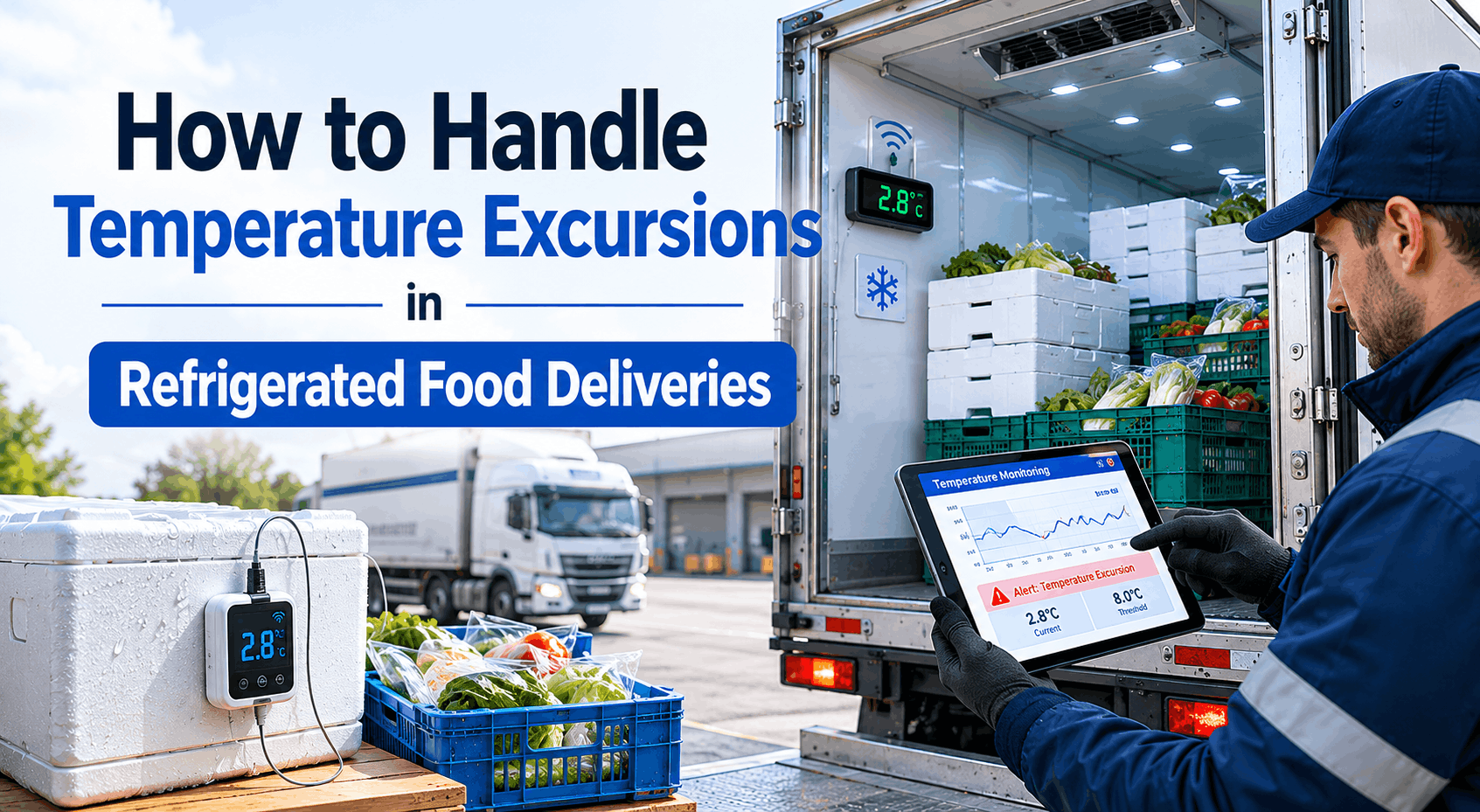
How to Handle Temperature Excursions in Refrigerated Food Deliveries
A step-by-step protocol for responding quickly when temperature deviations occur — minimizing product loss, protecting compliance records, and keeping your retail relationships intact
Excursion Severity Classification — Act Within
90 secCritical>10°F over limit
5 minHigh5–10°F over
15 minModerate2–5°F over
30 minWatch0–2°F over
MonitorBaselineWithin range
43%
Of cold chain failures go undetected until product reaches the retailer
90 sec
FleetRabbit average alert time from excursion detection to driver notification
$85K
Average annual product loss per unmonitored refrigerated vehicle
4 hr
FDA maximum time to complete incident documentation after a cold chain event
Why Temperature Excursions Escalate Into Major Incidents
A temperature excursion is not a single event — it is a cascade. The moment a reefer unit begins losing temperature integrity, a countdown starts that ticks through product safety thresholds, regulatory notification windows, and documentation obligations simultaneously. Operations that manage excursions well understand this cascade and have a response protocol that addresses all three dimensions in parallel. Operations that manage it poorly address them sequentially — discovering the compliance obligation after the product decision is already made and the documentation window has closed.
The Temperature Excursion Cascade: What Happens at Each Stage
01
Excursion Onset — 0 to 5 Minutes
Detection Window
Reefer unit malfunction, door seal failure, or excessive door openings cause compartment temperature to begin rising. Without real-time monitoring, this phase is invisible. With FleetRabbit, an automated alert reaches driver and dispatcher within 90 seconds of the configured threshold breach.
02
Product Safety Zone — 5 to 30 Minutes
Critical Window
Temperature continues rising toward the critical product safety threshold. For most ready-to-eat products: 41°F for more than 4 hours triggers mandatory disposal protocols. This is the window where correct driver response — pulling over, diagnosing the reefer, contacting dispatch — determines whether product is saved or lost.
03
Regulatory Notification — Within 4 Hours
Compliance Window
FDA and FSMA Sanitary Transportation Rule require carriers to document temperature excursion events, corrective actions taken, and product disposition decisions within the same operational day. The documentation window is not flexible — incomplete records at this stage create direct FDA audit exposure regardless of how well the physical response was managed.
04
Product Disposition — Decision Point
Recovery or Loss
Food safety officer or qualified supervisor reviews temperature log, duration data, and product type to determine whether the load can be delivered, must be quarantined for evaluation, or requires immediate disposal. This decision requires the temperature log, excursion duration, and product specifications — all of which FleetRabbit generates automatically.
05
Return to Service — Authorization Required
Closure Event
Before the affected vehicle returns to refrigerated transport duty, the reefer unit must be inspected, the root cause documented, and corrective action signed off by a qualified supervisor. FleetRabbit's return-to-service authorization workflow ensures this step is never skipped under production pressure — and creates the closure record that auditors require.
06
Retail Buyer Notification — Contractual Obligation
Relationship Risk
Most national grocery chain distribution agreements require carrier notification of any cold chain incident affecting their product within 24 hours. The documentation package FleetRabbit generates — temperature log, GPS track, driver response record, product disposition, corrective action — is the deliverable that retail buyers require for incident closure without contract review.
The 5-Step Temperature Excursion Response Protocol
When a temperature excursion alert fires, the driver and dispatcher need a clear, pre-established response sequence that does not require judgment calls under pressure. The protocol below represents the operational standard that food fleet managers should implement — and that FleetRabbit's mobile workflow enforces automatically — for every cold chain incident from detection to closure.
FleetRabbit Temperature Excursion Response Workflow
From first alert to documented closure — every step tracked, timestamped, and audit-ready
1
Immediate Detection & Driver Alert
Real-Time Alert
GPS Capture
Dispatcher Notify
Duration Clock Starts
FleetRabbit's IoT sensor detects compartment temperature breach and pushes simultaneous alerts to the driver's mobile device, the on-call dispatcher, and the food safety officer. The alert includes vehicle ID, GPS location, current temperature, threshold deviation, and the affected load manifest. The incident clock starts automatically — all subsequent actions are timestamped against this moment for compliance documentation.
Action required: Within 90 seconds of alert receipt
2
Driver On-Route Assessment
Pull Over Safely
Reefer Diagnosis
Load Check
Photo Evidence
Driver pulls over at the first safe location and completes the FleetRabbit mobile excursion assessment checklist: reefer unit status (running / fault code / off), door seal inspection, cab temperature reading confirmation, visible product condition check, and photo documentation of the reefer unit display and cargo area. This assessment — not a phone call — creates the timestamped evidence record that food safety officers and FDA inspectors require.
Action required: Within 5 minutes of excursion alert
3
Dispatch Decision — Recover or Divert
Food Safety Review
Continue / Divert / Hold
Supervisor Sign-Off
Decision Logged
Dispatcher reviews the real-time FleetRabbit excursion dashboard — temperature trend, deviation duration, product type, and remaining route — and escalates to the food safety officer for the load disposition decision. Three documented outcomes are available: (1) excursion resolved, continue delivery with monitoring; (2) divert to nearest approved facility for product evaluation; (3) hold load pending food safety assessment and product disposition. Every decision is recorded with the responsible supervisor's digital sign-off.
Action required: Within 15 minutes of initial alert
4
Product Disposition Documentation
Hold / Release / Dispose
Temperature Log Export
Corrective Action Record
Root Cause Note
Food safety officer reviews the FleetRabbit temperature log — including excursion onset time, peak deviation, duration above threshold, and return to safe range if applicable — and documents the product disposition decision with regulatory justification. If product is released for delivery, the decision basis is recorded. If product is quarantined or disposed, FleetRabbit generates the corrective action record and root cause documentation that FDA inspectors require within four hours of the incident.
Action required: Within 4 hours of excursion event
5
Return-to-Service Authorization & Archive
Reefer Inspection
Root Cause Fix
Return-to-Service Sign-Off
FDA Archive
Before the affected vehicle returns to refrigerated service, FleetRabbit generates a return-to-service checklist: reefer unit inspection completed, root cause identified and corrected, compartment temperature verified at target range, and return-to-service authorization signed by a qualified supervisor. The complete incident record — detection, driver response, product disposition, corrective action, and return-to-service — is archived in the FleetRabbit compliance vault and exportable as an FDA audit package in under 60 seconds.
Required before: Vehicle returns to refrigerated duty
See the Excursion Response Workflow Live
Watch how FleetRabbit detects a temperature excursion in real time, alerts driver and dispatcher simultaneously, guides the response workflow, and generates a complete FDA-compliant incident record — from first alert to return-to-service authorization.
Temperature Excursion Risk by Product Category
Not all refrigerated food products carry the same excursion risk profile. Ready-to-eat deli products, fresh seafood, and liquid dairy have dramatically shorter safe temperature windows than fresh produce or whole cuts of meat. Understanding the product-specific risk profile — and configuring your monitoring thresholds and alert triggers accordingly — is the difference between an excursion response that saves a load and one that arrives too late to act. FleetRabbit supports category-specific threshold configuration for every product type in your fleet's load manifest.
Cold Chain Excursion Risk Profiles by Product Category
Ready-to-Eat Deli
Target: 34°F – 40°F
Critical Risk
Safe excursion window: <2 hours above 41°F
Highest pathogen growth risk. Listeria and Salmonella multiply rapidly above 41°F in sliced deli meats and prepared salads. Zero tolerance for excursions exceeding FDA safe harbor limits — mandatory disposal protocol.
Fresh Seafood & Fish
Target: 29°F – 34°F
Critical Risk
Safe excursion window: <1 hour above 38°F
Narrowest temperature band in food transport. Histamine formation in tuna and mahi-mahi begins within 60 minutes of temperature rise. Requires the tightest monitoring thresholds and fastest driver response protocols in your cold chain program.
Fluid Dairy & Eggs
Target: 33°F – 40°F
High Risk
Safe excursion window: <4 hours above 45°F
Pasteurized milk and liquid eggs are highly susceptible to bacterial growth above 45°F. FDA Grade A dairy transport regulations impose strict temperature documentation requirements. Excursion records must include duration, peak temperature, and batch identification for disposition decisions.
Fresh Produce
Target: 33°F – 55°F (varies)
Moderate Risk
Safe excursion window: 4–8 hours (product-dependent)
Wide variation by commodity. Leafy greens have narrow windows similar to dairy. Root vegetables and citrus tolerate wider excursions. Ethylene-sensitive produce (berries, stone fruit) requires multi-zone monitoring when co-loaded with ethylene-producing items. Chilling injury from over-cooling is also a documented risk.
Frozen Foods
Target: 0°F or below
High Risk
Safe excursion window: 0 hours above 32°F (partial thaw)
Any thaw-refreeze cycle is a disqualifying event for most frozen food products under retailer quality standards. Even partial thawing above 28°F creates ice crystal damage that is detectable at delivery. Freeze-thaw detection requires continuous sub-zero monitoring with automated refreeze event logging.
Beverages (Refrigerated)
Target: 34°F – 50°F
Moderate Risk
Safe excursion window: 6–12 hours (product-dependent)
Fresh-pressed juices and cold-brew beverages have tighter windows than pasteurized bottled drinks. Draft beer and kombucha have live cultures sensitive to heat exposure. Carbonated beverages risk pressure issues above 60°F in extended excursions. Retailer receiving standards vary significantly by beverage category.
FleetRabbit supports product category-specific alert thresholds per vehicle zone — enabling differentiated monitoring for mixed loads carrying products with different temperature requirements and excursion risk profiles.
Reefer Failure Root Causes: What to Look for During Incident Assessment
Effective excursion response requires drivers and dispatchers to understand the most common root causes of refrigeration failures — not to repair them on the road, but to make accurate assessment calls about whether the reefer can recover, whether the load needs to divert, and what the maintenance response should be when the vehicle returns to depot. FleetRabbit's driver assessment checklist guides this evaluation in a structured format that produces documentable diagnostic data rather than a driver's verbal summary.
Common Reefer Failure Root Causes & Field Assessment Guide
01
Refrigeration Unit Mechanical Failure
38%
Compressor failure, belt failure, or refrigerant leak — typically indicated by reefer fault codes. Temperature rises steadily regardless of door events. Driver cannot resolve on-road. Requires immediate load disposition decision and vehicle diversion to depot or refrigerated facility.
02
Door Seal Failure or Door Left Ajar
27%
Most common recoverable excursion. Door seal damage or a stop-and-go delivery with a door not fully latched causes gradual temperature rise that stops when doors are secured. Driver inspection should check seal condition and door latch confirmation. Temperature typically recovers within 20–40 minutes if reefer unit is functioning.
03
Pre-Trip Pre-Cool Failure
18%
Load was loaded into a compartment that had not been pre-cooled to target temperature before loading. Temperature reads high from departure with no fault code or door event explaining the rise. Root cause is a pre-departure process failure — a pre-shift inspection gap that FleetRabbit's departure verification workflow prevents by requiring pre-cool confirmation before route activation.
04
Reefer Unit Fuel Starvation
11%
Reefer diesel tank runs empty on multi-stop long-haul routes where the driver fuels the tractor but not the reefer unit at fuel stops. Easily preventable with FleetRabbit's reefer fuel level monitoring and low-fuel alert — and easily identified during driver assessment by checking the reefer unit fuel gauge during the on-road diagnostic checklist.
05
Electrical or Control System Fault
4%
Reefer control unit failure, sensor fault, or wiring fault causes the unit to run incorrectly or shut down. Often presents with fault codes on the reefer display without obvious mechanical symptoms. Requires depot technician diagnosis. Driver should document all displayed fault codes in the FleetRabbit excursion assessment form for maintenance pre-staging before vehicle return.
06
Incorrect Temperature Set Point
2%
Reefer unit operating correctly but set to wrong temperature for the load — either from driver error, a previous driver's configuration, or a multi-zone load where zones were set for the wrong product category. Driver corrects the set point, documents the incorrect and corrected settings in FleetRabbit, and monitors temperature recovery. Root cause typically points to a pre-departure load configuration process gap.
Build Your Excursion Response Protocol into FleetRabbit
FleetRabbit's mobile workflow digitizes your temperature excursion response protocol — turning unstructured driver phone calls and dispatcher judgment calls into a structured, documented, audit-ready incident management process that runs consistently across every driver, every route, and every shift.
Before & After: How Digital Excursion Management Changes the Outcome
The difference between a paper-based cold chain operation and a FleetRabbit-managed fleet is not primarily about technology — it is about the quality of the decision each operation can make when an excursion occurs. Faster detection leads to better product decisions. Structured response protocols lead to better compliance documentation. Automated records lead to cleaner FDA audits and protected retail contracts. Every metric in the comparison below reflects real operational outcomes from food fleets that made the transition.
Regulatory Documentation Requirements for Cold Chain Incidents
Temperature excursion documentation is not optional under FSMA's Sanitary Transportation Rule — it is a mandatory record-keeping obligation with specific content requirements, retention periods, and production timelines that FDA inspectors test during unannounced inspections. Understanding what documentation an excursion event must generate, and in what timeframe, is the foundation of a compliant cold chain incident management program. FleetRabbit generates every required document automatically as part of the excursion response workflow.
Cold Chain Incident Documentation Requirements by Regulatory Framework
| Regulation / Standard |
Required Excursion Documentation |
Production Timeline |
FleetRabbit Coverage |
| FSMA Sanitary Transport |
Temperature deviation record, corrective action, product disposition, root cause |
Within 24 hours / 2-year archive |
Auto-generated on excursion workflow completion |
| FDA 21 CFR Part 1.900 |
Written corrective action, shipper notification, carrier response record |
Same operational day |
Structured CAR with e-signature + shipper alert |
| HACCP Deviation Record |
CCP deviation log, corrective action, product hold / release decision basis |
Within 4 hours of event |
CCP deviation template + product disposition record |
| SQF / BRCGS Incident |
Non-conformance record, root cause analysis, preventive action plan |
Within 48 hours |
NC log with root cause + preventive action fields |
| Retail Buyer Notification |
Incident summary, temperature log export, product disposition confirmation |
Within 24 hours of event |
One-click incident report export with temp log PDF |
| Insurance Claim Support |
GPS-stamped temperature timeline, driver response record, vehicle history |
Within 72 hours of claim |
Complete GPS + temp + response package export |
| ISO 22000 / FSSC |
Prerequisite program deviation, monitoring record, corrective action trail |
Per FSMS plan timeline |
PRP deviation record + corrective action trail |
| Internal HACCP Plan |
CCP monitoring log, verification record, corrective action closure sign-off |
Per plan specification |
Custom HACCP template with supervisor close-out |
From the Fleet: How FleetRabbit Changed an Excursion Outcome
"
Before FleetRabbit, a temperature excursion was basically a phone call from a panicking driver that started a chain of phone calls between me, the food safety manager, and whoever the retail receiver happened to be at that hour. We had no real-time temperature data, no structured response — just someone trying to remember what the rules were at 3:00 AM with $90,000 in product at stake. We had one event where the reefer door seal failed on a full load of fresh seafood. By the time we found out, the compartment had been at 52°F for two and a half hours. We disposed of the entire load because we had no way to document whether it was ever safe — and the cost was nearly $80,000 plus the retailer relationship. After we implemented FleetRabbit, we had an almost identical reefer door event six months later. The alert fired within 90 seconds, the driver pulled over, completed the mobile assessment checklist with photos of the seal and the reefer display, and we had a disposition decision made and documented in 12 minutes. The food safety manager released the load — the temperature had only reached 42°F for 18 minutes. The retailer received the delivery on time with the complete incident documentation package. Zero product lost. Zero contract review. That one event alone covered three years of platform cost.
— Director of Cold Chain Operations, National Fresh Seafood & Deli Distributor, 34-vehicle refrigerated fleet
90 sec
Alert time from excursion detection to driver and dispatcher notification
12 min
Total time from alert to documented product disposition decision
$80K
Product loss avoided on first comparable excursion event after FleetRabbit deployment
The food fleets that handle temperature excursions best are not necessarily the ones with the most reliable reefer equipment — equipment fails in every fleet. The difference is the speed of detection, the structure of the response, and the completeness of the documentation. A 90-second alert versus a 3-hour driver phone call is not a marginal difference — it is the difference between a recoverable event and a total load loss. If you are ready to build a real-time cold chain excursion response program for your fleet, our team will help you configure the right alert thresholds, response workflows, and documentation templates for your product categories and regulatory obligations. Schedule a consultation to build your temperature excursion response program.
Stop Discovering Excursions After the Damage Is Done
FleetRabbit gives refrigerated food fleets real-time excursion alerts, structured mobile response workflows, automated FDA-compliant incident documentation, and the product disposition records that protect retail contracts — from the first alert to the final return-to-service sign-off.
Frequently Asked Questions
What is the FDA's documentation requirement when a temperature excursion occurs during refrigerated food transport?
Under FSMA's Sanitary Transportation Rule (21 CFR Part 1.900), carriers transporting refrigerated food must maintain written records of temperature monitoring, including any deviations from specified temperature ranges, corrective actions taken, and the outcome for the affected product. These records must be retained for a minimum of 12 months and made available to FDA within 24 hours of a written request. For excursion events specifically, the corrective action record must document: the temperature deviation (onset time, peak temperature, duration), the corrective action taken by the driver and dispatcher, the food safety disposition decision and its basis, and who authorized the return-to-service if the vehicle continued in refrigerated service. FleetRabbit generates all of these records automatically through the excursion response workflow — the documentation is created by the response process itself, not compiled retrospectively.
How do you determine whether a load is safe to deliver after a temperature excursion?
The product disposition decision after a temperature excursion should be made by a qualified food safety officer or supervisor — not the driver — and must be based on: the product category and its pathogen risk profile, the maximum temperature reached during the excursion, the total duration above the safety threshold (not just the peak), whether temperature recovery occurred before the assessment, and the specific retailer's receiving standards for the product category. FleetRabbit provides the food safety officer with a complete excursion record — including the temperature trend chart, peak temperature, duration above each threshold, and the full route context — so the disposition decision is made on data rather than a driver's verbal summary. For most ready-to-eat products, the FDA "danger zone" of 41°F–135°F applies, and duration above 41°F is the primary determinant. FleetRabbit tracks cumulative time above threshold separately from peak temperature, giving the food safety officer the specific data point that FDA and retailer standards reference.
How does FleetRabbit alert drivers and dispatchers when a temperature excursion occurs?
FleetRabbit's IoT temperature sensors stream continuous data to the platform, and when a reading exceeds the configured threshold for the vehicle's product category and zone, the system simultaneously pushes alerts to: the driver's mobile device (push notification + in-app alert with excursion details), the on-call dispatcher's mobile device and desktop dashboard, and the food safety officer's contact if configured for the vehicle or product category. Each alert contains the vehicle ID and GPS location, the current temperature and threshold deviation, the time elapsed since excursion onset, and the load manifest for the affected vehicle. The driver receives a prompt to begin the mobile excursion assessment checklist — the structured response workflow that ensures every field assessment produces documentable evidence rather than an unrecorded phone conversation. Alert thresholds are configurable per vehicle zone and product category, enabling different sensitivity settings for a dual-zone vehicle carrying both fresh seafood and produce.
What should a driver do immediately when they receive a temperature excursion alert?
The immediate driver response sequence for a temperature excursion alert should follow a pre-established protocol — not improvised judgment: (1) Acknowledge the alert in the FleetRabbit app, which starts the timestamped incident record. (2) Pull over at the next safe location — do not attempt to diagnose the reefer while driving. (3) Open the FleetRabbit mobile excursion checklist and complete the on-road assessment: reefer unit status and any displayed fault codes, door condition and latch confirmation, temperature reading from the reefer unit display, and photo documentation of the unit display and cargo area. (4) Contact dispatch via the app's integrated communication — so the conversation is linked to the incident record, not conducted separately on a personal phone. (5) Follow dispatcher instructions — do not make the load disposition decision independently. The FleetRabbit mobile workflow guides drivers through each step in sequence, ensuring no assessment element is missed under pressure and every action is timestamped against the incident record.
Can FleetRabbit prevent temperature excursions — not just respond to them?
Prevention and response operate at different layers of cold chain management, and FleetRabbit addresses both. On the prevention side: pre-departure verification workflows require drivers to confirm reefer pre-cool temperature, unit operating status, and door seal condition before route activation — preventing the most common causes of excursions (failure to pre-cool, door seal damage not caught at departure, incorrect set point). Automated maintenance scheduling for reefer units — service intervals, belt checks, refrigerant pressure checks — reduces the mechanical failure rate that accounts for 38% of excursion root causes. Reefer fuel level monitoring prevents the preventable fuel starvation events that account for 11% of excursions. On the response side, real-time monitoring converts the remaining unpreventable excursions from undocumented surprises into managed, documented incidents that minimize product loss and protect compliance records. The combination of prevention and response is the full cold chain management program that FleetRabbit delivers.
May 25, 2026
By Taylor
All Posts