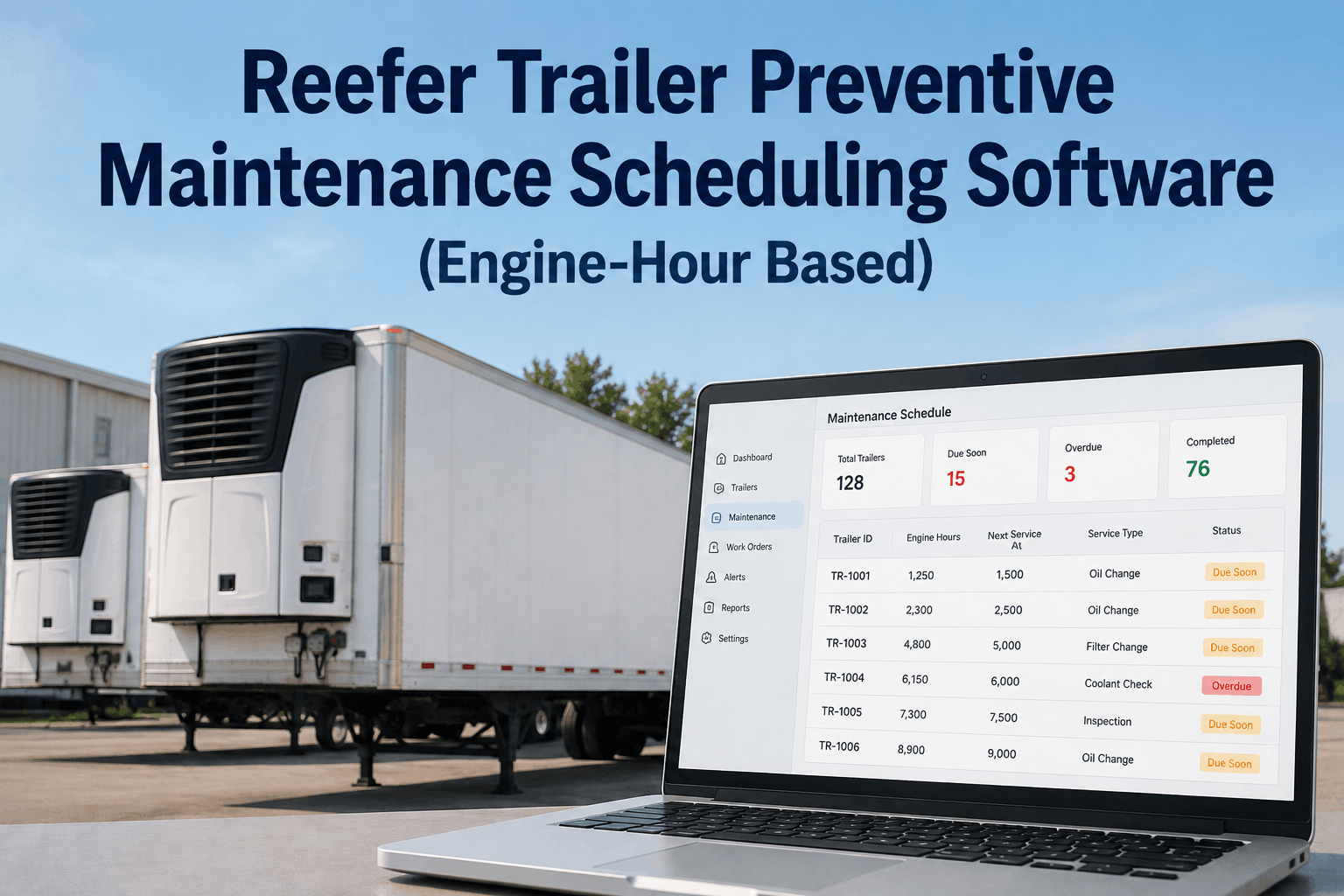
A reefer trailer's diesel engine keeps running long after the tractor pulling it has clocked off for the night, holding a load at set temperature through a weekend layover or a slow dock queue. That engine racks up run time completely apart from the truck's odometer, which is exactly why a service reminder tied to miles or dates misses it. Fleets that build maintenance around engine hours instead of the calendar catch belt wear, low refrigerant, and compressor strain before they turn into a warm trailer and a rejected load. FleetRabbit's engine-hour PM scheduling reads every reefer unit's true run time and lines up service before it slips past a threshold, and the fastest way to see it against your own fleet is to sign up and let your hour data pull in on its own.
The odometer never tells the reefer's real story
A reefer unit runs on its own diesel engine, separate from the tractor, and it doesn't stop when the truck parks. Continuous run mode holds temperature at a loading dock, during a driver's mandated break, and overnight at a distribution yard, so a trailer can log two or three hundred engine hours in a month while the tractor shows a modest number of miles for the same stretch. A mileage-based interval built for a tractor's drivetrain simply doesn't map onto that duty cycle.
Engine hours are the unit's own record of wear. Compressor cycling, belt tension, coolant condition, and refrigerant pressure all track to how long the engine has actually turned over, not how far the trailer has traveled behind it. Watching hours instead of miles is the difference between catching a failing compressor at hour 480 and discovering it at hour 900, mid-route, with a full load of product on board. Fleets that want to see this gap on their own reefer units can book a demo and compare hour data against the mileage log for the same trailer.
982 engine hours logged
Next threshold in 18 hours
Setting hour milestones that actually hold up
A working engine-hour PM schedule stacks smaller checks on top of bigger ones, so nothing waits 1500 hours to get a first look.
Quick check
Belt tension, door seal integrity, refrigerant pressure reading
Service interval
Oil and filter change, coolant level, battery and wiring inspection
Major inspection
Compressor performance test, condenser coil cleaning, evaporator check
Full overhaul review
Complete unit teardown assessment and component replacement planning
Trailers that split time between long-haul lanes and short local runs still hit these same milestones, just at different calendar speeds, which is exactly why an hour-based schedule outperforms a date-based one. Fleets can book a demo to see these four milestones mapped against their own trailer roster before committing to anything.
Put engine-hour thresholds on autopilot for every trailer in the yard
FleetRabbit reads hour meters continuously and opens the work order before a threshold is crossed.
From hour meter reading to open work order, without a spreadsheet
Hour meter reads continuously from each reefer telematics feed
Alert fires at 90 percent of the next scheduled interval
Work order opens and routes to the nearest available technician
Dispatcher sees the trailer flagged before it's assigned a new route
Manually logging hours off a dash display works until a fleet grows past a handful of trailers, and then it quietly stops happening. FleetRabbit pulls run-time data straight from each reefer unit's telematics feed, so the hour count updates without a technician walking the yard with a clipboard. When a unit crosses ninety percent of its next interval, a work order opens on its own and lands with the nearest available technician instead of waiting for someone to notice.
That same alert reaches dispatch before the trailer gets assigned to its next load, which is what actually prevents a unit from leaving the yard already overdue. Fleets running mixed equipment can sign up to connect their existing reefer telematics and watch the first alerts populate within a normal service cycle.
What to look for in engine-hour PM software built for reefers
Per-unit thresholds
Interval settings that flex by trailer model and compressor type instead of one fleet-wide number
Live hour sync
A direct read from existing reefer telematics, not a number someone re-enters from a dash display
Audit-ready history
Every completed interval stored against the trailer, ready the moment a customer or auditor asks
Not every maintenance platform tracks engine hours as a first-class number, and bolting it on later usually means a spreadsheet living next to the software instead of inside it. Distributors comparing platforms can sign up for a look at how hour data, work orders, and service history sit in one place, or book a demo to walk through it against a current reefer roster.
What a missed threshold costs a food and beverage distributor
1
rejected load can outweigh a full year of routine reefer service costs
100%
of temperature excursions during transit need a documented cause for an FSMA record
0
manual entries needed once engine hours log and file themselves
Compressor strain rarely announces itself before it fails, and a failure in transit turns a delivery into a claim. An engine-hour record that ties directly to a completed service also becomes the paperwork an FSMA audit or a customer's food safety team asks for, without anyone digging through paper logs to reconstruct it. Distributors weighing this against their current logbook process can book a demo and bring a real trailer's service history to look at together.
See your reefer fleet's engine hours mapped against its next due service
No manual logbook, no guessing which trailer is closest to its next interval.
Common questions on engine-hour reefer PM
How engine-hour PM differs from mileage-based PM
Mileage tracks the tractor's drivetrain wear. A reefer engine runs independently, often while parked, so its own hour meter is the only accurate measure of how much work it has done.
What happens at each hour milestone
Smaller checks like belts and seals sit at 250 hours, oil and filter service lands at 500, a major compressor and coil inspection sits at 1000, and a full overhaul review comes at 1500.
How FleetRabbit captures hours without manual logging
Run-time data streams in from each unit's existing telematics feed, updating continuously so no one has to walk the yard reading a dash display by hand.
Does this help with FSMA cold chain documentation
Yes. Completed engine-hour service records file automatically, giving distributors a ready reference when a customer or auditor asks for maintenance history behind a shipment.
Can the hour intervals be customized per trailer model
Intervals can be set per unit type, since a newer compressor and an older one rarely need attention on the same schedule.